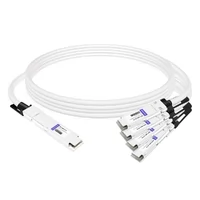
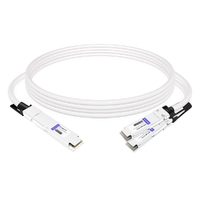
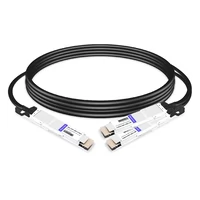
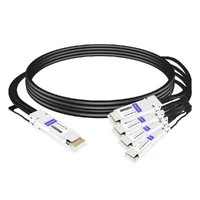
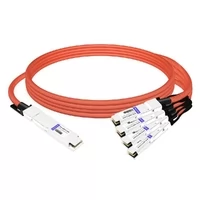
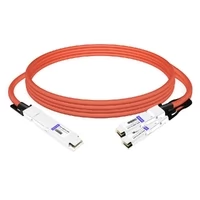
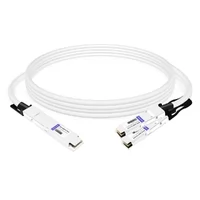
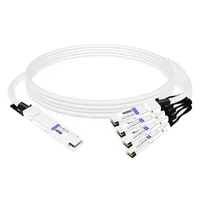
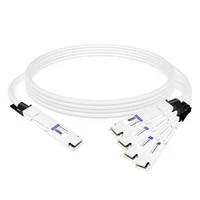
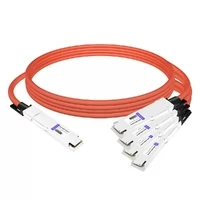
Breakout cables, also called fan-out cables, are necessary in many advanced networking and audio-visual systems. These cables allow one multi-fiber, multi-lane, or multi-pair cable assembly to break out into several separate connections, improving connectivity, flexibility, and system configuration. Whether you are setting up a complex data center, improving the audio setup of your studio, or organizing your cable infrastructure, understanding different kinds of breakout cables and their applications can greatly enhance system efficiency and performance. This article aims to provide a comprehensive understanding of breakout cables, including their functions, benefits, and limitations, helping you make informed choices based on your specific needs.
What is a Breakout Cable and How Does It Work?
Understanding Breakout Cables
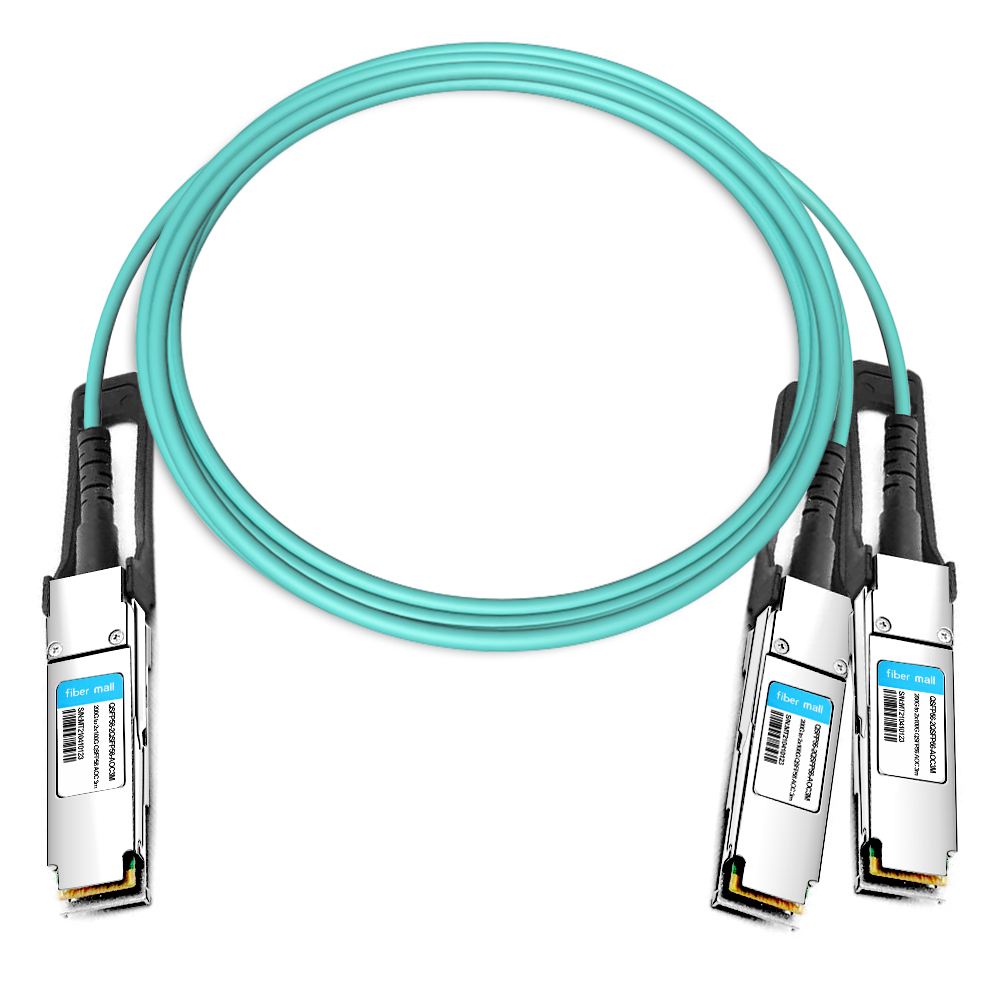
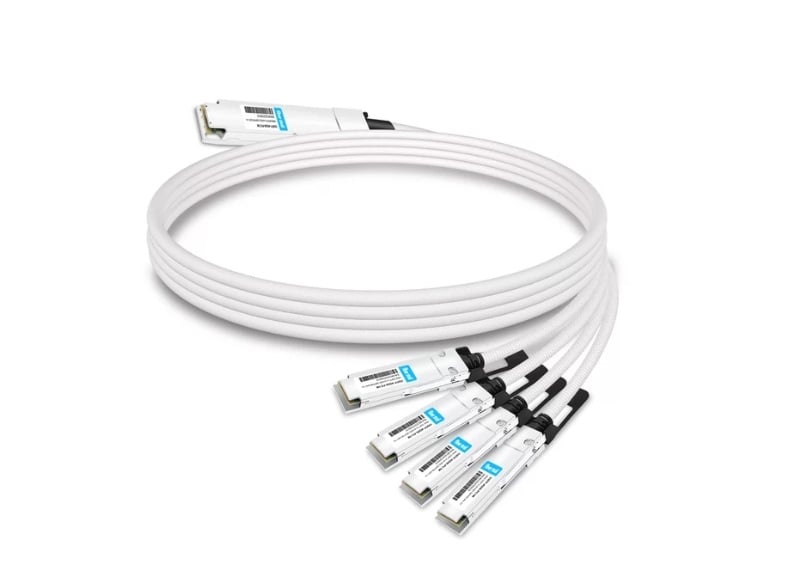
Breakout cables are designed to consolidate multiple optical fibers, electrical pairs, or signal lanes into a single cable assembly that “breaks out” into separate connectors at one end. This design reduces cable clutter, simplifies routing, and improves organization in environments where space and cable management are important, such as data centers, recording studios, broadcast facilities, and industrial systems.
In networking, breakout cables are commonly used to split a high-speed multi-lane port, such as a QSFP+ or QSFP28 port, into several lower-speed ports, such as SFP+ or SFP28 connections. In audio systems, they are used to separate multi-channel signals into individual input or output connectors. In power and industrial applications, breakout cables may distribute power or control signals from one main connection to several devices, provided that all electrical ratings and safety requirements are met.
Types of Breakout Cables
Breakout cables come in many different forms to accommodate a variety of uses and system configurations. Here are the major categories:
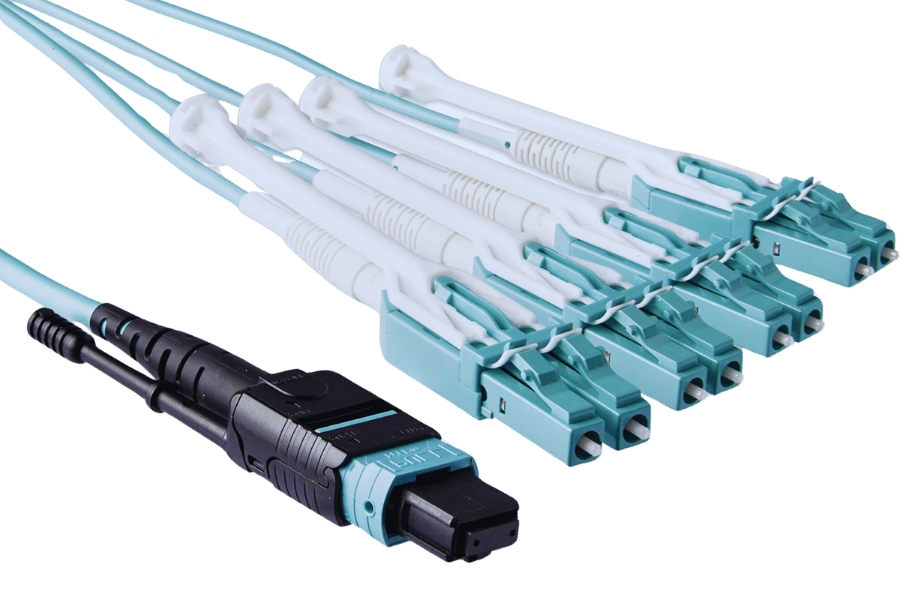
- Fiber Optic Breakout Cables: These cables consist of multiple optical fibers bundled together and terminated into individual connectors. They are often used in data centers, telecommunications systems, and high-speed network environments. For example, an MPO/MTP connector may break out into multiple LC connectors for parallel optical transmission.
- Audio Breakout Cables: These cables split a multi-channel cable into multiple individual audio connectors, allowing for complex audio routing and mixing in audio engineering, studio recording, live sound, and broadcast setups. They may use connectors such as XLR, TRS, RCA, DB25, or other audio-specific interfaces.
- Network Breakout Cables: This category includes high-speed Ethernet breakout cables, such as QSFP+ to 4 × SFP+ or QSFP28 to 4 × SFP28 cables. These cables do not simply “split” a standard Ethernet cable like a passive splitter. Instead, they are used with network devices that support breakout mode, allowing a high-speed multi-lane port to operate as several lower-speed interfaces.
- Power Breakout Cables: Industrial, mechanical, and stage-production environments may use power breakout cables to distribute power from one main connection to several devices. These cables must be selected according to voltage, current rating, connector type, grounding requirements, and applicable safety standards. They should never be improvised or overloaded.
Each kind of breakout cable is designed to improve a specific part of the cabling infrastructure, whether it involves data transmission, audio routing, network connectivity, or power distribution.
How a Breakout Cable Works
A breakout cable collects multiple signals, fibers, pairs, or lanes into a single cable assembly and then separates them into several individual lines or connectors. Internally, the cable routes each fiber, wire pair, or signal lane from a central connector to its corresponding endpoint.
For example, in a fiber optic breakout cable, multiple optical fibers may be combined in a single MPO/MTP connector and then separated into individual LC connectors. In a network breakout cable, a QSFP+ port may be configured to operate as four 10G SFP+ connections, provided the switch supports this breakout mode. Similarly, a QSFP28 port may be configured as four 25G SFP28 connections.
This design reduces the number of separate cables required, improves cable organization, and supports efficient signal transmission. In copper or audio applications, shielding may help reduce electromagnetic interference. In fiber optic applications, important considerations include fiber type, connector type, insertion loss, bend radius, polarity, and transceiver compatibility. Proper labeling is also important to ensure that each connection is easy to identify and performs as expected.
Such an approach simplifies the management of complex cabling infrastructures, thereby improving organization and reducing clutter in places like data centers, recording studios, broadcast facilities, and industrial environments.
How to Choose the Right Breakout Cable for Your Setup?
Considerations for Selecting a Breakout Cable
To ensure optimum performance and compatibility with your setup, several important factors should be considered when choosing a breakout cable:
- Connection type: Identify the specific connection type required, such as power, network, audio, or fiber optic. The cable must match its intended application and device interfaces.
- Cable length: Determine the cable length needed for your setup. The cable should be long enough for proper routing but not so long that it causes unnecessary clutter, signal loss, or cable-management problems.
- Bandwidth & Speeds: Ensure that the breakout cable supports the bandwidth and data rate required by your system. For example, a QSFP+ breakout cable may support 40G to 4 × 10G applications, while a QSFP28 breakout cable may support 100G to 4 × 25G applications.
- Shielding and Durability: For copper, audio, and electrical cables, choose durable materials and appropriate shielding to reduce interference and withstand physical stress. For fiber optic cables, consider jacket type, bend radius, tensile strength, and environmental protection.
- Connector compatibility: Make sure the connectors on the cable are compatible with the ports and devices in your system. For example, confirm whether your equipment requires MPO/MTP, LC, SFP+, SFP28, QSFP+, QSFP28, XLR, TRS, or another connector type.
- Device and Port Support: For network breakout cables, confirm that the switch, router, or network device supports breakout mode. A breakout cable alone is not enough; the port must be configurable for multiple lower-speed interfaces.
- Environment: Consider the installation environment, including temperature range, humidity, vibration, bending stress, possible exposure to chemicals, and airflow requirements. This helps ensure that the selected cable is suitable for the conditions in which it will be used.
- Standards & Compliance: Check whether the cable meets relevant safety, performance, and industry standards. Depending on the application, these may include IEC, UL, RoHS, CE, TIA, IEEE, or other applicable standards and certifications.
By considering these factors, you can select a breakout cable that connects devices efficiently, safely, and reliably.
Compatibility with Network Devices
Based on practical network deployment requirements, ensuring that breakout cables are compatible with network devices requires attention to several key points. First, the port type on the network equipment should be checked against the connector type of the cable to avoid physical or electrical incompatibility. For example, a QSFP+ to 4 × SFP+ breakout cable must be used with a QSFP+ port that supports breakout operation.
It is also important to verify that the cable supports the required bandwidth and speed. A 40G QSFP+ breakout connection commonly breaks out into four 10G SFP+ links, while a 100G QSFP28 connection may break out into four 25G SFP28 links. However, support depends on the switch, transceiver, firmware, and port configuration.
Finally, the cable should meet relevant industry standards and vendor compatibility requirements. Some network vendors maintain compatibility lists for DAC, AOC, and optical transceivers. Checking these requirements helps ensure that the network configuration is stable, efficient, and reliable.
Breakout Cables for Different Applications
Breakout cables are used across various industries, and each application requires specific features to maximize efficiency.
In data centers, high-density fiber optic breakout cables allow fast data transmission between switches, servers, storage systems, and patch panels. They support high-speed networking while reducing cable congestion and improving airflow.
For audio-visual installations, breakout cables simplify complex signal routing. For example, they may split a multi-channel audio connection into several XLR or TRS connectors, making it easier to manage recording, mixing, or live sound setups.
In harsh industrial environments, breakout cables may connect machines, sensors, actuators, and control systems. These cables should be designed to withstand vibration, temperature changes, mechanical stress, and exposure to dust or moisture.
Breakout cables may also be used in custom computer builds, server systems, and power-distribution setups, where multiple components need organized and efficient connections. In these cases, careful cable management improves airflow, maintenance access, and system reliability.
To choose breakout cables for any application, special attention should be given to the intended use, device compatibility, electrical or optical requirements, and installation environment.
How Do You Use a Stereo Breakout Cable?
Connecting Your Stereo Equipment
To prevent possible damage or signal problems, make sure that all devices are turned off before using a stereo breakout cable to connect your equipment. Identify the appropriate output on your source device, such as a mixer, audio interface, media player, or amplifier, and insert one end of the stereo breakout cable into that output.
Next, identify the input jacks on the destination devices, such as speakers, amplifiers, recording interfaces, or processors. Connect the left and right ends of the breakout cable to the corresponding inputs, making sure that the left and right channels are matched correctly.
Once everything is connected securely, turn on the equipment and test the sound. Confirm that both channels are working properly and that the audio signal is clear, balanced, and free from unwanted noise.
Setting Up Stereo Breakout Cables
There are a few common steps to follow when setting up stereo breakout cables for the best signal clarity and performance.
First, make sure all audio equipment is turned off to avoid pops, short circuits, or accidental damage. Then locate the stereo output on the source device, such as an audio interface, mixer, keyboard, or media player, and connect one end of the stereo breakout cable to this output.
Next, locate the left and right input jacks on the destination devices, such as speakers, amplifiers, or recording equipment. Connect the corresponding ends of the breakout cable to the correct left and right inputs. Correct channel matching is important for accurate stereo imaging and balanced audio output.
After all connections are secure, power on the equipment and perform a sound check. This helps verify that the cable is transmitting the signal correctly and that the desired sound quality is being achieved.
Troubleshooting Connection Issues
When connection issues occur with stereo breakout cables, the following steps can help identify and solve common problems:
- Inspect All Connections: Make sure that all plugs are securely connected to the correct ports. Loose or incorrect connections can cause weak signals, missing channels, or poor sound quality.
- Check Wire Conditions: Look for visible damage, such as bent connectors, frayed jackets, broken shielding, or sharp kinks. Replace damaged cables immediately.
- Test Every Part Separately: Isolate the problem by testing each part of the system one at a time. Connect each device individually to determine whether the cable, source device, or destination device is causing the issue.
- Ensure Channel Matching: Confirm that the left and right channels are correctly matched between the source and destination devices. Reversed or mismatched channels can affect stereo imaging.
- Upgrade Firmware/Drivers: For digital audio interfaces or computer-based systems, ensure that the latest firmware and drivers are installed. Outdated software may cause compatibility or recognition problems.
- Remove Electromagnetic Interference: Move the cable away from wireless routers, power supplies, transformers, lighting dimmers, and other electronics that may generate interference.
- Refer to the manual: Check the user manuals for your audio devices. Manufacturers often provide specific troubleshooting steps and connection diagrams for their equipment.
By following these steps, you can identify and resolve most connection problems involving stereo breakout cables and maintain clear sound at both ends.
What is an SFP, and How is it Related to Breakout Cables?
Understanding SFP Modules
Small Form-factor Pluggable, or SFP, modules are compact, hot-swappable transceivers used to connect network devices such as switches, routers, firewalls, and media converters to copper or fiber optic cables. These modules support different network standards, media types, data rates, and transmission distances.
Common module families include SFP, SFP+, SFP28, QSFP+, QSFP28, QSFP-DD, and OSFP. SFP is commonly used for 1G Ethernet, SFP+ for 10G Ethernet, SFP28 for 25G Ethernet, QSFP+ for 40G Ethernet, and QSFP28 for 100G Ethernet. Newer form factors such as QSFP-DD and OSFP are often used for 400G and 800G applications.
In the context of breakout cables, breakout is usually performed from QSFP-family ports rather than standard SFP ports. For example, a 40G QSFP+ port may be configured to operate as four 10G SFP+ ports, or a 100G QSFP28 port may be configured as four 25G SFP28 ports. This increases network flexibility and helps optimize port utilization, provided that the switch and module support breakout mode.
SFP vs. QSFP: What’s the Difference?
SFP and QSFP modules differ mainly in physical design, lane count, and supported bandwidth.
SFP-family modules, such as SFP, SFP+, and SFP28, typically provide a single network interface at a given speed. For example, SFP is commonly used for 1G, SFP+ for 10G, and SFP28 for 25G connections.
QSFP-family modules, such as QSFP+, QSFP28, QSFP-DD, and OSFP, are designed for higher aggregate data rates and usually use multiple lanes. For example, a QSFP+ module may use four 10G lanes to support a 40G connection, while a QSFP28 module may use four 25G lanes to support a 100G connection.
Because QSFP-family ports use multiple lanes, they are often suitable for breakout applications. A QSFP+ port can often be broken out into four SFP+ links, and a QSFP28 port can often be broken out into four SFP28 links, as long as the switch, cable, and transceiver support the required mode.
Using SFP with Breakout Cables
Using breakout cables with SFP-family connections usually means connecting a high-bandwidth QSFP-family port to several lower-bandwidth SFP-family ports. For example, a 40G QSFP+ port may be connected to four 10G SFP+ ports through a QSFP+ to 4 × SFP+ breakout DAC, AOC, or optical breakout cable.
Similarly, a 100G QSFP28 port may be broken out into four 25G SFP28 connections. This allows one high-speed port to serve several lower-speed devices, improving flexibility in mixed-speed network environments.
However, several conditions must be met. The switch must support breakout mode, the port must be configured correctly, and the cable or transceiver must be compatible. Not all 40G or 100G transceivers support breakout. Parallel-optics modules such as SR4 or PSM4 are commonly used for breakout, while WDM-based modules such as LR4 generally do not support simple breakout into separate lower-speed links.
This configuration is especially useful when bandwidth needs to be distributed across multiple endpoints while maintaining high performance and efficient port usage.
How Do You Use Breakout Cables with Various Devices?
Connecting to Digital Devices
Connecting digital devices with breakout cables involves linking a high-bandwidth QSFP-family port to several lower-bandwidth SFP-family ports through a compatible breakout cable.
First, confirm whether the QSFP+ or QSFP28 port on your switch, router, firewall, or network device supports breakout mode. Then insert the QSFP+ or QSFP28 end of the breakout cable into the high-speed port. After that, connect each SFP+, SFP28, or other breakout end to the corresponding ports on servers, routers, switches, storage systems, or other digital devices.
For example, a 40G QSFP+ connection may be converted into four separate 10G SFP+ connections, while a 100G QSFP28 connection may be converted into four separate 25G SFP28 connections. The port must then be configured in the device’s management interface so that the system recognizes the individual breakout links.
This configuration enables flexible connectivity, better port utilization, and efficient network expansion.
Integrating with Cisco and Other Network Equipment
To use breakout cables with Cisco and other network equipment, first check whether the specific switch, router, or network device supports breakout operation on the intended port. Not every port or platform supports breakout, and supported modes may vary by model, software version, and licensing.
Next, insert the QSFP+ or QSFP28 connector into the compatible port on the switch or device. Then connect the SFP+, SFP28, LC, or other breakout connectors to the corresponding network equipment.
After the physical connections are made, configure the port through the device’s command-line interface or management software. The exact command depends on the vendor and model. For example, some platforms require a port to be explicitly converted from one 40G interface into four 10G interfaces, or from one 100G interface into four 25G interfaces.
After configuration, verify link status, speed, error counters, and interface mapping through the management interface. This helps ensure that all breakout links are active and operating as expected. In mixed-media environments that include copper DACs, AOCs, and optical modules, vendor compatibility and supported cable types should also be confirmed.
Optimizing Performance with Breakout Cables
Several key considerations can help optimize performance when using breakout cables.
First, ensure that all components are compatible, including the switch port, transceiver, cable type, connector type, and endpoint devices. A certified or vendor-approved cable can reduce the risk of signal loss, link instability, and recognition problems.
Second, confirm that the port is configured for the correct breakout mode. For example, a QSFP+ port intended for 4 × 10G operation must be configured accordingly. Some devices may also require specific settings for FEC, autonegotiation, or interface speed.
Third, keep device firmware and software up to date. Updates may improve compatibility, resolve known bugs, or add support for additional cable and transceiver types.
Fourth, monitor network performance through the device management interface. Check link status, error counters, optical power levels, DOM/DDM information, and traffic utilization. This helps identify potential problems such as excessive bit errors, weak optical signals, incorrect polarity, or bandwidth congestion.
Finally, maintain good cable-management practices. Avoid sharp bends, excessive pulling force, blocked airflow, and poor labeling. Proper routing and labeling make troubleshooting easier and help maintain stable long-term performance.
By following these measures, breakout cable deployments can operate efficiently and reliably in both small and large network environments.
Reference Sources
Frequently Asked Questions (FAQs)
Q: What is the purpose of breakout cables?
A: Breakout cables allow a single high-density or high-speed connection to be divided into multiple separate lower-speed or individual connections. In networking, they are commonly used to connect one high-speed port, such as a QSFP+ or QSFP28 port, to multiple lower-speed ports, such as 4 × 10G SFP+ or 4 × 25G SFP28 connections. This improves connectivity flexibility and optimizes port density for network devices with different speed requirements.
Q: How does a breakout connector work?
A: A breakout connector takes the signals, fibers, pairs, or lanes from a high-density connector and routes them to multiple individual connectors. For example, a QSFP+ connection may be broken out into four SFP+ connections, allowing one high-speed port to function as multiple lower-speed ports when the network device supports breakout mode.
Q: What distinguishes breakout DAC from fiber breakout cable?
A: A breakout DAC, or Direct Attach Copper cable, uses copper twinax conductors to split high-speed signals over short distances. It is usually cost-effective, low-power, and suitable for short links within racks or between nearby devices.
A fiber breakout cable uses optical fibers and is better suited for longer distances, higher-density optical cabling, and environments where electromagnetic interference must be avoided. Fiber breakout cables may require compatible optical transceivers or may be built as active optical cables, depending on the application.
Q: How do I configure a switch port to support breakout mode?
A: Typically, you need to access the switch through its command-line interface, web interface, or management software and run the required commands to enable breakout mode. The exact process varies depending on the switch model, manufacturer, operating system, and software version. Some switches require the original high-speed port to be disabled or reconfigured before the breakout interfaces become available. Always refer to the user manual or vendor support documentation for the specific switch.
Q: Is it possible to use an adapter for a QSFP slot to connect with several SFP ports?
A: Yes, in many cases a QSFP+ or QSFP28 port can be connected to several SFP-family ports using a breakout cable, such as QSFP+ to 4 × SFP+ or QSFP28 to 4 × SFP28. However, this requires the network device to support breakout mode. A physical adapter or cable alone is not sufficient if the switch port cannot be configured for breakout operation.
Q: Are 40G and 100G transceivers compatible with breakout cables?
A: Some 40G and 100G transceivers are compatible with breakout cables, but not all of them are. For example, 40G QSFP+ SR4 and 100G QSFP28 SR4 or PSM4 modules are commonly used for breakout applications because they use parallel lanes. In contrast, WDM-based modules such as LR4 generally combine wavelengths internally and are not designed for simple breakout into separate lower-speed links. Compatibility depends on the transceiver type, cable, switch, and port configuration.
Q: What kinds of optical breakout cables exist?
A: Optical breakout cables come in different forms, including single-mode and multimode fiber types. They may use MPO/MTP connectors on one end and multiple LC connectors on the other end. Selection depends on system requirements such as transmission distance, fiber type, connector type, polarity, insertion loss budget, and supported transceiver standard.
Q: Where can I buy trustworthy breakout cables?
A: Trustworthy breakout cables can be purchased from reputable networking-hardware suppliers, authorized resellers, online stores, and manufacturers. Vendors such as Cisco, Juniper, Arista, Dell, HPE, FS, and others offer or certify cables for specific equipment. Always confirm that the cable is compatible with your existing network devices and meets the required specifications for speed, length, connector type, and operating environment.
Q: Why does port density matter in data centers?
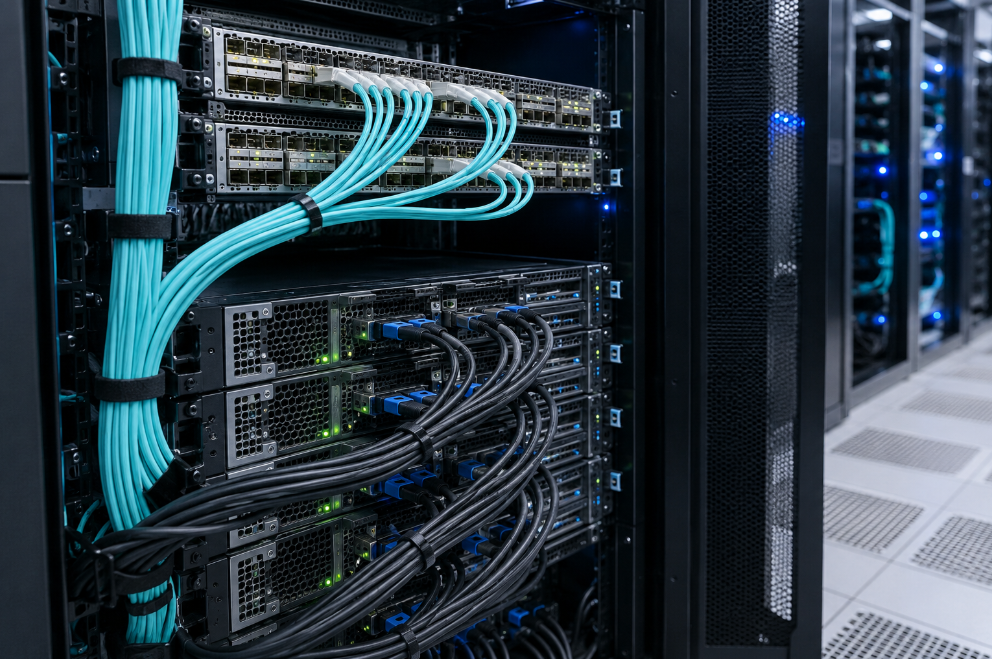
A: Port density is important in data centers because it determines how much connectivity can be achieved within a limited amount of rack space. Higher port density allows more network devices to be connected while using less physical space. This improves efficiency, supports scalable network design, and makes better use of data center infrastructure. Breakout cables help improve port density by allowing one high-speed port to serve multiple lower-speed connections.
Q: What are AOC cables, and how do they differ from DACs?
A: AOC stands for Active Optical Cable. AOC cables use fiber optic technology with integrated optical transceivers at each end. They are lighter than copper cables, support longer distances than most DACs, and are less susceptible to electromagnetic interference.
DAC stands for Direct Attach Copper. DAC cables use copper twinax conductors and are commonly used for short-distance, low-cost, low-power connections within or between nearby racks. DACs are usually preferred for short links, while AOCs are often chosen when a longer reach, lighter weight, or better resistance to electromagnetic interference is needed.
Related Products:
-
 OSFP-4Q56-PC1M 1m (3ft) 400G Twin-port 2x200G OSFP to 4x100G QSFP56 Passive Breakout Direct Attach Copper Cable
$120.00
OSFP-4Q56-PC1M 1m (3ft) 400G Twin-port 2x200G OSFP to 4x100G QSFP56 Passive Breakout Direct Attach Copper Cable
$120.00
-
OSFP-2Q56-PC1M 1m (3ft) 400G OSFP to 2x200G QSFP56 Passive Breakout Direct Attach Cable
$99.00
-
QDD-2QDD-400G-PC50CM 0.5m (1.6ft) 400G QSFP-DD to 2x200G QSFP-DD Passive Direct Attach Copper Breakout Cable
$176.00
-
QDD-4Q28-400G-AC1M 1m (3ft) 400G QSFP-DD to 4x100G QSFP28 PAM4 Active Breakout Direct Attach Copper Cable
$2374.00
-
OSFP8-4QSFP112-AC4M 4m (13ft) 800G Twin-port OSFP to 4x200G QSFP112 InfiniBand NDR Breakout Active Copper Cable
$900.00
-
OSFP8-2QSFP112-AC4M 4m (13ft) 800G Twin-port OSFP to 2x400G QSFP112 InfiniBand NDR Breakout Active Copper Cable
$800.00
-
OSFP8-2QSFP112-PC1M 1m (3ft) 800G InfiniBand NDR Twin-port OSFP to 2x400G QSFP112 Passive Breakout Direct Attach Copper Cable
$165.00
-
OSFP8-4QSFP112-PC1M 1m (3ft) 800G InfiniBand NDR Twin-port OSFP to 4x200G QSFP112 Passive Breakout Direct Attach Copper Cable
$165.00
-
OSFP8-4OSFP2-PC1M 1m (3ft) 800G InfiniBand NDR Twin-port OSFP to 4x200G OSFP Breakout DAC
$295.00
-
OSFP8-4OSFP2-AC4M-FLT 4m (13ft) 800G InfiniBand NDR Twin-port OSFP to 4x200G OSFP Breakout ACC
$1100.00