As customer touchpoints, self-service portals have gained immense importance in the last two decades. Fast, reliable, and easy to use—these have been significant advantages, especially with widespread Internet access. In other words, they enhance satisfaction and loyalty towards a certain center or organization. However, portals appear valuable only when properly implemented within customer support activities. Such complexities undermined their applicability as efficient self-service conveyor systems and support portals. It could also be claimed that some of such centers are moving towards becoming online portals. Centra Commerce switched its client base to ICT vendors.
What is a 100GbE Network Adapter?
Understanding Ethernet Network Adapters
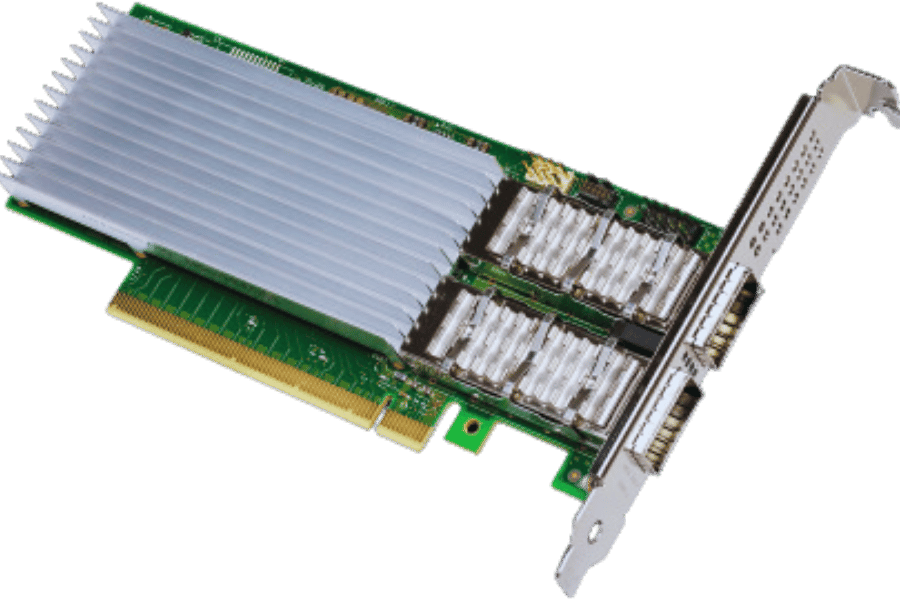
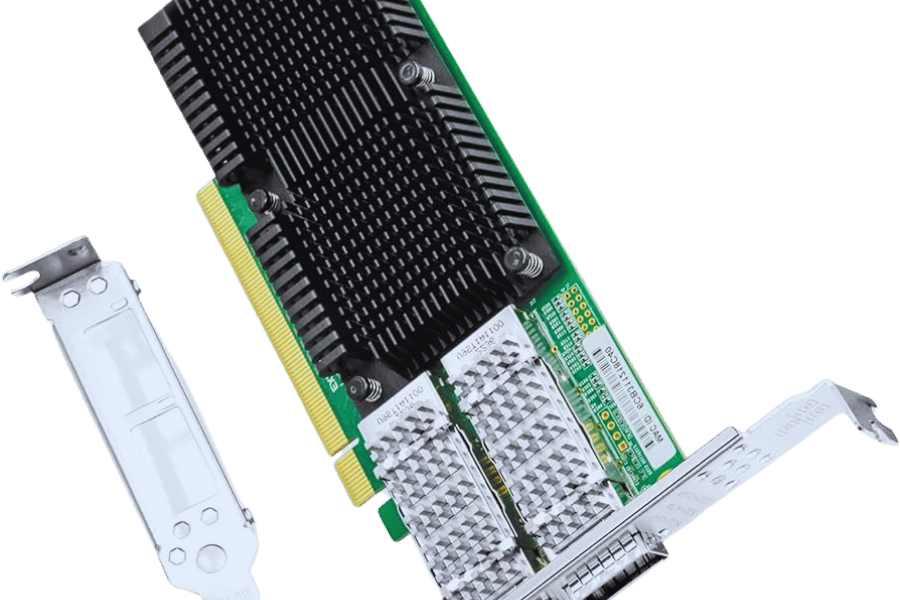
Ethernet network adapters, technically known as network interface cards (NICs), are essential components that enable devices to connect to a network for communication and data exchange. These adapters convert data into electrical signals that travel over copper cables, fiber optics, or other media. 100GbE adapters are specifically designed to support data rates of up to 100 gigabits per second, powering high-performance applications such as video streaming, large file transfers, cloud services, and more. Key selection factors include throughput, latency, and compatibility with existing infrastructure to ensure optimal system performance.
Main Features of 100GbE Adapters
100GbE adapters include several advanced features that enhance functionality in high-speed networking environments:
- High Throughput: They deliver up to 100 Gbps of bandwidth, eliminating bottlenecks in data-intensive applications.
- Low Latency: Minimal delays improve responsiveness for real-time applications such as online gaming and financial transactions.
- Scalability: Support for multiple ports and various technologies allows network managers to expand capacity without waiting for traffic to reach critical levels.
- Advanced Protocol Support: In addition to standard Ethernet, they handle protocols such as Ethernet over MPLS and VLANs for seamless operation across diverse networks.
- Flexible Connectivity Options: Most models support both copper and fiber-optic connections.
- Energy Efficiency: Built-in power-saving technologies reduce operational costs in large data centers.
These features help network architects and IT teams optimize performance for their specific environments.
Benefits of Using a 100GbE Network Card
Deploying a 100GbE network interface card delivers several key advantages. Increased bandwidth enables faster data center access and quicker application response times, which is especially valuable for cloud computing, video editing, streaming, and big data analytics. It also improves resource management through better load balancing. Companies can future-proof their networks against growing data demands. High-speed data transfer is further enhanced by 100G QSFP28 connectors. Advanced virtualization support allows more virtual machines with lower latency, maximizing bandwidth in cloud and enterprise settings.
How to Choose the Best 100GbE Network Interface Card?
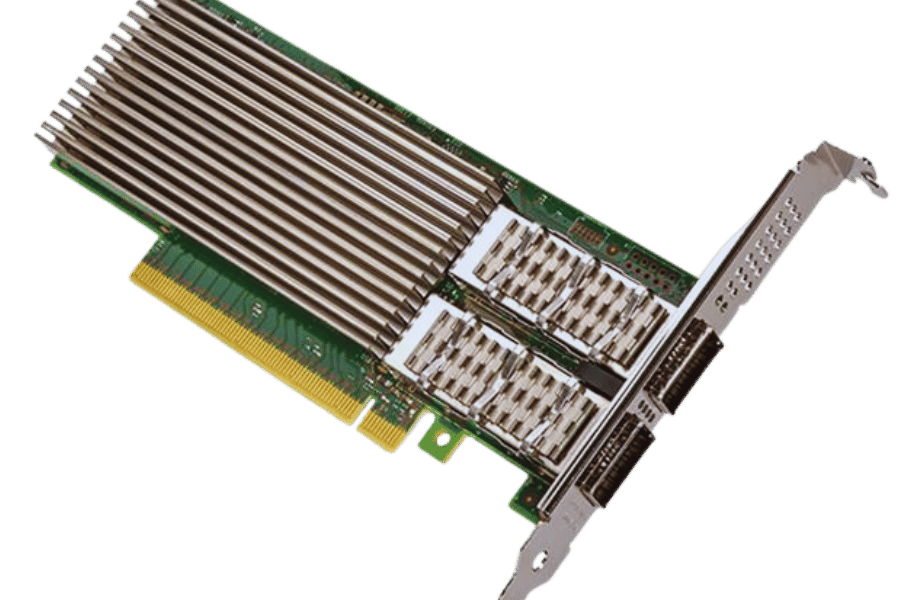
Comparing Intel® and Mellanox Options
When selecting a 100GbE network interface card from Intel or Mellanox (now NVIDIA), evaluate the following factors:
- Performance: Both vendors offer top-tier performance. Mellanox cards excel in offloading features that reduce CPU load during intensive data processing. Intel cards provide broader operating system compatibility through extensive driver support.
- Ecosystem Integration: Intel cards integrate seamlessly with other Intel server and storage technologies. Mellanox cards work exceptionally well with NVIDIA GPUs, making them ideal for high-performance computing and AI workloads.
- Cost: Mellanox cards typically carry a premium due to advanced features, while Intel cards (such as the E810 series) often offer better value, especially when bundled with other Intel hardware.
The final choice depends on workload requirements, existing infrastructure, and budget.
The Role of QSFP28 in Network Card Performance
The QSFP28 (Quad Small Form-factor Pluggable 28) module significantly boosts network card capabilities by supporting 100 Gbps per port. It is ideal for data centers handling cloud computing, data analytics, and AI applications. QSFP28 modules operate in 100GbE, 40GbE, or 25GbE modes, providing excellent flexibility and scalability. Their compact size enables high-density connections while consuming less space and power. Built-in signal integrity features prevent data loss over long distances. As demand for faster networking grows, QSFP28 technology helps organizations future-proof their infrastructure and improve overall performance.
Dual Port vs Single Port: Which is Better?
Dual-port and single-port network cards each suit different needs. Dual-port cards offer higher redundancy, increased throughput, and support for link aggregation or failover, making them ideal for high-bandwidth applications, cloud services, and large enterprise networks. Single-port cards are sufficient for simpler, less demanding environments where cost and lower power consumption are priorities. Choose based on network infrastructure, traffic patterns, and budget. For organizations expecting growth, dual-port configurations provide better long-term scalability.
How to Install a 100GbE NIC?
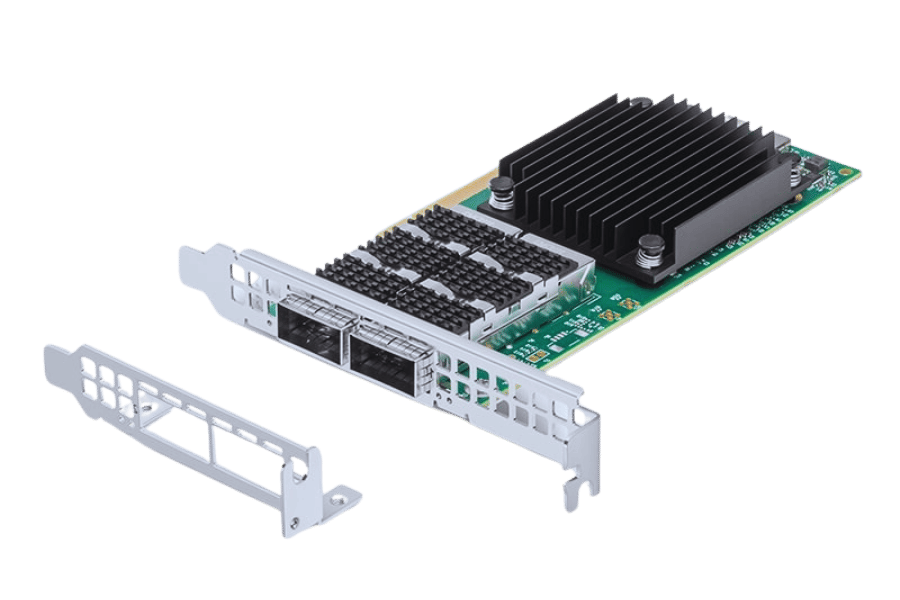
Step-by-Step Installation Guide
- Preparation: Power off and unplug the server or workstation. Use an anti-static wrist strap if available.
- Locate the PCIe Slot: Identify a compatible PCIe slot on the motherboard (consult the manual).
- Remove the Expansion Slot Cover: Remove the cover from the chosen PCIe slot and save the screws.
- Insert the NIC: Align the 100GbE NIC with the PCIe slot and press firmly until fully seated.
- Secure the NIC: Fasten the card using the saved screws.
- Reconnect Power: Plug in and power on the system.
- Install Drivers: After booting, install the latest drivers from the manufacturer’s website (e.g., for Intel E810 or NVIDIA ConnectX-5/ConnectX-6).
- Configure Network Settings: Adjust OS network settings for the new adapter.
- Establish Connection: Verify network functionality.
Compatibility with PCIe Slots
Most modern 100GbE NICs require PCIe 3.0 or higher (preferably PCIe 4.0 x8 or x16) to deliver full bandwidth. Confirm the motherboard supports the required lane configuration and physical slot size to avoid compatibility issues.
Configuring the Network Adapter
- Access Network settings: Open the OS network settings panel.
- Select the NIC: Choose the newly installed 100GbE adapter.
- Assign an IP Address: Use static IP or enable DHCP as needed.
- Set Subnet Mask and Gateway: Enter the correct values for proper routing.
- DNS Configuration: Specify DNS servers.
- Apply Changes: Save and apply the settings.
- Verify Configuration: Use tools such as ping or ipconfig to confirm proper operation.
What are the Use Cases for a 100GbE NIC?
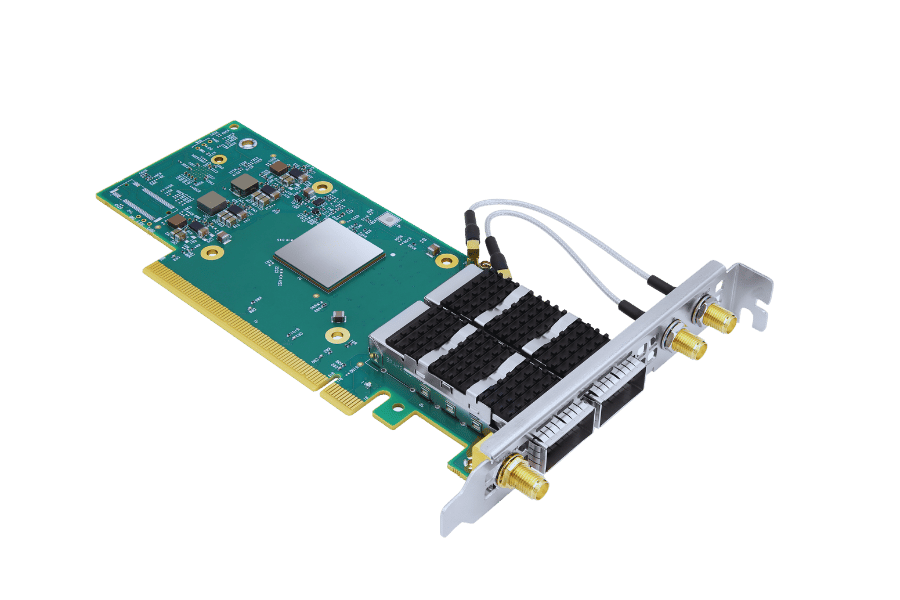
Applications in Data Centers
100GbE NICs support high-bandwidth, low-latency workloads in data centers, including:
- High-Performance Computing (HPC)
- Data Aggregation and Storage
- Virtualization
- Cloud Services and Deployment
- Big Data Analytics
They are essential for modern data-center performance.
High-Performance Computing Needs
HPC environments require scalable, low-latency, high-bandwidth networking (such as NVIDIA ConnectX-5 or ConnectX-6). Key requirements include vertical scalability, minimal node-to-node latency, high data throughput, fault tolerance, and advanced interconnects like InfiniBand or Ethernet.
Networking in Large Enterprises
Large organizations need robust, secure, and manageable networks with hierarchical architecture, strong security protocols, advanced monitoring tools, seamless cloud integration, and continuous performance optimization.
What are the latest 100GbE network cards on the market?
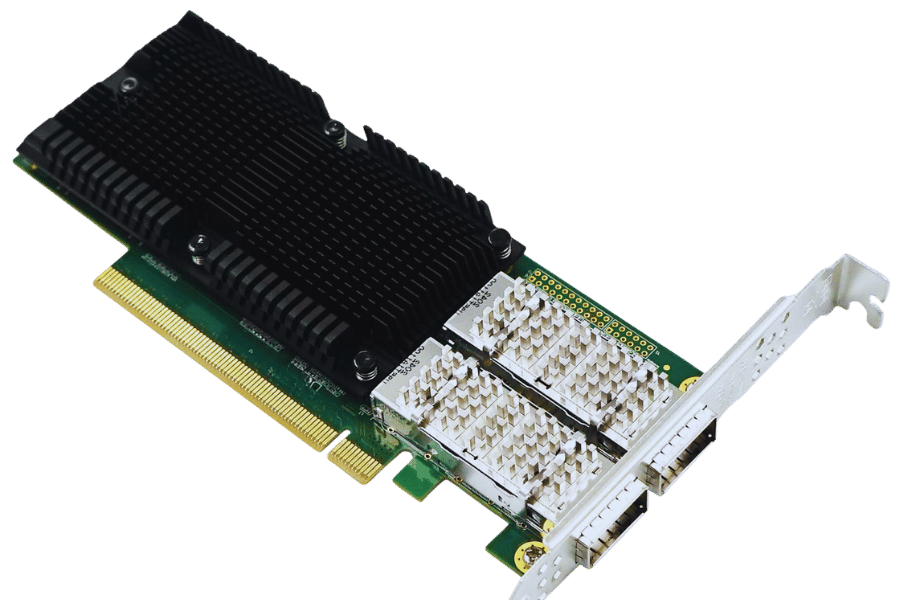
Introducing the Intel E810-CQDA2
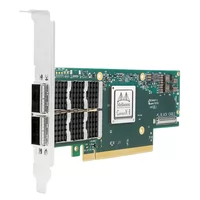
The Intel E810-CQDA2 is a high-performance dual-port 100GbE adapter designed for data centers and high-end computing. It delivers high bandwidth, low latency, and advanced offloading while supporting software-defined networking and enhanced security features.
Reviewing the NVIDIA Mellanox MCX516A-CCAT
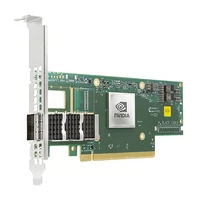
The NVIDIA Mellanox MCX516A-CCAT is a dual-port 100GbE adapter optimized for cloud and enterprise data centers. It supports RDMA over Converged Ethernet (RoCE) for ultra-fast data transfer, integrates well with NVIDIA Spectrum switches, and includes advanced security capabilities.
Comparing PCIe 3.0 and PCI Express 4.0
PCIe 4.0 doubles the per-lane data rate of PCIe 3.0 (from 1 GB/s to 2 GB/s per lane), providing up to 64 GB/s in an x16 configuration. This makes it ideal for 100GbE NICs, high-end graphics, and data-intensive applications while maintaining backward compatibility with PCIe 3.0.
Reference Sources
Frequently Asked Questions (FAQs)
Q: What is a 100 Gbps Ethernet connection?
A: A 100GbE NIC is a high-speed communications adapter that transfers data at 100 gigabits per second. It is primarily used in data centers and high-performance computing environments.
Q: What are Intel E810-CAM2 NIC specifications?
A: The Intel E810-CAM2 supports 100 GbE, low-profile design, advanced controller features, high throughput, and low latency for demanding network applications.
Q: How does a dual-QSFP28 nebulizing adapter? edit differ from a mere single port version?
A: A dual-port QSFP28 adapter provides two 100 GbE ports for greater redundancy and bandwidth, while a single-port version offers only one port.
Q: Why do 100G NICs use PCIe 4.0 x16?
A: PCIe 4.0 x16 delivers the necessary bandwidth and speed to maximize 100GbE performance and efficiency.
Q: Are there any scenarios when a 100GbE network card is ideal?
A: Yes—HPC, large-scale data centers, cloud applications, and scientific computing that demand high speed and low latency.
Q: What is the difference between ConnectX-5 and ConnectX-6 Network Interface Cards by Mellanox/NVIDIA?
A: ConnectX-6 offers superior performance, enhanced offload capabilities, advanced RDMA features, and higher overall efficiency compared to ConnectX-5.
Q: What does RoHS-compliant mean for a Network Interface Card?
A: It indicates the card complies with restrictions on hazardous substances such as lead, mercury, and cadmium, making it environmentally safer.
Q: Does a 100GbE network interface card support optical and copper cables?
A: Yes. Most 100GbE NICs with QSFP28 ports support both fiber-optic and copper cables.
Q: Why is there a tall bracket on the rear side of a 100GbE network card?
A: The tall bracket ensures secure installation in standard server chassis and maintains proper alignment in high-density environments.
Q: What is the role of an Ethernet network interface card (NIC) in improving network performance?
A: An Ethernet NIC enables rapid data communication and transmission, optimizing speed and volume for high-performance applications.
Related Products:
-
 NVIDIA NVIDIA(Mellanox) MCX653105A-ECAT-SP ConnectX-6 InfiniBand/VPI Adapter Card, HDR100/EDR/100G, Single-Port QSFP56, PCIe3.0/4.0 x16, Tall bracket
$965.00
NVIDIA NVIDIA(Mellanox) MCX653105A-ECAT-SP ConnectX-6 InfiniBand/VPI Adapter Card, HDR100/EDR/100G, Single-Port QSFP56, PCIe3.0/4.0 x16, Tall bracket
$965.00
-
NVIDIA NVIDIA(Mellanox) MCX653106A-ECAT-SP ConnectX-6 InfiniBand/VPI Adapter Card, HDR100/EDR/100G, Dual-Port QSFP56, PCIe3.0/4.0 x16, Tall Bracket
$1100.00
-
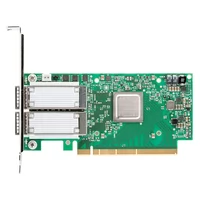
NVIDIA NVIDIA(Mellanox) MCX516A-CCAT SmartNIC ConnectX®-5 EN Network Interface Card, 100GbE Dual-Port QSFP28, PCIe3.0 x 16, Tall&Short Bracket
$985.00
-
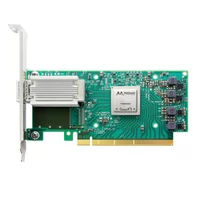
NVIDIA NVIDIA(Mellanox) MCX515A-CCAT SmartNIC ConnectX®-5 EN Network Interface Card, 100GbE Single-Port QSFP28, PCIe3.0 x 16, Tall&Short Bracket
$715.00
-
NVIDIA MCX623106AN-CDAT SmartNIC ConnectX®-6 Dx EN Network Interface Card, 100GbE Dual-Port QSFP56, PCIe4.0 x 16, Tall&Short Bracket
$1200.00
-
Intel® E810-CQDA2 100G Ethernet Network Adapter PCIe v4.0 x16 Dual port QSFP28
$719.00
-
Intel® E810-CQDA1 100G Ethernet Network Adapter PCIe v4.0 x16 Single port QSFP28
$709.00
-
Intel®Ethernet Controller E810-CAM2 100G Dual-Port QSFP28, Ethernet Network Adapter PCIe 4.0 x16
$699.00