The installation was supposed to be an easy task. In the course of six months, Marcus Chen designed the upgrade of his data center to 100G, bought the necessary tools and parts, and agreed on the best time for the maintenance. He didn’t, however, foresee difficulties in connecting new spine switches once the operation started.
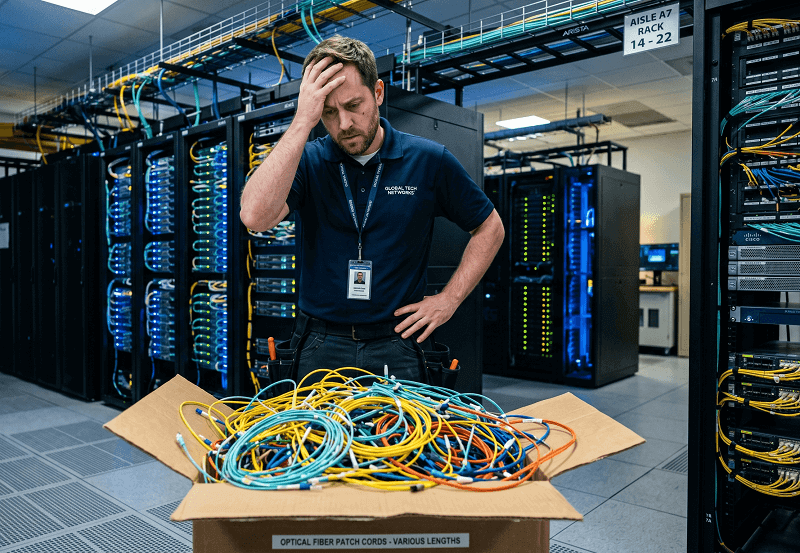
They were supposed to connect full MO MPO trunk cables (MPO to MPO), which – instead – had one MPO connector and multiple Individual Single Server Managed Interconnect – Individual Connectors (there was no such breakout). And all these trunk cables were still in their boxes, not being used. The cables that they actually required were breakout cables, and it takes another week before they arrive. The Acting Equipment Manager sighed in despair. The additional funds of USD 40,000 were wasted because of delays and high rates of air freight services.
It is easier said than done when dealing with MPO trunk vs breakout cable since this decision is rather more fundamental as far as data centers are concerned, and their practicability, efficiency, and scalability are concerned. In the wrong place, the wrong type of MPO cables suffocates the system. However, using them where necessary cuts costs and facilitates any other improvement.
This document will help you understand when and why it is necessary to use trunk cables or breakout cables. Questions such as ‘How do we identify structural differences between trunk and breakout cables?’, ‘What structural function do we consider before deciding which one to use?’ and ‘How expensive or cheap will this decision be?’ are answered in this guideline. It doesn’t matter if you are installing a new network or renovating an old one, you will be able to make decisions on which connections require which cables.
What Is an MPO Trunk Cable?
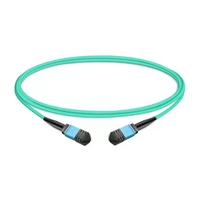
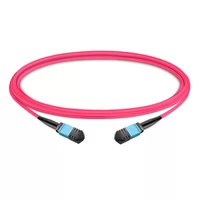
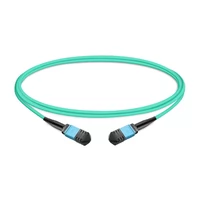
The MPO trunk cable is a round fiber optic cable assembly that is terminated by MPO connectors on both ends. At both the A and B ends, the fiber count, which can be of 8, 12, 16, 20, 24, and more on one side, remains unchanged as it is on the other side. There is no breakout or fanout, not even a simple straight-through high-density connection.
It would be more accurate to say that truck cables are like main roads in a fiber outfit. They provide large trajectories of bandwidth from one core network point to another without any stops or egress along the way. However, all MPO cables have the same type of connector on both sides, which, in simple words, means you’ll be connecting an MPO port to another MPO port – usually, high-speed switching ports of the likes of 40G QSFP+, 100G QSFP28, 400G QSFP-DD, and so on.
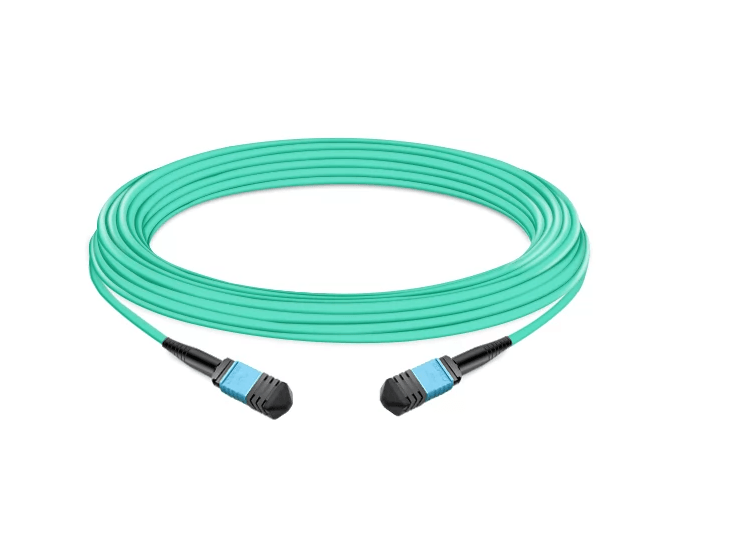
The construction suits the backbone applications. MPO trunks have pre-terminated connectors, which are tested for insertion losses of no greater than 0.35dB on standard low-loss and 0.15 dB for MTP Elite grade and some top-of-the-line trunk cables. Most especially when such connectors have to be cut and fitted in the field, where an average splicing of a fiber cleaver may stand close to 0.75dB, that is the reason why most data centers order preterminated trunks especially for their critical links.
For a foundation on MPO connector technology, see our complete MPO connector guide.
Key Specifications
| Parameter | Typical Value |
| Fiber count | 8, 12, 16, 24, 32, 48, 72, 144 |
| Connectors | MPO female-to-female (most common) |
| Insertion loss | 0.15-0.75 dB depending on grade |
| Cable diameter | 3.0mm (12F), 4.5mm (24F), 6.0mm (48F+) |
| Min bend radius | 20× cable diameter (installation) |
| Max tensile load | 240N typical |
| Temperature range | -10°C to +70°C operating |
What Is an MPO Breakout Cable?
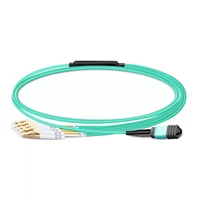
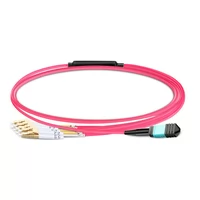
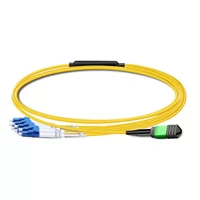
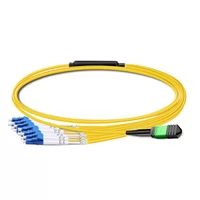
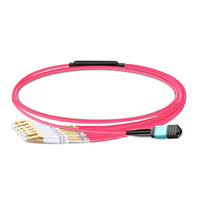
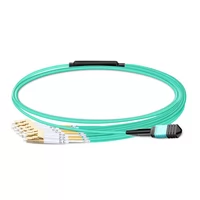
A different process is employed when it comes to an MPO breakout cable, which is at times referred to as fanout cable or harness cable. One of the sides has the application of a single MPO connector that conveys several fibers. The other side, instead of just an MPO unit, contains several duplex couplings – usually LC but occasionally SC, SN, or MDC depending on what is needed.

The mast, as such, is kept intact and consists of a hollow where all the fibers and cooling mechanisms for them are enclosed. Within the last meter, ideally, each opfiber protrudes out of the white coat, and each opfiber comes with a connector. An MPO trunk connected with eight fiber strands may be split into four pairs of LC duplex connectors. A twenty-four-fiber MPO can be broken down to twelve pairs of LC duplex connectors.
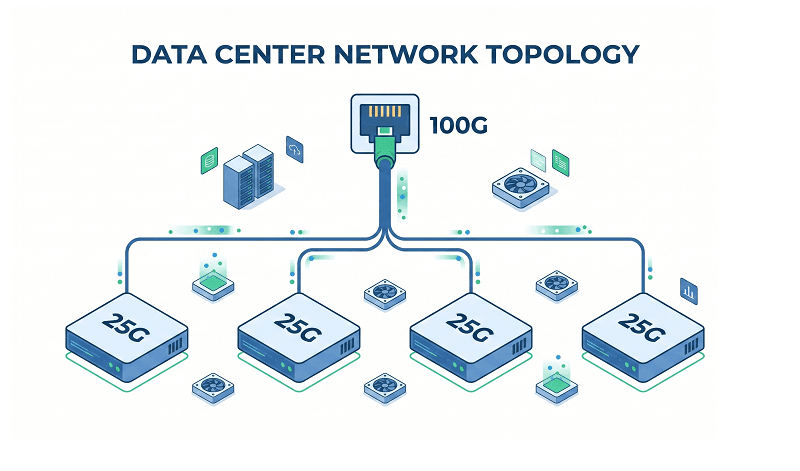
Breakout cables are hybrid cables, meeting high-density MPO trunk environments as well as low-density equipment environments that use only large optical connectors. Breakout cables are useful when there is a requirement to divide the 100G QSFP28 port into 4 individual 25G SFP28 servers with no extra assistance from any patch panel or cassette. Such conversion is carried out by the cable itself.
Common configurations include:
| MPO Configuration | Breakout To | Application |
| 8-fiber MPO | 4× LC duplex | 40G→4×10G, 100G→4×25G |
| 12-fiber MPO | 6× LC duplex | 100G→6×10G legacy |
| 16-fiber MPO | 8× LC duplex | 400G→8×50G, 800G→8×100G |
| 24-fiber MPO | 12× LC duplex | High-density server farms |
Key Differences: Side-by-Side Comparison
Understanding the structural differences helps clarify when each cable type excels. Here’s how they compare across critical parameters:
| Feature | MPO Trunk Cable | MPO Breakout Cable |
| Connector A | MPO (8-144 fibers) | MPO (8-24 fibers) |
| Connector B | MPO (same fiber count) | Multiple duplex (LC/SC) |
| Primary use | Backbone, switch-to-switch | Edge, switch-to-server |
| Typical length | 5-100+ meters | 1-10 meters |
| Insertion loss | 0.15-0.50 dB | 0.50-1.0 dB (higher due to breakout) |
| Cable management | Single bundle | Multiple legs to manage |
| Polarity complexity | Standard (Type B typical) | Higher (MPO + individual legs) |
| Installation speed | Fast (plug-and-play) | Moderate (leg routing required) |
| Future flexibility | High (upgrade transceivers only) | Limited (speed locked by breakout ratio) |
The insertion loss difference is very critical. Trunk cables have precise end connections fabricated in the factory. Breakout cables are additional points of connection where stress is likely to occur as the fibers branch out from the main structure. For 400G/800G devices in which the loss budget is a limiting factor, this disparity is quite a big deal .
For detailed fiber count guidance, see our MPO-8 vs MPO-12 vs MPO-24 selection guide.
When to Use MPO Trunk Cables
Backbone cables have the purpose of serving as permanent infrastructure- cables that you install once, and perhaps 10-15 years later, remove. You can opt for them if and when MPO interfaces are used at either end of the cable and infrastructure is planned to last beyond several generations of active equipment.
Backbone Infrastructure
For data centers, use trunk cables for distribution layers. Zone distribution areas (ZDAs) can be linked to the Main Distribution Areas (MDAs). Aggregation switches can be linked with spine switches. They are fixed pathways that are not likely to change, involving traffic patterns.
This is something Jennifer Park experienced as a network architect in Denver when they were doing a hyperscale implementation. “We connected our spine layer with every leaf rack using MPO-24 trunks, and that infrastructure has not changed for four years despite changing the edge from 10G to 25G to 100G. We only change transceivers and retain the same trunks.”
High-Speed Parallel Optics
When connecting 40G SR4, 100G SR4, 400G SR8, or 800G SR8 ports, trunk cables are the natural choice. Both devices expect MPO interfaces. Adding breakout cables here would introduce unnecessary complexity and loss.
Structured Cabling Systems
Structured cabling solutions using TIA-942 create a situation where trunk cables become permanent links connecting patch panels. These cables are terminated with MPO cassettes or adapter panels, enabling moves, add-ons, and changes at the point of termination.
Use trunk cables when:
- Both ends have MPO ports (40G/100G/400G/800G)
- Building permanent backbone infrastructure
- Inter-rack or inter-row connections (5+ meters)
- Planning for future speed upgrades without recabling
- Loss budgets are tight (400G/800G applications)
- Following structured cabling standards
When to Use MPO Breakout Cables
Breakout cables shine at the edge—where high-speed switch ports meet lower-speed devices. They’re the solution when you need to maximize port utilization or bridge MPO infrastructure to legacy duplex equipment.
Top-of-Rack Server Connections
ToR installations today are increasingly done with breakout cables in modern data centers. A switch port carrying 100G via a QSFP28 component is terminated with four servers at 25G SFP28. Single 400G connects to eight 50G servers. This enhances the usage of costly switch ports.
The calculation is rather simple and easy to follow. A 100 Gb switch with 32 ports features a throughput of 3.2 Tbps. All 32 ports combined in a breakout configuration with 25 Gbps servers will provide 128 servers. In any case, for such a density of servers without breakouts, one will require four switches.
Speed Transition Scenarios
Breakout cables excel during network evolution. When you’re migrating from 10G to 25G or 25G to 100G, breakout cables let you support mixed speeds without full infrastructure replacement.
Common speed transitions:
- 40G QSFP+ → 4× 10G SFP+ (8-fiber breakout)
- 100G QSFP28 → 4× 25G SFP28 (8-fiber breakout)
- 100G QSFP28 → 4× 10G SFP+ (12-fiber breakout with 4 unused)
- 400G QSFP-DD → 4× 100G QSFP28 (16-fiber breakout)
- 800G → 8× 100G (16-fiber breakout)
Legacy Equipment Integration
MPO ports are not present on every machine in a data center. Legacy server, storage and network gear with LC or SC ports is still supported in a modern MPO ecosystem via breakout cables. This function is performed without the utilization of conversion cassettes.
Use breakout cables when:
- Connecting high-speed switches to lower-speed servers
- Maximizing expensive switch port utilization
- Integrating legacy duplex equipment into MPO infrastructure
- Short distances within the same rack
- Speed transitions (100G→25G, 400G→100G)
- Avoiding additional patch panel costs
Cost Comparison and TCO Analysis
The cost conversation around trunk and breakout cables often misses the bigger picture. Looking only at cable costs leads to poor decisions. Here’s the real TCO breakdown.
Upfront Cable Costs
| Cable Type | 10m Length | 50m Length | Notes |
| MPO-12 trunk (OM4) | $45-90 | $200-280 | Single cable, MPO both ends |
| MPO-24 trunk (OM4) | $90-163 | $380-520 | 2× fiber count, ~1.7× cost |
| 8-fiber breakout (OM4) | $60-120 | N/A | MPO to 4× LC |
| 16-fiber breakout (OM4) | $100-180 | N/A | MPO to 8× LC |
Pricing represents factory-direct ranges; retail markups can double these figures.
Infrastructure Cost Factors
Trunk Cable Infrastructure:
- Requires MPO-LC cassettes or adapter panels: $75-150 per cassette
- More structured cabling components
- Higher initial infrastructure investment
- Lower per-port cost at scale
Breakout Cable Infrastructure:
- No cassettes needed for direct connections
- Simpler patching at equipment end
- Higher per-connection cable cost
- Reduced hardware costs
The 5-Year TCO Framework
Consider a 100-rack data center with 10 servers per rack needing 25G connections:
Option A: Trunk + Cassettes
- MPO-24 trunks to each rack: 500×100=500×100=50,000
- MPO-LC cassettes: 100×100=100×100=10,000
- LC patch cords: 10×1,000=10×1,000=10,000
- Total: $70,000
Option B: Breakout Cables
- 8-fiber breakout cables: 80×1,000=80×1,000=80,000
- No cassettes required
- Total: $80,000
Initially, the cost of breakout cables seems to be relatively higher. However, when labor encoding costs are taken into account, the cost advantages wane – it is more linear than trunk cables with cassettes, which will take up more space on racks, components to manage, and managerial MACs. Most of the labor ends up turning the cost advantage upside down.
Net result: For edge connections up to 10 meters, mostly breakout cables are used. For trunks above 10 meters, it is mostly used.
For custom pricing on your specific deployment, get a quote from our fiber connectivity experts.
Installation Best Practices
Proper installation separates reliable deployments from ongoing maintenance headaches. Follow these guidelines for both cable types.
Pre-Installation Planning
Verify your polarity scheme before touching a cable. Type B (reversed) is the standard for 40G/100G/400G parallel optics. Document your standard and label everything. Mixed polarity creates troubleshooting nightmares.
Plan your gender strategy:
- Trunk cables: Male connectors extend the permanent link
- Equipment ports: Female connectors (standard for transceivers)
- Patch cords: Female connectors
This creates male-to-female mating at every connection point.
Cable Routing
For trunk cables:
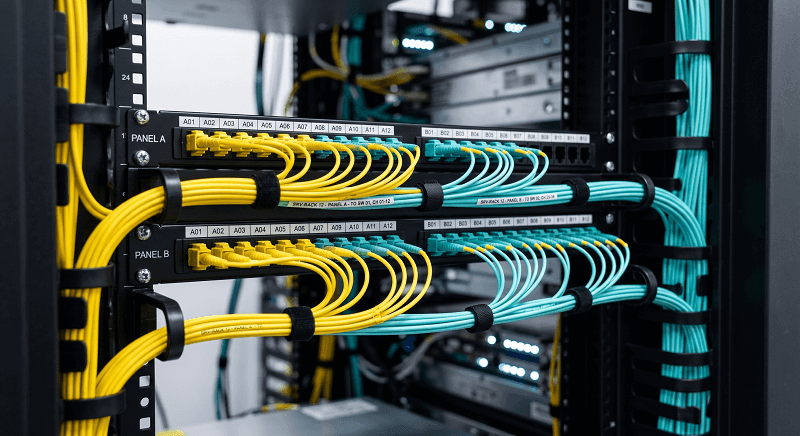
- Use cable trays and management rings
- Maintain bend radius: 20× cable diameter during installation, 10× long-term
- Use Velcro ties, never zip ties
- Label both ends with cable ID and destination
For breakout cables:
- Route the trunk portion first
- Fan out legs only in the final meter before equipment
- Use cable combs or organizers to separate legs
- Strain relief is critical—don’t stress individual fiber legs
Polarity Verification
Test polarity before declaring victory. A visual fault locator (VFL) quickly identifies issues:
- Connect VFL to fiber 1 at one end
- Check which fiber lights at the other end
- Fiber 1 → fiber 1 = Type A (straight)
- Fiber 1 → fiber 12 (or 8) = Type B (reversed)
For detailed polarity guidance, see our MPO polarity guide.
Testing Requirements
Tier 1 Testing (OLTS):
- Measure insertion loss per fiber
- Verify all fibers meet loss budgets
- Document results for warranty
Tier 2 Testing (OTDR) – for trunks over 50m:
- Characterize fiber events
- Establish baseline documentation
- Locate any macro-bends or stress points
Common Mistakes and Troubleshooting
Even experienced engineers make these mistakes. Learn from others’ failures.
Mistake 1: Polarity Mismatch
Sarah Kim’s team spent four hours troubleshooting a 100G link that wouldn’t come up. They had cleaned connectors, verified transceivers, and checked power levels. The problem? Mixed polarity. The trunk cable was Type B. The patch cord was Type A. Transmit fibers connected to transmit fibers. Nothing worked.
Solution: Standardize on one polarity type. Type B for parallel optics. Document your standard. Label every cable. Test before installation.
Mistake 2: Breakout Leg Strain
Individual legs on breakout cables are fragile. A technician in Austin routed breakout legs across a cable management bar with a sharp edge. Six months later, three fibers failed intermittent testing. Micro-cracks from the edge stress finally propagated.
Solution: Provide strain relief for breakout legs. Use grommets on sharp edges. Support legs within 6 inches of the connector.
Mistake 3: Cleaning Neglect
MPO connectors have 8, 12, 16, or 24 fibers in a tight array. Contamination spreads. When you clean the first row, dust can push into the second row. A single particle affects multiple fibers.
Solution: Use cassette-style cleaners designed for MPO. Inspect with a fiber microscope before mating. Clean, inspect again, then connect.
Troubleshooting Decision Tree
Link won’t come up?
├── Check polarity → Verify Type B throughout
├── Inspect connectors → Clean if contaminated
├── Test with VFL → Verify light path
├── Check loss budget → May need low-loss grade
└── Verify gender → Male-to-female required
Frequently Asked Questions
May I incorporate both trunk and breakout cables within a single setup?
Certainly, yes. In fact, they are utilized in many modern data centers today. As a result, trunk cables are employed to lay down the infrastructure between the distribution points. E.g. breakout cables are employed in the proximity to the servers. Owing to such combination, it is possible to achieve flexibility as well as minimize the expenses involved.
What is the right polarity to use in each of the cable types?
Use Type B (reversed) in parallel optic applications (40G/100G/400G/800G) and the same for all cable types especially delicate trunk and breakout cables. In Type B, the ‘transmitted’ pipes’ are ‘in’ the ‘received’ pipes. Consistency should be maintained throughout the facility.
How do I organize breakout cable legs properly so as not to stir up a chaos?
Pass the trunk part of the glass through a cable containment system. Use either a cable comb or a breakout management tray at the very end to organize individual legs. All the legs should be velcroed to the unit as oppose to zipped tied. Every leg should be marked at the ends as well.
What is the actual cost disparity between 100G installations?
Cost analysis for a standard 100G deployment of spine-leaf cabling of less than 10 meters independently, implicates breakout cables more expensive than the trunk+cassette solutions by 10-15%. On the other hand in deployments where backbone cabling exceeds 50 meters inclusively, solid trunk cabling saves even 20-30% of costs of infrastructure this way. And this is further exacerbated when labor is added, as breakout cables for edge connections are faster to run.
What Type of Cable Should Be Used in 400G/800G Deployments?
For 400G and 800G backbone links, it is recommended to make use of MPO-16 Trunk Cables because they have 16 fibres as required in the SR8 application without wastage. For instance, whilst breaking out 400G to 100G, 16 fiber optical breakout cables (MPO-16 to 4× QSFP28 or 8× SFP28) are used.
Conclusion
The choice between MPO trunk and breakout cables isn’t about finding the “best” cable—it’s about matching the right cable to the right application. Trunk cables form your permanent backbone infrastructure. Breakout cables maximize port efficiency at the edge.
Your decision framework:
- Distance under 10 meters, connecting to servers? Use breakout cables.
- Distance over 10 meters, switch-to-switch? Use trunk cables.
- Both ends MPO (40G/100G/400G)? Use trunk cables.
- Need to split high-speed to lower-speed devices? Use breakout cables.
- Building permanent infrastructure for 10+ years? Use trunk cables with cassettes.
Most successful deployments use both. Trunk cables for the backbone highways. Breakout cables for the edge access roads. Together, they create a fiber infrastructure that scales from 10G to 800G without recabling.
Ready to specify your MPO cable infrastructure? Explore FiberMall’s MPO trunk and breakout cable solutions or contact our data center connectivity experts for a custom quote tailored to your deployment.
Related Products:
-
 1m (3ft) 12 Fibers Female to Female MPO Trunk Cable Polarity B LSZH OM3 50/125 Multimode Fiber
$20.00
1m (3ft) 12 Fibers Female to Female MPO Trunk Cable Polarity B LSZH OM3 50/125 Multimode Fiber
$20.00
-
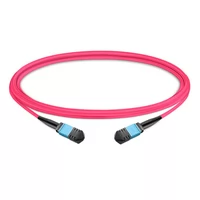
1m (3ft) 12 Fibers Female to Female MPO Trunk Cable Polarity B LSZH Multimode OM4 50/125
$21.00
-
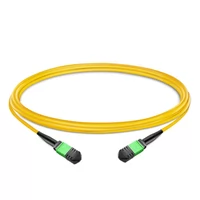
1m (3ft) 12 Fibers Female to Female MPO Trunk Cable Polarity B LSZH OS2 9/125 Single Mode
$26.00
-
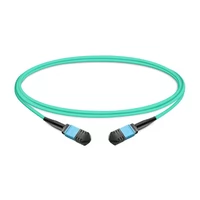
1m (3ft) 12 Fibers Low Insertion Loss Female to Female MPO Trunk Cable Polarity B LSZH OM3 50/125 Multimode Fiber
$32.00
-
1m (3ft) 12 Fibers Low Insertion Loss Female to Female MPO Trunk Cable Polarity B LSZH Multimode OM4 50/125
$33.00
-
3m (10ft) 12 Fibers Low Insertion Loss Female to Female MPO Trunk Cable Polarity B APC to APC LSZH Multimode OM3 50/125
$35.00
-
1m (3ft) MPO UPC Female to 4 LC UPC Duplex OM3 50/125 Multimode Fiber Breakout Cable, 8 Fibers, Type B, LSZH, Aqua
$20.00
-
1m (3ft) MPO UPC Female to 4 LC UPC Duplex OM4 50/125 Multimode Fiber Breakout Cable, 8 Fibers Type B, LSZH, Aqua/Violet
$23.00
-
1m (3ft) MPO APC Female to 4 LC UPC Duplex OS2 9/125 Single Mode Fiber Breakout Cable, 8 Fibers Type B, LSZH, Yellow
$24.00
-
1m (3ft) MPO APC Female to 6 LC UPC Duplex OS2 9/125 Single Mode Fiber Breakout Cable, 12 Fibers Type B, LSZH, Yellow
$26.00
-
1m (3ft) MPO UPC Female to 6 LC UPC Duplex OM4 50/125 Multimode Fiber Breakout Cable, 12 Fibers Type B, LSZH, Aqua/Violet
$26.00
-
1m (3ft) MPO UPC Female to 6 LC UPC Duplex OM3 50/125 Multimode Fiber Breakout Cable, 12 Fibers, Type B, Elite, LSZH, Aqua
$26.00