The AI training cluster began operation at 2 AM and displayed perfect functionality at that time The 800 GPUs produced operational sounds while the cooling system maintained its regular temperature and the network switches operated with complete green light status The data transfer operation began The engineers observed network disruption which resulted in packet loss that prevented them from conducting distributed training when they tested the links which should have delivered 400 Gbps performance.
The transceivers and switches excluded themselves from being the actual cause of the problem. The fiber infrastructure became the cause because the team chose to use existing MPO-12 cabling, which they had for 400G-SR8 connections. The 12-fiber cables could not deliver enough capacity because they needed to support 16-fiber connections for SR8. The team had spent $3 million on computing hardware, which they then restricted by using insufficient-capacity fiber.
The cabling system, which exists in modern data centers, currently faces a major problem. The demand for bandwidth has increased dramatically because 100G bandwidth has become standard, while 400G systems are being implemented, and 800G systems will become available soon. The traditional LC duplex cabling system lacks the ability to handle current density requirements. One 400G link, which uses LC connectors, needs 32 separate fiber connections. Your overhead trays would reach full capacity because of the cable management system.
The Multi-fiber Push-On MPO connectors provide a solution to capacity problems by connecting between 8 and 24 fibers through a connector that measures the size of a thumbnail. The complete framework for MPO infrastructure deployment at data centers is provided in this guide, which covers all aspects, including standards and fiber selection, migration strategies, and troubleshooting.
You will learn which fiber count meets your speed requirements, how to navigate the standards maze and which steps to follow for migrating from 10G to 400G without removing your existing fiber plant.
Why MPO Dominates Modern Data Centers
The shift to MPO isn’t a vendor marketing push—it’s a response to fundamental physics and economics.
The Density Imperative
The standard 1U patch panel supports 24 LC duplex ports, which connect 48 total fibers. The same panel accepts 72 MPO ports, which support up to 1,728 fibers through MPO-24 connectors. That’s a 36× density improvement.
A hyperscale data center needs 100000 fiber connections which requires 2084 patch panels with LC duplex. The requirement decreases to 58 panels when using MPO-24. The space savings alone justify the transition.
Speed Alignment
Parallel optics—the technology behind 40G, 100G, 400G, and 800G—was designed around MPO connectors. These standards use multiple fibers simultaneously to achieve higher speeds:
- 40G SR4: 4 fibers transmit, 4 receive (8 total)
- 100G SR4: 4 fibers transmit, 4 receive (8 total)
- 400G SR8: 8 fibers transmit, 8 receive (16 total)
- 800G SR8: 8 fibers transmit, 8 receive (16 total)
MPO-8, MPO-16, and MPO-24 map directly to these requirements. LC duplex doesn’t.
Total Cost of Ownership
Consider a 500-rack data center deployment:
| Metric | LC Duplex | MPO-12 | MPO-24 |
| Fiber connectors | 48,000 | 4,000 | 2,000 |
| Patch panels (RU) | 1,000 | 167 | 84 |
| Installation hours | 2,400 | 800 | 400 |
| Cable tray fill | 85% | 45% | 25% |
The MPO-24 deployment uses 97% fewer connectors, requires 92% less rack space, and installs in one-sixth the time. Even with higher per-connector costs, the TCO favors MPO by 40-60%.

MPO Standards and Specifications
Navigating MPO standards feels like alphabet soup. Here’s what actually matters for your deployment.
International Standards
The MPO connector interface specifications according to IEC 61754-7 include physical dimensions and alignment tolerances, and mating requirements. The IEC 61754-7 standard defines connector physical specifications that enable connectors to connect with any other compliant connector.
ISO/IEC 11801 and ISO/IEC 24764 establish international standards for structured cabling systems used in data centers. The standards define maximum distance limits together with channel configuration requirements and performance testing standards.
North American Standards
ANSI/TIA-568.3-D is the bible for optical fiber cabling in North America. It defines:
- Insertion loss limits: 0.75 dB standard, 0.35 dB low-loss
- Return loss requirements: 20 dB (UPC), 60 dB (APC)
- Testing methodologies and certification requirements
The ANSI/TIA-942-A standard provides specific guidelines for data center infrastructure elements, which include pathways and spaces, redundancy measures, and environmental protection requirements. The TIA-942-A standard requires compliance for all Tier III and IV facilities.
The ANSI/TIA-606-C standard establishes requirements for cable labeling and administrative procedures. All cables must have identification labels at their two endpoints, together with documentation that remains intact through technician changes and emergencies at 3 AM.
Performance Specifications
| Parameter | Standard Grade | Low-Loss Grade | Elite Grade |
| Insertion Loss (MM) | ≤0.75 dB | ≤0.35 dB | ≤0.15 dB |
| Insertion Loss (SM) | ≤0.75 dB | ≤0.35 dB | ≤0.15 dB |
| Return Loss (UPC) | ≥20 dB | ≥20 dB | ≥20 dB |
| Return Loss (APC) | ≥60 dB | ≥60 dB | ≥60 dB |
| Mating Cycles | ≥500 | ≥500 | ≥1,000 |
Key insight: For 400G and 800G applications with tight loss budgets, low-loss or Elite-grade connectors aren’t optional—they’re mandatory for links with multiple patch panels.
Choosing the Right Fiber Count
Your transceiver choice determines your optimal fiber count. Choose wrong, and you’ll waste capacity or limit future upgrades.
MPO-8 (Base-8): The Efficiency Champion
MPO-8 provides 8 fibers—perfect for 4-lane parallel optics.
Best for:
- 40G SR4 (4×10G lanes)
- 100G SR4 (4×25G lanes)
- 400G DR4 (4×100G lanes, single-mode)
Advantages:
- 100% fiber utilization with 8-fiber transceivers
- No wasted capacity
- Lowest cost per active fiber
- Clean upgrade path: 40G → 100G → 400G DR4 on same infrastructure
Limitations:
- Can’t support 400G SR8 or 800G (need 16 fibers)
- Less ecosystem maturity than MPO-12
Marcus Rodriguez, a data center architect in Phoenix, standardized on MPO-8 for a 100,000-square-foot facility. “We anticipated 400G DR4 implementation, and MPO-8 provides perfect support for that standard. Our fiber utilization is 100%, and we didn’t overbuild for fiber counts we don’t need.”
MPO-12 (Base-12): The Versatile Standard
MPO-12 remains the most widely deployed configuration, with 12 fibers in a single row.
Best for:
- Mixed-speed environments
- Legacy infrastructure compatibility
- Structured cabling with cassette-based architectures
Advantages:
- Widest vendor availability
- Maximum compatibility with existing infrastructure
- Divisible by 2, 3, 4, and 6 for flexible breakouts
Limitations:
- 33% fiber waste when used with 8-fiber transceivers (4 fibers unused)
- Requires conversion modules for 400G SR8
For many enterprise data centers, MPO-12 hits the sweet spot between compatibility and flexibility. The fiber waste is real, but the ecosystem advantages often outweigh the cost.
MPO-16 (Base-16): The 400G/800G Standard
MPO-16 uses 16 fibers in a single row—the emerging standard for high-speed parallel optics.
Best for:
- 400G SR8 (8×50G lanes)
- 800G SR8 (8×100G lanes)
- Future-proofing multimodal infrastructure
The main feature of MPO-16 exists because it uses an offset key position, which stops users from connecting to MPO-12 adapters. This design serves a particular purpose because it stops users from making wrong connections by using different fiber counts.
The 2025 timeline shows that MPO-16 has become the standard used in AI clusters and high-performance computing environments. You should use MPO-16 as your design specification when you work on 400G or 800G projects.
MPO-24 (Base-24): The Density King
MPO-24 packs 24 fibers across two rows of 12.
Best for:
- Hyperscale data centers
- AI training clusters with massive east-west traffic
- Backbone trunks where cable count reduction matters
Advantages:
- 50% fewer cables than MPO-12 for same fiber count
- Can break out to 2×MPO-12 or 3×MPO-8
- Supports two 400G SR8 links per cable
Considerations:
- Higher per-cable cost
- More complex polarity management
- Stiffer cable, harder to route
Selection Matrix
| Speed/Standard | Fiber Requirement | Recommended MPO |
| 40G SR4 | 8 fibers | MPO-8 |
| 100G SR4 | 8 fibers | MPO-8 or MPO-12 |
| 400G DR4 | 8 fibers | MPO-8 |
| 400G SR8 | 16 fibers | MPO-16 |
| 800G SR8 | 16 fibers | MPO-16 or MPO-24 |
| Backbone/Trunk | Variable | MPO-24 |
For detailed fiber count comparisons, see our MPO-8 vs MPO-12 vs MPO-24 selection guide.
Fiber Type Selection for 2025
Choosing between OM4, OM5, and OS2 isn’t just about distance—it’s about future-proofing your infrastructure investment.
OM4 Multimode: The Safe Choice
OM4 multimode fiber supports 100G up to 150 meters and 400G up to 100 meters using parallel optics.
Best for:
- Data centers up to 150m reach
- Cost-sensitive deployments
- 40G through 400G applications
Specifications:
- Core diameter: 50μm
- Bandwidth: 4,700 MHz·km (EMBc)
- Jacket color: Magenta
- Max distance 100G SR4: 150m
- Max distance 400G SR4: 100m
2025 Reality Check: OM4 remains the workhorse for enterprise data centers. It handles current speeds and provides a migration path to 400G for most facilities.
OM5 Wideband: The Future-Proofing Premium
OM5 supports the same distances as OM4 but adds wideband wavelength division multiplexing (SWDM) capability.
Best for:
- SWDM4 applications (4 wavelengths on single fiber pair)
- Future 800G+ multimode applications
- Environments wanting maximum flexibility
Specifications:
- Core diameter: 50μm
- Bandwidth: 4,700 MHz·km (EMBc), optimized for 850-953nm
- Jacket color: Lime green
- SWDM4 capability: 4× wavelengths per fiber
Cost Reality: OM5 costs 20-30% more than OM4. For most data centers, that premium isn’t justified unless you’re specifically deploying SWDM technology.
OS2 Single-Mode: The Greenfield Standard
OS2 single-mode fiber eliminates distance limitations and provides infinite bandwidth headroom.
Best for:
- New data center construction
- 400G/800G deployments
- Long-distance connections (>500m)
- Future-proofing infrastructure
Specifications:
- Core diameter: 9μm
- Attenuation: ≤0.4 dB/km (1310nm), ≤0.3 dB/km (1550nm)
- Jacket color: Yellow
- Distance limitation: None (up to 10km+ with appropriate optics)
The 2025 Trend: Greenfield data centers increasingly specify OS2 exclusively. The cost gap between single-mode and multimode optics has narrowed dramatically. A 400G SR8 multimode transceiver might cost 800; the single−mode FR4 equivalent is 800; the single−mode FR4 equivalent is 1,200. That $400 difference is trivial compared to the flexibility gained.
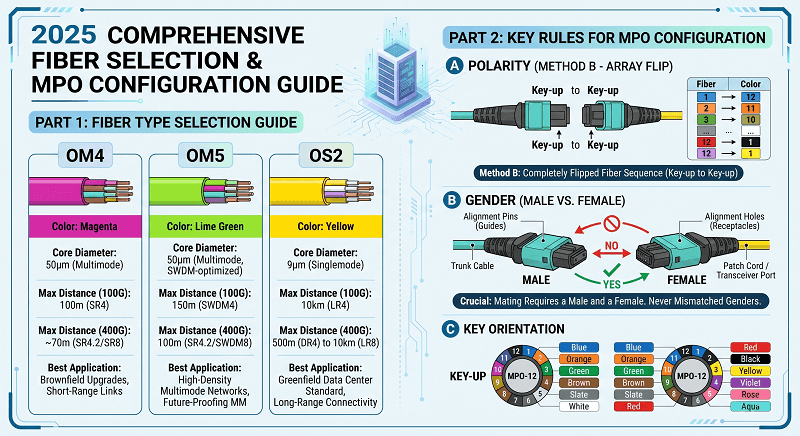
Fiber Type Decision Matrix
| Factor | OM4 | OM5 | OS2 |
| Distance (100G) | 150m | 150m | 10km |
| Distance (400G) | 100m | 100m | 2km |
| Cost (cable) | Baseline | +20-30% | Similar |
| Cost (optics) | Lowest | Low | Moderate |
| Future-proofing | Good | Better | Best |
| Best for | Most DCs | SWDM apps | New builds |
Polarity, Gender, and Keying
Get these wrong, and your links won’t come up. Get them right, and everything just works.
Polarity: The Tx/Rx Mapping
Polarity ensures transmit fibers connect to receive fibers. The industry standardized on Method B for parallel optics.
Method B Configuration:
- Fiber mapping: 1→12, 2→11, 3→10 (complete reversal)
- Key orientation: Key-up to key-up
- Patch cords: Type A-to-B at both ends
This reversal aligns with parallel optic transceiver design—transmitters on one side, receivers on the other. Method B ensures Tx connects to Rx without additional adaptation.
Critical Rule: Standardize on Method B throughout your facility. Mixing methods creates chaos and troubleshooting nightmares.
For detailed polarity guidance, see our MPO polarity guide.
Gender: Male vs Female
MPO connectors come in male (with guide pins) and female (with pin holes) versions.
The Rule:
- Equipment ports (switches, transceivers): Female
- Trunk cables: Male
- Patch cords: Female
- Cassettes: Female
This creates male-to-female mating at every connection. Two males won’t mate (pins crash). Two females won’t align properly.
Key Orientation: Key-Up vs Key-Down
The key position determines fiber numbering. With key-up, fiber 1 is on the left. With key-down, fiber 1 is on the right.
Method B uses key-up to key-up orientation. The polarity flip happens in the cable mapping, not the adapter.
Deployment Best Practices
Proper deployment separates successful installations from 3 AM emergency calls.
Pre-Installation Planning
Define your optics first. Before ordering any cable, confirm:
- Speed requirements (40G/100G/400G/800G)
- Transceiver types (SR4, SR8, DR4, FR4, etc.)
- Reach requirements
This determines fiber count, fiber type, and connector grade.
Standardize on Method B polarity. Document this decision. Label everything.
Plan your gender strategy:
- Male connectors on trunks
- Female connectors on equipment and patch cords
- Never mate male-to-male or female-to-female
Specify connector grade:
- Standard grade: Basic applications, generous loss budgets
- Low-loss (≤0.35 dB): Most data center applications
- Elite (≤0.15 dB): 400G/800G, multiple patch panels, tight budgets
Installation Procedures
Route trunks first. Install backbone cabling before connecting cassettes or patch cords. This prevents damage to connectors during pulling.
Maintain bend radius. Follow manufacturer specifications—typically ≥10× cable diameter. Violating bend radius creates microbends that increase loss.
Separate power and data pathways. Route fiber away from electrical power to prevent EMI and ensure safety.
Use color coding:
- Aqua: OM3
- Magenta: OM4
- Lime green: OM5
- Yellow: Single-mode
Label per TIA-606-C:
- Unique identifier at both ends
- Room/rack location
- Fiber count and type
- Polarity method
Testing and Certification
Test every link before declaring victory.
Tier 1 Testing (Required):
- Optical Loss Test Set (OLTS) measurement
- Insertion loss per fiber
- Length verification
- Polarity confirmation
Tier 2 Testing (Recommended for critical links):
- OTDR characterization
- Event location and analysis
- Return loss measurement
Certification: Generate reports showing every link meets TIA-568.3-D specifications. These reports are your proof of proper installation and your defense against future finger-pointing.
Documentation Requirements
Create three documentation deliverables:
- As-Built Drawings: Physical cable routes, rack elevations, pathway fill
- Test Results: Certification reports for every link
- Cable Schedule: Database of every cable with ID, type, length, endpoints
Store these digitally with backup. Paper gets lost. Screenshots of PDFs on phones don’t.
Migration Strategies
Most data centers aren’t greenfield. They’re evolving from 10G through 100G toward 400G. Here’s how to navigate that journey.
10G to 40G/100G Migration
The Challenge: 10G uses duplex fiber (one transmit, one receive). 40G/100G parallel optics use 8 fibers.
The Solution: MPO-to-LC cassettes in your patch panels.
Migration Path:
- Install MPO trunk cables (MPO-8 or MPO-12)
- Use MPO-to-LC cassettes for 10G equipment
- When upgrading to 40G/100G, replace cassettes with MPO bulkhead adapters
- No cable replacement required
Jennifer Park led this migration for a financial services data center in Chicago. “We ran MPO-12 trunks during our 10G refresh, even though we didn’t need them yet. When 100G came two years later, we just swapped cassettes. The fiber was already there, tested, and documented.”
100G to 400G Migration
The Challenge: 100G SR4 uses 8 fibers. 400G SR8 uses 16 fibers.
The Solution: Depends on your fiber count choice.
If you deployed MPO-8 for 100G:
- Option 1: Use two MPO-8 cables per 400G link (inelegant but functional)
- Option 2: Replace MPO-8 with MPO-16 infrastructure (expensive but optimal)
If you deployed MPO-12 for 100G:
- Use MPO-12 to MPO-16 conversion modules (adds loss)
- Or deploy new MPO-16 infrastructure
If you deployed MPO-16 initially:
- You’re ready for 400G SR8 and 800G SR8
- No changes required
The Lesson: If you’re deploying infrastructure today that will support 400G within 5 years, seriously consider MPO-16.
Greenfield vs Brownfield Strategies
Greenfield (New Construction):
- Specify OS2 single-mode fiber exclusively
- Deploy MPO-16 for high-speed areas
- Use MPO-24 for backbone trunks
- Standardize on Method B polarity
- Plan for 800G and 1.6T from day one
Brownfield (Existing Infrastructure):
- Audit existing fiber: count, type, condition
- Identify bottlenecks and upgrade priorities
- Use cassettes to bridge old and new
- Phase migration by zone or application
- Document everything as you go
Troubleshooting Common Issues
Even with perfect planning, things go wrong. Here’s how to fix them.
Link Won’t Come Up
Check polarity first. Verify Method B throughout the link. Mixed polarity (A on one end, B on the other) creates Tx-to-Tx connections.
Verify gender. Female connectors go on equipment ports. Male connectors extend trunks. Two males or two females won’t mate properly.
Inspect for contamination. A single dust particle on an MPO endface can affect 8-24 fibers. Clean with MPO-specific tools, not generic fiber wipes.
Test with VFL. A Visual Fault Locator shows light path. If light goes in fiber 1 and comes out fiber 12, you have Method B. If it comes out fiber 1, you have Method A.
High Insertion Loss
Check connector grade. Standard-grade connectors in a link with multiple patch panels may exceed loss budgets. Upgrade to low-loss or Elite grade.
Verify cleanliness. Dirty endfaces are the #1 cause of high loss. Inspect, clean, inspect again.
Check bend radius. Violating minimum bend radius creates microbends. Look for cables forced into tight corners or crushed under equipment.
Count your connections. Each mated pair adds loss. A typical link has 4 connections (2 patch panels). More than 6 connections may require low-loss components.
Partial Lane Failure
Parallel optics use multiple lanes. If one lane shows errors while others work:
- Check individual fiber continuity with OTDR
- Look for damaged fiber in the ribbon cable
- Verify consistent connector quality across all lanes
- Test with different transceivers to isolate fiber vs. optics issues
Future-Proofing for 800G and Beyond
The horizon holds 800G, 1.6T, and beyond. Today’s decisions determine whether you’re ready.
800G SR8 Requirements
800G SR8 uses the same 16 fibers as 400G SR8—8 transmit, 8 receive, each running 100G PAM4 signaling.
Critical insight: If you deploy MPO-16 for 400G today, you’re ready for 800G tomorrow. The same fiber plant supports both.
1.6T on the Horizon
IEEE 802.3dj is defining 1.6T Ethernet. Early indications suggest:
- 16 lanes of 100G (similar to 800G but more lanes)
- MPO-32 or dual MPO-16 connectors
- Single-mode preference for anything beyond 100m
AI Cluster Considerations
AI training clusters drive unique requirements:
- East-west traffic dominance: Server-to-server communication, not north-south
- Massive scale: 10,000+ GPUs in a single cluster
- Lossless requirement: Any packet loss kills training efficiency
- Low latency: Microseconds matter for distributed training
Infrastructure response:
- MPO-24 for spine-leaf interconnects
- Single-mode for distances >100m
- MTP Elite connectors for minimum loss
- Redundant paths for reliability
Frequently Asked Questions
What fiber count should I specify for 400G?
For 400G DR4 (single-mode), use MPO-8. For 400G SR8 (multimode), use MPO-16. MPO-12 won’t work for SR8—you need 16 fibers.
Should I choose OM4, OM5, or OS2?
For most data centers, OM4 is the right choice today. OS2 is the right choice for greenfield construction or if you expect to need distances beyond 100m at 400G. OM5 only makes sense if you’re deploying SWDM technology.
How do I plan polarity for a mixed environment?
Standardize on Method B for all new installations. If you have existing Method A infrastructure, mai ntain it in those zones. Never mix methods within a single link.
What’s the realistic migration timeline from 10G to 400G?
Most enterprise data centers take 3-5 years to complete a full migration. Plan your fiber infrastructure to support the end state, not just the next step.
What testing is required for certification?
At minimum, Tier 1 testing with OLTS for insertion loss and polarity. For critical links or when troubleshooting, add Tier 2 OTDR testing to characterize the full fiber path.
Conclusion
MPO fiber infrastructure isn’t just about faster speeds—it’s about managing complexity at scale. The density advantages, the alignment with parallel optics standards, and the migration flexibility make MPO the only rational choice for modern data centers.
Your deployment checklist:
- Define end-state requirements before ordering first cable
- Choose fiber count based on speed roadmap: MPO-8 for 40G-400G DR4, MPO-16 for 400G-800G SR
- Select fiber type: OM4 for most, OS2 for greenfield
- Standardize on Method B polarity everywhere
- Plan gender strategy: Male trunks, female equipment
- Specify connector grade: Low-loss minimum, Elite for 400G+
- Test and certify every link
- Document everything digitally with backup
The data center you build today will serve for 10-15 years. The cabling decisions you make now determine whether that’s a decade of smooth operation or a decade of workarounds and limitations.
Need help designing your MPO infrastructure? Contact our data center connectivity experts for personalized guidance on fiber selection, migration planning, and deployment best practices.
Related Products:
-
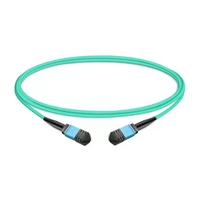
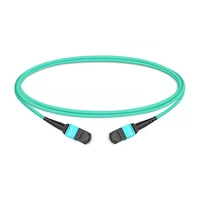
 1m (3ft) 12 Fibers Female to Female MPO Trunk Cable Polarity B LSZH OM3 50/125 Multimode Fiber
$20.00
1m (3ft) 12 Fibers Female to Female MPO Trunk Cable Polarity B LSZH OM3 50/125 Multimode Fiber
$20.00
-
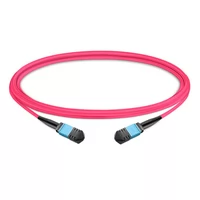
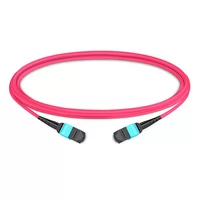
1m (3ft) 12 Fibers Female to Female MPO Trunk Cable Polarity B LSZH Multimode OM4 50/125
$21.00
-
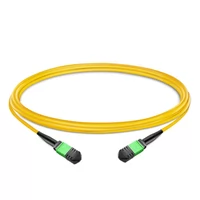
1m (3ft) 12 Fibers Female to Female MPO Trunk Cable Polarity B LSZH OS2 9/125 Single Mode
$26.00
-
1m (3ft) 12 Fibers Low Insertion Loss Female to Female MPO Trunk Cable Polarity B LSZH OM3 50/125 Multimode Fiber
$32.00
-
1m (3ft) 12 Fibers Female to Female Elite MTP Trunk Cable Polarity B LSZH OM3 50/125 Multimode Fiber
$35.00
-
1m (3ft) 12 Fibers Female to Female Elite MTP Trunk Cable Polarity B LSZH Multimode OM4 50/125
$36.00
-
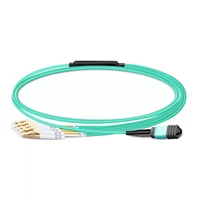
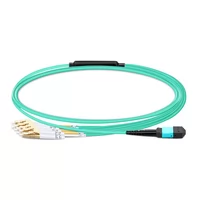
1m (3ft) MPO UPC Female to 4 LC UPC Duplex OM3 50/125 Multimode Fiber Breakout Cable, 8 Fibers, Type B, LSZH, Aqua
$20.00
-
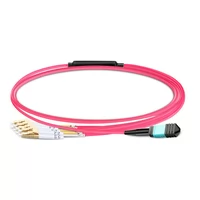
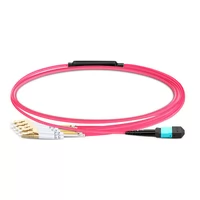
1m (3ft) MPO UPC Female to 4 LC UPC Duplex OM4 50/125 Multimode Fiber Breakout Cable, 8 Fibers Type B, LSZH, Aqua/Violet
$23.00
-
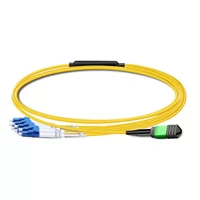
1m (3ft) MPO APC Female to 4 LC UPC Duplex OS2 9/125 Single Mode Fiber Breakout Cable, 8 Fibers Type B, LSZH, Yellow
$24.00
-
1m (3ft) MTP Female to 4 LC UPC Duplex OM3 50/125 Multimode Fiber Breakout Cable, 8 Fibers, Type B, Elite, Plenum (OFNP), Aqua
$28.00
-
1m (3ft) MTP Female to 4 LC UPC Duplex OM4 50/125 Multimode Fiber Breakout Cable, 8 Fibers, Type B, Elite, Plenum (OFNP), Aqua/Violet
$30.00
-
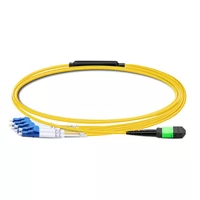
1m (3ft) MTP APC Female to 4 LC UPC Duplex OS2 9/125 Single Mode Fiber Breakout Cable, 8 Fibers, Type B, Elite, Plenum (OFNP), Yellow
$32.00