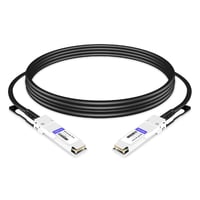
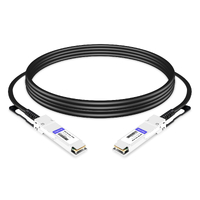
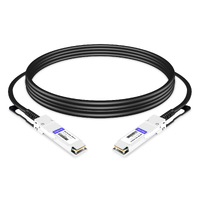
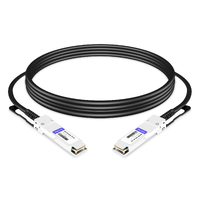
One bad cable decision cost a team $40,000.
They were building a new data hall. Forty-eight racks, two leaf switches per rack, every server connected at 100G. The engineer specified QSFP28 AOC cables for every single link.
Same rack. Adjacent rack. Everywhere.
Three months later, the power audit came back. Those AOCs were drawing 800 watts more than passive DACs would have. The extra power meant they needed another PDU per rack. Total cost of that one decision? About $40,000 in cabling, power infrastructure, and cooling overhead.
A $25 passive DAC would have handled most of those links just fine.

Choosing between QSFP28 cable types isn’t complicated, but most guides get it wrong. They treat “DAC” as one thing. They ignore active DAC entirely. And they never show you the rack-level math that actually drives the decision.
This guide covers the three real QSFP28 cable options — passive DAC, active DAC, and AOC — with a distance-based selection matrix that tells you exactly what to buy. If you’re planning a 100G spine-leaf design or just connecting servers to a ToR switch, here’s what actually matters.
The Three QSFP28 Cable Types Explained
Most people think there are two choices: copper or fiber. That’s wrong. There are three, and the middle one gets overlooked constantly.
Passive DAC — The Budget Default
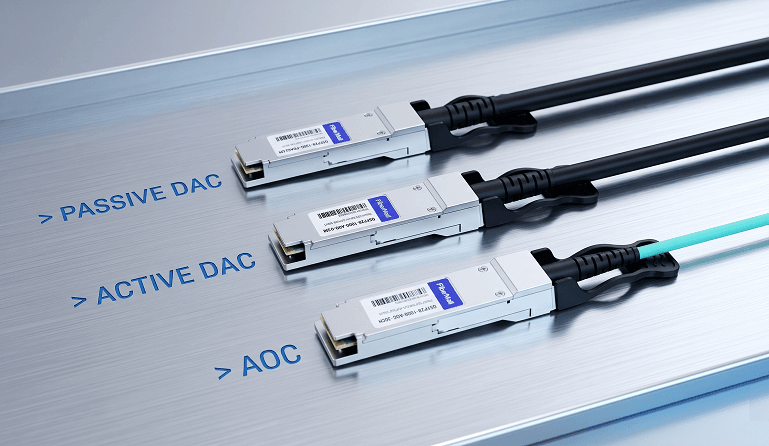
A passive QSFP28 DAC is just copper. No signal conditioning, no retimers, and no optical components. The connector housings contain the electrical contacts and EEPROM coding, but no active signal-processing components.
That simplicity is its strength. A short passive DAC draws almost no power, adds near-zero latency, and typically costs around $25 to $40, depending on length, gauge, and vendor coding.
The catch? Distance.
Signal integrity in copper degrades quickly at 100G. Most 30AWG passive DACs are best used at around 1 to 3 meters. Step up to 26AWG and you may reach 5 meters, but the cable becomes thicker, heavier, and stiffer.
We have seen 30AWG cables fail intermittently at 3.5 meters in warm racks. Copper loss increases, the eye diagram closes, and CRC errors start appearing.
Passive DAC can be an excellent choice, but 5-meter support depends on the cable gauge, host signal integrity, switch/NIC compatibility, and FEC support. Always verify the platform compatibility matrix before pushing passive copper to its limit.
Best for: Server-to-ToR within the same rack.
Active DAC — The Forgotten Middle Ground
Here is the cable type most data center guides skip entirely.
An active QSFP28 DAC looks almost identical to a passive one. Same form factor. Same copper cable. Same QSFP28 ends. But inside the connector housing is a small active circuit — usually a linear equalizer, redriver, or signal-conditioning component, depending on the vendor design.
It is still copper end-to-end. There is no optical conversion.
The result? You can usually get reliable 100G transmission over longer copper runs, commonly around 5 to 10 meters, and in some validated cases up to 15 meters. Power draw typically stays below 1 watt per cable assembly. Cost often runs around $70 to $90, roughly half the cost of many short AOCs.
Active DACs exist because there is a real gap in the market. Passive DAC becomes risky beyond 3 to 5 meters. AOC is often overkill at 6 or 8 meters. Active DAC fills that space, and many engineers do not even know it is an option.
Best for: Adjacent racks or end-of-row runs where passive can’t reach but AOC is unnecessary.
AOC — The Reach Champion
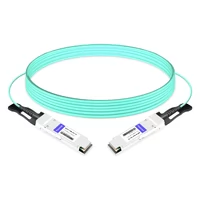
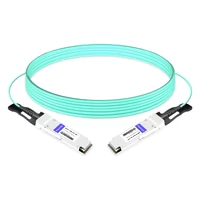
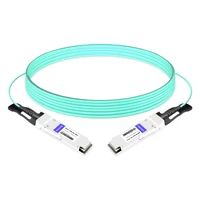
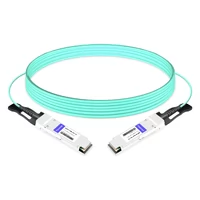
An active optical cable embeds optical transmitters and receivers directly into the connector heads. The cable between them is multimode fiber. Think of it as a pair of optical transceivers permanently attached to a fiber cable.
Reach typically goes up to 70 meters on OM3-equivalent fiber or 100 meters on OM4-equivalent fiber, depending on the vendor and cable construction. The cable is thin, light, flexible, and immune to EMI. Cable management in dense racks is dramatically easier than wrestling thick copper bundles.
The trade-offs are real.
A standard QSFP28 AOC typically draws about 2 to 3.5 watts per end, or roughly 4 to 7 watts total per cable link. A breakout AOC, such as QSFP28 to 4xSFP28, can draw around 6.5 watts total, depending on vendor design and length.
Cost is also higher. A short 3-meter QSFP28 AOC may cost around $100 to $120, while longer 100-meter AOCs can reach $300 or more. Compared with passive DACs, AOCs can cost 3x to 10x more.
Best for: Inter-rack links, longer runs, EMI-heavy environments, and any deployment where copper reach or cable stiffness becomes a problem.
QSFP28 Cable Comparison at a Glance
| Cable Type | Max Distance | Power (Per Link) | Cost (1m) | Weight | Latency | EMI Immunity |
| Passive DAC | 0.5–5m | <0.2W | 25-40 | Heavy | Near zero | None |
| Active DAC | 7–15m | <1W | 50-80 | Heavy | Near zero | None |
| AOC | Up to 100m | 2–7W | 80-300 | Light | ~0.1µs | Full |
Distance-Based Selection Matrix
The rule is simple. Pick by distance first. Everything else is secondary.
| Distance | Environment | Choose | Why |
| ≤3m | Same rack | Passive DAC | Cheapest, lowest power, zero latency |
| 3–5m | Same rack | Passive DAC (26AWG) or Active DAC | 26AWG extends passive reach; active DAC adds margin |
| 5–7m | Adjacent racks | Active DAC | Half the AOC cost, fraction of the power |
| 7–30m | Same row | AOC | Thin, flexible, no EMI issues |
| 30–100m | Room-level | AOC or structured fiber | AOC is simpler; fiber + modules offers flexibility |
| Breakout <5m | ToR to 25G servers | Breakout DAC (60-90) | One QSFP28 port feeds four servers |
| Breakout >5m | ToR to 25G servers | Breakout AOC | Reach beyond copper limits |

Most people overthink this. If the server is in the same rack as the switch, passive DAC is almost always the right call. We’ve deployed hundreds of racks and the exception rate is maybe 3%. Usually it’s a thermal issue or a bent cable, not a fundamental mismatch.
Here’s a real example. A client in Singapore had two racks facing each other across a hot aisle. The cable path measured 5.5 meters. They tried a passive DAC first because that’s what they had in stock. Intermittent CRC errors at random intervals. The 30AWG gauge just couldn’t hold signal integrity at that distance in a 28°C ambient environment.
They assumed AOC was the next step. We suggested an active DAC instead. Half the price. One-quarter of the power. Problem solved.
That’s the gap most people miss.
Power Consumption and Thermal Impact
Cable power seems trivial until you multiply it across a full rack.
A 256-port leaf switch fully populated with QSFP28 links tells the story. Let’s look at the cable power alone — not the switch, not the servers, just the cables.
| Cable Type | Per-Link Power | 256-Port Total | Thermal Impact |
| Passive DAC | ~0.1W | ~26W | Negligible |
| Active DAC | ~0.8W | ~205W | Minor |
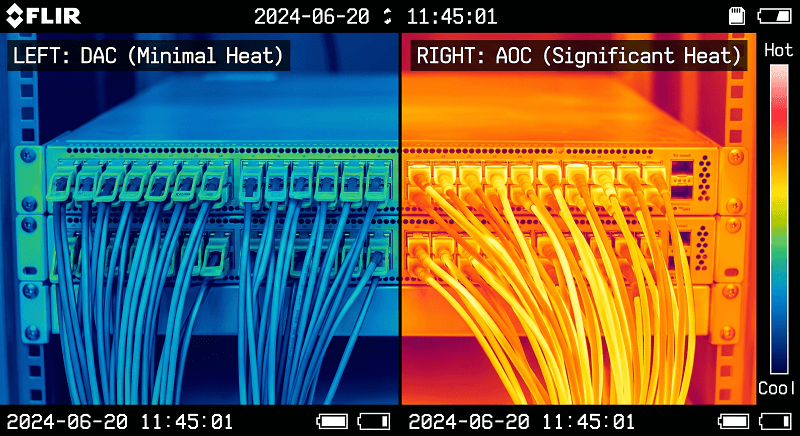
| AOC | ~4–7W total per cable | ~1,024–1,792W total link power | Significant |
If you count only the switch-side AOC ends at about 3W per port, 256 ports add around 768W of heat at the switch side alone. If you count both ends of every cable link, the total cable power can be much higher.
That is the part many teams miss. It is not just the cable power. It is the extra cooling, the extra PDU capacity, and the extra power headroom. In a dense hyperscale facility, those numbers cascade.
When does this actually matter?
Hyperscale deployments: Almost always. At 10,000+ ports, cable power becomes a real line item in the power budget.
Edge data centers: Sometimes. If the site is already power-constrained, every watt matters.
Small enterprise racks: Rarely. If you are running 24 ports, the difference between passive DAC and AOC probably will not change your cooling design.
Breakout cables change the math too. A QSFP28-to-4xSFP28 breakout AOC may draw around 6.5 watts total, depending on design. A breakout DAC typically draws under 0.5 watts. If you are breaking out 64 QSFP28 ports to feed 256 servers, that power gap becomes noticeable fast.
Breakout Cables: QSFP28 to 4xSFP28
Not every server has a 100G NIC. Many servers still ship with 25G in 2026. That is where breakout cables come in.
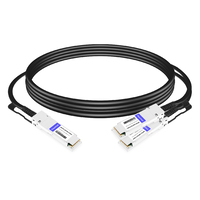
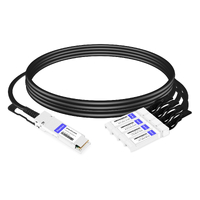
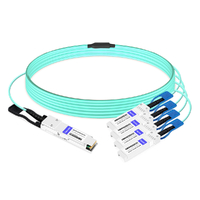
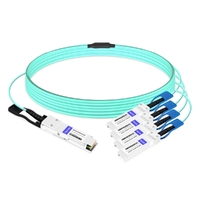
A breakout cable splits one 100G QSFP28 port into four independent 25G SFP28 channels. The QSFP28 side uses four 25G electrical lanes. Each SFP28 end carries one 25G lane. One switch port feeds four servers.
A breakout DAC typically costs around $70 to $90, reaches about 1 to 3 meters in common deployments, and draws under 0.5 watts. It is the default choice for same-rack server connections.
A breakout AOC reaches much farther, often up to 30 meters or more depending on vendor design, and may draw around 6.5 watts total. Use it when the servers are not in the same rack or when copper cable bulk becomes a problem.
Lane mapping trips people up.
The standard mapping is straightforward: QSFP28 lane 0 goes to SFP28 port 1, lane 1 to port 2, lane 2 to port 3, and lane 3 to port 4.
For direct QSFP28-to-4xSFP28 breakout DAC or AOC cables, the lane mapping is fixed by the cable assembly. Polarity becomes a concern mainly when you use MPO/MTP structured cabling, cassettes, or parallel-optic transceivers. In those cases, verify Method B or Method C polarity against your switch and patch-panel documentation.
Mismatch the lane mapping or polarity in a structured cabling path, and you may see partial lane failures — for example, 2 of 4 lanes up — or random link flapping.
Cost comparison matters too. A breakout DAC at around $90 is much cheaper than four separate SFP28 modules plus fiber, which can easily cost $320 or more. The breakout DAC wins on cost and simplicity. Discrete modules and fiber win if you expect to change cable types or distances later.
If you’re designing a 100G spine-leaf fabric, breakout cables are usually how your leaf switches connect to servers. Just remember: every breakout port is a QSFP28 port you can’t use for a spine uplink.
Real-World Selection Scenarios
Here’s what actually happens in three common deployments.
Scenario 1: New ToR Deployment, 48 Servers
All 48 servers live in the same rack as the Top-of-Rack switch. Cable lengths run from 0.8 to 2.5 meters.
Choice: 48x QSFP28 passive DAC cables.
Cost: About $25 per cable.
AOC equivalent: About $100 per cable.
Power saved: Roughly 140 watts or more compared with AOC, depending on the AOC power rating.
That power difference may not change the whole cooling design, but it is still real. And the cable cost difference? Around $3,600 that could go toward actual optics where you need them.
Scenario 2: Inter-Rack Spine-Leaf Links
Eight meters between leaf and spine racks. Forty-eight uplinks per leaf.
Choice: Active DAC if the cable routing is clean and the racks are adjacent. AOC if you are crossing rows, dealing with tight cable pathways, or concerned about EMI.
Active DAC cost: Around $70 to $90 per cable.
AOC cost: Around $100 to $120 per cable for short lengths.
The catch: active DAC at 8 meters needs a clean cable path and vendor validation. If your cable management adds slack, sharp bends, or poor airflow, you may lose signal margin.
Many teams choose AOC for spine uplinks even at shorter distances. The reliability margin is often worth it for core fabric links.
Scenario 3: Gradual 25G to 100G Migration
Your servers have 25G NICs today. You want 100G-ready switch ports without replacing the switch later.
Choice: Breakout DAC now. Direct QSFP28 DAC later.
Today, a QSFP28-to-4xSFP28 breakout DAC connects four 25G servers per switch port. Cost per server can be around $19 to $25, depending on cable price and length.
In the future, when the servers move to 100G NICs, you replace the breakout DAC with a direct QSFP28 DAC or AOC. No major switch architecture change. No wasted 100G platform investment.
Compare that with buying four SFP28 modules plus fiber now, then replacing everything later. The breakout approach is often much cheaper over the migration cycle.
Common Mistakes and Gotchas
People forget active DAC exists. That is mistake number one, and it costs teams real money.
Buying AOC for every connection.
We have seen bills where 80% of the cables were AOCs running only 2 meters inside the same rack. Those links should have used passive DACs. In a 48-port rack, replacing unnecessary AOCs with passive DACs can save several thousand dollars in cable cost alone.
Ignoring cable weight in dense racks.
Forty-eight passive DACs can add 8 to 12 kilograms of cable weight hanging near the switch ports, depending on length and gauge. In some switch designs, that stress can affect connector stability over time.
AOCs are much lighter and easier to route. Weight is rarely the only deciding factor, but it is worth checking your switch vendor’s cable-management and port-load recommendations.
Mixing vendors without verifying coding.
A QSFP28 DAC has EEPROM data on both ends. If one end needs to be coded for Cisco and the other for Dell, a standard single-vendor-coded cable may not work correctly.
Dual-coded cables exist. Each end can be programmed with a different vendor signature. But you need to specify that upfront.
Choosing the wrong gauge for the distance.
A 30AWG passive DAC at 4 meters is asking for trouble in many environments. The signal eye can close, CRCs may appear, and you may spend days troubleshooting what looks like a software or NIC issue.
If you need more than 3 meters, use a lower-gauge passive DAC such as 26AWG, choose active DAC, or move to AOC.
Forgetting lane mapping in breakout deployments.
For direct breakout DAC and AOC cables, lane mapping is built into the cable. For structured MPO/MTP cabling, polarity and lane mapping must be verified. Method B versus Method C is not just a labeling detail. It determines whether the lanes actually line up.
Always verify against your switch, transceiver, and patch-panel documentation before deployment.
FAQ
What’s the maximum distance for QSFP28 passive DAC?
It depends on wire gauge, host signal integrity, and FEC support. Most 30AWG passive DACs are best used at 1 to 3 meters. 26AWG passive DACs can reach up to 5 meters in supported platforms. Temperature matters too — warm racks can reduce signal margin and shorten effective reach.
Can I use QSFP28 DAC between different vendors?
Usually, yes, but check the EEPROM coding. Some vendors validate part numbers and reject unrecognized modules. FiberMall offers dual-coded DACs with different vendor signatures on each end for mixed environments.
When should I choose active DAC over passive?
Pick active DAC when your run exceeds 5 meters or when you want signal conditioning margin at shorter distances. It’s also the right choice in electrically noisy environments where passive copper picks up interference.
What’s the power draw of QSFP28 AOC?
A standard QSFP28 AOC draws 2 to 3.5 watts per end, or 4 to 7 watts total per link. Breakout AOCs draw more — about 6.5 watts total for a QSFP28-to-4xSFP28 configuration.
Can I use breakout DAC for 100G to 4x25G?
Yes. QSFP28-to-4xSFP28 breakout DACs are standard for this application. The switch port must support breakout mode, which most modern switches do. Check for port group restrictions in your switch documentation.
Is AOC always better than DAC?
No. AOC is only better when you need reach beyond 7 meters, require EMI immunity, or value thin cable management over cost. For same-rack connections under 3 meters, passive DAC is cheaper, lower-power, and lower-latency.
Key Takeaways
≤3 meters, same rack: Passive DAC, always. It’s the cheapest, lowest-power, zero-latency choice.
5–7 meters: Active DAC is the smart middle ground most people miss. Half the AOC cost, fraction of the power.
Breakout cables let you migrate gradually. Start with QSFP28-to-4xSFP28 for 25G servers, swap to direct QSFP28 later without changing switch ports.
Cable selection for 100G isn’t about finding the “best” cable. It’s about matching the right cable to the right distance. Get that right and you’ll save money, power, and headaches.
Need QSFP28 cables with custom vendor coding for mixed environments? Contact our team — we stock passive DAC, active DAC, AOC, and breakout cables coded for Cisco, Arista, Juniper, H3C, and NVIDIA platforms. For a broader view of 100G connectivity options, see our complete QSFP28 guide. If you’re planning 400G upgrades, check our QSFP-DD cable compatibility guide for the next-generation options.
Related Products:
-
 QSFP28-100G-PC1M 1m (3ft) 100G QSFP28 to QSFP28 Copper Direct Attach Cable
$25.00
QSFP28-100G-PC1M 1m (3ft) 100G QSFP28 to QSFP28 Copper Direct Attach Cable
$25.00
-
QSFP28-100G-PC3M 3m (10ft) 100G QSFP28 to QSFP28 Copper Direct Attach Cable
$43.00
-
QSFP28-100G-PC50CM 0.5m (1.6ft) 100G QSFP28 to QSFP28 Copper Direct Attach Cable
$25.00
-
QSFP28-100G-PC1.5M 1.5m (5ft) 100G QSFP28 to QSFP28 Copper Direct Attach Cable
$35.00
-
QSFP28-100G-AOC-7M 7m (23ft) 100G QSFP28 to QSFP28 Active Optical Cable
$95.00
-
QSFP28-100G-AOC-10M 10m (33ft) 100G QSFP28 to QSFP28 Active Optical Cable
$98.00
-
QSFP28-100G-AOC-50CM 50cm (1.6ft) 100G QSFP28 to QSFP28 Active Optical Cable
$84.00
-
QSFP28-100G-AOC-1M 1m (3ft) 100G QSFP28 to QSFP28 Active Optical Cable
$85.00
-
QSFP28-2QSFP28-PC50CM 0.5m (1.6ft) 100G QSFP28 to 2x50G QSFP28 Passive Breakout Direct Attach Cable
$29.00
-
QSFP28-4SFP28-PC1M 1m (3ft) 100G QSFP28 to Four 25G SFP28 Copper Direct Attach Breakout Cable
$50.00
-
QSFP28-4SFP28-AOC1M 1m (3ft) 100G QSFP28 to Four 25G SFP28 Active Optical Breakout Cable
$169.00
-
QSFP28-4SFP28-AOC2M 2m (7ft) 100G QSFP28 to Four 25G SFP28 Active Optical Breakout Cable
$171.00