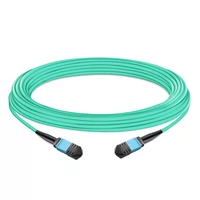
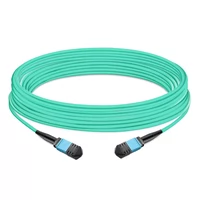
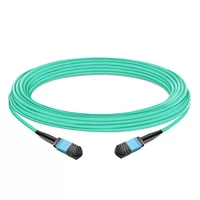
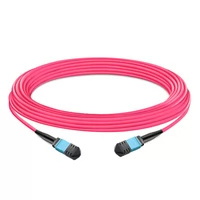
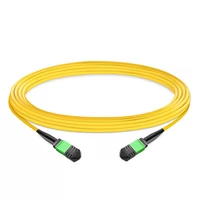
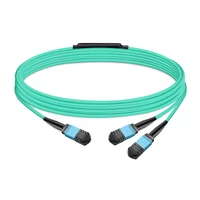
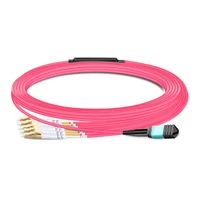
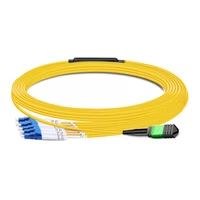
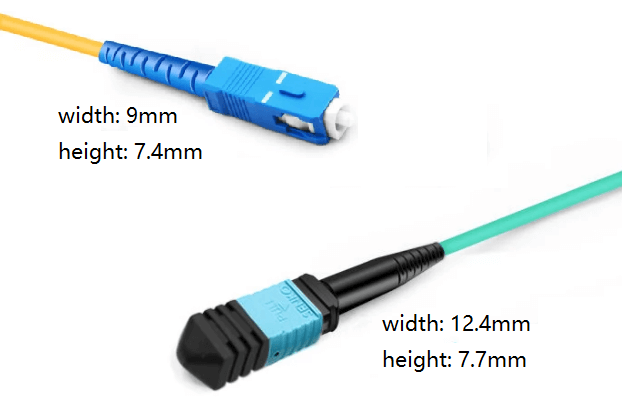
The MPO (Multi-fiber Push-On) connector functions as a high-density fiber optic connector that connects multiple fibers through its single precision-molded ferrule. MPO connectors provide support for eight to seventy-two fibers through their compact rectangular housing, which measures about the size of a thumbnail, while traditional LC and SC connectors can handle only one or two fibers.
The system requires twelve LC connectors and large rack space to connect 12 fibers through separate connectors, while an MPO connector achieves the same connection using only one connector, which occupies one-third of the space. The high-density characteristics of MPO systems function as the main component that supports modern data center operations.
The connector follows international standards IEC 61754-7 and TIA-604-5 (FOCIS 5), ensuring interoperability between manufacturers. As data centers race from 100G to 400G to 800G Ethernet, MPO connectors have become the universal interface for high-speed parallel optics.
The guide provides complete information about MPO connectors for the year 2025. The guide shows you different connector types and explains polarity functions, provides criteria to select MTP instead of standard MPO, and shows which applications use these connectors in AI data centers and cloud infrastructure.
How MPO Connectors Work
Understanding MPO mechanics helps you deploy and troubleshoot these connectors effectively.
The MT Ferrule
At the core of every MPO connector, there exists the MT ferrule, which functions as a precise rectangular component that manufacturers create through thermoplastic molding. The ferrule contains precisely spaced fiber holes that hold optical fibers in a linear array.
A standard MPO-12 ferrule positions 12 fibers in a single row with 250-micron center-to-center spacing. The manufacturing tolerance for these positions is measured in micrometers. The optical performance suffers through any deviation that affects high-speed applications that include 400G and 800G systems.
The ferrule endface is polished to exacting specifications:
- UPC (Ultra Physical Contact): Slight dome polish, typical for multimode
- APC (Angled Physical Contact): 8-degree angled polish, required for single-mode and increasingly for high-speed multimode
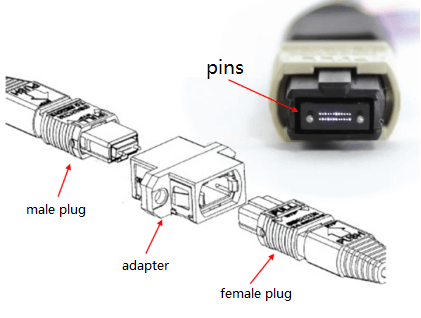
Guide Pin Alignment
The pin-and-hole alignment system serves as the connection method for MPO connectors. The face of the ferrule contains two metal guide pins that extend from the male connector. The female connectors possess matching holes. The pins provide precise fiber alignment, which maintains accuracy to within micrometer measurements when the connectors are joined together.
The accuracy of the alignment process holds great significance. The testing showed that even sub-micron misalignment in a 400G SR8 connection with 50G PAM4 signaling per lane resulted in higher insertion loss, which caused link failures. The guide pin system preserves its precise alignment capability through thousands of connector mating operations.
The Push-Pull Latching Mechanism
MPO connectors use a simple push-pull latch for mating and demating. The connector engages when users push until they hear a click, which confirms its secure connection. The user needs to pull the outer housing component for the release process. The high-density installations use this basic mechanism because technicians need to connect multiple fibers throughout their workday.
The latch design also accommodates different connector sizes. The same push-pull motion applies to both compact MPO-8 connectors and high-density MPO-24 connectors.
MPO Connector Types by Fiber Count
MPO connectors come in several fiber count configurations. Choosing the right type depends on your application, infrastructure, and future upgrade plans.
MPO-8 (Base-8)
MPO-8 uses 8 fibers in a single row. It’s optimized for parallel optics applications using 4 transmit and 4 receive lanes.
Best for:
- 40G SR4 (4 lanes × 10G)
- 100G PSM4 (4 lanes × 25G)
- 400G DR4 (4 lanes × 100G)
Advantages:
- 100% fiber utilization with parallel optics
- Clean upgrade path: 40G → 100G → 400G without recabling
- Lower cost per active fiber
Considerations:
- Less common than MPO-12 in existing infrastructure
- May require adapter panel upgrades in legacy environments
MPO-12 (Base-12)
MPO-12 is the most widely deployed configuration, using 12 fibers in a single row. It’s been the data center standard for over a decade.
Best for:
- Legacy 40G and 100G deployments
- 400G DR4 (using 8 of 12 fibers)
- 400G SR4.2 BiDi applications
- General trunk cabling
Advantages:
- Widely available from multiple vendors
- Compatible with existing infrastructure
- Flexible for various applications
Considerations:
- 33% fiber waste when used with 8-fiber transceivers
- Not optimal for 400G/800G native applications
MPO-16 (Base-16)
MPO-16 uses 16 fibers in a single row and has become critical for modern high-speed applications.
Best for:
- 400G SR8 (8 lanes × 50G)
- 800G SR8 (8 lanes × 100G)
- Future-proofing multimode infrastructure
Critical characteristic: MPO-16 uses an offset key position that prevents mating with MPO-12 or MPO-24 adapters. This is deliberate—it prevents accidentally connecting incompatible fiber counts that could damage end-faces.
Advantages:
- 100% fiber utilization for 400G/800G SR8
- Future-proof for next-generation speeds
- Native fit for emerging transceiver standards
MPO-24 (Base-24)
MPO-24 packs 24 fibers into two rows of 12. It’s gaining traction in hyperscale environments.
Best for:
- Ultra-high density applications
- Supporting two 400G links per cable
- Reducing overall cable count by ~38%
Advantages:
- Fewer cables to manage
- Reduced cable tray congestion
- Lower installation labor
Considerations:
- Higher cost per cable
- More complex polarity management
- Stiffer cable harder to route
FiberMall can also provide low insertion loss single-mode MPO connectors, with a maximum insertion loss of not more than 0.35 dB.
MPO vs MTP: What’s the Difference?
MPO and MTP are often used interchangeably, but important distinctions exist that affect performance and cost.
MPO refers to the generic industry standard defined by IEC 61754-7. Any manufacturer can produce MPO connectors meeting these specifications.
MTP (Multi-fiber Termination Push-on) is a registered trademark of US Conec. It’s an enhanced MPO with proprietary design improvements including:
- Floating ferrule for better contact under load
- Elliptical stainless steel guide pins
- Metal pin clamps (vs. plastic on standard MPO)
- Removable housing for field changes
- Lower insertion loss (0.15–0.35 dB vs. 0.35–0.75 dB)
Key point: All MTP connectors are MPO connectors, but not all MPO connectors meet MTP performance specifications. They’re fully compatible—you can mate MTP with standard MPO—but performance defaults to the lower specification of the standard MPO component.
For detailed comparison and decision guidance, see our MPO vs MTP comparison guide.
Understanding Polarity Methods
Polarity ensures transmit fibers connect to receive fibers. Get it wrong and your link won’t come up. MPO connectors use three standardized polarity methods: A, B, and C.
Method A (Straight-Through)
In Method A, fiber 1 on the first connector mates to fiber 1 on the second connector, fiber 2 to fiber 2, and so on. Both connectors use the same key orientation (both key-up or both key-down).
Best for: Simple point-to-point connections where you want direct fiber mapping.
The catch: Method A requires different jumper types at each end (A-to-A cassettes or A-to-A patch cords). This increases inventory complexity.
Method B (Key-Up to Key-Up)
Method B is the industry standard for parallel optics (40G, 100G, 400G, 800G). The first connector is key-up; the second is also key-up. This reverses the fiber positions—fiber 1 mates to fiber 12, fiber 2 to fiber 11, etc.
Why Method B matters for parallel optics:
Parallel optic transceivers position transmitters on one side and receivers on the other. A 400G SR8 transceiver might have fibers 1-4 as transmitters and 5-8 as receivers (simplified example). Method B ensures these align correctly when connecting two transceivers.
Best for: Data center parallel optics, spine-leaf architectures, most modern deployments.
Method C (Crossed Pairs)
Method C crosses fiber pairs (1-2, 3-4, etc.). It’s rarely used in modern data centers and primarily appears in legacy telecom applications.
Polarity Planning Recommendations
For new data center builds, standardize on Method B throughout your infrastructure. This lets you use one patch cord type everywhere, reducing inventory and eliminating polarity-related troubleshooting.
MPO for 400G and 800G Networks
As data centers migrate to 400G and 800G Ethernet, MPO connector selection becomes critical. The wrong choice means expensive recabling later.
400G-SR8: MPO-16 Required
400G SR8 transceivers use 16 fibers—8 transmit and 8 receive. Each lane runs 50G PAM4 signaling.
Specifications:
- Connector: MPO-16 APC
- Fiber: OM4 or OM5 multimode
- Distance: 100m
- Insertion loss budget: ~6.3 dB total
The MPO-16 requirement is non-negotiable. MPO-12 won’t work—you need those 16 fibers.
400G-DR4: MPO-12 with Fiber Waste
400G DR4 uses single-mode fiber with 8 active fibers (4 Tx + 4 Rx). It typically uses MPO-12 connectors, leaving 4 fibers unused.
This is where Base-8 shines. If you deploy Base-8 MPO for DR4, you get 100% fiber utilization. If you use Base-12, you’re wasting 33% of your fiber investment.
800G-SR8: Same as 400G-SR8
800G SR8 doubles the lane rate but keeps the same MPO-16 connector. This is excellent news for planning—deploy MPO-16 for 400G today, and you’re ready for 800G tomorrow without touching your fiber plant.
For complete 400G/800G deployment guidance, see our MPO connectors for 400G and 800G networks guide.
Link Budget and Performance
Understanding link budgets helps you specify the right MPO grade for your application.
Insertion Loss by Connector Grade
| Grade | Typical Loss | Max Loss | Best For |
| Standard MPO | 0.50 dB | 0.75 dB | Basic applications, generous budgets |
| MTP Standard | 0.35 dB | 0.60 dB | Most data center applications |
| MTP Elite | 0.20 dB | 0.35 dB | 400G/800G, multiple patch panels |
400G-SR8 Link Budget Example
Consider a typical spine-to-leaf connection:
Loss Calculation:
- 400G-SR8 transceiver: ~1.5 dB each end = 3.0 dB
- Patch panel 1 (MTP): 0.35 dB
- 50m OM4 trunk: 0.15 dB (3 dB/km)
- Patch panel 2 (MTP): 0.35 dB
- Total: 3.85 dB
Available budget: ~6.3 dB with FEC
Margin: 2.45 dB (healthy)
If you used standard MPO (0.50 dB per connection):
- Additional loss: 0.30 dB
- Still works, but margin is tighter
With three patch panels or longer distances, MTP Elite becomes worth the premium.
Cleaning and Maintenance
Contamination is the number one cause of MPO link failures. Proper cleaning procedures prevent expensive troubleshooting.
Inspection First
Always inspect before cleaning. A visible-scope inspection tells you if cleaning is needed and whether your cleaning worked.
What to look for:
- Dust and debris
- Oil and fingerprints
- Damaged end-faces (scratches, pits)
- Connector gender (pins/no pins)
Cleaning Procedure
Tools needed:
- MPO inspection scope
- MPO-specific cleaning tools (cassette cleaners or click cleaners)
- Lint-free wipes and solvent (for stubborn contamination)
Steps:
- Inspect the connector end-face
- If contaminated, use an MPO cassette cleaner (for connectors) or click cleaner (for adapters)
- Re-inspect to verify cleanliness
- If still dirty, use solvent on a lint-free wipe
- Never touch the end-face with bare fingers
APC connectors: Verify the 8-degree angle is oriented correctly after cleaning.
Maintenance Schedule
- New installations: Inspect and clean every connector before turn-up
- Active infrastructure: Inspect annually or after any connectivity issues
- High-density environments: Consider quarterly inspections
Troubleshooting Common MPO Issues
Even with proper installation, MPO links can fail. Here’s how to diagnose common problems.
Symptom: Link Won’t Come Up
Check polarity first. Verify you’re using the correct method (typically B for parallel optics). Mixed polarity (A on one end, B on the other) causes Tx/Rx mismatches.
Verify connector gender. Female connectors go on equipment ports. Male connectors extend trunks. Two males or two females won’t mate properly.
Inspect for contamination. A single dust particle can cause 3+ dB loss—enough to fail a 400G link.
Symptom: High Insertion Loss
Check for:
- Dirty end-faces (clean and re-test)
- Exceeding bend radius (30mm minimum for trunk cables)
- Mixed connector grades (MTP Elite mated to standard MPO)
- Too many patch panels in the link
Measurement: Use an OTDR or optical loss test set to isolate high-loss segments.
Symptom: Intermittent Flapping
Usually indicates:
- Loose connections (reseat connectors)
- Microbends from tight cable bends
- Temperature-related expansion/contraction
- Incompatible polish types (APC mated to UPC)
Symptom: One Lane Failed (Partial Link)
Parallel optics use multiple lanes. If one lane shows errors while others work:
- Check individual fiber continuity
- Look for damaged fiber in the ribbon cable
- Verify consistent connector quality across all lanes
Frequently Asked Questions
What does MPO stand for?
MPO stands for Multi-fiber Push-On (or Multi-fiber Push On). It refers to the connector’s ability to terminate multiple fibers and its push-pull latching mechanism.
How many fibers can an MPO connector hold?
MPO connectors support 8, 12, 16, 24, 32, 48, or 72 fibers. The most common configurations are MPO-12 (12 fibers) and MPO-16 (16 fibers for 400G/800G).
What’s the difference between male and female MPO connectors?
Male connectors have two guide pins protruding from the ferrule. Female connectors have pin holes. They must mate male-to-female. Female connectors typically go on equipment; male connectors extend trunk cables.
Can I use MPO-12 for 400G-SR8?
No. 400G-SR8 requires MPO-16 with 16 fibers. MPO-12 only provides 12 fibers. Additionally, MPO-16 uses an offset key that physically prevents mating with MPO-12 adapters.
When should I choose MTP over standard MPO?
Choose MTP for: 400G/800G applications, links with multiple patch panels, environments requiring frequent reconfiguration, or when maximum reliability matters. Standard MPO works fine for basic 40G/100G with simple topologies and relaxed loss budgets.
What polarity method should I use?
Use Method B (Key-Up to Key-Up) for parallel optics applications including 40G, 100G, 400G, and 800G. It’s the industry standard for data center deployments.
Conclusion
MPO connectors are the foundation of high-density fiber infrastructure. From 40G through 800G, these compact connectors enable the bandwidth density modern data centers require.
Key takeaways:
- MPO connectors support 8-72 fibers in one compact housing
- MPO-16 is required for 400G-SR8 and 800G-SR8 applications
- Choose Method B polarity for parallel optics deployments
- MTP offers lower loss and higher reliability than standard MPO
- Cleanliness is critical—inspect every connector before installation
Planning your MPO infrastructure correctly from the start saves expensive recabling later. Choose Base-8 for single-mode flexibility, Base-16 for 400G/800G multimode, and always document your polarity method.
Need help selecting MPO connectors for your deployment? Contact our fiber connectivity experts for guidance on specifications, polarity planning, and migration strategies tailored to your infrastructure.
Related Products:
-
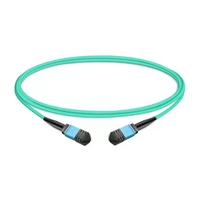
 1m (3ft) 12 Fibers Female to Female MPO Trunk Cable Polarity B LSZH OM3 50/125 Multimode Fiber
$20.00
1m (3ft) 12 Fibers Female to Female MPO Trunk Cable Polarity B LSZH OM3 50/125 Multimode Fiber
$20.00
-
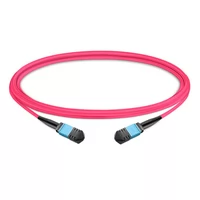
1m (3ft) 12 Fibers Female to Female MPO Trunk Cable Polarity B LSZH Multimode OM4 50/125
$21.00
-
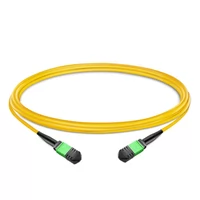
1m (3ft) 12 Fibers Female to Female MPO Trunk Cable Polarity B LSZH OS2 9/125 Single Mode
$26.00
-
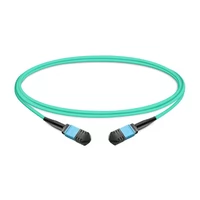
1m (3ft) 12 Fibers Low Insertion Loss Female to Female MPO Trunk Cable Polarity B LSZH OM3 50/125 Multimode Fiber
$32.00
-
NVIDIA MFP7E10-N010 Compatible 10m (33ft) 8 Fibers Low Insertion Loss Female to Female MPO Trunk Cable Polarity B APC to APC LSZH Multimode OM3 50/125
$47.00
-
NVIDIA MFP7E10-N030 Compatible 30m (98ft) 8 Fibers Low Insertion Loss Female to Female MPO Trunk Cable Polarity B APC to APC LSZH Multimode OM3 50/125
$81.00
-
5m (16ft) 12 Fibers Female to Female MPO Trunk Cable Polarity B LSZH OM3 50/125 Multimode Fiber
$26.00
-
7m (23ft) 12 Fibers Female to Female MPO Trunk Cable Polarity B LSZH Multimode OM4 50/125
$35.00
-
10m (33ft) 12 Fibers Female to Female MPO Trunk Cable Polarity B LSZH OS2 9/125 Single Mode
$32.00
-
NVIDIA MFP7E20-N010 Compatible 10m (33ft) 8 Fibers Low Insertion Loss Female to Female MPO12 to 2xMPO12 Polarity B APC to APC LSZH Multimode OM3 50/125
$61.00
-
5m (16ft) MPO UPC Female to 4 LC UPC Duplex OM4 50/125 Multimode Fiber Breakout Cable, 8 Fibers Type B, LSZH, Aqua/Violet
$32.00
-
7m (23ft) MPO APC Female to 4 LC UPC Duplex OS2 9/125 Single Mode Fiber Breakout Cable, 8 Fibers Type B, LSZH, Yellow
$28.00