Introduction
Marcus’s team unboxed their first Quantum-2 switches on a Monday morning, confident the hard part was over. GPUs were racked, NICs installed, and the fiber crew was scheduled. By Tuesday afternoon, every cage on the switch was empty.
The OSFP modules they had ordered were the wrong heatsink type. Flat-top modules can’t seat properly in finned-top cages, and no amount of force fixes that. A $30,000 cluster sat idle for four days while replacement optics raced through customs.
That single procurement detail is why this guide exists. Deploying 800G NDR InfiniBand isn’t just about speed. It’s about matching form factors, polarity, power budgets, and firmware versions that all have to align before the first MPI job runs. Cabling alone can reach 15-25% of total cluster cost. Lead times of 4-12 weeks for optics mean a mistake won’t get fixed by next-day air.
This article walks through the complete 800G NDR InfiniBand deployment workflow: hardware selection, twin-port OSFP nuances, structured fiber requirements, topology choices, Subnet Manager setup, verification, burn-in, and migration from HDR. If you’re new to InfiniBand, our complete InfiniBand guide covers the architecture and generations first.

What Is 800G NDR InfiniBand?
NDR stands for Next Data Rate, the InfiniBand generation that delivers 400 Gbps per port. The term “800G NDR InfiniBand” describes a twin-port OSFP module carrying two independent 400G NDR links in a single transceiver. It isn’t a new InfiniBand generation. It’s two NDR ports packaged together.
This distinction matters because search results and procurement sheets often blur the line. NDR = 400G per port. XDR, the next generation, is 800G per port and arrives with ConnectX-8. A ConnectX-7 NIC supports NDR 400G, not 800G XDR.
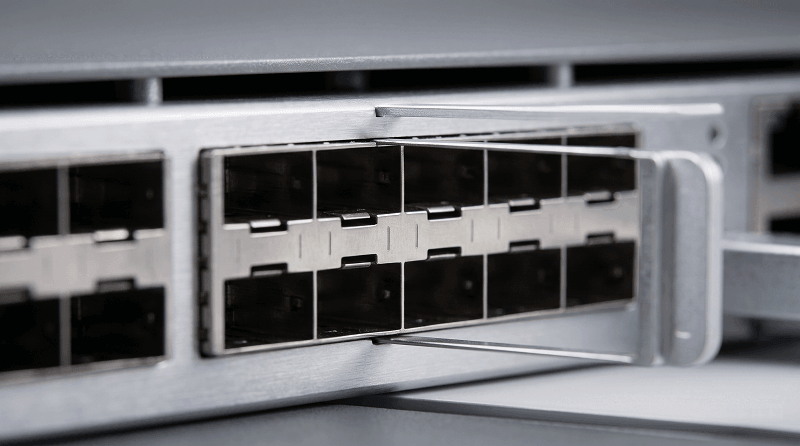
NVIDIA’s Quantum-2 switch illustrates this clearly. It has 32 OSFP cages on the front panel, but each cage hosts two NDR 400G ports. That gives the switch 64 NDR 400G ports and 51.2 Tb/s of aggregate switching capacity. When you insert a twin-port 800G NDR OSFP module, it consumes one cage and presents two 400G links. Understanding that relationship prevents the most common ordering error we see in 800G NDR InfiniBand deployments.
Hardware Requirements for NDR Deployment
A working NDR fabric needs three components to agree on speed, form factor, and airflow: the switch, the NIC, and the server it lives in. Getting any one of these wrong turns an 800G NDR InfiniBand deployment into an expensive troubleshooting exercise.
Quantum-2 Switches
NVIDIA ships two main Quantum-2 variants:
| Model | Management | Airflow | Use Case |
| QM9700 | Non-managed | P2C or C2P | Spine/leaf where external management is preferred |
| QM9790 | Managed | P2C or C2P | Edge deployments needing on-switch management |
Airflow direction isn’t optional. P2C (port-to-cooler) pulls air in through the front panel and exhausts at the rear. C2P reverses that. Mixing directions in the same rack creates hot spots that can trigger thermal throttling.
A fully populated Quantum-2 switch draws 1,300-1,550W, so rack power planning starts at 50+ kW for dense leaf deployments.
ConnectX-7 and BlueField-3
ConnectX-7 NICs support NDR 400G in OSFP or QSFP112 form factors. The OSFP version uses a riding heat sink (RHS, flat-top) and is designed for servers. QSFP112 variants exist for environments where backward compatibility matters, but they still deliver NDR signaling, not a slower generation. BlueField-3 DPUs add compute offload and can run NDR links, though most AI clusters still connect hosts through ConnectX-7.
Server PCIe slot bandwidth is another common bottleneck. NDR 400G needs PCIe Gen5 x16 to reach full throughput. Dropping to Gen4 x16 cuts usable bandwidth roughly in half. That defeats the purpose of the fabric upgrade.
Understanding Twin-Port OSFP and Heatsink Types
Twin-port OSFP modules are the physical heart of 800G NDR connectivity. They contain two independent 400G engines, each with its own transmitter and receiver lanes, sharing a common electrical interface and housing. One module plugs into one cage on a Quantum-2 switch. Two NDR ports come alive.
The heatsink type determines whether that module will even fit. Pick wrong, and your 800G NDR InfiniBand rollout stops at the loading dock.
IHS vs RHS
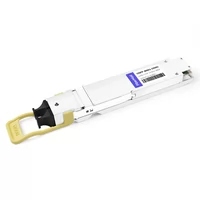
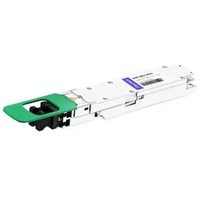
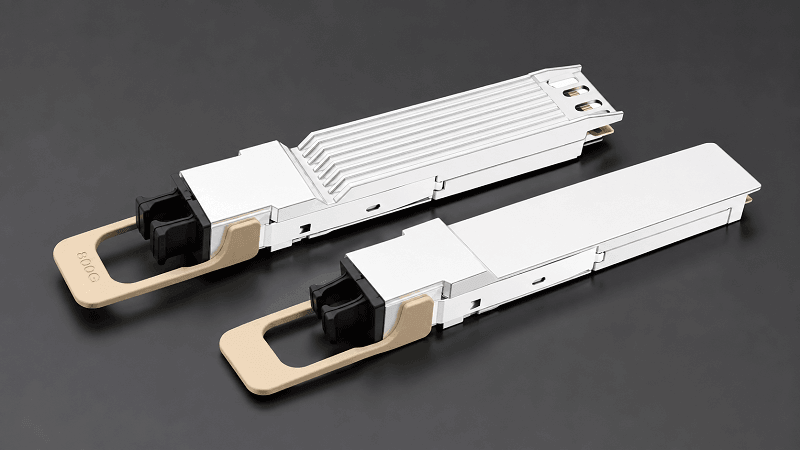
IHS (Integrated Heat Sink): Finned-top, taller heatsink. Required for Quantum-2 switches because the cage provides the mating surface and airflow path.
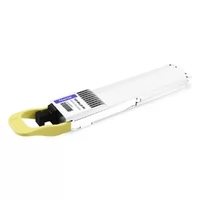
RHS (Riding Heat Sink): Flat-top, lower profile. Required for ConnectX-7 NICs and BlueField-3 DPUs where server spacing is tight.
These are physically incompatible. A flat-top module won’t seat correctly in a finned-top cage, and forcing it risks damaging the connector. Marcus’s team learned this the hard way.
| Platform | Heatsink Type | Visual Cue |
| Quantum-2 switch | IHS | Finned-top, taller |
| ConnectX-7 NIC | RHS | Flat-top, lower |
| BlueField-3 DPU | RHS | Flat-top, lower |
When ordering, confirm the part number suffix and request a physical sample if the supplier is new. For switch-side optics, FiberMall’s 800G NDR InfiniBand modules ship with the correct IHS profile for Quantum-2 cages.
Cabling and Structured Fiber Requirements
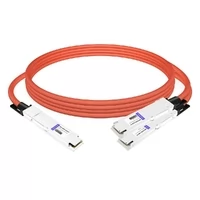
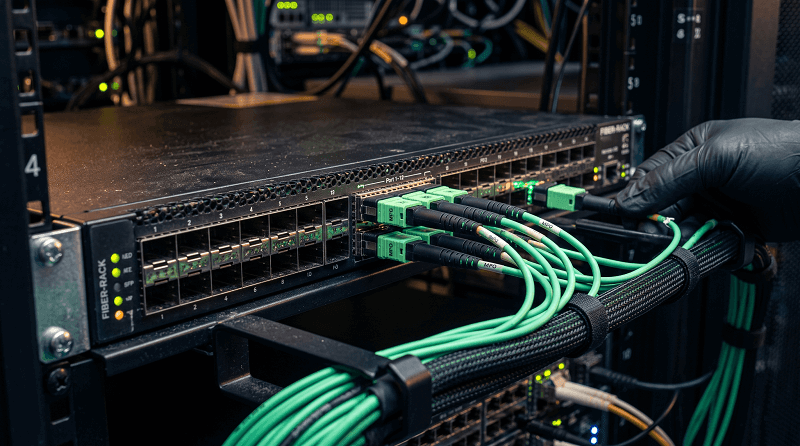
NDR links have three cable options: direct attach copper (DAC/ACC), active optical cable (AOC), and optical transceivers plus structured fiber. The right choice depends on reach, bend radius, and whether the cable needs to move. Most 800G NDR InfiniBand deployments use a mix of all three.
DAC, AOC, and Optical Breakdown
| Cable Type | Typical Reach | Best For |
| DAC/ACC | Up to 3m | Top-of-rack, fixed connections |
| AOC | 3-30m | Inter-rack within the same row |
| Optical + fiber | 50m MMF / 500m SMF | Structured cabling, long spans |
AOC is popular in AI clusters because it’s lighter and more flexible than DAC at 400G. But structured fiber becomes necessary once runs exceed about 30 meters or cross rows. NVIDIA’s structured cabling requirements specify MPO-12 APC connectors, Method B polarity, and single-mode fiber for spans beyond 100 meters.
APC vs UPC: The Silent Killer
APC (Angled Physical Contact) polish is mandatory for NDR optical links. The 8-degree angle reduces back-reflection, which becomes critical at PAM4 signaling rates. UPC (Ultra Physical Contact) connectors, common in older HDR and Ethernet deployments, cause high back-reflection that degrades signal integrity.
One deployment team reused legacy UPC fiber from their HDR cluster. Links came up, then flapped under load, then failed during All-Reduce operations. A fiber scope revealed the polish mismatch. Swapping to APC restored stability.
The lesson: don’t trust color-coded sleeves alone. Verify polish, polarity, and gender before racking.
For a deeper dive, see our InfiniBand cables guide.
Topology and Connection Scenarios
NDR fabrics usually follow one of three patterns: fat-tree spine-leaf, Dragonfly+ for very large systems, or a DGX SuperPOD reference architecture for NVIDIA-aligned AI clusters.
Fat-tree remains the default for most 800G NDR InfiniBand fabrics. Leaf switches sit at the top of each rack and uplink to spine switches in a non-blocking or lightly oversubscribed pattern. A common 2:1 oversubscription ratio balances cost against performance for training workloads.
Common Connection Scenarios
| Scenario | Module/Cable | Notes |
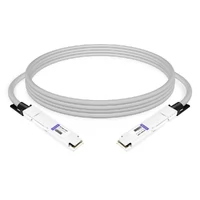
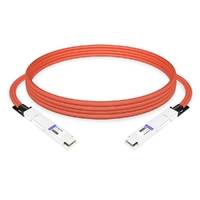
| Switch-to-switch | Twin-port 800G OSFP | One cage, two 400G links between spines and leaves |
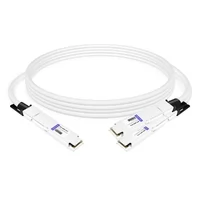
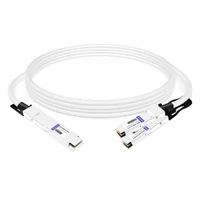
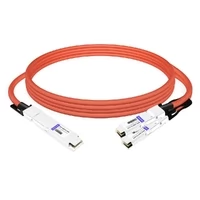
| Switch-to-2-NICs | Twin-port 800G OSFP to 2× single-port 400G | Common rack-facing downlink |
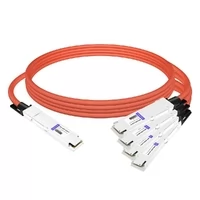
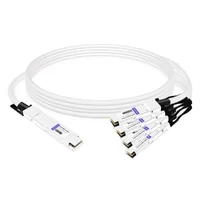
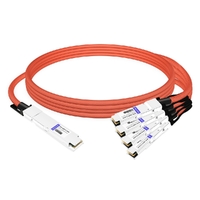
| 800G to 4×200G | Breakout AOC or optical | Connects NDR spine to HDR leaf during migration |
Connection scenarios are often scattered across vendor PDFs. The key is to map every port to a physical lane count. A twin-port 800G module does not magically create four 200G links. Breakout requires the correct cable and matching port configuration on both ends.

Deployment Workflow
A complete 800G NDR InfiniBand deployment follows eight stages. Skip any of them and you increase the chance of a silent failure later.
1. Pre-deployment assessment. Document server PCIe topologies, NIC part numbers, switch airflow directions, and fiber inventory. Run nvidia-smi topo -m to confirm GPU-NIC affinity.
2. Rack power and thermal validation. Confirm 50+ kW per rack capacity, cold-aisle temperatures, and that switch airflow matches cabinet design. Thermal throttling looks like a software problem but starts in the rack.
3. Hardware installation. Rack switches, install NICs, leave optics out until fiber is clean and verified. Follow NVIDIA’s QM9700/QM9790 quick install guide for rail kit and grounding details.
4. Subnet Manager deployment. Choose integrated SM on Quantum-2 for fabrics up to 2,000 nodes, or external OpenSM/UFM for larger deployments. Configure redundancy before any host joins.
5. Cable installation and inspection. Clean every MPO endface, verify Method B polarity, confirm APC polish, and test insertion loss before plugging into cages.
6. Link verification. Bring up links one row at a time. Check ibstat and ibstatus for physical state, then validate BER against thresholds.
7. Fabric burn-in. Run ib_write_bw, ibdiagnet, and an MPI or NCCL benchmark for 24-72 hours. Monitor DOM readings and watch for link flaps.
8. Production cutover. Migrate workloads only after burn-in passes and a rollback plan exists.
Firmware compatibility is the detail most teams miss. BIOS, NIC firmware, OFED driver, and SM version must be validated together. A mismatch between any two can cause ports to negotiate at HDR instead of NDR, or fail to bring up RDMA queue pairs.
Subnet Manager Setup for NDR
The Subnet Manager (SM) is the control plane of an InfiniBand fabric. It discovers devices, assigns Local Identifiers (LIDs), computes routes, and manages virtual lanes for QoS. Without it, ports physically light but no traffic flows.
Quantum-2 switches include an integrated SM capable of handling fabrics up to approximately 2,000 nodes. For smaller 800G NDR InfiniBand clusters, this removes the need for a separate management server. Larger fabrics need external SM software such as OpenSM or NVIDIA UFM, often deployed in a redundant pair.
Best practices for SM setup:
Run at least two SMs with priority levels so failover is automatic.
Pin SM processes to dedicated cores or management servers to avoid CPU contention.
Configure partition keys (PKeys) to isolate storage, compute, and management traffic.
Enable adaptive routing and congestion control for AI workloads with many-to-one traffic patterns.
Verification and Burn-In Protocol
Verification separates a working fabric from one that merely looks working. Networking failures in HPC environments rarely announce themselves with a clean outage. They show up as tail latency, gradient synchronization stalls, or MPI hangs that only appear under load. In an 800G NDR InfiniBand environment, these symptoms are expensive to debug.
Key Verification Steps
| Check | Command/Tool | Threshold |
| Physical state | ibstat, ibstatus | LinkUp, NDR 400G |
| Pre-FEC BER | ibdiagnet | <1×10⁻⁶ acceptable, >1×10⁻⁵ unacceptable |
| Bandwidth | ib_write_bw | Within 5% of theoretical 400 Gbps |
| DOM readings | Switch/NIC CLI | TX/RX power and temperature within vendor range |
| Application benchmark | NCCL/MPI test | No hangs, expected scaling efficiency |
Burn-in should last 24-72 hours before production cutover. During that window, monitor for link flaps, temperature spikes, and CRC errors. DOM (Digital Optical Monitoring) readings that drift outside vendor ranges are early warnings of dirty connectors, polarity errors, or marginal transceivers.
HDR-to-NDR Migration Strategies
Most organizations don’t build NDR fabrics from scratch. They migrate from HDR 200G or EDR 100G. Three strategies cover most situations.
Breakout approach: Keep legacy leaf switches and connect them to NDR spines using 800G to 4×200G breakout cables. This preserves existing server connectivity while upgrading core bandwidth. It’s the lowest-risk path and works well during budget-phased upgrades to 800G NDR InfiniBand.
End-to-end upgrade: Replace leaves, spines, NICs, and cabling in one window. This delivers full NDR performance immediately but requires more capital and a longer maintenance window.
Spine-first migration: Upgrade spine switches to NDR while leaves remain HDR. Servers stay untouched, and the core gains capacity. This is the strategy one research cluster used to spread costs across two fiscal years without re-architecting their topology.
Speed downgrade modes let NDR ports negotiate at HDR or EDR when the far end requires it. That flexibility helps during mixed-generation cutovers. For HDR hardware details, our QSFP56 transceiver guide covers the 200G generation.
Cost and Procurement Considerations
InfiniBand networking carries a cost surprise for teams focused on GPU procurement. Cabling, transceivers, and related hardware can reach 15-25% of total cluster cost. A single Quantum-2 switch lists in the tens of thousands of dollars, and optics multiply quickly when every server needs redundant NIC connections.
Lead times add pressure. During peak AI build-outs, InfiniBand optics and cables can slip to 4-12 weeks. Ordering optics for an 800G NDR InfiniBand rollout without confirming heatsink type, reach, and polarity extends those delays further.
Third-party MSA-compatible modules reduce cost without sacrificing compatibility when sourced from a qualified supplier. The key is testing: verify part numbers, firmware versions, and physical fit before bulk ordering. FiberMall supplies 400G NDR InfiniBand transceivers and twin-port 800G modules tested for NVIDIA/Mellanox environments, with factory-direct pricing and faster availability than many OEM channels.
FAQ
What is the difference between NDR and XDR?
NDR is 400 Gbps per port. XDR is 800 Gbps per port, supported by ConnectX-8 and Quantum-X800 switches.
How many ports does Quantum-2 have?
Quantum-2 has 32 OSFP cages, which equals 64 NDR 400G ports when using twin-port modules.
Can I use QSFP112 cables with Quantum-2?
Quantum-2 uses OSFP cages. QSFP112 modules do not physically fit. Use OSFP modules or adapter cables specifically rated for OSFP-to-QSFP112 NDR connections.
What fiber do I need for NDR 400G?
Use MPO-12 APC connectors with Method B polarity. For structured cabling, follow NVIDIA’s structured cabling requirements.
How much power does a Quantum-2 switch draw?
A fully populated Quantum-2 switch draws 1,300-1,550W depending on module count and airflow configuration.
Can I mix ConnectX-7 and ConnectX-8 in one fabric?
Yes at the InfiniBand protocol level, but they operate at different maximum speeds. Match port configurations and firmware compatibility matrices.
Do I need a Subnet Manager for every switch?
No. One SM manages the entire subnet. Quantum-2 includes an integrated SM for up to 2,000 nodes; larger fabrics use external SM or UFM.
Can I use third-party optics in Quantum-2?
Yes, if they are MSA-compatible and qualified for the target environment. Verify heatsink type, firmware compatibility, and BER performance before bulk deployment.
Conclusion
Deploying 800G NDR InfiniBand is a chain of small decisions, and the weakest link determines when the cluster actually runs. The right OSFP heatsink, the correct APC polish, validated firmware, and a thorough burn-in aren’t optional details. They’re what separate a cluster that trains models from one that spends a week debugging link flaps.
If you’re planning an 800G NDR InfiniBand deployment, start with a hardware compatibility matrix and a cable qualification lab before the first switch ships. When you’re ready to source optics, explore FiberMall’s 800G NDR InfiniBand modules and InfiniBand cables. Our engineering team can help you match heatsink types, reach, and polarity to your Quantum-2 and ConnectX-7 rollout. Request a quote today and avoid the wrong-heatsink week.
Related Products:
-
 NVIDIA MMA4Z00-NS Compatible 800GBASE 2 x SR4/SR8 OSFP PAM4 850nm 100m DOM Dual MPO-12 MMF Optical Transceiver Module
$550.00
NVIDIA MMA4Z00-NS Compatible 800GBASE 2 x SR4/SR8 OSFP PAM4 850nm 100m DOM Dual MPO-12 MMF Optical Transceiver Module
$550.00
-
NVIDIA MMA4Z00-NS-FLT Compatible 800GBASE 2 x SR4/SR8 OSFP RHS/Flat Top PAM4 850nm 100m DOM Dual MPO-12 MMF Optical Transceiver Module
$600.00
-
NVIDIA MMS4X00-NM Compatible 800GBASE 2 x DR4/DR8 OSFP IHS/Closed Finned Top PAM4 1310nm 500m DOM Dual MTP/MPO-12 SMF Optical Transceiver Module
$600.00
-
NVIDIA MMS4X00-NM-FLT Compatible 800GBASE 2 x DR4/DR8 OSFP Flat Top PAM4 1310nm 500m DOM Dual MTP/MPO-12 SMF Optical Transceiver Module
$650.00
-
NVIDIA MMS4X50-NM Compatible 800G 2x FR4 OSFP IHS/Closed Finned Top PAM4 1310nm 2km DOM Dual Duplex LC SMF InfiniBand NDR Optical Transceiver Module
$1000.00
-
NVIDIA MMS4A20-XM800 Compatible 800G DR4 OSFP224 4x200G-PAM4 1311nm 500m RHS/Flat Top DOM MTP/MPO-12 APC InfiniBand XDR Transceiver Module
$1300.00
-
NVIDIA MCP7Y00-N001 Compatible 1m (3ft) 800Gb Twin-port OSFP to 2x400G OSFP InfiniBand NDR Breakout Direct Attach Copper Cable
$160.00
-
NVIDIA MCA7J60-N004 Compatible 4m (13ft) 800G Twin-port OSFP to 2x400G OSFP InfiniBand NDR Breakout Active Copper Cable
$800.00
-
NVIDIA MCP7Y10-N001 Compatible 1m (3ft) 800G InfiniBand NDR Twin-port OSFP to 2x400G QSFP112 Breakout DAC
$155.00
-
NVIDIA MCP7Y50-N001 Compatible 1m (3ft) 800G InfiniBand NDR Twin-port OSFP to 4x200G OSFP Breakout DAC
$255.00
-
NVIDIA MCA7J70-N004 Compatible 4m (13ft) 800G InfiniBand NDR Twin-port OSFP to 4x200G OSFP Breakout ACC
$1100.00
-
NVIDIA MCA7J65-N004 Compatible 4m (13ft) 800G Twin-port OSFP to 2x400G QSFP112 InfiniBand NDR Breakout Active Copper Cable
$800.00
-
NVIDIA MCP7Y40-N001 Compatible 1m (3ft) 800G InfiniBand NDR Twin-port OSFP to 4x200G QSFP112 Breakout DAC
$165.00
-
NVIDIA MCA7J75-N004 Compatible 4m (13ft) 800G Twin-port OSFP to 4x200G QSFP112 InfiniBand NDR Breakout Active Copper Cable
$850.00
-
NVIDIA MCP4Y10-N00A Compatible 0.5m (1.6ft) 800G Twin-port 2x400G OSFP to 2x400G OSFP InfiniBand NDR Passive Direct Attach Copper Cable
$105.00
-
NVIDIA MCA4J80-N003 Compatible 800G Twin-port 2x400G OSFP to 2x400G OSFP InfiniBand NDR Active Copper Cable
$600.00
-
NVIDIA MCP4Y10-N002-FLT Compatible 2m (7ft) 800G Twin-port 2x400G OSFP to 2x400G OSFP InfiniBand NDR Passive DAC, Flat top on one end and Flat top on the other
$300.00
-
NVIDIA MCA4J80-N003-FLT Compatible 3m (10ft) 800G Twin-port 2x400G OSFP to 2x400G OSFP InfiniBand NDR Active Copper Cable, Flat top on one end and Flat top on the other
$600.00