Sarah Chen sat up straight in her chair when the phone buzzed at 90 minutes past 3 AM. Before the hour was out, Sarah Chen’s stage 100G migration had been active at the dude’s office for precisely six hours, and half of their operation bandwidth was down. In their defense, her crew did test every wire and clean each plug while also checking if the transceivers were indeed compatible with one another. Everything passed the requisite test—on paper.
The issue lay in the concept of polarity. Her team had installed a trunk that followed Method A everywhere in the building, but the 100G SR4s needed Method B. Transmit fibers went to uplink optics. There was never any hope for the links.
The scourge of MPO connections is “polarity error.” In contrast to a cracked fiber, which is easily noticed after an inspection, no such thing happens for a wrong polarity, which appears to be perfect, but nothing will be functional. In this manual, I am going to teach you how to start with the correct polarity and restore polarity problems in the shortest time possible.
Transceiver methods A, B, and C will all be explained, and you’ll understand very well the differences between them, which one is useful with the transceivers you possess, and how to check the polarity without the biased approach. One an 8-fiber MPO vs. a 12-fiber MPO polarity will be provided, and a decision tree for troubleshooting unsuccessful links will be included in that module.
What Is MPO Polarity?
MPO polarity offers an insight into how the transmit, Tx fibers and receive Rx fibers are end-to-end connected in a link. Do it the correct way, and there will be no issues establishing a 40G, 100G, or 400G connection. Do it the wrong way, and you will be left with blank transceivers, wondering what has happened.
With D-dual fiber systems (10G, 25G), the definition of polarity is quite straightforward: of the two fibers, one emits while the other receives. Flip them the other way round, and the link will not work. The MPO connectors are capable of supporting 8, 12, 16 or even 24 fibers at once; the issue of the polarity becomes very complex. Make sure that the fiber number 1 on one end is terminated into the appropriate fiber on the other end, whether it is the fiber number 1 (direct) or fiber number 12 (cross), depending on the type of applied polarity.
TIA-568.3-D-ISO/IEC 61754-7 standards define only three polarity types, A-B-C, that are all correct and comply with the standards. They perform the same function. That is allowing the transmission side figure A1.1 to be close to the receiving side figure A1.6.
Key concepts to understand:
Key-Up vs Key-Down: The key is the small plastic tab on the MPO connector housing. Key-up means the key faces upward when viewing the connector end-face. Key-down means it faces downward. The orientation determines which fiber sits in position 1.
Fiber Position 1: Marked with a white dot on the connector body, position 1 is your reference point. When key-up, position 1 is on the left. When key-down, position 1 is on the right.
Male vs Female: Male connectors have guide pins protruding from the ferrule. Female connectors have holes. Equipment ports (switches, transceivers) are typically female. Cables mate male-to-female.
For a foundation on MPO connectors, see our complete MPO connector guide.

MPO Polarity Method A (Straight-Through)
Method A uses straight-through fiber mapping: fiber 1 connects to fiber 1, fiber 2 to fiber 2, and so on. The polarity flip happens at the adapter level through key orientation.
Configuration
| Attribute | Method A |
| Fiber mapping | 1→1, 2→2, 3→3, etc. |
| Key orientation | Key-up to key-down (adapter flips) |
| Patch cords | Type A-to-A on one end, Type A-to-B on other |
| Best for | Cassette-based systems, migration paths |
How It Works
Method A is the most commonly used, but it should have a special trunk cable. Trunk cables exclude the flipping of any fiber(s) in the cable. Apparatus does this, where one of the cables is going key-up and the other key-down. Thus, the exchanger of signal fibers is a physical flip.
Even so, it entangles other patch cords at the ends. On one side, an A-to-A type patch cord is used, and an A-to-B patch cord is used on the opposite side. These differences require additional stock and may lead to client complaints for incorrect installation.
Best Applications
Method A excels in structured cabling with modular cassettes:
- 10G to 40G migrations: Cassette-based systems allow speed upgrades without recabling
- Mixed-speed environments: Flexibility for 10G, 25G, and 40G in same infrastructure
- Unknown future requirements: When you can’t predict next year’s transceiver types
Jason Miller worked as a data consultant, and he found it very useful in a data center when he was asked to assist during a client task that included migration. He said, “We had 10G networks in operation in place utilizing Method A MPO polarity cassettes, for $50 per month. With the $60, 40G per month this was achieved with no change in servers or the network cabinets. No capex, no opex.”
Limitations
To be honest, MPO polarity solutions only work in direct parallel optic connections. Using 40G SR4 or 100G SR4 transceivers directly (using no cassette) with Method A needs to consider the patch cords. An incorrect patch cord will attempt to back out the reversal causing the transmit to transmit connections.
MPO Polarity Method B (Reversed)
Method B reverses fiber positions within the cable: fiber 1 connects to fiber 12, fiber 2 to fiber 11, and so on. This creates the polarity flip internally, allowing identical adapters and patch cords at both ends.
Configuration
| Attribute | Method B |
| Fiber mapping | 1→12, 2→11, 3→10, etc. |
| Key orientation | Key-up to key-up (same orientation) |
| Patch cords | Type A-to-B at both ends |
| Best for | Parallel optics (40G/100G/400G/800G) |
Why Method B Dominates Modern Data Centers
Method B is the industry standard for parallel optics—and for good reason. Parallel optic transceivers like 40G SR4, 100G SR4, and 400G DR4 position transmitters on one side of the connector and receivers on the other. Method B’s reversal aligns these automatically.
Key advantages:
Identical patch cords both ends: Use Type A-to-B cords everywhere. No inventory confusion, no “which cord goes where” questions during installation.
Direct transceiver compatibility: Connect two 100G SR4 transceivers with a Method B trunk, and they link immediately. No cassettes, no conversion modules, no complexity.
Simplified polarity management: One method, one cord type, one standard. Reduce installation errors by up to 63% compared to mixed environments.
CommScope, Panduit, and major hyperscale operators standardized on Method B for new deployments. When Google builds a data center, Method B is the polarity specification.
Applications
Method B is mandatory for:
- 40G SR4: 4×10G parallel lanes
- 100G SR4: 4×25G parallel lanes
- 100G PSM4: Single-mode parallel
- 400G DR4: 4×100G parallel
- 400G SR8: 8×50G parallel
- 800G SR8: 8×100G parallel
For 400G and 800G deployment guidance, see our MPO connectors for 400G and 800G networks guide.
MPO Polarity Method C (Pairwise Swapped)
Method C swaps adjacent fiber pairs: 1↔2, 3↔4, 5↔6, and so on. It’s designed for duplex breakout applications, not parallel optics.
Configuration
| Attribute | Method C |
| Fiber mapping | 1↔2, 3↔4, 5↔6, 7↔8, etc. |
| Key orientation | Key-up to key-down |
| Patch cords | Type A-to-B both ends |
| Best for | Duplex breakout systems |
Critical Limitation
Any parallel optic MPO end face should never be connected using Method C. It pairwise swaps to scramble lanes of the 40G/100G/400G optics. As a result, there is either no link at all, or some links are working; however, the lanes are showing errors.
A network engineer in Austin had the experience of one in practice: “A supplier provided us with Method C trunks for our 100G deployment. We harangued for three days only to find out that the MPO polarity method used was inapplicable. Aaah, had to throw it all away and start again.”
Appropriate Applications
Method C works for:
- MPO-to-LC duplex breakout: Converting MPO to six duplex LC pairs
- 10G/25G environments: Where breakout to duplex is the primary use case
- Legacy structured cabling: Existing Method C infrastructure
For new parallel optic deployments, skip Method C entirely.
8-Fiber vs 12-Fiber Polarity Considerations
Polarity behaves differently depending on fiber count. Understanding these differences prevents costly mistakes.
MPO-8 (Base-8) Polarity
MPO-8 connectors use 8 fibers in a single row—positions 1 through 8.
Method B mapping: 1→8, 2→7, 3→6, 4→5
This creates perfect alignment for 4-lane parallel optics (40G SR4, 100G SR4, 400G DR4). Each transmit lane maps directly to its corresponding receive lane.
Key consideration: MPO-8 uses the same Method B standard as MPO-12, but with fewer fibers. The reversal logic applies to all 8 positions.
MPO-12 (Base-12) Polarity
MPO-12 connectors use 12 fibers in a single row—positions 1 through 12.
Method B mapping: 1→12, 2→11, 3→10, 4→9, 5→8, 6→7
For 8-fiber parallel optics (40G/100G SR4), only positions 1-8 carry traffic. Positions 9-12 remain unused but must still maintain correct polarity for future flexibility.
Conversion complexity: When converting MPO-12 to MPO-8, polarity must be preserved across the conversion. A Method B MPO-12 trunk must connect to a Method B MPO-8 breakout.
For fiber count selection guidance, see our MPO-8 vs MPO-12 vs MPO-24 selection guide.
Testing MPO Polarity
Don’t guess—test. Polarity errors are invisible to visual inspection. You need proper tools and procedures.
Method 1: Visual Fault Locator (VFL)
A VFL injects visible red laser light into fibers, letting you trace paths visually.
Procedure:
- Connect VFL to position 1 at one end
- Observe which position lights up at the other end
- Position 1 → Position 12 indicates Method B
- Position 1 → Position 1 indicates Method A
Limitations: VFLs show continuity but can’t verify all 12 fibers simultaneously. They’re good for spot checks, not comprehensive testing.
Method 2: MPO Polarity Tester
Dedicated polarity testers check all fibers automatically and report the method detected.
Tools include:
- Fluke Networks MultiFiber Pro
- SENKO MPO Polarity Tester
- Liverage MPO Tester
Procedure:
- Connect the MPO trunk to the tester main unit
- Connect the remote unit to the other end of the trunk
- Run the automatic test sequence
- Review results: “Method A,” “Method B,” or “Method C.”
These testers also identify broken fibers, high-loss connections, and gender mismatches.
Method 3: Optical Loss Test Set (OLTS)
OLTS measures insertion loss per fiber channel. While primarily for loss testing, OLTS can detect polarity-related issues through unexpected loss patterns.
Procedure:
- Zero/reference the test set with patch cords
- Connect the MPO link under test
- Measure loss per fiber
- Abnormal loss patterns may indicate polarity mismatches
For detailed MPO connector type information, see our MPO connector gender guide.
Pre-Installation Testing Protocol
Test before you install. This rule saves countless hours of troubleshooting in cable trays.
- Receive shipment: Inspect for physical damage
- Sample testing: Test 10% of cables (or all for critical deployments)
- Label verification: Confirm polarity label matches actual configuration
- Documentation: Record test results with cable IDs

Troubleshooting Polarity Issues
When links fail, polarity should be one of your first checks. Here’s how to diagnose and fix common issues.
Symptom: Link Won’t Come Up
Check order:
Verify polarity method consistency
- Trunk cable: Method A, B, or C?
- Patch cords: Correct type for method?
- All components: Same method throughout?
Check gender compatibility
- Male-to-female at every connection?
- Two males or two females won’t mate
Inspect for physical issues
- Clean connectors with MPO cleaning tool
- Check for bent pins (male connectors)
- Verify dust caps removed
Test with VFL or polarity tester
- Confirm Tx fibers reach Rx positions
- Identify any reversed or crossed fibers
Symptom: High Insertion Loss
Unexpected high loss often indicates polarity-related misalignment:
- Method mismatch: Method A trunk with Method B patch cords
- Gender damage: Forced male-to-male connection damages alignment pins
- Key orientation error: Forcing key-up into key-down adapter
Fix: Replace damaged components and verify polarity method consistency.
Symptom: Partial Lane Failure (Some Channels Work)
Parallel optics use multiple lanes. If some lanes show errors while others work:
- Mixed polarity: Part of cable uses Method A, part uses Method B
- Conversion error: MPO-12 to MPO-8 conversion with wrong polarity mapping
- Fiber damage: Individual fibers broken or high-loss
Fix: Use a polarity tester to map each fiber position. Replace cables with inconsistent mapping.
Troubleshooting Decision Tree
Link won’t come up?
├── Clean connectors → Retry
├── Check gender → Male-to-female required
├── Verify polarity method → Must match throughout
├── Test with VFL → Trace light path
└── Replace suspect components
Best Practices for MPO Polarity
Follow these guidelines to avoid polarity headaches.
Standardize on One Method
Choose one polarity method for your entire facility. Mixing methods creates confusion and errors.
Recommendation for new deployments: Standardize on Method B. It’s the modern standard for parallel optics and simplifies inventory.
Exception for existing infrastructure: If you have a significant Method A investment, maintain consistency until a major refresh.
Label Everything
Every cable end should show:
- Polarity method (A, B, or C)
- Fiber count (8, 12, 16, 24)
- Gender (Male/Female)
- Cable ID number
Label both ends. Future-you will thank present-you during troubleshooting.
Document Your Standard
Create a one-page polarity specification:
- Which method for which application
- Patch cord types required
- Adapter configurations
- Testing procedures
Share this with installers, contractors, and maintenance teams.
Test Before Installation
Verify polarity on the bench, not in the cable tray. A 30-second test prevents hours of rework.
Plan for Method B
If you’re designing new infrastructure, specify Method B. It’s the direction the industry is moving, and it aligns with 40G/100G/400G/800G parallel optics requirements.
Frequently Asked Questions
Can I mix Method A and Method B in the same data center?
You can, but don’t. Separate them by zone or application. Method A for legacy 10G areas, Method B for new 40G/100G deployments. Never mix methods within a single link—every component must use the same method.
Which polarity method for 400G?
Use Method B. 400G DR4 and SR8 are parallel optics that expect Method B polarity. Method A requires careful patch cord management; Method C won’t work at all.
How do I identify polarity type on an unlabeled cable?
Use an MPO polarity tester. These devices automatically detect Method A, B, or C. Alternatively, use a VFL: shine light into position 1 and observe which position lights up at the other end (1 for Method A, 12 for Method B on MPO-12).
What causes most polarity failures?
The top three causes:
- Method mismatch (Method A trunk with Method B patch cords)
- Wrong patch cord type at one end (A-to-A instead of A-to-B)
- Gender mismatch (male-to-male or female-to-female)
Is Method C ever appropriate?
Only for duplex breakout applications—converting MPO to LC duplex pairs. Never use Method C for parallel optics (40G/100G/400G). The pairwise swapping scrambles lane alignment.
Do 8-fiber and 12-fiber use the same polarity method?
Yes—Method B works for both. The reversal logic applies to all fiber positions. MPO-8 reverses positions 1-8; MPO-12 reverses positions 1-12.
Conclusion
MPO polarity isn’t optional configuration—it’s fundamental to link operation. Method A, B, and C exist because different applications need different fiber mappings. Choose wrong, and your expensive 100G transceivers stay dark.
Key takeaways:
- Method B is the modern standard for 40G/100G/400G/800G parallel optics
- Method A works for cassette-based structured cabling with migration flexibility
- Method C is for duplex breakout only—never for parallel optics
- Standardize on one method across your facility to prevent errors
- Test every cable before installation; guessing costs too much
Your action plan:
- Audit existing infrastructure for polarity method
- Document your standard for all future deployments
- Invest in an MPO polarity tester for verification
- Label every cable clearly
Need help specifying polarity for your MPO deployment? Contact our fiber connectivity experts for guidance on cable selection, testing procedures, and infrastructure design.
Related Products:
-
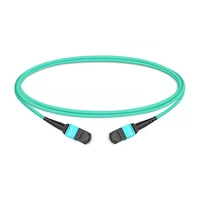
 1m (3ft) 12 Fibers Female to Female MPO Trunk Cable Polarity B LSZH OM3 50/125 Multimode Fiber
$20.00
1m (3ft) 12 Fibers Female to Female MPO Trunk Cable Polarity B LSZH OM3 50/125 Multimode Fiber
$20.00
-
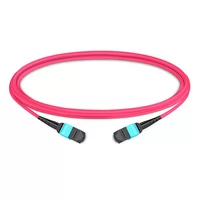
1m (3ft) 12 Fibers Female to Female MPO Trunk Cable Polarity B LSZH Multimode OM4 50/125
$21.00
-
1m (3ft) 12 Fibers Female to Female MPO Trunk Cable Polarity B LSZH OS2 9/125 Single Mode
$26.00
-
1m (3ft) 12 Fibers Low Insertion Loss Female to Female MPO Trunk Cable Polarity B LSZH OM3 50/125 Multimode Fiber
$32.00
-
1m (3ft) 12 Fibers Female to Female Elite MTP Trunk Cable Polarity B LSZH OM3 50/125 Multimode Fiber
$35.00
-
1m (3ft) 12 Fibers Female to Female Elite MTP Trunk Cable Polarity B LSZH Multimode OM4 50/125
$36.00
-
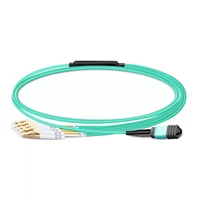
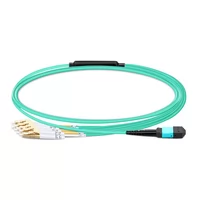
1m (3ft) MPO UPC Female to 4 LC UPC Duplex OM3 50/125 Multimode Fiber Breakout Cable, 8 Fibers, Type B, LSZH, Aqua
$20.00
-
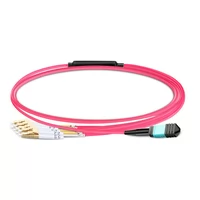
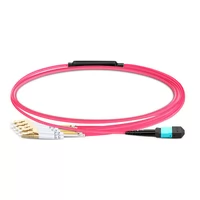
1m (3ft) MPO UPC Female to 4 LC UPC Duplex OM4 50/125 Multimode Fiber Breakout Cable, 8 Fibers Type B, LSZH, Aqua/Violet
$23.00
-
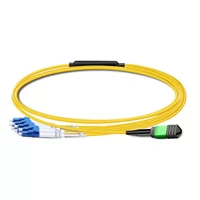
1m (3ft) MPO APC Female to 4 LC UPC Duplex OS2 9/125 Single Mode Fiber Breakout Cable, 8 Fibers Type B, LSZH, Yellow
$24.00
-
1m (3ft) MTP Female to 4 LC UPC Duplex OM3 50/125 Multimode Fiber Breakout Cable, 8 Fibers, Type B, Elite, Plenum (OFNP), Aqua
$28.00
-
1m (3ft) MTP Female to 4 LC UPC Duplex OM4 50/125 Multimode Fiber Breakout Cable, 8 Fibers, Type B, Elite, Plenum (OFNP), Aqua/Violet
$30.00
-
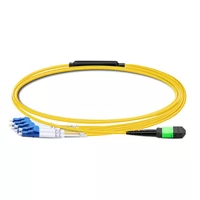
1m (3ft) MTP APC Female to 4 LC UPC Duplex OS2 9/125 Single Mode Fiber Breakout Cable, 8 Fibers, Type B, Elite, Plenum (OFNP), Yellow
$32.00