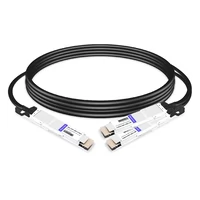
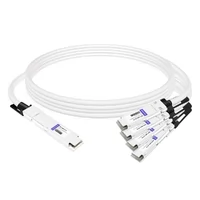
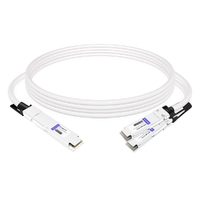
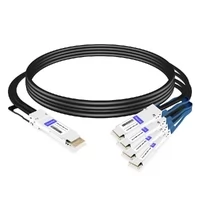
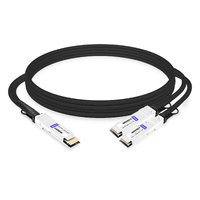
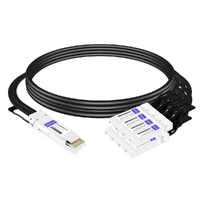
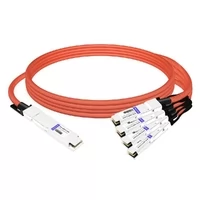
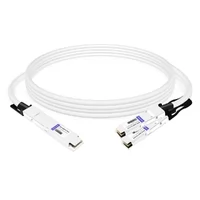
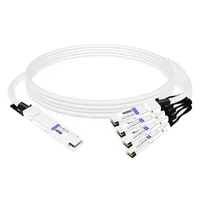
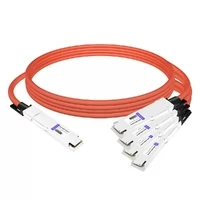
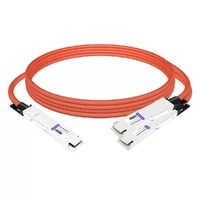
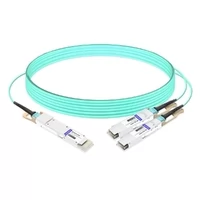
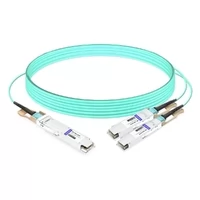
A network engineer in Austin told me his AI cluster build hit a wall when the 800G spine switches arrived. The GPUs still ran 400G NICs. The budget did not allow replacing both layers at once. That’s when a qsfp breakout cable stopped being a cable and became the migration plan.
If you’re building or upgrading an AI data center, you’ll face the same gap. Not every endpoint moves at the same speed. A qsfp breakout cable lets one high-speed port fan out into several lower-speed links, so you can stage upgrades without throwing away working hardware.
In this guide, I’ll explain how qsfp breakout cable types work, which configurations matter for 400G and 800G networks, and how to choose between DAC, AEC, AOC, and optical fanout. I’ll also cover the AI-specific decisions that make or break a deployment.
If you already know your port speeds, explore FiberMall’s optical transceiver and cable solutions to compare compatible options.

At a glance:
- A qsfp breakout cable splits one high-speed QSFP port into several lower-speed links, with common AI cluster options including 800G → 2×400G, 400G → 4×100G, and 100G →
- 4×25G.
- Cable types range from passive DAC (cheapest, shortest) to AOC (longest reach, most flexible).
- Always verify switch breakout mode, lane mapping, and vendor coding before ordering.
What Is a QSFP Breakout Cable?
A qsfp breakout cable is a high-speed interconnect that splits one quad-lane QSFP port into multiple lower-speed ports. The “quad” in QSFP means four transmit/receive lanes. A breakout cable maps those lanes to separate connectors on the far end.
One port. Many links.
For example, a 100G QSFP28 module carries four 25G lanes. A breakout cable turns that single QSFP28 connector into four SFP28 connectors. Each SFP28 gets one 25G lane. The result is one 100G switch port feeding four 25G server NICs.
This is different from a QSA adapter. A QSA lets you plug one SFP module into a QSFP slot, but it doesn’t split one port into multiple links. Breakout is about fan-out, not form-factor conversion.

QSFP Breakout Cable Types: DAC, AEC, AOC, and Optical Fanout
Not every qsfp breakout cable uses the same technology. The right type depends on distance, power budget, and how often the cabling will change. Choose wrong, and you waste money or create a thermal problem.
Passive DAC Breakout
Passive DAC breakout cables use twinax copper with no active signal conditioning. They’re the lowest cost, lowest power, and lowest latency option.
- Reach: Usually 1–3 m for 400G/800G; up to 5–7 m at lower speeds
- Power: Near zero
- Best for: Same-rack or adjacent-rack links where cost matters most
The downside is stiffness and limited reach. Passive DAC also demands tighter signal integrity from the host ASIC.
Active DAC / ACC / AEC Breakout
Active cables add equalizers or retimers to extend copper reach. The industry uses several overlapping terms:
- ACC (Active Copper Cable): Uses redrivers to boost the signal
- AEC (Active Electrical Cable): Uses retimers with DSP for cleaner signal recovery
- Active DAC: A general term for copper cables with signal conditioning
AEC breakout cables are popular in AI clusters because they reach 3–5 m while using far less power than AOC. They’re a practical middle ground between passive DAC and fiber.
AOC Breakout
AOC breakout cables use multimode fiber with integrated optics at each end. They trade power and cost for reach and flexibility.
- Reach: 1–30 m, sometimes up to 100 m
- Power: 2–3 W per end, depending on speed and length
- Best for: Inter-rack links, EMI-sensitive environments, dense cable management
AOCs are lighter and more flexible than copper. In AI clusters with thousands of links, that flexibility matters for airflow and maintenance.

Optical Fanout Harnesses
An optical fanout isn’t a direct-attach cable. It’s a passive MPO-to-LC harness that connects a parallel-optics transceiver to multiple duplex-LC transceivers.
Common examples:
- 400G DR4 QSFP-DD → 4 × 100G DR1 via MPO-12 to 4× duplex LC
- 100G SR4 QSFP28 → 4 × 25G SR via MPO-12 to 4× duplex LC
Fanout harnesses work with structured cabling and patch panels. They’re less common in hyperscale AI clusters than direct-attach breakout cables, but they’re useful in enterprise data centers with existing fiber plants.
| Cable Type | Reach | Power | Cost | Best Use Case |
| Passive DAC | 1–3 m | Near zero | Lowest | Same-rack, cost-sensitive |
| Active DAC / ACC | 3–5 m | 0.5–1 W | Low | Adjacent racks |
| AEC | 3–5 m | ~1–2 W | Medium | AI cluster rack-to-rack |
| AOC | 1–30 m | 2–3 W per end | Higher | Inter-rack, flexible routing |
| Optical fanout | Varies | N/A | Medium | Structured cabling, patch panels |
Breakout Configurations from 40G to 800G
QSFP breakout cables come in many lane combinations. The configuration you need depends on the parent port and the endpoint speed.
| Parent Port | Breakout To | Aggregate | Common Use |
| 40G QSFP+ | 4 × 10G SFP+ | 40G | Legacy server fan-out |
| 100G QSFP28 | 4 × 25G SFP28 | 100G | Modern server ToR links |
| 200G QSFP56 | 2 × 100G QSFP28 | 200G | Storage or aggregation |
| 400G QSFP-DD | 4 × 100G QSFP28 | 400G | Spine-to-leaf migration |
| 400G QSFP-DD | 2 × 200G QSFP56 | 400G | High-bandwidth aggregation |
| 800G QSFP-DD/OSFP | 2 × 400G QSFP112 | 800G | AI spine-to-GPU NIC |
| 800G OSFP | 8 × 100G QSFP28 | 800G | Maximum fan-out density |
For 400G QSFP-DD to 4×100G, the lane mapping is straightforward. The QSFP-DD port carries eight 50G PAM4 lanes. The breakout cable groups them into four pairs, giving each 100G leg two lanes.
When connecting 400G QSFP-DD to legacy QSFP28 endpoints, the active cable or module usually includes a gearbox. The gearbox converts eight 50G PAM4 lanes into four 25G NRZ lanes that the QSFP28 understands.
Why QSFP Breakout Cables Matter for AI Data Centers
AI training clusters create a mixed-speed problem. The spine switches move to 800G first because they aggregate massive east-west traffic. The GPU servers often lag by a generation because the NICs and GPUs are purchased on different refresh cycles.
A qsfp breakout cable bridges that gap. One 800G spine port can feed two 400G ConnectX-7 NICs, or four 200G endpoints, or eight 100G legacy links. Without breakout, you’d either underutilize the 800G port or buy separate lower-speed switches.
David runs network engineering for an AI lab in Phoenix. In early 2026, his team deployed 800G spine switches but kept 400G GPU nodes. They used 800G OSFP to 2×400G QSFP112 breakout cables.
The cables consumed less than 1 W per end in passive form. That left thermal headroom for additional GPU racks. The project stayed on budget because they didn’t replace the NICs.
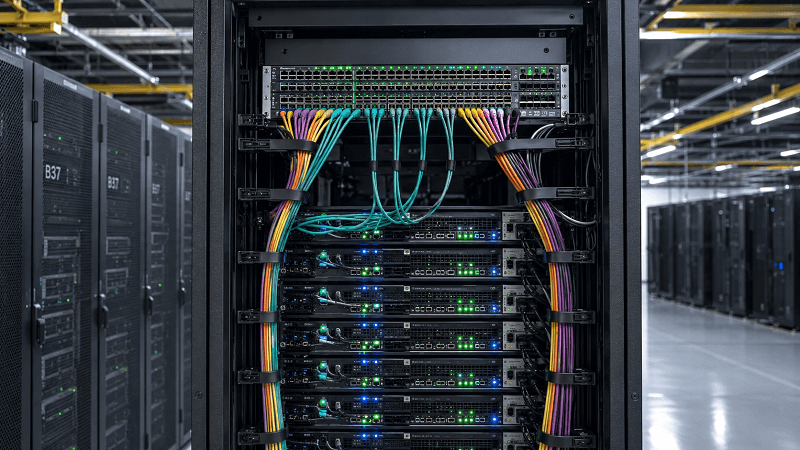
Breakout cables also help with cabling density. A single cable assembly replaces multiple transceivers and patch cords. In a 1,000-port cluster, that cuts installation time and reduces the chance of mislabeled connections.
QSFP Breakout Cable vs Structured Cabling
Some architects prefer structured cabling with MPO trunks and cassettes. Others prefer direct-attach breakout cables. The choice depends on how dynamic the environment is.
When Breakout Cables Win
Breakout cables are usually the better choice when:
- Links are point-to-point and rarely change
- You want the lowest component count
- Latency and power are top priorities
- The deployment is temporary or test-focused
- You’re connecting switches to servers in the same row
When Structured Cabling Wins
Structured cabling with MPO fanouts makes more sense when:
- You expect frequent moves, adds, and changes
- Multiple teams need to manage the fiber plant
- You’re planning for 10G → 40G → 100G → 400G upgrades
- Cable documentation and standards compliance matter
- You want centralized patching for troubleshooting
Sarah manages a regional cloud data center in Dallas. Her team started with direct-attach breakout cables for a quick 400G spine deployment. After two years of painful MACs, they migrated to MPO trunks with cassettes. The lesson: breakout cables speed up initial deployment; structured cabling pays off over the lifecycle.
Neither choice is always right. Many facilities use breakout cables inside AI compute racks and structured cabling between rows.
How to Choose the Right QSFP Breakout Cable
The decision tree for a qsfp breakout cable starts with the hardware, not the cable.
1. Confirm Switch and NIC Support
Not every QSFP port supports breakout. Check the switch datasheet for:
- Breakout mode availability on the specific port
- Supported breakout configurations
- Firmware version requirements
- Vendor coding compatibility for third-party cables
2. Match the Endpoint Speed
A 400G QSFP-DD to 4×100G breakout cable won’t help if your leaf switches only have 25G SFP28 ports. Match the breakout legs to the actual endpoint form factor and electrical interface.
3. Pick the Cable Type by Distance
- Under 3 m, same rack: Passive DAC
- 3–5 m, adjacent racks: AEC or active DAC
- 5–30 m, inter-rack: AOC
- Longer or through patch panels: Optical transceivers + MPO fanout
4. Check Power and Thermal Budgets
Passive DAC adds almost no power. AEC adds 1–2 W per end. AOC adds 2–3 W per end. In a 1,000-port AI cluster, the difference between passive DAC and AOC can exceed 2 kW.
5. Plan Polarity and Lane Mapping
For optical breakouts, polarity matters. Method B is the de facto standard for 400G/800G parallel optics. APC polish is mandatory for single-mode. And the cable’s MPO connector must be female to mate with the male-pinned transceiver.
For copper breakouts, the switch ASIC controls lane mapping. Verify the port-to-leg assignment in the switch documentation before you label cables.
6. Factor in Vendor Coding
Third-party breakout cables often need vendor-specific EEPROM coding to be recognized by Cisco, Arista, Juniper, or NVIDIA switches. A cable that links up on one platform may show as “unsupported” on another.
Need help matching a breakout cable to your switch platform? Contact our networking experts for a compatibility check before you order.
Installation and Troubleshooting Best Practices
Even the right qsfp breakout cable can fail if it’s installed wrong. Here are the practical rules we follow in the field.
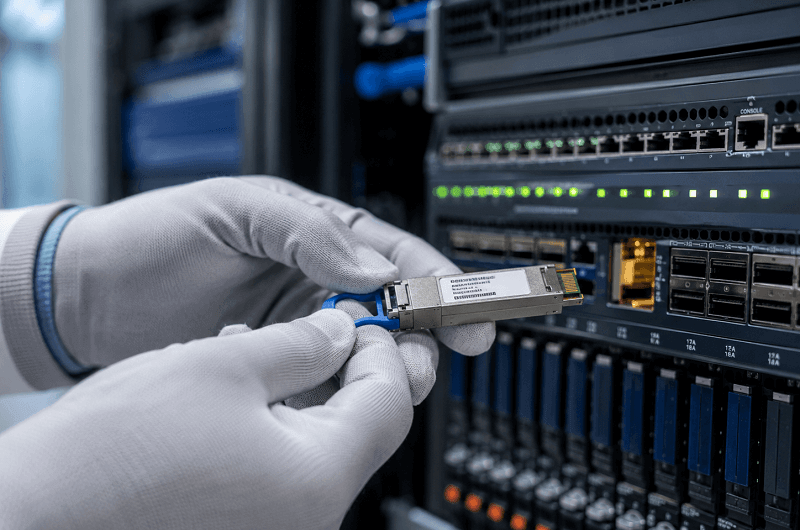
Pre-Installation Checklist
- Verify switch breakout mode is supported and enabled
- Confirm FEC mode matches on both ends
- Check cable vendor coding against the switch platform
- Inspect connectors for dust, damage, or bent pins
- Plan cable routing to respect bend radius and strain relief
Configuration Tips
Most switches require you to set a port to breakout mode. Examples vary by vendor, but the pattern is similar:
- Convert a 400G port to 4×100G
- Convert an 800G port to 2×400G or 8×100G
- Apply the same FEC setting to all breakout legs
Without breakout mode enabled, the switch may default the port to the base speed and the link won’t come up.
Common Issues
| Symptom | Likely Cause | Fix |
| No link | Breakout mode not enabled | Enable port channelization |
| Link flapping | FEC mismatch | Align RS-FEC or FC-FEC settings |
| Module not recognized | Vendor coding | Use switch-compatible cable |
| High BER | Dirty MPO or wrong polarity | Clean connectors, verify Method B |
| Partial port failures | Lane mapping mismatch | Check switch ASIC documentation |
Marcus, a deployment lead for a Midwest AI lab, learned about lane mapping the hard way. His team installed 400G QSFP-DD to 4×100G breakout cables and only three of four legs linked. The switch default mapped lanes differently than the cable expected.
A firmware update and explicit lane configuration fixed it. They now build a port map before touching a single cable.
For more cable-specific guidance, see FiberMall’s QSFP-DD cable guide covering DAC, AOC, AEC, and breakout.
FAQ
Can any QSFP port use a breakout cable?
No. The switch ASIC, firmware, and specific port must support breakout mode. Always check the platform datasheet.
What’s the difference between breakout DAC and breakout AOC?
Breakout DAC uses copper and is limited to short reach. Breakout AOC uses fiber and can reach much farther with lighter cabling. AOC consumes more power and costs more.
Can I use a QSFP breakout cable for 800G?
Yes, if the switch supports it. Common 800G breakout options include 800G → 2×400G, 800G → 4×200G, and 800G → 8×100G.
Do breakout cables work between different switch vendors?
Physically, the connectors match. Electrically, vendor coding matters. Third-party cables often need platform-specific EEPROM programming.
Is a breakout cable better than structured cabling?
It depends. Breakout cables are faster to deploy and cheaper for fixed, short links. Structured cabling is better for scalability and frequent changes.
Which polarity is standard for MPO breakout cables?
Method B is the standard for 400G/800G parallel optics. Always verify against your transceiver datasheet.
Conclusion
A qsfp breakout cable is more than a way to split one port into many. In AI data centers, it’s a migration tool that lets you adopt 800G spine switches while your GPU NICs still run 400G or 200G. It cuts initial capex, preserves existing hardware, and keeps power budgets under control.
The right cable type depends on distance, power, and how often your cabling will change. Passive DAC works for same-rack links. AEC covers adjacent racks with better signal integrity.
AOC handles longer inter-rack runs. Optical fanouts fit structured cabling environments.
Before you order, verify switch support, lane mapping, vendor coding, and polarity. The cheapest cable becomes expensive if it doesn’t match the platform.
If you’re ready to source breakout cables for your AI or hyperscale deployment, explore FiberMall’s optical transceiver and cable solutions or contact our networking experts for a platform-specific compatibility review.
Related Products:
-
 QDD-2QDD-400G-PC50CM 0.5m (1.6ft) 400G QSFP-DD to 2x200G QSFP-DD Passive Direct Attach Copper Breakout Cable
$176.00
QDD-2QDD-400G-PC50CM 0.5m (1.6ft) 400G QSFP-DD to 2x200G QSFP-DD Passive Direct Attach Copper Breakout Cable
$176.00
-
OSFP-4Q56-PC1M 1m (3ft) 400G Twin-port 2x200G OSFP to 4x100G QSFP56 Passive Breakout Direct Attach Copper Cable
$120.00
-
OSFP-2Q56-PC1M 1m (3ft) 400G OSFP to 2x200G QSFP56 Passive Breakout Direct Attach Cable
$99.00
-
QDD-4Q28-400G-AC1M 1m (3ft) 400G QSFP-DD to 4x100G QSFP28 PAM4 Active Breakout Direct Attach Copper Cable
$2374.00
-
QDD-4Q56-400G-PC1M 1m (3ft) 400G QSFP-DD to 4x100G QSFP56 PAM4 Passive Breakout Direct Attach Copper Cable
$123.00
-
QDD-2Q56-400G-PC50CM 50cm (1.6ft) 400G QSFP-DD to 2x200G QSFP56 PAM4 Passive Breakout Direct Attach Copper Cable
$90.00
-
QSFP-DD-8SFP56-PC1M 1m (3ft) 400G QSFP-DD to 8x 50G SFP56 Passive Direct Attach Twinax Copper Breakout Cable
$170.00
-
OSFP8-4QSFP112-AC4M 4m (13ft) 800G Twin-port OSFP to 4x200G QSFP112 InfiniBand NDR Breakout Active Copper Cable
$900.00
-
OSFP8-2QSFP112-PC1M 1m (3ft) 800G InfiniBand NDR Twin-port OSFP to 2x400G QSFP112 Passive Breakout Direct Attach Copper Cable
$165.00
-
OSFP8-4QSFP112-PC1M 1m (3ft) 800G InfiniBand NDR Twin-port OSFP to 4x200G QSFP112 Passive Breakout Direct Attach Copper Cable
$165.00
-
OSFP8-4OSFP2-AC4M-FLT 4m (13ft) 800G InfiniBand NDR Twin-port OSFP to 4x200G OSFP Breakout ACC
$1100.00
-
OSFP8-2OSFP4-AC4M-FLT 4m (13ft) 800G Twin-port OSFP to 2x400G OSFP InfiniBand NDR Breakout Active Copper Cable
$800.00
-
QDD-2Q56-AOC3M 3m (10ft) 400G QSFP-DD to 2x200G QSFP56 Breakout Active Optical Cable
$850.00
-
OSFP-2Q56-AOC3M 3m (10ft) 400G OSFP to 2x200G QSFP56 twin port HDR Breakout Active Optical Cable
$750.00