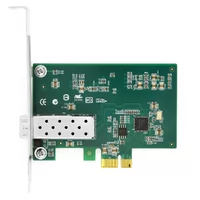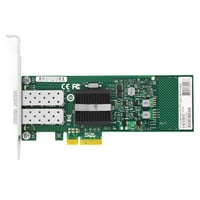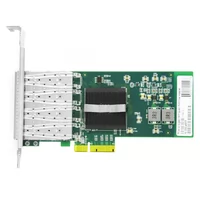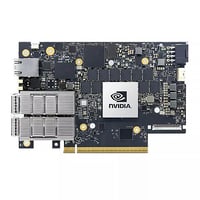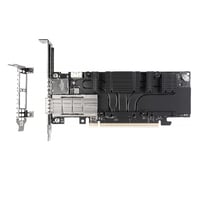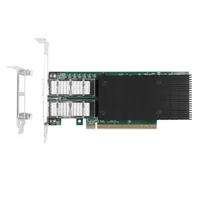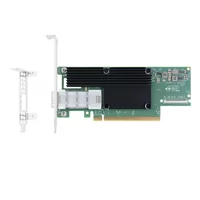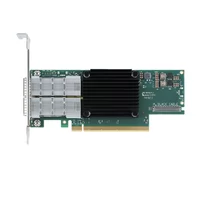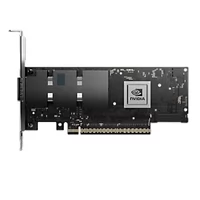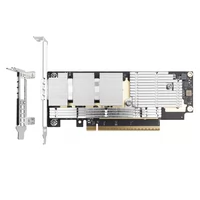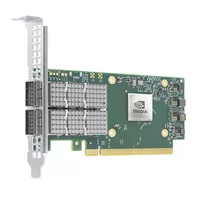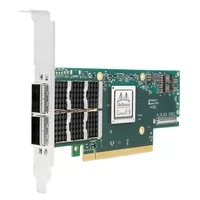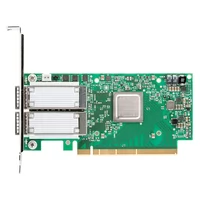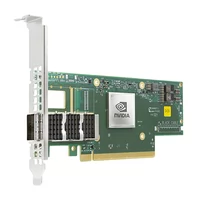

A fiber NIC is an Ethernet network card with optical interfaces, typically using pluggable cages such as SFP, SFP+, SFP28, QSFP+ or QSFP28. On an open-cage card, the port accepts a compatible transceiver or direct-attach cable. The port form factor, NIC hardware, firmware and configuration determine what can be used, while the installed optic or cable, fiber plant and far-end device determine the actual link speed and reach.
That distinction costs money. A $209 25G card fitted with a $4.50 1G module can establish a 1G link, not a 25G link. A $115 10G card without a compatible transceiver, DAC or AOC cannot establish a link until the required connection hardware is installed.
Buyers often compare fiber network cards by the speed printed on the box. The card is only one part of the bill; the cage, module, fiber and firmware are where deployments can stall.
This guide follows the purchase order: what the cage supports, how far each optic reaches, what coding the switch requires, and what a link costs at 1 m, 3 m, 30 m and 10 km.
Key Takeaways
- A fiber NIC’s cage determines the module form factor, but actual compatibility also depends on the host platform. SFP28 ports commonly support 10G SFP+ modules, while an SFP+ port cannot operate a 25G SFP28 module at 25G. Always check the device compatibility list.
- Reach is not one number per speed. 1G SX reaches 550 m over OM2 and 275 m over OM1; 10G SR reaches 300 m over OM3 and 400 m over OM4; 25G SR reaches 70 m over OM3 and 100 m over OM4; and 100G SR4 reaches 70 m over OM3 and 100 m over OM4 using 8 of 12 MPO fibers.
- At 1 m, a 25G DAC costs $18, while two 25G SR modules cost $50 before the patch cord. At 3 m, the gap narrows. For longer runs, compare the supported lengths of DAC, AEC, AOC and optical transceivers.
- Switches read module management data and apply platform-specific compatibility policies. A module coded for the wrong vendor may trigger an alarm or cause the port to be disabled, even when the optical specifications are otherwise identical.
- FiberMall’s 14 listed fiber NICs range from $60 for a single-port 1G SFP card to $589 for a quad-port 25G SFP28 card.
What Is a Fiber NIC?
If you’re choosing a card now, the FiberMall network adapter category lists available models by interface, port count and price.
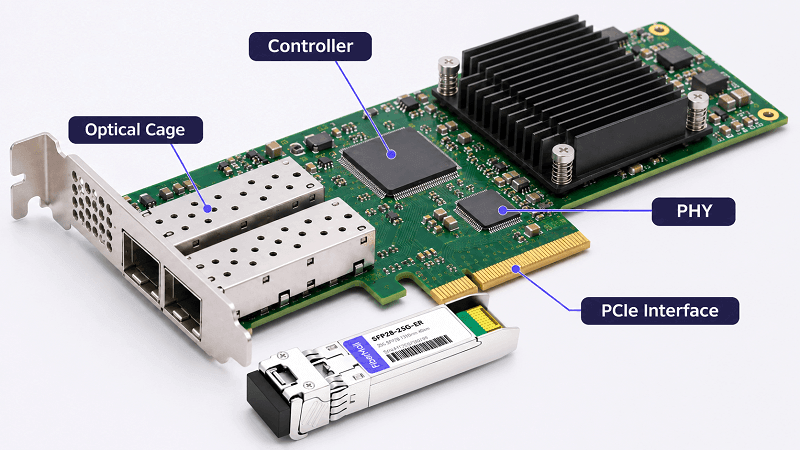
A fiber network card is a NIC designed to provide optical or high-speed pluggable network interfaces rather than relying solely on RJ45 copper ports. Four parts matter: the NIC controller and MAC, the PHY that handles physical signaling, the cage that accepts the module, and the host bus that connects the card to the server.
Two cards can use the same Intel controller and PCIe slot but still support different modules because the cage and host interface capabilities are separate design considerations.
A fixed-optic card uses an integrated or non-removable optical interface designed for a specified reach. An open-cage card accepts compatible pluggable modules or cables, allowing you to choose the reach you need and replace a failed module without replacing the entire card.
That flexibility is also the trap: the speed shown on a product page is the card’s maximum supported rate, not necessarily the speed of the link you will establish.
The Cage Decides What Fits
Backward compatibility generally works from a newer, faster port to supported lower-speed modules, not the other way around. It is one of the most useful rules in fiber networking, but physical compatibility does not automatically guarantee operational compatibility.
| Cage | Typical Max Rate | Commonly Supported Modules | Important Limitations | Fibers per Link |
| SFP | 1G | 1G SFP; some 100M SFP modules | Does not support SFP+ or SFP28 operating speeds | 2 (LC duplex) |
| SFP+ | 10G | 10G SFP+; some 1G SFP modules | Cannot operate a 25G SFP28 module at 25G | 2 (LC duplex) |
| SFP28 | 25G | 25G SFP28, 10G SFP+ and supported 1G SFP modules | Lower-speed operation depends on host support and configuration | 2 (LC duplex) |
| QSFP+ | 40G | 40G QSFP+; supported 4x10G breakout configurations | Does not provide 100G operation with a QSFP28 module | 8 (SR4 MPO) or 2 (LC duplex) |
| QSFP28 | 100G | 100G QSFP28; supported 40G QSFP+ modules | 40G operation requires platform support and the correct port configuration; QSFP56 compatibility must be verified | 8 (SR4 MPO) or 2 (LR4 LC duplex) |
Fiber counts above describe common duplex or parallel-fiber interfaces. BiDi and other specialized transceivers may use different fiber configurations.
SFP, SFP+ and SFP28 share the same general SFP form-factor family and host interface layout. SFF-8402 covers SFP28 within the SFP+ 1x pluggable transceiver family, while SFF-8432 defines the SFP+ module and cage specifications. SFP28 ports commonly support compatible SFP+ modules, allowing a 25G port to operate at 10G when the host platform supports the lower speed.
The reverse does not work at 25G. An SFP+ port is designed for a 10G-class electrical lane, while a 25G SFP28 link requires a higher-rate electrical interface. A 25G module may physically fit into an SFP+ cage, but the host cannot provide the required 25G signaling rate.
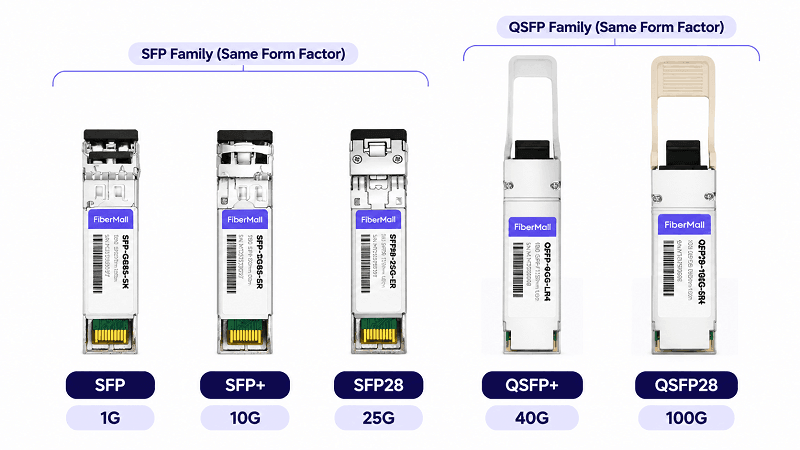
What Happens When You Run a Slower Module in a Faster Cage?
It usually works when the host platform supports the lower-speed module, but there are two important considerations.
First, many platforms do not automatically adjust the port speed to match every inserted module. You may need to configure the port manually for 10G in the CLI.
Second, FEC settings must match the requirements of the optical module, cable and platform. Some 25G optical links require RS-FEC, while certain short DAC links may operate without FEC or use BASE-R FEC. A configuration mismatch can prevent the link from establishing or cause transmission errors even when optical signals are present.
The reverse case generates support tickets. A 25G module may physically fit into a 10G SFP+ port, but the port cannot operate at 25G. The host interface is the limitation, and reinstalling the driver will not change its supported signaling rate.
Fiber count changes your cabling
Two fibers per link is typical for duplex LC connections at 1G, 10G and 25G. This changes with parallel-fiber interfaces.
100G SR4 uses 8 of 12 MPO fibers, with four transmit and four receive lanes. 100G LR4 takes a different approach: it uses two fibers, carrying four wavelengths over a duplex single-mode fiber pair.
That difference changes trunk sizing and patch panel requirements. If you’re planning a 100G migration, the 100G NIC selection guide covers the port and PCIe considerations.
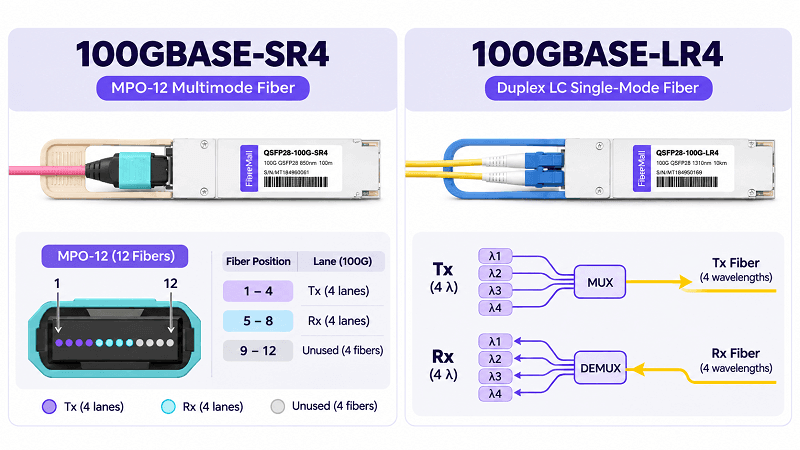
SR, LR, or ER: Choosing Reach Before You Buy
Optic suffixes indicate reach categories, but they do not define one universal distance. SR generally refers to short-reach transmission over multimode fiber. LR refers to long-reach transmission over single-mode fiber. ER refers to extended-reach transmission, also typically over single-mode fiber.
The actual reach depends on the Ethernet standard, fiber grade, module specifications and link budget. The same suffix can represent different distances at different speeds.
| Interface | Speed | Reach | Fiber | Listed Price |
| 1000BASE-SX | 1G | 550 m (50 μm OM2); 275 m (62.5 μm OM1) | OM1/OM2 MMF; longer reach may be supported over OM3/OM4 with qualified modules | From $4.50 |
| 1000BASE-LX | 1G | 10 km | OS2 SMF | From $4.50 |
| 10GBASE-SR | 10G | 300 m (OM3); 400 m (OM4) | OM3/OM4 MMF | $12.00 |
| 10GBASE-LR | 10G | 10 km | OS2 SMF | $18.00 |
| 10GBASE-ER | 10G | 40 km | OS2 SMF | $25.00 |
| 25GBASE-SR | 25G | 70 m (OM3); 100 m (OM4) | OM3/OM4 MMF | $25.00 |
| 25GBASE-LR | 25G | 10 km | OS2 SMF | $45.00 |
| 25GBASE-ER | 25G | 40 km | OS2 SMF | $125.00 |
| 100GBASE-SR4 | 100G | 70 m (OM3); 100 m (OM4) | OM3/OM4 MMF, 8 fibers | $40.00 |
| 100GBASE-LR4 | 100G | 10 km | OS2 SMF, 2 fibers | $285.00 |
Read the SR rows carefully and the pattern becomes clearer. 1G SX reaches 550 m over OM2. 10G SR reaches 300 m over OM3 and 400 m over OM4. 25G SR reaches 70 m over OM3 and 100 m over OM4. 100G SR4 reaches 70 m over OM3 and 100 m over OM4.
The fiber in the wall didn’t change. The PHY technology, lane rate and optical link budget did. Higher data rates and different transmission schemes can reduce the supported reach, even when the same fiber type is used. The PMD definitions behind these applications are specified in IEEE 802.3.
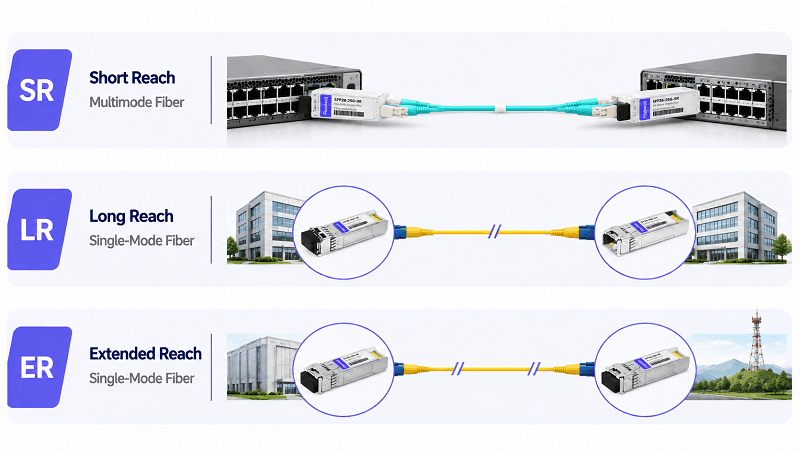
An older OM2 building run may carry 1G over 550 m but cannot automatically support 25GBASE-SR over the same distance. Standard 25GBASE-SR reach is specified for OM3 and OM4. For longer multimode links, certain vendor-specific 10/25GBASE-CSR modules can extend reach to 300 m over OM3 and 400 m over OM4, provided both ends support the module and its FEC requirements. Otherwise, 25GBASE-LR over single-mode fiber is a suitable option for links up to 10 km, with FiberMall-listed modules priced at $45 per end instead of $25 for SR.
The price ladder is relatively gentle at 10G and steeper at 25G. Moving from 10 km to 40 km costs $7 more per module at 10G and $80 more at 25G. Buy the reach you can demonstrate you need.
Building 25G access links? The 25G SFP28 module category lists SR, LR, ER and BiDi variants with current prices, while the SFP28 NIC guide covers the cards that support them.
Coded vs Generic Optics: What Firmware Actually Rejects
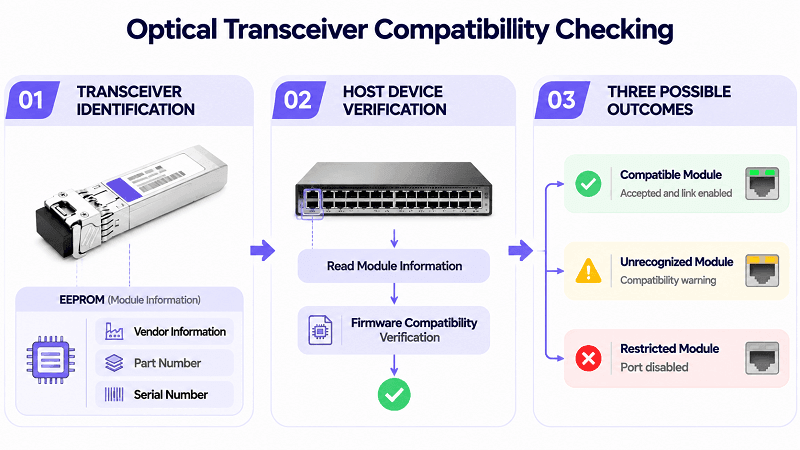
Most managed SFP and QSFP modules expose EEPROM or management memory containing information such as the vendor name, part number, serial number and vendor OUI. The management interface depends on the module generation. SFF-8472 is commonly used for SFP-family modules, SFF-8436 for QSFP+ modules, and SFF-8636 or CMIS for later QSFP+/QSFP28 generations, depending on the implementation.
The switch or NIC reads this information over a management bus and compares the module’s identification data against its compatibility policies. This is not a direct optical quality test. It is a platform compatibility check that determines whether the host recognizes and accepts the module.
That’s why identical optics can behave differently in different switches. A module coded for one vendor may be flagged in another, trigger an alarm, or leave the port disabled. Some platforms accept a broad range of standards-compliant modules; others require a CLI override or specific vendor coding. The module management interface is standardized, but the vendor policy that interprets it is not.
A field engineer we worked with encountered this issue on a refurbished top-of-rack switch. Six 10G modules worked in a lab unit but triggered port errors on every corresponding port of the production switch. The optics, wavelengths and transmission distances were identical. The difference was that the production switch enforced a stricter vendor compatibility policy.
The fix wasn’t new hardware. FiberMall recoded the modules’ compatibility information for the switch vendor using the Programmer Box and remote recoding service, and the links came up on the original modules.
Three rules follow.
- Buy the module coded for the device it plugs into. “Generic” and “MSA-compliant” describe standardized optical or electrical interfaces, not guaranteed acceptance by every host. Tell the supplier the switch or NIC vendor and model.
- Test the exact pairing before a rollout. FiberMall runs compatibility checks before shipment as part of its quality process, alongside GR-468-CORE-based qualification testing. Request a specific compatibility check when the switch model or firmware is unusual.
- Keep a recoding path open. If a firmware update tightens the compatibility policy, a module that previously worked may stop working. Where supported, recoding can be faster and cheaper than replacing a rack of optics.
DAC vs AOC vs Optic: The Break-Even Is a Distance
There are three common ways to connect two cages, and the choice becomes much easier once you know the run length and the supported specifications.
| Option | Typical Application Distance | 10G Price | 25G Price | 100G Price |
| Passive DAC | 0.5 m to 5 m | $8 (1 m) | $18 (1 m), $30 (3 m) | $25 (1 m) |
| AOC | 3 m to 30 m; longer options vary by product | $22 (3 m) | $40 (3 m) | Varies by length |
| SR optic pair + patch cord | 30 m to the supported SR reach | 2 × $12 = $24 | 2 × $25 = $50 | 2 × $40 = $80 (SR4) |
| LR optic pair | Up to 10 km | 2 × $18 = $36 | 2 × $45 = $90 | 2 × $285 = $570 |
A DAC is a fixed assembly with a transceiver-style connector body integrated into each end of a copper twinax cable. It is typically the cheapest option per link, consumes very little power when passive and adds minimal latency. Its main limitation is cable length: passive copper DACs are generally specified for short connections, with the supported maximum depending on the data rate and product.
At 1 m on 25G, a DAC costs $18, while two SR modules cost $50 before the patch cord. The DAC saves $32 per link and is easier to install, with no separate optical polarity to manage and no optical connector cleaning required.
At 3 m on 25G, the DAC costs $30 and the AOC costs $40. Copper still wins on price. The AOC becomes attractive when the run leaves the cabinet, passes near equipment that generates electrical interference, or requires electrical isolation, because it carries optical signals rather than electrical signals over copper.
Once a passive DAC exceeds the supported length for its data rate and product specification, the choice moves to AEC, AOC or separate optical transceivers and fiber. Some AOCs are available beyond 30 m, so 30 m should not be treated as a universal limit. For longer building links or single-mode applications, separate transceivers and fiber are generally the more flexible solution.
A lab team we worked with connected 24 servers at 25G across two adjacent racks. Two SR modules per link cost $50 before patch cords. Switching to 1 m DACs brought each link down to $18. The savings were $32 per link, or $768 across the 24 connections.
The Costs That Aren’t on the Module Price
Fiber can be inexpensive per module but expensive across the entire cable plant. A 100G SR4 link needs eight active fibers, an MPO trunk, MPO-to-LC harnesses if the patch panels use LC connectors, and a documented polarity scheme. LR4 needs only two fibers and avoids much of that parallel-fiber infrastructure, but costs $285 per module instead of $40.
Calculate the complete connection cost. A $40 module that requires a $600 harness is not necessarily the cheaper solution.
Comparing cable options for a rack build? The DAC and AEC cable category lists passive and active copper assemblies from 0.5 m, with length and data rate reflected in the product specifications.
The FiberMall Fiber NIC Lineup, Priced
Fourteen cards across four cage types. Listed prices checked on 2026-11-24.
| Card | Controller | Cage | Ports | PCIe | Price |
| I210 F1 | Intel I210 | SFP | 1 | 2.1 x1 | $60 |
| 82576 F2 | Intel 82576 | SFP | 2 | 2.0 x4 | $68 |
| I350 F4 | Intel I350 | SFP | 4 | 2.1 x4 | $180 |
| 82599EN SR1 | Intel 82599EN | SFP+ | 1 | 2.0 x8 | $115 |
| 82599ES SR2 | Intel 82599ES | SFP+ | 2 | 2.0 x8 | $159 |
| X710-BM2 DA2 | Intel X710-BM2 | SFP+ | 2 | 3.0 x8 | $179 |
| XL710-BM1 DA4 | Intel XL710-BM1 | SFP+ | 4 | 3.0 x8 | $309 |
| XXV710 DA2 | Intel XXV710 | SFP28 | 2 | 3.0 x8 | $269 |
| MCX4121A-ACAT | ConnectX-4 Lx | SFP28 | 2 | 3.0 x8 | $249 |
| E810 25G dual | Intel E810 | SFP28 | 2 | 4.0 x8 | $209 |
| E810 25G quad | Intel E810-CAM1 | SFP28 | 4 | 4.0 x8 | $589 |
| E810 25G quad | Intel E810-CAM1 | SFP28 | 4 | 4.0 x16 | $589 |
| XL710 QDA1 | Intel XL710-BM1 | QSFP+ | 1 | 3.0 x8 | $309 |
| XL710 QDA2 | Intel XL710 | QSFP+ | 2 | 3.0 x8 | $359 |
The 25G entry point has moved down. The dual-port E810 lists at $209, below the XXV710 DA2 at $269 and the ConnectX-4 Lx at $249. If you need two 25G SFP28 ports on a Gen4 x8 slot, the E810 is the lowest-priced option in this lineup and uses a newer controller family.
Two listings need a check before ordering. The quad-port 25G E810 listings share a controller, port count and price, but show different PCIe lane widths: x8 and x16. Intel’s standard E810-XXVDA4 reference adapter is specified as PCIe 4.0 x16. Confirm the exact board model, electrical lane width and product number of the FiberMall-listed x8 version rather than assuming the two configurations are identical.
Separately, the X710 and XL710 product pages show “PCI Express X18” in the bus row, which appears to be a data-entry typo. Their other specifications indicate PCIe 3.0 x8, so confirm the exact adapter model and electrical link width before ordering.
The structured product data for all 14 cards reports “OutOfStock”, including cards that may still be available for shipment. Treat these as reference list prices and confirm actual availability and lead time before placing an order.
PCIe lanes: what the cage implies
A cage doesn’t create bandwidth. Eight lanes of PCIe 3.0 provide approximately 63 Gb/s of theoretical bandwidth in one direction; sixteen lanes provide approximately 126 Gb/s. Eight lanes of PCIe 4.0 also provide approximately 126 Gb/s in one direction.
A dual-port 25G card requires 50 Gb/s of aggregate network bandwidth per direction and can fit within the theoretical bandwidth of PCIe 3.0 x8. A quad-port 25G card requires 100 Gb/s per direction and therefore needs PCIe 3.0 x16 or PCIe 4.0 x8 to provide sufficient theoretical bandwidth.
These figures account for PCIe line encoding but not all PCIe protocol overhead or other system-level limitations. Actual application throughput will be lower and also depends on the CPU, memory, drivers and workload.
Six Questions Before You Buy a Fiber NIC
Work through these in order. Each question can help eliminate an unsuitable card.
- Which cage does the card expose? SFP for 1G, SFP+ for 10G, SFP28 for 25G, QSFP+ for 40G, and QSFP28 for 100G. A 25G card can support a 10G link when the appropriate module and host configuration are supported, but a 10G card cannot provide a 25G link.
- What speed do you need at the port, today and in two years? An SFP28 card with 10G modules is a legitimate staging option when the host supports it. An SFP+ card cannot be upgraded to 25G simply by inserting a faster module.
- How far is the run, and which fiber will you use? Under 100 m on OM4 leaves standard SR options available at 25G. For longer multimode runs, check whether compatible CSR modules are supported. For links up to 10 km, LR over single-mode fiber is a common option. Beyond 10 km, consider ER or other extended-reach optics according to the required distance.
- Is the module coded for your switch or NIC vendor? Confirm the exact pairing before ordering, not after the first failed link.
- DAC, AOC or optic at that distance? Start with passive DAC for short in-rack links within the cable’s rated length. For longer rack-to-rack connections, compare DAC, AEC and AOC options. For longer runs or single-mode fiber, separate optical transceivers and fiber are generally more flexible.
- Do you have a spare port and compatible module or cable? A failed module or cable can take a link down until a replacement arrives. Keeping a compatible spare in the rack costs less than an avoidable outage.
FAQ
Can I put a 10G SFP+ module in a 25G SFP28 port?
Usually yes, provided the NIC or switch supports 10G operation on that SFP28 port. The form factor is compatible, but the port may need to be configured for 10G. FEC should also match the requirements of the module and link.
Does a fiber NIC come with the transceiver?
Not necessarily. An open-cage card is often sold without optics, and compatible transceivers, DACs or AOCs may need to be purchased separately. Always check the product listing and package contents. A card described as “open SFP” generally indicates an empty cage, not an included optical module.
Can I use a generic transceiver in a Cisco switch?
It depends on the switch model, hardware generation and firmware. Many platforms accept standards-compliant third-party modules, while others may flag them or disable the port. The safer approach is to use a module coded for the specific Cisco platform or confirm compatibility and recoding options with the supplier before ordering.
The Card Is the Cheap Half
A fiber NIC decision starts with the cage, but the cage is only the first of four choices: module, reach, coding and cable. Get those right, and the right card can provide a reliable link within its supported speed class. Get one wrong, and even the most expensive card may fail to establish a connection.
Start with the run. Measure the distance, identify the fiber in the building, and select an optic or cable that supports the required link. Then choose the cage and card that match it. Price the module and cable together with the card, not after the order.
If you’re matching modules to a switch you already own or planning a 25G refresh across a rack, send the switch and server models to our engineers. We’ll confirm the cage, coding and reach before anything ships, which is cheaper than discovering a mismatch during deployment.
For port types, PCIe lanes and controller selection, the Network Interface Card Guide goes deeper into the card itself.
Related Products:
-
 Intel® I210 F1 Single Port Gigabit SFP PCI Express x1 Ethernet Network Interface Card PCIe v2.1
$60.00
-
Intel® 82576 F2 Dual Port Gigabit SFP PCI Express x4 Ethernet Network Interface Card PCIe v2.0
$68.00
-
Intel® I350 F4 Quad Port Gigabit SFP PCI Express x4 Ethernet Network Interface Card PCIe v2.1
$180.00
-
NVIDIA B3220 BlueField-3 DPU, P-Series FHHL, 200GbE (Default Mode)/NDR200 lB, Dual-port QSFP112, PCle Gen5.0x16 with x 16 PCle Extension Option ,16 Arm Cores, 32GB Onboard DDR, Integrated BMC, Crypto Disabled, Tall Bracket
$4490.00
-
NVIDIA B3140H BlueField-3 8 Arm-Cores SuperNIC, E-series HHHL, 400GbE (Default Mode)/NDR IB, Single-port QSFP112, PCle Gen5.0 x16, 16GB Onboard DDR, Integrated BMC, Crypto Disabled
$4390.00
-
Intel® E830CCAM1 200G Ethernet Network Adapter Configurable as 1x200Gb or 2x100Gb connections,PCle5.0x8 or PCle 4.0x l6 Dual port QSFP56
$1250.00
-
NVIDIA NVIDIA(Mellanox) MCX653105A-HDAT-SP ConnectX-6 InfiniBand/VPI Adapter Card, HDR/200GbE, Single-Port QSFP56, PCIe3.0/4.0 x16, Tall Bracket
$1400.00
-
NVIDIA NVIDIA(Mellanox) MCX653106A-HDAT-SP ConnectX-6 InfiniBand/VPI Adapter Card, HDR/200GbE, Dual-Port QSFP56, PCIe3.0/4.0 x16, Tall Bracket
$1600.00
-
NVIDIA NVIDIA(Mellanox) MCX75510AAS-NEAT ConnectX-7 InfiniBand/VPI Adapter Card, NDR/400G, Single-port OSFP, PCIe 5.0x 16, Tall Bracket
$1650.00
-
NVIDIA NVIDIA(Mellanox) MCX75310AAS-NEAT ConnectX-7 InfiniBand/VPI Adapter Card, NDR/400G, Single-port OSFP, PCIe 5.0x 16, Tall Bracket
$2200.00
-
NVIDIA ConnectX-8 C8180 (900-9X81E-00EX-ST0) HHHL SuperNIC, 800Gbs XDR IB & Ethernet, Single-cage OSFP, PCIe 6 x16 with x16 PCIe Socket Direct,Tall bracket
$1980.00
-
NVIDIA MCX623106AN-CDAT SmartNIC ConnectX®-6 Dx EN Network Interface Card, 100GbE Dual-Port QSFP56, PCIe4.0 x 16, Tall&Short Bracket
$1200.00
-
NVIDIA NVIDIA(Mellanox) MCX653106A-ECAT-SP ConnectX-6 InfiniBand/VPI Adapter Card, HDR100/EDR/100G, Dual-Port QSFP56, PCIe3.0/4.0 x16, Tall Bracket
$1100.00
-
NVIDIA NVIDIA(Mellanox) MCX516A-CCAT SmartNIC ConnectX®-5 EN Network Interface Card, 100GbE Dual-Port QSFP28, PCIe3.0 x 16, Tall&Short Bracket
$985.00
-
NVIDIA NVIDIA(Mellanox) MCX653105A-ECAT-SP ConnectX-6 InfiniBand/VPI Adapter Card, HDR100/EDR/100G, Single-Port QSFP56, PCIe3.0/4.0 x16, Tall bracket
$965.00
-
Intel® E810-CQDA2 100G Ethernet Network Adapter PCIe v4.0 x16 Dual port QSFP28
$719.00