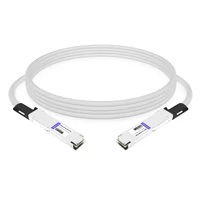
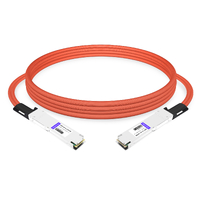
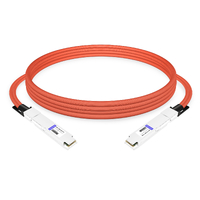
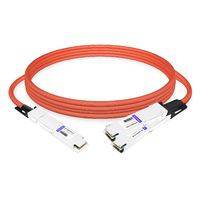
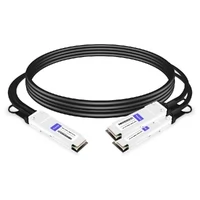
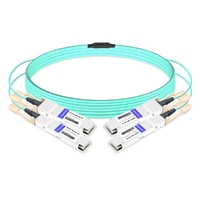
Marcus thought he had everything figured out. His team was building a 256-GPU AI cluster around NVIDIA Quantum-2 switches and ConnectX-7 adapters. The cables? He ordered 200G QSFP56 AOCs by the crate.
They looked right. They said InfiniBand. They even said HDR.
They didn’t fit. Quantum-2 switch ports are OSFP, not QSFP56. His team lost two weeks sourcing OSFP-to-QSFP56 adapters while the GPUs sat idle.
That’s the kind of mistake InfiniBand cables invite. The protocol stays the same across generations, but the physical connectors, reach, and power requirements change. Pick the wrong cable and you don’t just lose bandwidth. You lose time.
In this guide, we’ll walk through the InfiniBand cables you’re actually buying for HDR, NDR, and XDR fabrics. You’ll learn the difference between DAC, AOC, and optical transceivers, which connector each generation uses, and how to avoid Marcus’s problem.
What Are InfiniBand Cables?
InfiniBand cables are high-speed interconnects that carry InfiniBand signaling between switches, network adapters, DPUs, and GPUs. They look like Ethernet cables from a distance, but they’re built for the lower latency, higher bandwidth, and stricter signal integrity that InfiniBand demands.
The cable itself is only half the story. Every InfiniBand cable or module carries EEPROM data that tells the switch and NIC what speed, length, and vendor it supports. If that EEPROM doesn’t match what the device expects, the link won’t come up. This is why what InfiniBand is and how it handles the physical layer are worth understanding before you order.
For a deeper look at how the generations evolved, see our InfiniBand generations guide.
InfiniBand Cable Types
Not all InfiniBand cables are the same. The four main categories cover different distances, power budgets, and cost points.
Direct Attach Copper (DAC)
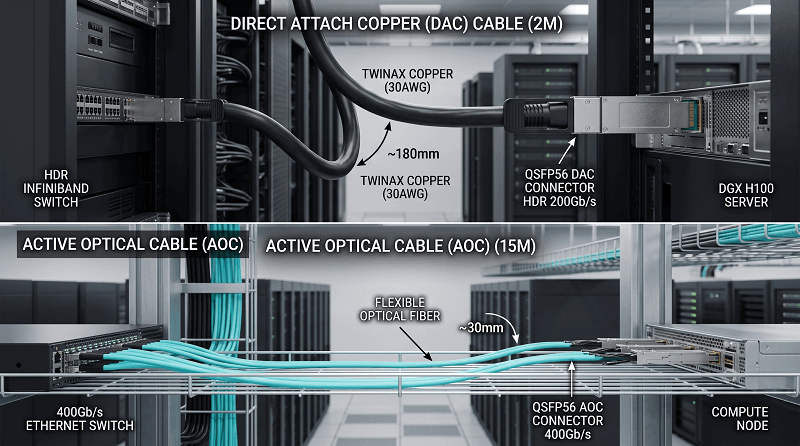
DAC cables are passive twinax copper assemblies with the connector molded directly onto the cable. They’re the cheapest, lowest-latency option, and they draw almost no power.
The downside is reach. Passive DACs typically top out around 2 meters, with some 3-meter variants depending on the gauge and port quality. They’re perfect for in-rack connections between a server NIC and a top-of-rack switch. They’re not a good choice for row-to-row or structured fiber plants.
Active Copper Cable (ACC) and Active Electrical Cable (AEC)
ACC and AEC add signal conditioning inside the connector to push copper reach further, usually 3 to 7 meters. They cost more than passive DACs and draw a few watts per end.
There’s a catch. AEC is common for switch-to-switch links but isn’t always supported on ConnectX NICs. NVIDIA documents this distinction carefully in its LinkX support matrix. Always verify the exact adapter or switch model before buying active copper.
Active Optical Cable (AOC)
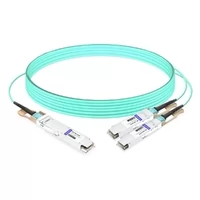
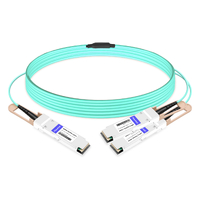
AOCs replace the copper pair with pre-terminated fiber and optical transceivers built into the connector. Reach typically spans 3 to 100 meters. They’re lighter and more flexible than copper, which matters when you’re packing hundreds of cables into an AI rack.
AOCs draw 12–17 W at 400G/800G and cost more than copper. For mid-distance links, they’re often the best balance of reach, manageability, and power.
Optical Transceivers and Fiber
Pluggable optical modules with structured fiber give you the longest reach and the most flexibility. At 200G HDR you can run QSFP56 SR modules over multimode fiber for 100 meters, or LR variants over single-mode fiber for kilometers.
At 400G and 800G, optical modules become power-hungry. NDR modules can draw 12–18 W. XDR modules can exceed 20 W. A fully populated 64-port XDR switch can add more than 1,000 W just from optics, so power and cooling move from afterthought to design constraint.
| Cable Type | Typical Reach | Power per End | Best For | Trade-off |
| DAC (passive) | ≤ 2–3 m | <0.5 W | In-rack, lowest cost | Short reach, thick cable |
| ACC / AEC | 3–7 m | 1–4 W | Adjacent racks | Not always NIC-supported |
| AOC | 3–100 m | 12–17 W | Mid-distance, clean cabling | Higher cost |
| Optical module + fiber | 50 m–2 km+ | 8–30 W | Long reach, structured plant | Highest cost and power |
Not sure which cable type fits your rack layout? Contact FiberMall for a compatibility check before you order.
InfiniBand Connectors by Generation
The connector on an InfiniBand cable determines which hardware it can plug into. The three form factors you’ll see today are QSFP56, OSFP, and QSFP112.
QSFP56
QSFP56 is the four-lane form factor used for HDR 200G. It carries four 50 Gb/s PAM4 lanes. It’s electrically related to QSFP28 and QSFP+, but it’s not backward compatible with them at the signal level.
HDR switches like the original NVIDIA Quantum-1, ConnectX-6 adapters, and many DGX A100 deployments use QSFP56. If you’re buying 200G InfiniBand cables today, this is probably the connector you need.
OSFP
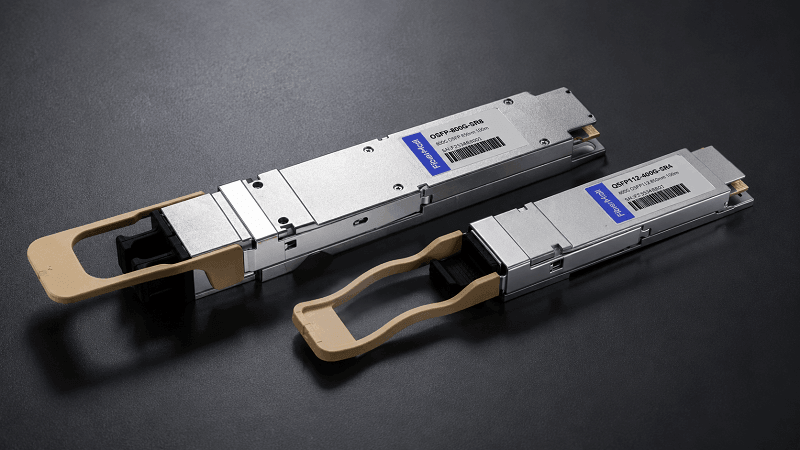
OSFP stands for Octal Small Form-factor Pluggable. It’s an eight-lane module that’s wider and deeper than QSFP56. NVIDIA Quantum-2 NDR switches use twin-port OSFP cages. Quantum-X800 XDR switches use OSFP as well.
OSFP has more thermal headroom, which is why it handles 400G and 800G optics that QSFP56 can’t cool. It is not mechanically compatible with QSFP56 or QSFP112. An OSFP module won’t fit a QSFP cage, period.
QSFP112
QSFP112 is a four-lane form factor that uses four 100 Gb/s PAM4 lanes to reach 400G. Many ConnectX-7 NICs and BlueField-3 DPUs use QSFP112 instead of OSFP. NVIDIA can do this because the NIC has less aggregate traffic than a switch and can get away with the smaller thermal envelope.
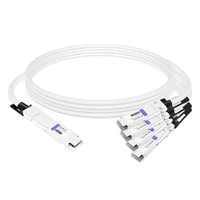
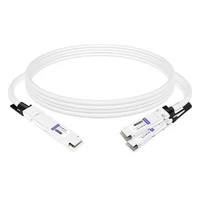
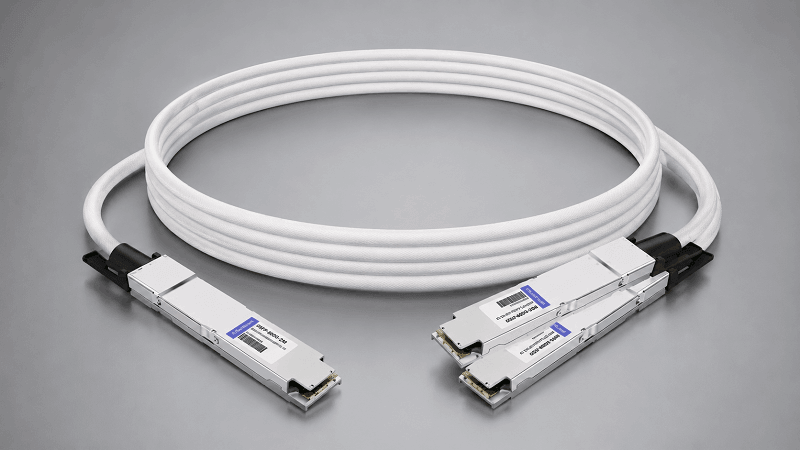
This is where confusion happens. A ConnectX-7 NIC might need QSFP112 cables, while the Quantum-2 switch it’s plugged into needs OSFP cables. The standard solution is a breakout cable: OSFP on the switch side, QSFP112 on the NIC side.
For a detailed form-factor comparison, read our QSFP-DD vs OSFP vs QSFP56 guide.
OSFP-XD and CPO for GDR
GDR at 1.6 Tb/s will likely need even more thermal and electrical headroom. Industry roadmaps point to OSFP-XD, an extended-density variant, or co-packaged optics (CPO) where the optical engine sits directly on the switch ASIC. Neither is mainstream yet, but both are worth tracking if you’re planning a 2027 refresh.
InfiniBand Cable Distance and Use-Case Chart
The right cable depends on where the two ends are. This table maps InfiniBand generation to typical cable choices by distance.
| Generation | In-rack (≤3 m) | Row-to-row (3–30 m) | Long reach (30 m–2 km) |
| HDR 200G | QSFP56 DAC | QSFP56 AOC | QSFP56 SR/LR optics |
| NDR 400G | OSFP DAC / QSFP112 DAC | OSFP AOC / QSFP112 AOC | OSFP SR/DR optics |
| XDR 800G | OSFP DAC / AEC | OSFP AOC | OSFP SR8 / DR8 optics |
The numbers are not universal. A passive DAC that works at 1 meter might fail at 3 meters in a noisy rack. Always check the cable’s qualified reach against your switch and NIC firmware revision.
NVIDIA LinkX Cable Families and Part Numbers
NVIDIA organizes its InfiniBand cables under the LinkX brand. Knowing the part-number prefixes makes procurement faster and reduces the chance of ordering the wrong form factor.
For HDR 200G QSFP56, common families include:
MCP1650, passive DAC
MCA1J00, active copper (ACC)
MFS1S00, active optical cable (AOC)
For NDR 400G and XDR 800G OSFP, look for:
MCP7Y00 / MCP4Y10, passive or active copper breakout cables
MFA7U10, active optical cables
MMS4X00 / MMA4Z00, optical transceivers
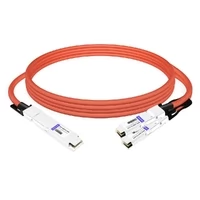
Third-party compatible alternatives, including FiberMall’s tested InfiniBand cables, follow the same electrical and mechanical specs. FiberMall offers NVIDIA-compatible 800G breakout AEC cables such as the 800G OSFP to 2×400G QSFP112 AEC for connecting Quantum-2 switches to ConnectX-7 NICs.
If you want a deeper deployment view, our 800G NDR InfiniBand deployment guide walks through switch, NIC, and cabling choices.
Breakout and Splitter Cables
Breakout cables let one high-speed switch port feed multiple lower-speed endpoints. They’re one of the most useful InfiniBand cables in mixed-generation clusters.
Common breakout options include:
OSFP 400G → 2× QSFP56 200G for connecting NDR switches to HDR endpoints
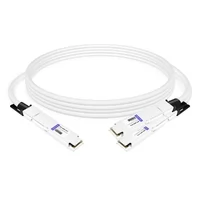
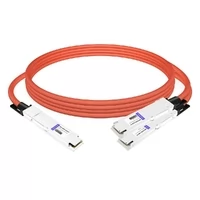
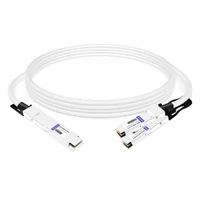
OSFP 800G → 2× QSFP112 400G for splitting an XDR switch port to two NDR NICs
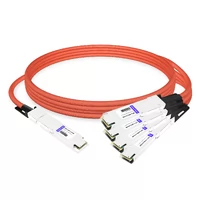
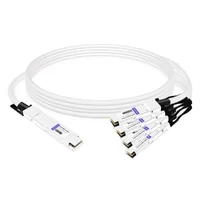
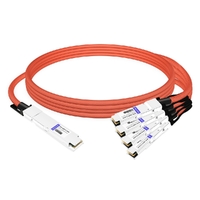
OSFP 800G → 4× QSFP112 200G for maximum port fan-out
Breakouts save switch ports and preserve upgrade paths. They also add insertion loss and complexity. Label both ends clearly. A mislabeled breakout cable can turn a simple swap into a long troubleshooting session.
InfiniBand Cable Compatibility Checklist
Before you place an order, run through this list. It takes five minutes and can save weeks.
1. Port form factor, OSFP, QSFP112, or QSFP56?
2. Generation and speed, HDR, NDR, NDR200, XDR?
3. Cable EEPROM, Is the cable qualified or recognized by your switch/NIC firmware?
4. Firmware alignment, Do both ends support the intended speed and width?
5. Fiber connector type, NDR/XDR optical cables typically need MPO-12 APC, not UPC.
6. Reach and power, Does the cable fit the distance and thermal budget?
NVIDIA’s official stance is that it supports only NVIDIA-qualified cables and modules. Many data centers run compatible third-party cables successfully, but they need to be tested against the exact switch and adapter firmware. FiberMall tests its InfiniBand cables against major NVIDIA platforms to reduce that risk.
Common Buying Mistakes
Even experienced buyers slip up. Here are the most expensive ones.
Ordering QSFP56 for an OSFP switch. The modules won’t seat. The cages are different sizes. This is the single most common cable mismatch we see.
Ignoring active vs passive reach limits. A 3-meter passive DAC might spec at 3 meters, but only under ideal conditions. Hot racks and tight bends reduce effective reach.
Skipping EEPROM and firmware checks. A cable that works in one firmware revision may not link up in another. Always verify with the switch vendor’s compatibility list.
Mixing UPC and APC fiber connectors. NDR and XDR optical cables use angled polished (APC) connectors to reduce reflections. UPC connectors will cause high return loss and link errors.
Underestimating power. At 800G, optics can draw more than a server CPU from a single port. If your rack cooling wasn’t designed for that, you’ll find out the hard way.
Sarah found that out last year. Her team installed a row of Quantum-X800 switches in a standard hot-aisle/cold-aisle layout. The optics arrived before the supplemental fan trays. Within hours, thermal alarms started tripping.
They had to derate ports until the cooling upgrade shipped. The cables worked. The rack didn’t.
Power, Thermal, and Cable Management
InfiniBand cables don’t just carry data. They carry heat budgets.
A 400G NDR optical module draws roughly 12–18 W. An 800G XDR module can exceed 20 W. Multiply that by 64 ports on a Quantum-2 switch, or 144 ports on a Quantum-X800, and the transceiver power alone rivals a small server rack.
Cable management matters too. Passive DACs are thick. A bundle of 64 800G DACs has real bend-radius and insertion-force requirements.
AOCs are thinner and easier to route, but they’re also more fragile. Fiber trunks with pluggable optics give you the cleanest structured cabling, at the cost of higher power and price.
Plan airflow before the switches arrive. Label every cable at both ends. And leave service loops that don’t violate bend-radius limits.
Future-you will thank present-you during a 2 a. m. swap.
Need help matching cables to your thermal and power budget? Explore FiberMall’s InfiniBand cable options and request a layout review.

FiberMall InfiniBand Cable Options
FiberMall supplies tested InfiniBand cables and transceivers for HDR, NDR, and XDR deployments. The portfolio includes passive DACs, active AOCs, AEC breakout cables, and pluggable optical modules.
Each product is built to MSA standards and tested for compatibility with NVIDIA Quantum switches, ConnectX adapters, and BlueField DPUs. Factory-direct pricing keeps costs predictable for large-scale AI and HPC rollouts.
For mixed-generation clusters, the 800G OSFP to 2×400G QSFP112 AEC is a popular choice. It lets a Quantum-2 switch talk to ConnectX-7 NICs without forcing a full OSFP migration.
2026 Roadmap: NDR, XDR, and GDR Cabling
Right now, NDR 400G is the production standard for H100 and H200 clusters. XDR 800G is shipping with Quantum-X800 and ConnectX-8 for frontier AI builds. GDR at 1.6 Tb/s is on the roadmap for late 2026 or early 2027.
The form factor story is converging on OSFP for switches. QSFP112 will remain common on NICs and DPUs because of size constraints. That means breakout cables aren’t going away. If anything, they’ll become more important as switch port speeds outpace endpoint speeds.
For a forward-looking view of module sizes and timelines, see our OSFP future roadmap coverage.
Conclusion
Choosing InfiniBand cables isn’t about finding the fastest option. It’s about matching generation, connector, distance, power, and budget to the hardware you already own.
Start with the port form factor. Then pick the cable type by reach. Verify EEPROM and firmware support.
Plan for thermal load. And if you’re mixing generations, budget for breakout cables.
Get those five things right and you’ll avoid Marcus’s two-week delay and Sarah’s thermal surprise. Get them wrong and even the most expensive switch becomes a very heavy paperweight.
If you’re planning an InfiniBand deployment, contact FiberMall for a cable compatibility check or a quote on tested InfiniBand DAC, AOC, and optical transceiver solutions.
Related Products:
-
 0.5m (1.6ft) NVIDIA Compatible 1.6T OSFP-RHS to OSFP-RHS Passive Direct Attached Cable
$465.00
0.5m (1.6ft) NVIDIA Compatible 1.6T OSFP-RHS to OSFP-RHS Passive Direct Attached Cable
$465.00
-
NVIDIA MCA4K00-X001 Compatible ACC 1.1m (3ft) Twin-port 2x800Gb/s OSFP224 RHS/Flat Top to Twin-port 2x800Gb/s OSFP224 RHS/Flat Top InfiniBand XDR Active Copper Cable
$1039.00
-
NVIDIA MCA4K50-X001 Compatible ACC 1.1m (3ft) Twin-port 2x800Gb/s OSFP224 IHS/Finned Top to Twin-port 2x800Gb/s OSFP224 IHS/Finned Top InfiniBand XDR Active Copper Cable
$1069.00
-
NVIDIA MCA7K10-X001 Compatible ACC 1m (3ft) Twin-port 2x800Gb/s OSFP224 IHS/Finned Top to 2x800Gb/s OSFP224 RHS/ Flat Top InfiniBand XDR Active Copper Splitter Cable
$1079.00
-
NVIDIA MCA7K20-X001 Compatible 1m (3ft) Twin-port 2x800Gb/s OSFP224 IHS/Finned Top to 4x400Gb/s OSFP224 RHS/Flat Top InfiniBand XDR Active Copper Splitter Cable
$2059.00
-
NVIDIA MCP7Y00-N001 Compatible 1m (3ft) 800Gb Twin-port OSFP to 2x400G OSFP InfiniBand NDR Breakout Direct Attach Copper Cable
$160.00
-
NVIDIA MCA7J60-N004 Compatible 4m (13ft) 800G Twin-port OSFP to 2x400G OSFP InfiniBand NDR Breakout Active Copper Cable
$800.00
-
NVIDIA MCP7Y10-N001 Compatible 1m (3ft) 800G InfiniBand NDR Twin-port OSFP to 2x400G QSFP112 Breakout DAC
$155.00
-
NVIDIA MCP7Y50-N001 Compatible 1m (3ft) 800G InfiniBand NDR Twin-port OSFP to 4x200G OSFP Breakout DAC
$255.00
-
NVIDIA MCA7J65-N004 Compatible 4m (13ft) 800G Twin-port OSFP to 2x400G QSFP112 InfiniBand NDR Breakout Active Copper Cable
$800.00
-
NVIDIA MCP7Y40-N001 Compatible 1m (3ft) 800G InfiniBand NDR Twin-port OSFP to 4x200G QSFP112 Breakout DAC
$165.00
-
NVIDIA MCA7J75-N004 Compatible 4m (13ft) 800G Twin-port OSFP to 4x200G QSFP112 InfiniBand NDR Breakout Active Copper Cable
$850.00
-
NVIDIA MCP4Y10-N00A Compatible 0.5m (1.6ft) 800G Twin-port 2x400G OSFP to 2x400G OSFP InfiniBand NDR Passive Direct Attach Copper Cable
$105.00
-
NVIDIA MCP7Y70-H001 Compatible 1m (3ft) 400G Twin-port 2x200G OSFP to 4x100G QSFP56 Passive Breakout Direct Attach Copper Cable
$120.00
-
NVIDIA MCP7Y60-H001 Compatible 1m (3ft) 400G OSFP to 2x200G QSFP56 Passive Direct Attach Cable
$99.00
-
NVIDIA MFA7U10-H003 Compatible 3m (10ft) 400G OSFP to 2x200G QSFP56 twin port HDR Breakout Active Optical Cable
$750.00
-
NVIDIA(Mellanox) MFS1S50-H003E Compatible 3m (10ft) 200G HDR QSFP56 to 2x100G QSFP56 PAM4 Breakout Active Optical Cable
$480.00
-
NVIDIA(Mellanox) MCP7H50-H001R30 Compatible 1m (3ft) Infiniband HDR 200G QSFP56 to 2x100G QSFP56 PAM4 Passive Breakout Direct Attach Copper Cable
$55.00
-
NVIDIA MFS1S90-H003E Compatible 3m (10ft) 2x200G QSFP56 to 2x200G QSFP56 PAM4 Breakout Active Optical Cable
$800.00