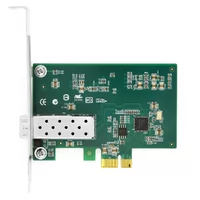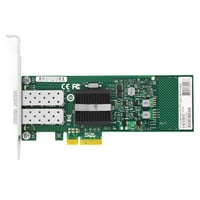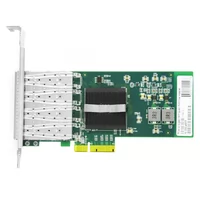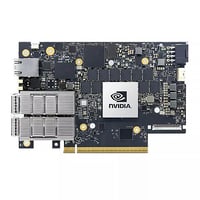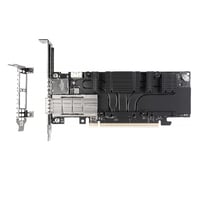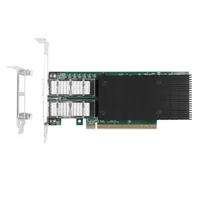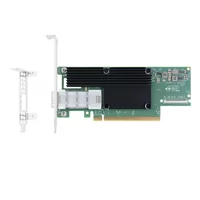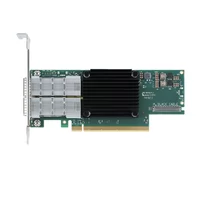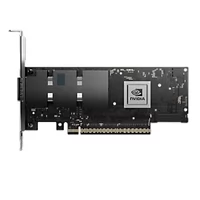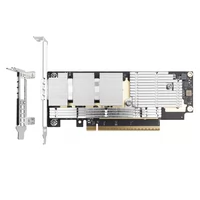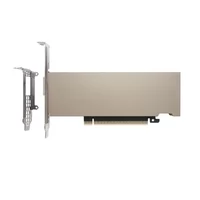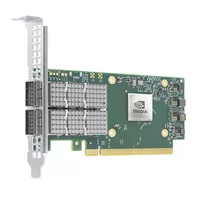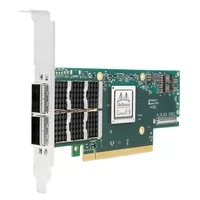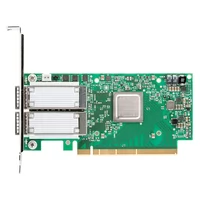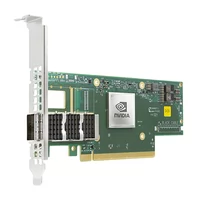

A NIC port is a physical network interface, typically built around one connector or transceiver cage. Most server adapters use one, two, or four ports, depending on the deployment. Four ports are worth buying at 10G, where a quad-port card works out to $77.25 per port against $89.50 for a dual-port card. They are rarely worth buying at 25G, where the arithmetic runs the other way and the quad-port adapter costs 41% more per port than a dual-port card from the same product range.
That’s not the answer most buyers expect. Port count looks like a straight quantity decision: more ports, more paths, better value. The price sheets say otherwise. Per-port cost falls as you add ports at 10G, rises at 25G, and at 100G a dual-port card is cheaper than a single-port card in absolute dollars, not merely per port.
This guide works through that arithmetic using FiberMall list prices, then covers the two constraints that determine whether those ports can actually run at full speed: the PCIe lanes connecting the NIC to the host and the fiber strands required by the optics.
Key Takeaways
- Four 25G ports cost $147.25 each on a FiberMall-listed E810-CAM1-based quad-port adapter, against $104.50 per port on a dual-port E810-XXVDA2. At 25G, the higher-port-count option raises unit cost.
- At 10G, the pattern reverses: an XL710-BM1 DA4 works out to $77.25 per port, against $89.50 for a dual-port X710-BM2 DA2.
- Two 100G ports are cheaper than one in absolute dollars: $699 for the dual-port E810-CAM2 against $709 for the single-port E810-CQDA1.
- Four 25G SR ports use 8 fiber strands for 100 Gb/s, while two 100G SR4 ports use 16 strands for 200 Gb/s. Both configurations require 8 strands per 100 Gb/s.
- Not every 200G or 800G product has the same port configuration or protocol. The Intel E830-CCAM1 supports 200GbE in a single-port configuration, while the NVIDIA C8180 defaults to 800G XDR InfiniBand and can be configured for 2x400GbE.
All prices below were checked against FiberMall product pages on November 19, 2026. Treat them as a snapshot: card and optic pricing moves, and the method matters more than the exact figures.
How Many Ports Does a NIC Have?
A NIC typically has one, two, or four physical ports, although some adapters support configurations with up to eight network connections. A server card with one, two, or four ports covers most common deployments. Each physical port has its own connector or transceiver cage, such as SFP, SFP28, QSFP28, or OSFP, and supports a separate network link.
Port count describes how many physical network interfaces the card provides, not how much total bandwidth it can move. Some multi-lane ports can also be split into multiple logical links through breakout configurations.
The range spans a wide price band. FiberMall’s single-port Intel I210 F1 runs $60. A single-cage NVIDIA C8180 runs $1,980. The C8180 defaults to 800G XDR InfiniBand but can also be configured for two 400GbE connections. Between these products sit roughly 30 cards across 1G, 10G, 25G, 40G, 100G, 200G, and 400G, and the port configuration on each one carries a price consequence worth understanding before you order.
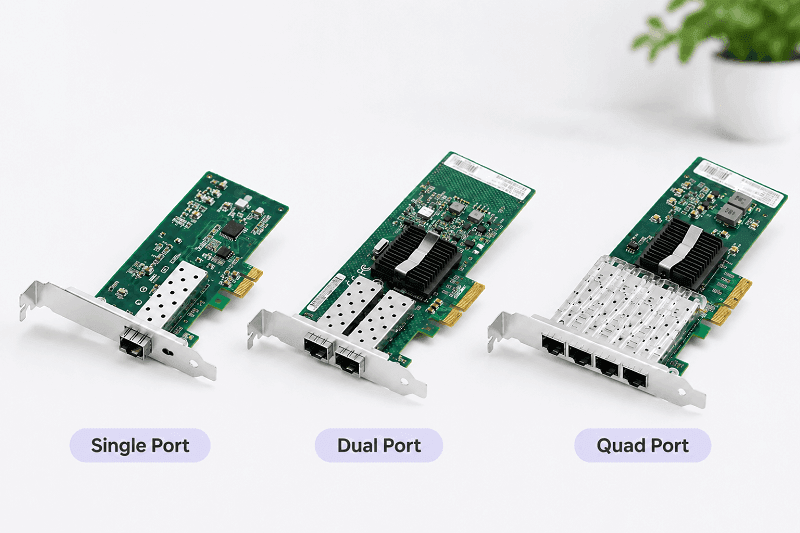
Why “Dual Port” Means Two Physical Ports, Not Two Lanes
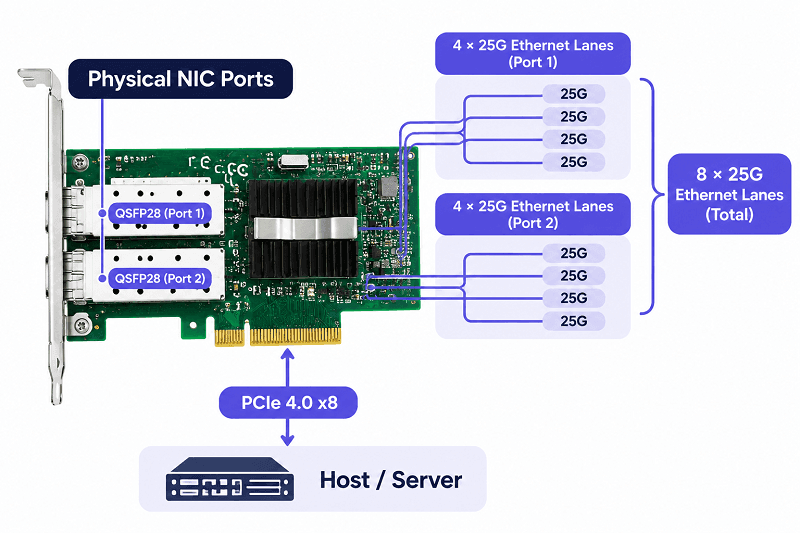
A single QSFP28 NIC port already contains four 25G Ethernet lanes. Call a card “dual port” and you are describing two physical cages, each of which can carry multiple Ethernet lanes. The card may therefore present eight 25G network lanes while showing only two physical connectors.
This is why port count and lane count are different measurements, and why a two-port 100G card can provide more aggregate network capacity than a four-port 25G card.
The PCIe side works differently. Ethernet lanes connect the NIC to the network, while PCIe lanes connect the NIC to the server’s host interface. They are independent interfaces, and there is no one-to-one relationship between them.
A quad-port 25G card offers up to 100 Gb/s of aggregate network capacity. The host PCIe interface must have enough bandwidth to carry that traffic without becoming a bottleneck. The slot is the constraint, and it is covered further down.
If you’re weighing cards against each other, our network adapter range lists port configuration, bus width, and per-port data rate on every product page.
NIC Port Speed Is Not the Same as Port Count
Speed describes the data rate of one network port. Count describes how many physical ports the card provides. Confusing the two produces two common buying mistakes: paying for ports you cannot fully utilize and paying more per port than necessary.
A 25G port on an E810-XXVDA2 and a 25G port on an E810-CAM1-based adapter provide the same nominal per-port data rate. The difference is how many physical ports each card carries and what that does to unit cost.
A 100G QSFP28 port is not automatically equivalent to four independent 25G ports. It can, however, be configured for 4x25G breakout when the NIC, switch, transceiver, and cable all support that configuration.
Port speed also determines the common connector form factor and which optics fit:
- SFP for 1G
- SFP+ for 10G
- SFP28 for 25G
- QSFP+ for 40G
- QSFP28 for 100G
- QSFP56 for 200G
- QSFP-DD or OSFP for 400G
- QSFP-DD800 or OSFP for 800G
These are common form-factor mappings rather than exclusive rules. The supported speed and optic compatibility depend on the specific NIC, module standard, and host platform.
If you’re new to the form factors, our guide to network interface cards covers the speed-to-cage mapping in detail.
The NIC Port Cost Curve
Prices below are card-only, in US dollars, from FiberMall product pages on November 19, 2026. Per-port cost is the card price divided by the number of physical ports in the listed configuration. For configurable products, the default port configuration is identified where relevant.
The protocol column distinguishes Ethernet adapters from InfiniBand products so that their data rates are not treated as interchangeable.
| Speed | Ports / Configuration | Product | Protocol | Card Price | Cost per Port |
| 1G | 1 | Intel I210 F1 | Ethernet | $60 | $60.00 |
| 1G | 2 | Intel 82576 F2 | Ethernet | $68 | $34.00 |
| 1G | 4 | Intel I350 F4 | Ethernet | $180 | $45.00 |
| 10G | 1 | Intel 82599EN SR1 | Ethernet | $115 | $115.00 |
| 10G | 2 | Intel 82599ES SR2 | Ethernet | $159 | $79.50 |
| 10G | 2 | Intel X710-BM2 DA2 | Ethernet | $179 | $89.50 |
| 10G | 4 | Intel XL710-BM1 DA4 | Ethernet | $309 | $77.25 |
| 25G | 2 | Intel E810-XXVDA2 | Ethernet | $209 | $104.50 |
| 25G | 2 | NVIDIA MCX4121A-ACAT | Ethernet | $249 | $124.50 |
| 25G | 2 | Intel XXV710 DA2 | Ethernet | $269 | $134.50 |
| 25G | 4 | Intel E810-CAM1-based adapter (PCIe 4.0 x8, per listing) | Ethernet | $589 | $147.25 |
| 25G | 4 | Intel E810-XXVDA4 (PCIe 4.0 x16, per listing) | Ethernet | $589 | $147.25 |
| 40G | 1 | Intel XL710-BM1 QDA1 | Ethernet | $309 | $309.00 |
| 40G | 2 | Intel XL710 QDA2 | Ethernet | $359 | $179.50 |
| 100G | 2 | Intel E810-CAM2 | Ethernet | $699 | $349.50 |
| 100G | 1 | Intel E810-CQDA1 | Ethernet | $709 | $709.00 |
| 100G | 2 | Intel E810-CQDA2 | Ethernet | $719 | $359.50 |
| 100G | 2 | NVIDIA MCX516A-CCAT | Ethernet | $985 | $492.50 |
| 200G | 1 | Intel E830-CCAM1 (1x200GbE configuration) | Ethernet | $1,250 | $1,250.00 |
| 200G | 2 | NVIDIA MCX653106A-HDAT | Ethernet / InfiniBand | $1,600 | $800.00 |
| 400G | 1 | NVIDIA MCX75510AAS-NEAT | InfiniBand NDR | $1,650 | $1,650.00 |
| 800G | 1 | NVIDIA C8180 (single OSFP cage, default configuration) | InfiniBand XDR | $1,980 | $1,980.00 |
Important configuration notes:
- The Intel E830-CCAM1 is a 200GbE controller that supports 1x200GbE, 2x100GbE, 4x50GbE, or 8x25GbE configurations. The price comparison above uses its 1x200GbE configuration.
- The NVIDIA MCX653106A-HDAT is a dual-port QSFP56 adapter supporting Ethernet and InfiniBand. Its PCIe 4.0 x16 host interface limits aggregate host bandwidth when both 200G ports are fully loaded.
- The NVIDIA MCX75510AAS-NEAT is a single-port 400G NDR InfiniBand adapter, not a standard 400GbE adapter.
- The NVIDIA C8180 has one OSFP cage and defaults to 800G XDR InfiniBand. In Ethernet mode, it can be configured for 2x400GbE. Its per-port cost in this table uses the default single-port configuration.
1G: Four Ports Cost More Per Port Than Two
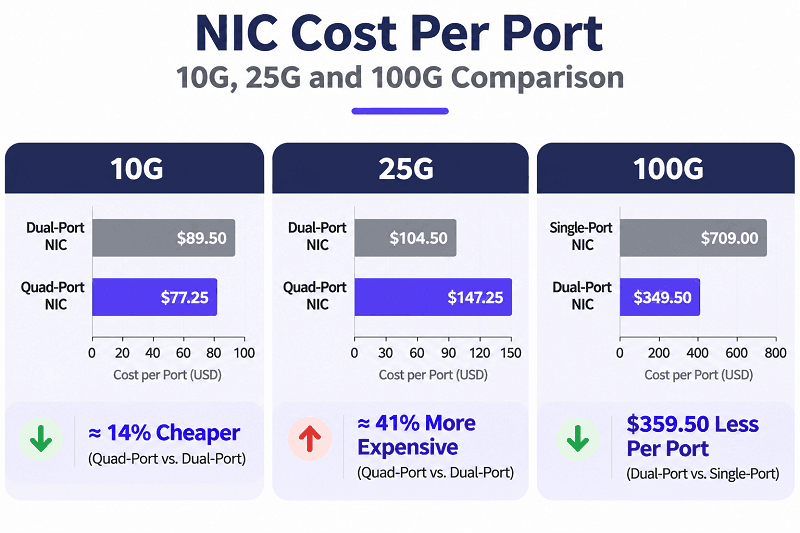
The pattern starts early. The quad-port I350 F4 at $180 works out to $45.00 per port. The dual-port 82576 F2 at $68 works out to $34.00. Four ports cost approximately 32% more per port than two at the same speed.
It’s a density play, not a value play. You buy the quad-port 1G card because you need four separate networks in one slot and have no second slot to spare, not because the ports are cheap. If slots aren’t scarce, two dual-port cards may offer a better price, although they consume two slots.
10G: Four Ports Finally Win
At 10G, the curve turns. The quad-port XL710-BM1 DA4 costs $309, bringing the cost to $77.25 per port. The dual-port X710-BM2 DA2 at $179 works out to $89.50 per port. The quad-port option is approximately 14% cheaper per port, and it delivers the same nominal per-port speed.
One caveat lies in the chipset, not the price. The 82599ES SR2 dual-port card at $159 is cheaper per port ($79.50) than the X710 dual-port card, but it is an older generation with a narrower feature set. The X710 and XL710 products are more relevant when comparing newer-generation 10G configurations.
25G: The Curve Reverses
Here is the finding worth pausing on. Priya was speccing a refresh for a small virtualization cluster and needed four 25G uplinks per host. She assumed the quad-port card would be the cheaper way to buy them. The E810-CAM1-based adapter came in at $589, or $147.25 per port.
Two dual-port E810-XXVDA2 cards cost $418 together and deliver the same four physical ports at $104.50 each. Buying the quad-port adapter costs approximately 41% more per port than using two dual-port cards. The trade-off is that the two-card configuration consumes a second PCIe slot.
The reason is simple once you see it. Dual-port 25G network adapters are a high-volume, heavily competed configuration. Quad-port 25G adapters serve a narrower set of deployment requirements, and their prices reflect that. Adding ports does not automatically reduce the cost of each port; product positioning, controller design, and market demand all matter.
100G: Two Ports Are Cheaper Than One
A 100G port carries four times the nominal data rate of a 25G port. What surprises buyers is the direction of the dual-versus-single comparison.
The dual-port E810-CAM2 is $699. The single-port E810-CQDA1 is $709. Two ports cost $10 less than one, and the per-port spread is $349.50 against $709.00.
Based on card price alone, the dual-port model offers better value, provided the platform supports it and the additional port is useful.
The same comparison appears in the NVIDIA line, although the difference is less favorable. The MCX516A-CCAT costs $985 for two ports, or $492.50 per port, against $715 for the single-port MCX515A-CCAT.
There is an important PCIe caveat here. The MCX516A-CCAT uses a PCIe 3.0 x16 host interface. Although its two network ports can each negotiate a 100G link, the PCIe 3.0 x16 interface provides only about 126 Gb/s of usable one-way bandwidth. It cannot carry 200 Gb/s of aggregate traffic to the host at full line rate.
Planning a card refresh? Send us the slot layout and target port count, and we will map it to the card that keeps cost per port down without oversubscribing the bus. Request a quote.
Cost per 100 Gb/s of port capacity
Per-port cost answers “what does a port cost?” Cost per unit of capacity answers “what does bandwidth cost?” That is often the more useful comparison when planning a high-speed network.
| Configuration | Total Port Capacity | Card Cost | Cost per 100 Gb/s |
| 2x100G (E810-CAM2) | 200 Gb/s | $699 | $349.50 |
| 2x200G (MCX653106A-HDAT) | 400 Gb/s | $1,600 | $400.00* |
| 2x25G (E810-XXVDA2) | 50 Gb/s | $209 | $418.00 |
| 2x40G (XL710 QDA2) | 80 Gb/s | $359 | $448.75 |
| 4x25G (E810-CAM1-based adapter) | 100 Gb/s | $589 | $589.00 |
| 1x200G (E830-CCAM1) | 200 Gb/s | $1,250 | $625.00 |
| 1x100G (E810-CQDA1) | 100 Gb/s | $709 | $709.00 |
| 4x10G (XL710-BM1 DA4) | 40 Gb/s | $309 | $772.50 |
The 2x200G figure uses nominal network-port capacity. The MCX653106A-HDAT’s PCIe 4.0 x16 host interface cannot sustain 400 Gb/s of aggregate host throughput at full line rate.
Two 100G ports are the cheapest way to obtain 200 Gb/s of nominal port capacity in this catalogue snapshot. They undercut 4x25G by approximately 41% per 100 Gb/s. If your switch has 100G ports available and your workload can use them, the 100G path costs less per bit than most buyers assume.
Add the optics and the ranking holds. Two 100G SR4 optics at $40 each add $80 to the $699 card, bringing the total to $779 for 200 Gb/s, or $389.50 per 100 Gb/s.
Four 25G SR optics at $25 each add $100 to the $589 card, bringing the total to $689 for 100 Gb/s, or $689.00 per 100 Gb/s.
The 100G path stays approximately 43% cheaper per unit of bandwidth even after optics.
Port Count Versus PCIe Lanes
None of the pricing above matters if the slot cannot feed the card. PCIe provides a bandwidth ceiling, and it’s easy to buy four ports that the host bus cannot fully saturate.
Approximate usable one-way bandwidth per slot, after encoding overhead:
| Interface | Usable Bandwidth | Encoding |
| PCIe 3.0 x8 | ~63 Gb/s | 128b/130b |
| PCIe 3.0 x16 | ~126 Gb/s | 128b/130b |
| PCIe 4.0 x8 | ~126 Gb/s | 128b/130b |
| PCIe 4.0 x16 | ~252 Gb/s | 128b/130b |
| PCIe 5.0 x16 | ~504 Gb/s | 128b/130b |
| PCIe 6.0 x16 | ~1,024 Gb/s | PAM4 / FLIT |
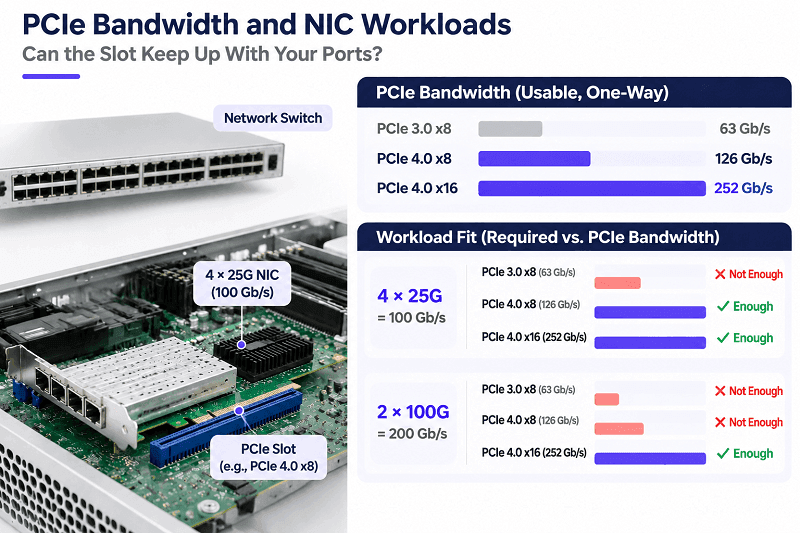
The PCIe 4.0 specification and its per-lane rates are published by PCI-SIG. Four 25G ports need approximately 100 Gb/s of aggregate one-way bandwidth, which uses about 79% of a PCIe 4.0 x8 interface. The same workload would require about 159% of a PCIe 3.0 x8 interface, so that older interface would become a bottleneck.
A build team led by Tomas found this out after deployment. Four E810-CAM1-based quad-port 25G cards went into an older dual-socket platform, negotiated 25G on every port, and passed a link check without complaint. Under sustained load, aggregate throughput per card capped near 60 Gb/s. The slots were PCIe 3.0 x8, and the cards needed more host bandwidth than the slots could supply.
Checking the slot before the card
Two FiberMall listings make the decision concrete. The Intel E810-CAM1-based adapter is listed as a quad-port 25G card with PCIe 4.0 x8, while the E810-XXVDA4 is listed as a quad-port 25G card with PCIe 4.0 x16. Both sell for $589.
For a 100 Gb/s workload, the x8 card already uses approximately 79% of its available one-way PCIe bandwidth. It has enough bandwidth for the four 25G ports at nominal line rate, assuming the platform and workload do not introduce additional bottlenecks. The x16 card provides more host-side bandwidth headroom, but that additional capacity is not necessary for this specific 100 Gb/s workload.
The premium here is zero, but the PCIe slot requirement is different. If an x16 electrical slot is the only one available for a future 100G or higher-bandwidth adapter, spending it on a 25G quad-port card may be a poor trade.
Two 100G ports are a different story. At 200 Gb/s of aggregate network capacity, they need a PCIe 4.0 x16 interface to avoid host-side oversubscription.
A PCIe 4.0 x8 interface would provide only about 126 Gb/s, while a PCIe 3.0 x16 interface would provide approximately the same bandwidth. Both would be insufficient for two 100G ports operating at full aggregate line rate.
At 200G per port, the arithmetic tightens further. A dual-port 200G card carries 400 Gb/s of nominal port capacity. Reaching that aggregate rate without oversubscription requires a host interface capable of supplying at least 400 Gb/s of usable one-way bandwidth.
The NVIDIA MCX653106A-HDAT supports two 200G-capable network ports but uses PCIe 4.0 x16, which supplies approximately 252 Gb/s of usable one-way bandwidth. The card can establish high-speed links on both ports, but the host interface cannot sustain their combined 400 Gb/s line rate.
The Intel E830-CCAM1 is a different design. It supports a single 200GbE configuration over PCIe 5.0 x8, which provides approximately 252 Gb/s of usable one-way bandwidth. That is sufficient for one 200GbE port, assuming the platform and implementation meet the required specifications.
The distinction matters: a card’s advertised aggregate port capacity and its actual host-side throughput are not always the same.
Port Count Versus Fiber Count
Each optical port consumes fiber, and the number of strands depends on the optic you plug in, not simply on the port count. This is where two configurations that look equivalent on a spreadsheet can differ.
| Port Speed | Typical Optic | Fibers per Port | Fibers per 100 Gb/s |
| 1G | SR, duplex LC | 2 | 200 |
| 10G | SR, duplex LC | 2 | 20 |
| 25G | SR, duplex LC | 2 | 8 |
| 40G | SR4, MPO-12 | 8 | 20 |
| 100G | SR4, MPO-12 | 8 | 8 |
| 100G | DR1 or LR1, duplex LC | 2 | 2 |
| 200G | SR4 or DR4 | 8 | 4 |
| 400G | DR4 | 8 | 2 |
| 800G | DR8, MPO-16 or dual MPO-12 | 16 | 2 |
The fiber counts represent active transmit and receive strands. For example, an MPO-12 connector used by SR4 optics typically carries eight active fibers, while an 800G DR8 implementation uses 16 active fibers through an MPO-16 or dual MPO-12 connection.
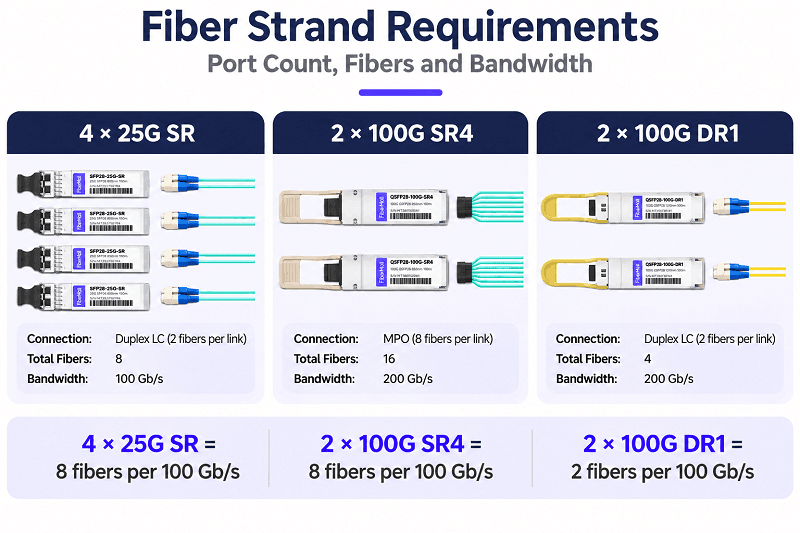
The non-obvious result sits in the middle of that table. Four 25G SR ports use 8 strands to move 100 Gb/s. Two 100G SR4 ports use 16 strands to move 200 Gb/s. Both come to exactly 8 strands per 100 Gb/s.
So fiber density does not separate the 25G and 100G SR paths. What separates them is card cost, optic cost, and switch port availability. The 100G path wins on silicon cost in this comparison and ties on fiber usage per unit of bandwidth.
What This Means for Trunk Sizing
Fiber only becomes a genuine discriminator when you move away from parallel optics. A 100G DR1 or LR1 port runs over a single duplex pair, or 2 strands, compared with 8 strands for SR4. That is a fourfold reduction per port, and it changes trunk sizing for any link that has to leave the row.
For a storage cluster moving 200 Gb/s between racks, 2x100G DR1 needs 4 strands. The same 200 Gb/s over 2x100G SR4 needs 16. If the MPO trunk between those racks is the scarce resource, DR1 optics at $180 each may pay for themselves against the cost of installing additional fiber.
For short intra-row links, SR4 remains the cheaper optic in many deployments, and strand count is usually not the binding constraint.
Breakout: Four Ports From One
A 100G QSFP28 port can typically be configured as 4x25G, giving you four logical 25G links from one 100G port. Similarly, a 40G QSFP+ port can be split into 4x10G links.
These are different breakout configurations. A QSFP28 100G port should not be assumed to support 4x10G breakout.
Compare the two 25G approaches. A native quad-port 25G adapter costs $589. A single-port 100G card costs $709, and a compatible 100G breakout cable or breakout optic adds more on top.
Breakout does not beat a native quad-port card on card price alone. It becomes useful when the constraint is switch ports rather than server slots, because breakout can use one 100G switch port instead of four separate 25G switch ports.
There is a compatibility condition worth checking before you commit. Breakout requires both ends to support the intended configuration. The switch port, the optic, and the cable all have to be breakout-capable, and the host card must enumerate and support the split correctly.
Availability is worth confirming directly. FiberMall’s catalogue carries vendor-coded 40G QSFP+ to 4x10G breakout optics, such as the Cisco QSFP-4X10G-LR-S, and the direct attach cable category runs to 286 SKUs.
A QSFP28 to 4xSFP28 breakout DAC did not appear in that listing at the time of writing, so check with our team before designing around one.
Which NIC Port Count Should You Buy?
Three questions settle the decision faster than any comparison table.
How many separate networks do you need?
Separate management, storage, tenant, and backup traffic may require dedicated physical ports. Redundancy and link aggregation are also common reasons to buy additional ports. If everything can share one link, extra ports may be buying redundancy or flexibility rather than additional usable bandwidth.
How many Gb/s does the workload actually move?
Add up the sustained throughput, not just the nominal line rates. A card with four 25G ports can offer 100 Gb/s of aggregate network capacity, but the slot feeding it must also provide sufficient bandwidth. The PCIe calculations above show what happens when it cannot.
What slot is free?
A card that does not fit, or negotiates only PCIe 3.0 when you expected PCIe 4.0, is not the card you thought you bought. Confirm PCIe generation, lane width, physical dimensions, and platform compatibility before comparing prices. A NIC port that cannot reach its intended throughput is a port you paid for but cannot fully utilize.
A short decision guide:
- One port if you have a switch port to spare and no redundancy requirement. The single-port 10G card at $115 is the cheapest entry.
- Two ports for most server builds. At 25G, the dual-port E810-XXVDA2 is cheaper per port than the quad-port option. At 100G, the dual-port E810-CAM2 also beats the single-port card on absolute price.
- Four ports when you need physical network separation in one slot, particularly at 10G. At 25G, price two dual-port cards first.
- Two 100G ports when the switch supports them, the host has sufficient PCIe bandwidth, and you want the lowest cost per Gb/s. This is the configuration that wins the bandwidth-per-dollar comparison by the widest margin in this price snapshot.
Above 100G, the protocol, port configuration, and host interface become even more important. The NVIDIA MCX75510AAS-NEAT in this catalogue is a single-port 400G NDR InfiniBand adapter using PCIe 5.0 x16. The NVIDIA C8180 has a single OSFP cage and defaults to 800G XDR InfiniBand, but can be reconfigured for two 400GbE connections.
The C8180 uses PCIe 6.0 x16, which provides approximately 1,024 Gb/s of usable one-way bandwidth. This is enough for its 800G default configuration, unlike a PCIe 5.0 x16 interface, which provides approximately 504 Gb/s.
The 400G and 800G products in the range therefore need to be evaluated according to their actual protocol and configured port mode, rather than simply counting physical cages.
Not sure which configuration your platform supports? Our engineers can confirm slot width, breakout support, and optic compatibility against your server and switch models. Contact our networking experts.
Conclusion
NIC port count is a cost decision disguised as a specification decision. Four 25G ports cost 41% more per port than two, four 10G ports cost 14% less, and two 100G ports cost $10 less than one. Those three facts, checked against current prices, rule out much of the guesswork in a card refresh.
Then check the two hard limits. PCIe 4.0 x8 carries about 126 Gb/s, which is enough for four 25G ports but not enough for two 100G ports at full aggregate line rate. PCIe 4.0 x16 carries about 252 Gb/s, which is sufficient for two 100G ports. Fiber runs 8 strands per 100 Gb/s on SR optics whether you use 25G or 100G, so the trunk is a wash until you move to DR1 or LR1.
Also check the network protocol and the actual port configuration. A 200G Ethernet controller, a 400G NDR InfiniBand adapter, and an 800G XDR InfiniBand adapter are not interchangeable simply because their advertised data rates look similar.
Start with the slot, then the switch port, then the protocol and optics, and finally the price sheet. In that order, the port count usually picks itself. When you are ready to price a configuration, our network adapter range lists every card with port count, bus width, and per-port speed on the product page.
Frequently Asked Questions
How many ports does a NIC have?
Most server NICs have one, two, or four ports. Desktop and laptop adapters usually have one, while server cards commonly ship with two ports and add four-port variants for network separation, redundancy, or higher connection density in a single slot.
Is a 4-port NIC faster than a 2-port NIC?
No. Port count adds network paths, not speed per path. A four-port 25G card provides the same nominal 25G per port as a two-port 25G card. Total network capacity increases, but only if the PCIe slot can supply enough host-side bandwidth.
Can you have two Ethernet ports on one computer?
Yes. A dual-port NIC gives one computer two independent physical network links. This is common on servers for redundancy, traffic separation, or link aggregation.
What is the purpose of bonding multiple NIC ports?
Bonding combines several physical ports into one logical interface. It can provide redundancy so traffic continues if one link fails, or distribute traffic across multiple links to increase aggregate throughput.
The actual throughput gain depends on the bonding mode, switch configuration, and traffic distribution. In many link aggregation configurations, a single data flow remains on one physical link, while multiple flows can be distributed across the bonded links.
Is a dual NIC better than a single NIC for virtualization?
Often, but it depends on the workload and network design. Two ports let you separate management, storage, and virtual machine traffic, and provide an additional physical path if one link fails. VLANs can also provide logical traffic separation over a single physical port, so a second port is not always necessary.
A single-port NIC can work well for lab and edge systems where redundancy and physical traffic separation are not required.
Do more ports mean more fiber?
Not necessarily in direct proportion to bandwidth. Each optical port needs its own optic and fiber path, but the number of strands depends on the optic type.
For example, four 25G SR ports consume 8 fiber strands, while two 100G SR4 ports consume 16. For those configurations, both come out to 8 strands per 100 Gb/s. Single-mode DR1 or LR1 optics can reduce the strand count further.
Related Products:
-
 Intel® I210 F1 Single Port Gigabit SFP PCI Express x1 Ethernet Network Interface Card PCIe v2.1
$60.00
-
Intel® 82576 F2 Dual Port Gigabit SFP PCI Express x4 Ethernet Network Interface Card PCIe v2.0
$68.00
-
Intel® I350 F4 Quad Port Gigabit SFP PCI Express x4 Ethernet Network Interface Card PCIe v2.1
$180.00
-
NVIDIA B3220 BlueField-3 DPU, P-Series FHHL, 200GbE (Default Mode)/NDR200 lB, Dual-port QSFP112, PCle Gen5.0x16 with x 16 PCle Extension Option ,16 Arm Cores, 32GB Onboard DDR, Integrated BMC, Crypto Disabled, Tall Bracket
$4490.00
-
NVIDIA B3140H BlueField-3 8 Arm-Cores SuperNIC, E-series HHHL, 400GbE (Default Mode)/NDR IB, Single-port QSFP112, PCle Gen5.0 x16, 16GB Onboard DDR, Integrated BMC, Crypto Disabled
$4390.00
-
Intel® E830CCAM1 200G Ethernet Network Adapter Configurable as 1x200Gb or 2x100Gb connections,PCle5.0x8 or PCle 4.0x l6 Dual port QSFP56
$1250.00
-
NVIDIA NVIDIA(Mellanox) MCX653105A-HDAT-SP ConnectX-6 InfiniBand/VPI Adapter Card, HDR/200GbE, Single-Port QSFP56, PCIe3.0/4.0 x16, Tall Bracket
$1400.00
-
NVIDIA NVIDIA(Mellanox) MCX653106A-HDAT-SP ConnectX-6 InfiniBand/VPI Adapter Card, HDR/200GbE, Dual-Port QSFP56, PCIe3.0/4.0 x16, Tall Bracket
$1600.00
-
NVIDIA NVIDIA(Mellanox) MCX75510AAS-NEAT ConnectX-7 InfiniBand/VPI Adapter Card, NDR/400G, Single-port OSFP, PCIe 5.0x 16, Tall Bracket
$1650.00
-
NVIDIA NVIDIA(Mellanox) MCX75310AAS-NEAT ConnectX-7 InfiniBand/VPI Adapter Card, NDR/400G, Single-port OSFP, PCIe 5.0x 16, Tall Bracket
$2200.00
-
NVIDIA ConnectX-8 C8180 (900-9X81E-00EX-ST0) HHHL SuperNIC, 800Gbs XDR IB & Ethernet, Single-cage OSFP, PCIe 6 x16 with x16 PCIe Socket Direct,Tall bracket
$1980.00
-
NVIDIA MCX623106AN-CDAT SmartNIC ConnectX®-6 Dx EN Network Interface Card, 100GbE Dual-Port QSFP56, PCIe4.0 x 16, Tall&Short Bracket
$1200.00
-
NVIDIA NVIDIA(Mellanox) MCX653106A-ECAT-SP ConnectX-6 InfiniBand/VPI Adapter Card, HDR100/EDR/100G, Dual-Port QSFP56, PCIe3.0/4.0 x16, Tall Bracket
$1100.00
-
NVIDIA NVIDIA(Mellanox) MCX516A-CCAT SmartNIC ConnectX®-5 EN Network Interface Card, 100GbE Dual-Port QSFP28, PCIe3.0 x 16, Tall&Short Bracket
$985.00
-
NVIDIA NVIDIA(Mellanox) MCX653105A-ECAT-SP ConnectX-6 InfiniBand/VPI Adapter Card, HDR100/EDR/100G, Single-Port QSFP56, PCIe3.0/4.0 x16, Tall bracket
$965.00
-
Intel® E810-CQDA2 100G Ethernet Network Adapter PCIe v4.0 x16 Dual port QSFP28
$719.00