
Why Unmanaged IB Switches Have No Web-UI
1) Positioning and Functional Simplification
- Managed Switches: Designed for environments requiring complex network configuration, monitoring, partitioning, and fault diagnosis (such as large-scale supercomputing centers, multi-tenant clouds). They provide rich management interfaces (CLI, Web-UI, SNMP, and even proprietary management software like NVIDIA’s UFM).
- Unmanaged Switches: The design goal is “plug-and-play”. Their core function is to provide high-bandwidth, low-latency physical connections, without processing complex network layer protocols. They have no routing, no IP subnetting (at the switch level), and lack the L2/L3 functions found in traditional Ethernet switches.
2) Differences in Protocol Stack
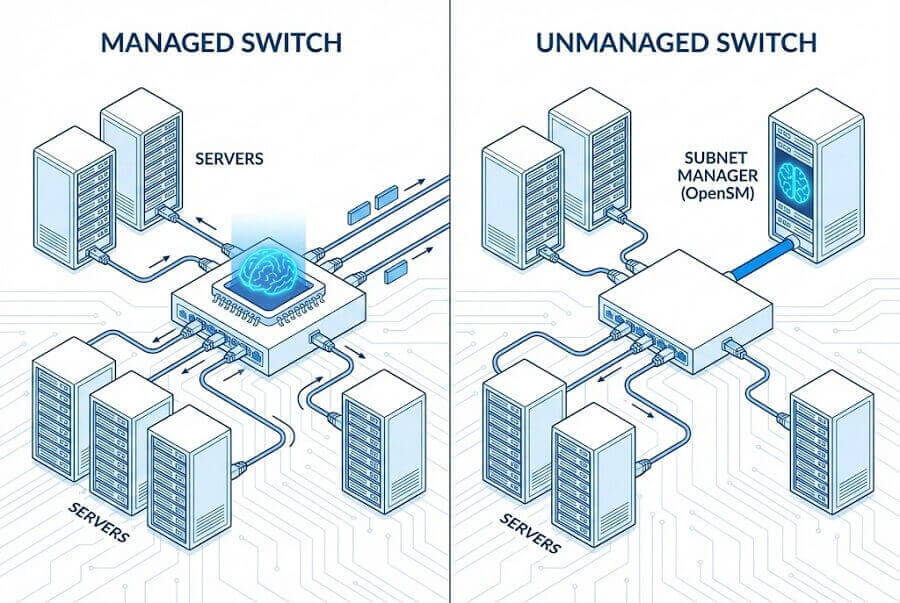
- The InfiniBand protocol itself is distinct from Ethernet at the data forwarding level. IB network management relies on an independent entity called the Subnet Manager (SM).
- The Subnet Manager is the “brain” of the IB network; it is responsible for discovering network topology, initializing links, allocating LID addresses, configuring forwarding paths, and performing partitioning. This function is not built into the switch but runs on an external server (or a management module on a managed switch).
- In unmanaged switches, this SM usually needs to be run by you on a specific host (server) in the network via software (such as opensm).
3) Reducing Cost and Complexity
- Removing the built-in management processor, Web server, and related software stack significantly reduces hardware costs and power consumption. Unmanaged switches focus on doing one thing: forwarding IB data packets with the lowest latency and highest efficiency.
How to Manage and Configure Unmanaged IB Switches
Although there is no Web-UI, they can be managed via the following methods:
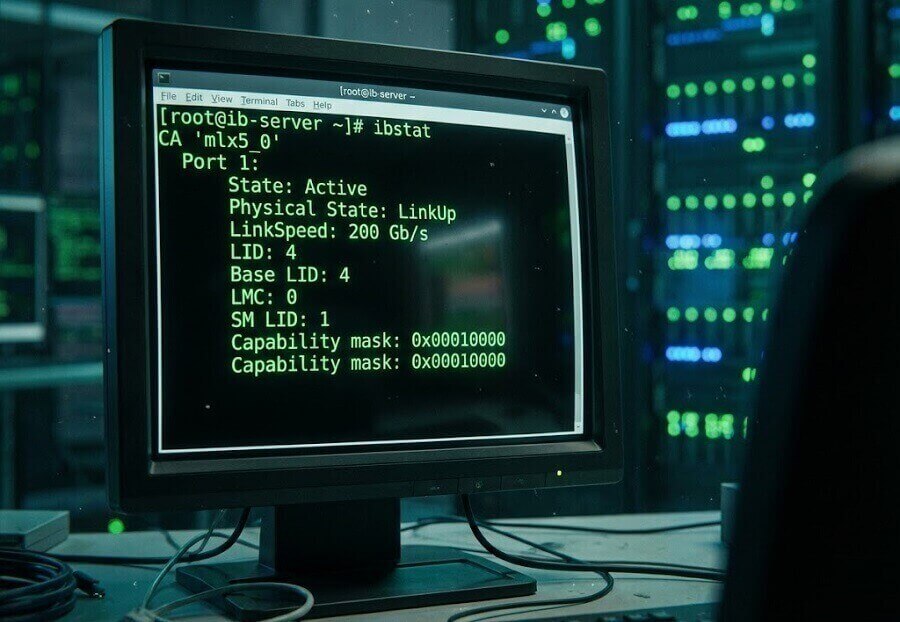
1) Connect to the Subnet Manager via Command Line Tools (CLI) This is the primary method. You need to use the IB diagnostic toolset (such as commands in the infiniband-diags package) on the host running the Subnet Manager (opensm or vendor-provided SM) to query and monitor the network. Common commands include:
- ibstat: View local IB device status.
- ibnodes: List all discovered nodes (hosts and switches) in the network.
- ibswitches: Specifically list all switches and their information in the network.
- iblinkinfo: Display link connection status and rates in a clear format.
- sminfo: Query Subnet Manager information.
- Key Command ibportstate: Although the switch itself has no CLI, this command allows you to query and set the physical state of switch ports (such as enabling/disabling ports, adjusting link speeds); this is the operation closest to “configuring” the switch.
2) Use Vendor Independent Management Software (Selected Models) Some vendors (like NVIDIA/Mellanox) may provide a very simple independent management tool for their unmanaged switches. However, it is typically not Web-based, but rather a lightweight daemon or CLI tool used to collect basic switch information (such as serial number, hardware version, temperature).
3) Via Out-of-Band Management Port (If Present) A very small number of unmanaged IB switches may retain a simple serial port (Console) or an independent Ethernet management port. Through this port, you might access an extremely simple text interface for basic operations like viewing firmware versions or resetting, but the functionality is far less rich than the CLI or Web-UI of managed switches. Many entry-level unmanaged switches do not even have this.
How to Distinguish Between Managed and Unmanaged IB Switches
1) Check the Model and Series: For example, NVIDIA’s UFM series represents top-tier managed systems. Quantum series switches can usually be upgraded to managed types via modules, whereas Mellanox SB7700, SX6012, and other “fixed configuration” entry-level switches are often unmanaged. The ES series (such as ES2010) are typically unmanaged.
2) Check the Product Description: Look for explicit terms like “Unmanaged”.
3) Check the Price: Unmanaged models are much cheaper (well, relative to managed IB switches, not actually cheap).
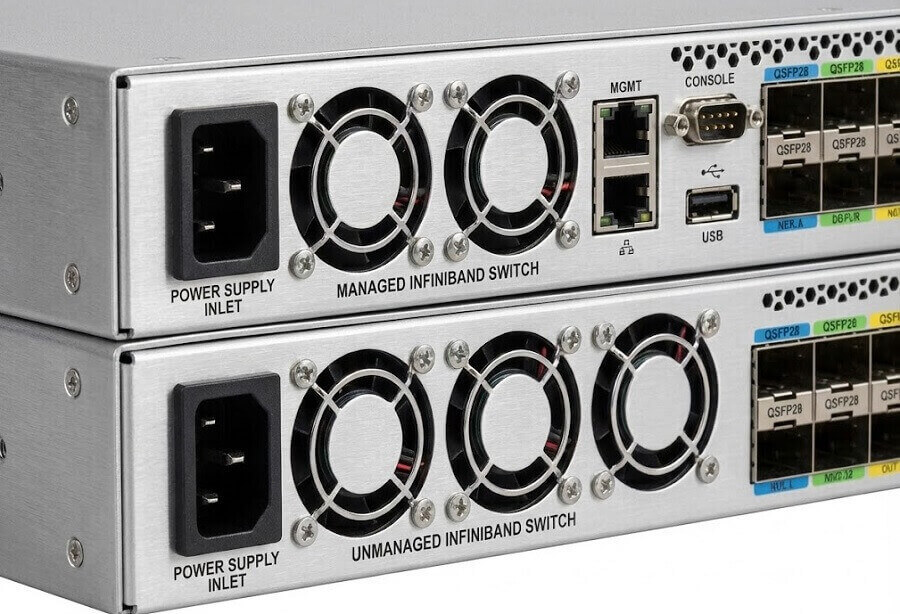
4) Check Management Interfaces: Those with rich network management ports (such as a 1GbE management port), LCD screens, or multi-function buttons are usually managed types.
Final Thoughts
1) Unmanaged IB Switches: Have no Web-UI and typically lack a built-in full configuration CLI. They are “dumb” forwarding devices; the network’s brain (Subnet Manager) needs to be configured and run on an external Linux server. Management is performed remotely via network diagnostic commands.
2) Managed IB Switches: Have a built-in Subnet Manager and management processor, providing a full Web-UI and powerful CLI, and can be monitored and automated via central management platforms like NVIDIA UFM.
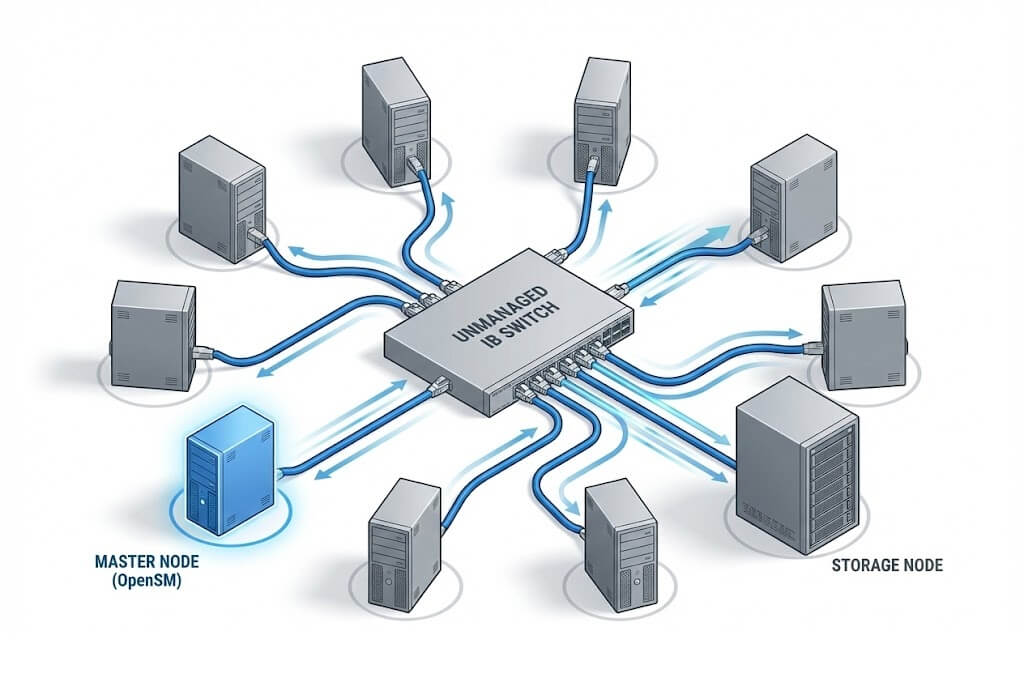
Selection Advice: If the cluster scale is small (e.g., a few to a dozen servers) and only basic connectivity is required, unmanaged switches are a cost-effective choice. If you require advanced features like network partitioning (PKey), performance monitoring, remote configuration, or integration with job schedulers, you must choose a managed IB switch.
Related Products:
-
 NVIDIA MMA4Z00-NS Compatible 800GBASE 2 x SR4/SR8 OSFP PAM4 850nm 100m DOM Dual MPO-12 MMF Optical Transceiver Module
$550.00
NVIDIA MMA4Z00-NS Compatible 800GBASE 2 x SR4/SR8 OSFP PAM4 850nm 100m DOM Dual MPO-12 MMF Optical Transceiver Module
$550.00
-
NVIDIA MMA4Z00-NS-FLT Compatible 800GBASE 2 x SR4/SR8 OSFP RHS/Flat Top PAM4 850nm 100m DOM Dual MPO-12 MMF Optical Transceiver Module
$600.00
-
NVIDIA MMS4X00-NM Compatible 800GBASE 2 x DR4/DR8 OSFP IHS/Closed Finned Top PAM4 1310nm 500m DOM Dual MTP/MPO-12 SMF Optical Transceiver Module
$600.00
-
NVIDIA MMS4X00-NM-FLT Compatible 800GBASE 2 x DR4/DR8 OSFP Flat Top PAM4 1310nm 500m DOM Dual MTP/MPO-12 SMF Optical Transceiver Module
$650.00
-
NVIDIA MMS4X50-NM Compatible 800G 2x FR4 OSFP IHS/Closed Finned Top PAM4 1310nm 2km DOM Dual Duplex LC SMF InfiniBand NDR Optical Transceiver Module
$1000.00
-
NVIDIA MCP7Y00-N001 Compatible 1m (3ft) 800Gb Twin-port OSFP to 2x400G OSFP InfiniBand NDR Breakout Direct Attach Copper Cable
$160.00
-
NVIDIA MCA7J60-N004 Compatible 4m (13ft) 800G Twin-port OSFP to 2x400G OSFP InfiniBand NDR Breakout Active Copper Cable
$800.00
-
NVIDIA MMA4Z00-NS400 Compatible 400G OSFP SR4 Flat Top PAM4 850nm 30m on OM3/50m on OM4 MTP/MPO-12 Multimode FEC Optical Transceiver Module
$400.00
-
NVIDIA MMS4X00-NS400 Compatible 400G OSFP DR4 Flat Top PAM4 1310nm MTP/MPO-12 500m SMF FEC Optical Transceiver Module
$450.00
-
NVIDIA MMA1Z00-NS400 Compatible 400G QSFP112 VR4 PAM4 850nm 50m MTP/MPO-12 OM4 FEC Optical Transceiver Module
$385.00
-
NVIDIA MMS1X00-NS400 Compatible 400G NDR QSFP112 DR4 PAM4 1310nm 500m MPO-12 with FEC Optical Transceiver Module
$500.00
-
NVIDIA MCP7Y70-H001 Compatible 1m (3ft) 400G Twin-port 2x200G OSFP to 4x100G QSFP56 Passive Breakout Direct Attach Copper Cable
$120.00