The link failed at 2:47 AM. The Singapore data center experienced a sudden outage when its 400G link between core switches lost connectivity. The team from David Chen spent three hours on troubleshooting work until technicians checked the MPO connectors. The team discovered three contaminated fibers, which prevented 40 percent of light signals from passing through the 12-fiber array.
An installation cleaning process that had been skipped two weeks before the incident became the primary reason. The remediation cost included four hours of downtime at $15,000 per hour, an emergency cleaning kit deployment, and damaged connector replacement. The emergency cleaning kit deployment and damaged connector replacement resulted from a routine five-minute cleaning procedure, which should have been completed for $15,000. The routine five-minute cleaning procedure developed into a $65,000 incident because of its implementation.
Industry data tells a consistent story. NTT Advanced Technology and AFL Hyperscale studies show that connector contamination causes 85% of fiber network failures. Fluke Networks reports that dirty connectors remain the number one cause of fiber-related problems and test failures in data centers. Yet many installation teams still treat connector cleaning as optional rather than mandatory.
The guide delivers an entire set of procedures that organizations need to follow when testing and cleaning MPO connectors inside data center spaces. The program teaches you to use the inspect-clean-inspect method together with IEC 61300-3-35 inspection standards and Tier 1 (OLTS) and Tier 2 (OTDR) testing procedures and troubleshooting techniques. The integrated workflow provides a process that stops contamination-related failures while delivering dependable high-speed connection services.

Why Cleaning and Testing Matter
The impact of poor connector hygiene extends beyond immediate failures. Contamination creates a cascade of problems that affect network performance, troubleshooting time, and operational costs.
Failure Statistics:
| Source | Finding |
| NTT Advanced Technology | 85% of network failures from dirty connectors |
| AFL Hyperscale | ~85% of failures traceable to contamination |
| SENKO Global | 90% of reported faults from lack of cleanliness |
| Fluke Networks | Contamination = #1 cause of fiber problems |
Performance Impact:
A 1-micrometer particle creates an optical block of up to 1% light transmission, which causes an insertion loss of approximately 0.05 dB. A 9-micrometer particle—the same size as a single-mode fiber core—can completely block transmission. The high-speed applications of 400G and 800G use tight link budgets, which means that even minor contamination will result in link failures.
Cost of Neglect:
| Incident Type | Cost Range | Frequency |
| Troubleshooting dirty connector | 500−500−2,000 | Common |
| Downtime from contamination failure | 5,000−5,000−50,000 | Moderate |
| Emergency response and replacement | 2,000−2,000−10,000 | Occasional |
| Reputational damage from SLA breach | Incalculable | Rare but severe |
For data centers running 400G/800G parallel optics over MPO-16 or MPO-24 connections, contamination on a single fiber affects the entire link. Unlike duplex fiber, where one pair might fail, an MPO array failure drops the entire high-speed connection.
Cleaning and testing work together through their interdependent relationship. Cleaning without inspection means you don’t know if you succeeded. Testing without cleaning means your results may reflect contamination rather than actual link quality. The combined solution works to solve both problems.
MPO Cleaning Tools and Kits
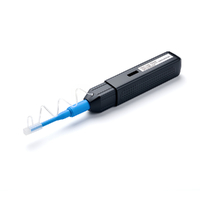
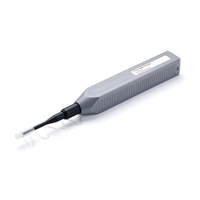
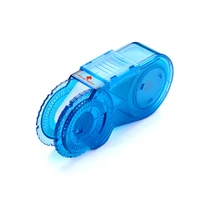
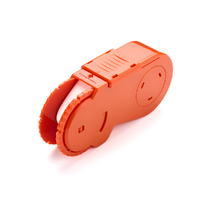
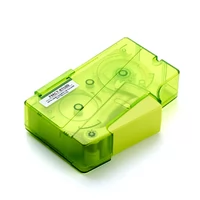
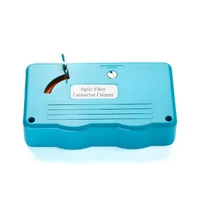
Proper cleaning requires the right tools. The MPO cleaning toolkit differs from simplex connector cleaning due to the multi-fiber array and rectangular ferrule geometry.
Essential Cleaning Tools:
| Tool | Purpose | Price Range | Lifespan |
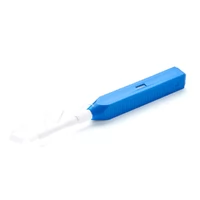
| MPO Cassette Cleaner | Dry cleaning of patch cords | 75−75−150 | 600+ cleans |
| MPO Port Cleaner | Cleaning bulkheads/adapters | 50−50−100 | 400+ cleans |
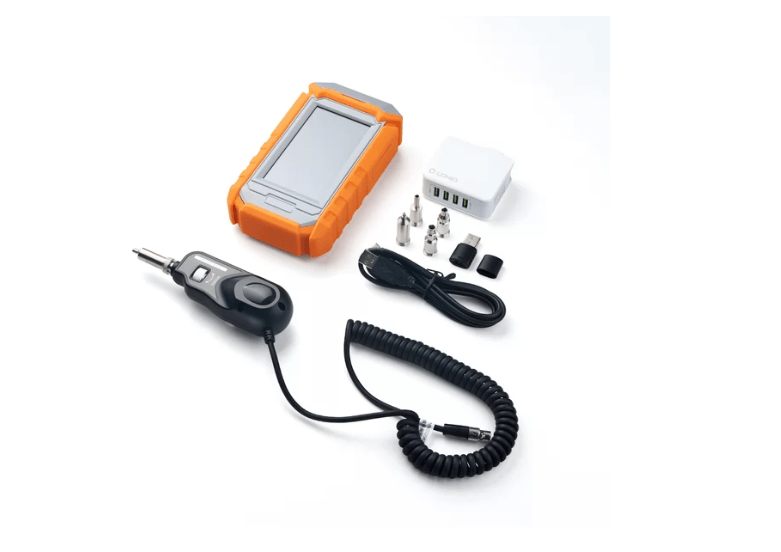
| Inspection Microscope | Visual verification (200-400X) | 500−500−3,000 | Indefinite |
| Lint-Free Wipes | Wet cleaning support | 15−15−30/box | Disposable |
| Isopropyl Alcohol (99%) | Solvent for wet cleaning | 10−10−20/bottle | Multi-use |
| Foam Swabs | Precision cleaning | 20−20−40/box | Disposable |
| 10X Loupe | Guide pin inspection | 25−25−75 | Indefinite |
| Dust Caps | Post-cleaning protection | 0.50−0.50−2 each | Reusable |
Tool Selection by Connector Gender:
Male connectors (with pins) require cassette cleaners with grooves that accommodate the guide pins. Female connectors (without pins) use flat-surface cleaners. Connecting male connectors to female cleaners and connecting female connectors to male cleaners should never be done because such actions will result in damage to both the equipment and the connectors.
Key Specifications:
- Cassette cleaners: Choose models rated for MPO-8, MPO-12, MPO-16, or MPO-24 based on your infrastructure
- Microscopes: Minimum 200X magnification; 400X preferred for detailed inspection
- MPO adapter tips: Ensure compatibility with your specific fiber count and polish type (UPC vs APC)
Budget Considerations:
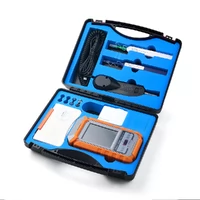
A minimum viable field kit (200−200−400) includes a cassette cleaner, basic inspection microscope, wipes, and alcohol. A professional kit (1,500−1,500−3,500) adds automated inspection with pass/fail analysis, port cleaners, and guide pin brushes. For teams managing hyperscale facilities, automated inspection tools pay for themselves after preventing just one major incident.
The Inspect-Clean-Inspect Protocol
The golden rule of fiber maintenance is straightforward: inspect before cleaning, clean only if dirty, then inspect again to verify. This three-step protocol prevents unnecessary cleaning and confirms effectiveness.
Step 1: Initial Inspection (2-3 minutes)
Remove the dust cap and examine the connector endface using a fiber inspection microscope with appropriate MPO adapter.
- Use 200-400X magnification for fiber inspection
- Check the entire ferrule surface, not just individual fibers
- Note the location and type of any contamination
- Document findings if this is part of formal testing
Decision point: If the connector passes visual inspection—no visible debris, no oil residue, no scratches in the core area—skip cleaning and proceed to connection. Unnecessary cleaning can introduce contamination.
Step 2: Cleaning (1-2 minutes)
Select the appropriate method based on contamination type:
Dry Cleaning (Preferred for Routine Maintenance):
- Use MPO-specific cassette cleaner matching connector gender
- Insert connector fully into cleaner slot
- Draw through with slow, steady pressure (do not rush)
- Make two passes at slight angles for thorough coverage
- One direction only—never back and forth
Wet Cleaning (For Oil or Stubborn Contamination):
- Apply minimal 99% isopropyl alcohol to lint-free wipe
- Do not saturate—moist, not wet
- Clean in one direction across the endface
- Immediately follow with dry cleaning to remove residue
- Allow complete drying before inspection
Male vs Female Specifics:
The cassette cleaner must have grooves that match the guide pins of male connectors, which use pins. The connector needs to be pulled through the system with its pins matching the groove positions. The process requires two passes, which include turning at minor angles to complete the coverage of ferrules.
Female connectors require cleaners with flat surfaces as their cleaning method. The process needs two cleaning passes on newly brought cleaning surfaces. The same cleaning surface must not be used for multiple connectors according to the rules.

For detailed guidance on gender-specific procedures, refer to our MPO connector gender guide.
Step 3: Re-inspection (2 minutes)
After cleaning, inspect the connector again using the same microscope settings.
- Verify all visible contamination has been removed
- Check for cleaning residue (indicates over-wetting)
- Confirm no damage occurred during cleaning
- Document pass/fail status
Connection Decision:
You may connect the cable after passing the re-inspection process. Two cleaning cycles will show if the contamination remains or if the debris has become embedded. The connector will work if insertion loss testing passes but you need to document its current condition for monitoring purposes.
Jennifer Park, a senior field engineer in London, learned the importance of re-inspection during a critical deployment. “I cleaned a trunk cable and assumed it was good. Connected it, tested, and saw 3 dB loss on four fibers. Pulled it, re-inspected, and found I’d left a fiber fragment from the cleaning wipe across the array. Now I always re-inspect, always.”
IEC 61300-3-35 Inspection Standards
IEC 61300-3-35 is the international standard for fiber optic connector endface inspection. The current edition (2022) defines pass/fail criteria based on contamination location and severity.
2022 Standard Update:
The third edition (IEC 61300-3-35:2022) introduced significant changes from previous versions:
- Zones C (adhesive) and D (contact) removed from pass/fail criteria
- Zone B boundary reduced from 115 µm to 110 µm
- Emphasis on optical performance over visual perfection
- Connectors failing visual inspection but passing optical testing may be acceptable
Inspection Zones:
| Zone | Area | Defect Criteria | Scratch Criteria |
| A (Core) | 0-25 µm | No defects >5 µm | No scratches >3 µm |
| B (Cladding) | 25-110 µm | No defects >25 µm | No limit |
| C (Adhesive) | 110-130 µm | No pass/fail criteria | No pass/fail criteria |
| D (Contact) | 130-250 µm | No pass/fail criteria | No pass/fail criteria |
Two-Stage Inspection Process:
For MPO connectors, the standard recommends a two-stage approach:
Full Ferrule Inspection (LFOV – Large Field of View)
- Minimum view: 6.4 × 2.5 mm
- Detects debris ≥10 µm
- Identifies loose particles that could migrate between fibers
- Clean loose debris before individual fiber inspection
Individual Fiber Inspection (SFOV – Small Field of View)
- Minimum view: 250 µm per fiber
- Detects defects ≥2 µm and scratches ≥3 µm
- Applies Zone A and B criteria to each fiber
Automated vs Manual Inspection:
Modern inspection microscopes with automated analysis provide objective pass/fail determination based on IEC 61300-3-35 criteria. This eliminates technician subjectivity and ensures consistent standards application. Automated tools typically display:
- Individual fiber pass/fail status
- Zone-by-zone contamination analysis
- Overall connector certification
- Digital documentation for compliance records
Magnification Requirements:
- Fiber endface detail: 200-400X
- Guide pin inspection: 10X loupe (microscope too strong)
- Full ferrule overview: 50-100X
Tier 1 Testing: OLTS Certification
Tier 1 testing using an Optical Loss Test Set (OLTS) provides baseline certification for all fiber installations. For MPO connectors, modern OLTS units test all fibers simultaneously rather than individually.
OLTS Fundamentals:
An OLTS combines a light source (OLS) and power meter (OPM) to measure end-to-end insertion loss. The best practice for MPO testing uses testers with onboard MPO connectors that test all fibers in seconds rather than minutes per fiber.
Key Measurements:
- Insertion loss per fiber (dB)
- Link length (meters)
- Polarity validation (Type A, B, C, or Universal)
- Pass/fail against standards (TIA-568.3-D, ISO/IEC 14763-3)
Reference Methods (IEC 61280-4-5):
| Method | Description | Best For |
| 1-Cord | Single reference cord includes both end connections | Most accurate, TIA/IEC recommended |
| 2-Cord | Separate reference cords for source and meter | Accommodating gender mismatches |
| 3-Cord | Excludes both end connections | Specific troubleshooting scenarios |
Testing Procedure:
- Allow 10-15 minutes for equipment temperature stabilization
- Select appropriate reference method
- Set pass/fail thresholds based on application requirements
- Test all fibers simultaneously (native MPO) or sequentially (fan-out)
- Document results with fiber-by-fiber loss values
- Verify polarity matches design specification
Native MPO vs Fan-Out Testing:
Modern OLTS units with onboard MPO connectors test all fibers simultaneously in 2-3 seconds. Traditional duplex testers require MPO-to-LC fan-out cords and test fibers individually, taking 2-3 minutes per 12-fiber cable. The native approach achieves testing time reduction through 95% time savings and complete elimination of fan-out cord testing variability.
For polarity validation details, see our MPO polarity guide.

Tier 2 Testing: OTDR Characterization
Tier 2 testing using an Optical Time Domain Reflectometer (OTDR) provides detailed characterization of fiber physical integrity. OTDR testing complements OLTS certification for troubleshooting and long-haul verification.
When to Use OTDR:
- Long trunk runs (>100 meters)
- After installation to verify no damage occurred during pulling
- Troubleshooting failed Tier 1 tests
- Verifying splice quality in pre-terminated assemblies
- Documenting baseline “fingerprints” for future comparison
OTDR Capabilities:
- Individual event analysis (connectors, splices, bends)
- Distance-to-fault measurement
- Loss per event calculation
- Bi-directional testing for accurate loss values
- Reflectance measurement for return loss
MPO-Specific Considerations:
Standard OTDRs have simplex or duplex ports. Testing MPO cables requires either:
- MPO Switch Modules: Automated modules test all 12 or 16 fibers sequentially via a single MPO connection
- Fan-Out Cords: Manual testing of individual fiber pairs (time-consuming)
- Native MPO OTDR: Specialized units with onboard MPO connectors
Bi-Directional Testing:
The backscatter characteristics of fiber systems show different patterns for each direction. The most precise loss measurement results from bi-directional OTDR testing, which combines measurements from both testing locations. The performance of multiple fiber optic links needs to be maintained at equal strength across all its fibers because this requirement determines performance standards for parallel optics.
Event Analysis:
An OTDR trace shows:
- Connectors: Sudden loss spikes with reflectance
- Splices: Loss without reflectance
- Bends: Gradual loss increases
- Breaks: Complete signal loss with high reflectance
For MPO cables, event analysis helps identify whether high insertion loss stems from a specific connector, a cable section, or uniform degradation across the array.
Insertion Loss Specifications
Understanding insertion loss budgets ensures proper link design and testing validation.
Per-Mated-Pair Specifications:
| Grade | Typical | Maximum | Application |
| Standard | 0.35 dB | 0.50 dB | General purpose |
| Low Loss | 0.20 dB | 0.35 dB | High-performance links |
| Elite | 0.10 dB | 0.20 dB | 400G/800G applications |
Total Link Budgets by Speed:
| Application | Distance | Max Loss | Notes |
| 40G SR4 | 100m | 1.9 dB | OM3/OM4 fiber |
| 100G SR4 | 100m | 1.9 dB | OM4 fiber |
| 400G SR8 | 100m | 1.9 dB | MPO-16 required |
| 400G DR4 | 500m | 4.0 dB | Single-mode |
| 800G SR8 | 100m | 1.9 dB | MPO-16 required |
| 800G DR8 | 500m | 4.0 dB | Single-mode |
MPO Cassette/Module Loss:
The standard MPO cassettes introduce a maximum connection loss of 0.75 dB which usually results in a 0.3 to 0.5 dB actual loss. The maximum loss for low-loss cassettes decreases to 0.35 dB. The total losses from multiple cassettes in links increase rapidly because two cassettes will use 1.0 to 1.5 dB from the overall power budget.
Budget Calculation Example:
For a 400G DR4 link with 4.0 dB maximum budget:
- Two MPO trunks at 0.35 dB each: 0.70 dB
- Two cassettes at 0.50 dB each: 1.00 dB
- Fiber loss (500m at 0.35 dB/km): 0.18 dB
- Safety margin: 0.50 dB
- Total: 2.38 dB (well within 4.0 dB budget)
For transceiver specifications and compatibility, see our optical transceiver guide.
Troubleshooting Common Issues
Even with proper cleaning and testing, issues arise. A systematic troubleshooting approach saves time and prevents unnecessary component replacement.
Problem-Solution Matrix:
| Symptom | Likely Cause | Solution |
| High insertion loss on all fibers | Dirty connectors | Clean and re-test |
| High loss on single fiber | Damaged fiber or connector | Replace cable |
| Intermittent connection | Loose connector or damaged pins | Check latching, inspect pins |
| Loss varies with movement | Micro-bend in cable | Check bend radius, secure cable |
| Polarity mismatch | Wrong polarity type | Verify with light source, replace cable |
| Return loss failure | APC/UPC mismatch or contamination | Verify polish type, clean connectors |
Troubleshooting Decision Tree:
Step 1: Verify Symptoms
- Is the issue consistent or intermittent?
- Does it affect all fibers or specific positions?
- Did it occur immediately or develop over time?
Step 2: Visual Inspection
- Inspect both connectors with microscope
- Check for obvious contamination or damage
- Verify gender compatibility (male to female)
- Confirm no bent pins (male) or blocked holes (female)
Step 3: Clean and Re-test
- Clean both connectors using inspect-clean-inspect protocol
- Re-test with OLTS
- If passing, issue was contamination
- If failing, proceed to Step 4
Step 4: Isolate Components
- Test cable alone (loopback or known-good reference)
- Test cassettes separately if present
- Swap with known-good cable to isolate fault
Step 5: Advanced Diagnostics
- OTDR testing for long links
- Polarity verification with visual fault locator
- Endface geometry inspection (3D testing)
When to Replace vs Repair:
Replace the cable when:
- Fiber damage is visible under microscope
- Insertion loss exceeds 3 dB per fiber
- Multiple fibers show similar damage patterns
- Cable sheath is damaged
Clean and retain when:
- Contamination is the only issue
- Loss values return to normal after cleaning
- No physical damage visible
- Cable passes OTDR testing
Field Kit Assembly and Best Practices
A well-configured field kit ensures technicians can handle any cleaning or testing scenario.
Minimum Viable Kit (300−300−500):
| Item | Purpose | Est. Cost |
| MPO cassette cleaner (male) | Dry cleaning pinned connectors | $100 |
| MPO cassette cleaner (female) | Dry cleaning unpinned connectors | $100 |
| Handheld microscope (200X) | Basic inspection | $150 |
| Lint-free wipes | Wet cleaning support | $20 |
| 99% isopropyl alcohol | Solvent | $15 |
| Foam swabs | Precision cleaning | $25 |
| Dust caps (various) | Protection | $20 |
Professional Kit (2,000−2,000−4,000):
Add to minimum kit:
- Automated inspection microscope with pass/fail (1,500−1,500−2,500)
- MPO port cleaner for bulkheads ($75)
- Guide pin brushes ($30)
- 10X loupe for pin inspection ($50)
- Cleaning cards and supplies ($100)
Enterprise/Hyperscale Kit (5,000−5,000−10,000):
Add to professional kit:
- OLTS with native MPO testing (3,000−3,000−6,000)
- OTDR with MPO switch module (4,000−4,000−8,000)
- Automated documentation software
- Multiple adapter tips (8/12/16/24 fiber)
Best Practices:
- Inspect Before Connect: Always inspect endfaces before mating, even for new cables
- Cap Until Connect: Keep dust caps on until the moment of connection
- Document Everything: Record inspection results and test data for compliance
- Train Technicians: Ensure all field staff understand the inspect-clean-inspect protocol
- Maintain Kits: Replace cleaning cassettes after 600 uses or when effectiveness decreases
- Environment Matters: Clean in controlled environments when possible; avoid windy or dusty conditions
Frequency Recommendations:
| Environment | Cleaning Frequency | Testing Frequency |
| Clean data center | Before every connection | After installation |
| Construction/active work | Before every connection | Weekly during work |
| Outdoor/Industrial | Before every connection | Monthly |
| Troubleshooting | Always first step | After cleaning |
FAQ
How often should MPO connectors be cleaned?
The cleaning of MPO connectors must take place before each connection or reconnection. During handling, even connectors that were clean when capped will develop contamination. Active infrastructure requires cleaning during all moves, adds, and changes (MAC) operations. The connection requires immediate cleaning before execution in construction environments with dust even if the area has undergone previous cleaning.
What’s the difference between Tier 1 and Tier 2 testing?
Tier 1 testing employs an OLTS (Optical Loss Test Set) to determine total end-to-end insertion loss together with length and polarity. This certification represents the fundamental certification that all installations must achieve. The OTDR (Optical Time Domain Reflectometer) enables Tier 2 testing to identify different fiber path components which include connectors and splices. The Tier 2 diagnostic tool provides comprehensive system analysis although it does not need to be used for standard installations. The diagnostic tool should be used for long links together with troubleshooting and baseline fingerprinting.
Can I use a duplex tester for MPO cables?
You can use this method but it will result in operational problems which lead to inaccuracies. For testing individual fiber pairs, duplex testers need MPO-to-LC fan-out cords. The testing period for 12-fiber MPO cables takes 2-3 minutes with duplex testers while native MPO testers complete testing in 2-3 seconds. The testing process becomes unpredictable because fan-out cords introduce different results. The purchase of MPO testers with built-in connectors becomes essential for any major MPO deployment.
What magnification do I need for MPO inspection?
The required magnification range for fiber endface inspection exists between 200X and 400X because this level of magnification allows inspectors to detect defects according to IEC 61300-3-35 standards. The 10X loupe serves as the appropriate tool to inspect guide pins on male connectors because microscopes provide excessive magnification for this specific task. Advanced inspection systems have two types of viewing options, which include a large field of view (LFOV) that allows complete ferrule inspection and a small field of view (SFOV) that enables examination of specific fiber details.
When should I use OTDR vs OLTS testing?
Use OLTS for routine certification of every link—it measures total insertion loss which determines if the link will support the intended application. Use OTDR when troubleshooting failed OLTS tests, verifying long MPO trunk cable runs after installation, characterizing individual components, or establishing baseline traces for future comparison. OLTS tells you if the link works; OTDR tells you why if it doesn’t.
What changes were made to IEC 61300-3-35:2022?
The third edition of 2022 deleted Zones C (adhesive) and D (contact) from its system, which automatically determines pass or fail status. The optical performance tests that pass will now determine whether contamination exists in outer zones because these tests have achieved their required standards. The standard now emphasizes optical performance assessment rather than visual perfection assessment because connectors can achieve passing status when they have visible defects outside of core and cladding zones and they meet insertion and return loss requirements.
Conclusion
MPO connector cleaning and testing aren’t optional maintenance tasks—they’re essential practices for reliable high-speed fiber networks. The data is clear: 85% of failures stem from contamination that proper cleaning prevents, and undetected issues cost thousands in downtime and troubleshooting.
The integrated workflow is straightforward:
- Inspect before every connection using 200-400X magnification
- Clean only if contamination is present, using gender-appropriate tools
- Re-inspect to verify cleaning effectiveness
- Test with OLTS for baseline certification
- Characterize with OTDR when troubleshooting or documenting long links
- Document everything for compliance and future reference
David Chen lost $65000 because his five-minute cleaning method stopped an entire day of work. The investment in proper tools, training, and procedures pays for itself many times over.
Your team needs to have proper cleaning kits, inspection microscopes, and testing equipment for your next MPO deployment. Organizations need to develop specific processes that meet IEC 61300-3-35 standards. The inspect-clean-inspect protocol must always be followed without exception.
Ready to implement proper MPO cleaning and testing procedures? Contact FiberMall’s technical team for guidance on tool selection, procedure documentation, or training programs. Build your field kit right from the start.
Related Products:
-
 FiberMall Fiber Optic Cleaning Tool Kit
$1800.00
FiberMall Fiber Optic Cleaning Tool Kit
$1800.00
-
FiberMall Fiber Inspection Probe FOCI-H200 Fiber End-face Probe Inspector
$2495.00
-
FiberMall Fiber Optic Connector Cleaning, Fiber Optic Cleaner for FC/SC/ST Connectors
$66.00
-
FiberMall Fiber Optic Connector Cleaning, Fiber Optic Cleaner for LC/MU 1.25mm Connectors
$66.00
-
FiberMall Fiber Optic Cleaning Pen for cleaning FC/SC/ST male and female fiber ends
$50.00
-
FiberMall FMCP-SN900 Fiber Optic Cleaning Pen for SN Connectors
$65.00
-
Fiber Optic Connector Cleaning Cassette For Each Type of Connector, Replaceable Cores (500+ Times)
$39.00
-
Fiber Optic Connector Cleaning Cassette For Each Type of Connector, Disposable (500+ Times)
$31.00
-
Fiber Optic Cleaning Box For SC/FC/ST/MU/LC/MPO/MT/MTRJ Connector, Replaceable Cores (500+ Times)
$49.00
-
Fiber Optic Cleaning Box For SC/FC/ST/MU/LC/MPO/MT/MTRJ Connector, Replaceable Cores (500+ Times)
$42.00