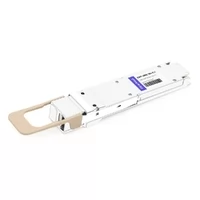
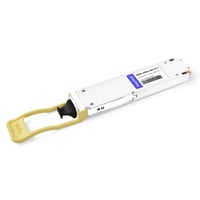
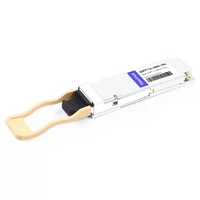
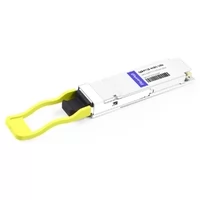
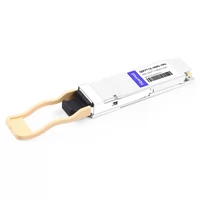
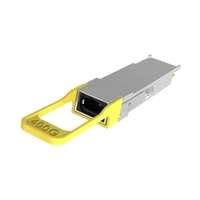
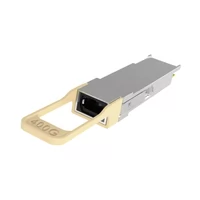
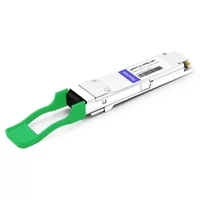
You cannot directly install a QSFP112 transceiver into an NVIDIA Quantum-2 or Spectrum-4 switch port. These switch platforms use OSFP-based cages, while QSFP112 is designed primarily for NVIDIA adapter-side and DPU-side connectivity.
This difference often causes confusion when engineers deploy NVIDIA 400G AI networks. A common assumption is that the same 400G optical module can be installed on both ends of the link. However, the physical interfaces are different: NVIDIA adapters and DPUs may use QSFP112 cages, while NVIDIA 400G-class switches use OSFP cages.
The reason is related to mechanical design, thermal management, and platform architecture. QSFP112 and OSFP provide different physical packages and cooling methods, so they are not interchangeable.
Once this design principle is understood, NVIDIA QSFP112 deployments become much easier to plan.
This guide explains where QSFP112 is used, which NVIDIA adapters and DPUs support it, how to select compatible optical modules, and how to correctly deploy 400G and 200G NVIDIA network connections.
If you need a broader introduction to QSFP112 specifications and applications, refer to our complete QSFP112 400G guide.

Why QSFP112 Is Not Used in NVIDIA Switch Ports
NVIDIA LinkX cabling documentation specifies that QSFP112 interfaces are intended for adapter-side and DPU-side applications in NVIDIA 400G architectures, while Quantum-2 and Spectrum-4 switches use OSFP-based interfaces.
A common deployment mistake occurs when engineers order identical 400G modules for both switches and GPU servers. Although the optical specifications may appear similar, the physical interfaces are different, preventing the module from being installed correctly.
The difference is not related to optical compatibility alone. It is primarily determined by mechanical design and thermal requirements.
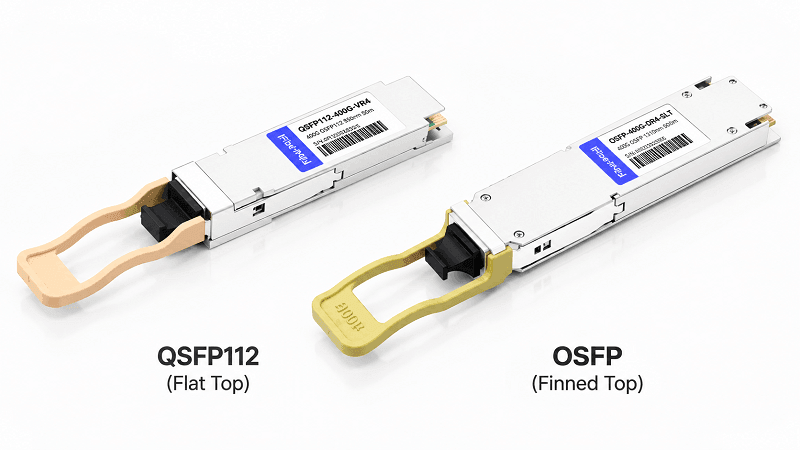
Flat-Top QSFP112 vs Finned-Top OSFP
A QSFP112 module features a flat-top housing without integrated cooling fins. In NVIDIA adapter and DPU designs, the module relies on a host-side riding heatsink to remove heat.
By contrast, NVIDIA Quantum-2 and Spectrum-4 switches use finned-top OSFP modules installed in twin-port OSFP cages. These modules are designed with their own thermal solutions to support high-density 400G switching environments.
The two designs use different thermal approaches:
- QSFP112: host-assisted cooling through adapter or DPU heatsinks
- OSFP: module-based cooling through integrated heatsink structures
Therefore, QSFP112 and OSFP modules cannot be directly interchanged.
No Passive QSFP112-to-OSFP Adapter
A passive mechanical adapter that converts a QSFP112 module into an OSFP switch port is not supported by NVIDIA.
Connectivity between NVIDIA OSFP switches and QSFP112 adapters requires validated optical modules, direct attach solutions, or active cable assemblies designed for the specific platform.
The switch side and adapter side of NVIDIA 400G links are intentionally designed with different form factors.
| Attribute | QSFP112 (Adapter and DPU Side) | Twin-Port OSFP (Switch Side) |
| Lanes | 4 × 100G PAM4 | 8 × 100G PAM4 shared across two 400G ports |
| Aggregate Rate | 400G | 2 × 400G |
| Package Design | Flat-top QSFP112 | Finned-top OSFP |
| Cooling Method | Riding heatsink on adapter/DPU | Module integrated heatsink |
| Typical Platforms | ConnectX-7 QSFP112, BlueField-3, ConnectX-8 C8240 | Quantum-2, Spectrum-4 |
Planning a 400G NVIDIA build? Explore QSFP112 transceiver options based on your adapter model, switch platform, and required optical reach.
Which NVIDIA Devices Actually Use QSFP112
QSFP112 support depends on the specific NVIDIA product model. Different adapter generations and configurations may support different physical interfaces, so engineers should always verify the exact SKU before selecting optics.
ConnectX-7: Multiple Form Factors Available
ConnectX-7 is available in both QSFP112 and OSFP configurations. This is one of the most common sources of confusion during deployment.
QSFP112 ConnectX-7 adapters typically provide dual-port connectivity at 200Gb/s per port, while OSFP variants support higher-density configurations using OSFP-based modules.
The correct optical module selection depends on the exact adapter part number and cage type.
Practical rule:
Always verify the adapter model number instead of relying only on the ConnectX-7 product family name.
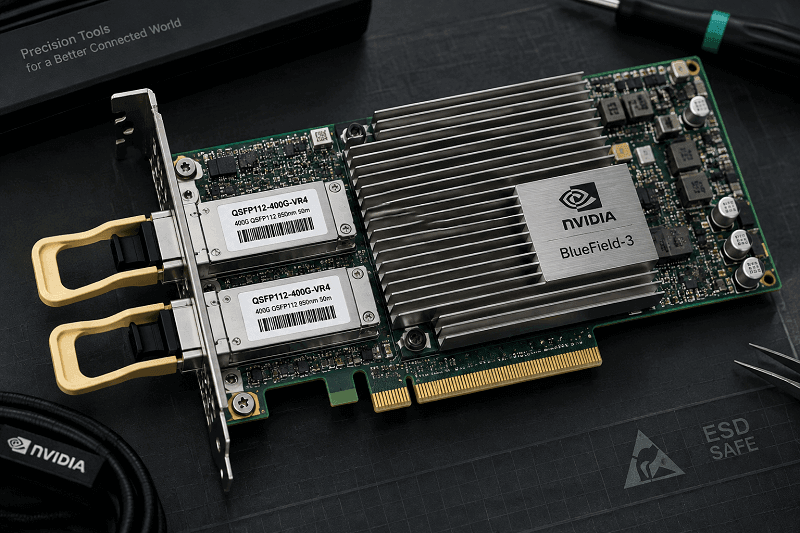
BlueField-3: QSFP112 Support
BlueField-3 DPUs support QSFP112 interfaces along with backward compatibility with QSFP56 and QSFP28 modules.
BlueField-3 does not use OSFP ports. Therefore, optical module selection is determined by the DPU interface and required network speed.
ConnectX-8: It Depends on the SKU
ConnectX-8 includes different physical interface configurations depending on the product model.
The C8180 uses an OSFP-RHS interface for 800G connectivity, while the C8240 provides dual QSFP112 ports supporting 400GbE or NDR400 connectivity.
The same product generation may therefore include different optical form factors, making SKU verification essential before deployment.
Quantum-2 and Spectrum-4: Always OSFP
NVIDIA’s 400G-class switches use twin-port 2×400G OSFP cages. Quantum-2 covers NDR InfiniBand, and Spectrum-4 covers 400GbE. Neither accepts QSFP112.
The switch side of an NVIDIA 400G link is OSFP. Every time.
| NVIDIA device | Cage | Ports and rate |
| ConnectX-7, QSFP112 SKUs | QSFP112 | 2 × 200G |
| ConnectX-7, OSFP SKUs | Single-port OSFP | 1 × 400G |
| BlueField-3 DPU | QSFP112 | 2 ports, QSFP112 or QSFP56/QSFP28 |
| ConnectX-8 C8240 | QSFP112 | 2 × 400G (400GbE or NDR) |
| ConnectX-8 C8180 | OSFP-RHS | 1 × 800G |
| Quantum-2 | Twin-port OSFP | 2 × 400G NDR |
| Spectrum-4 | Twin-port OSFP | 2 × 400G Ethernet |
QSFP112 NVIDIA Part Numbers and the MMA vs MMS Trap
NVIDIA’s LinkX part numbering is genuinely hard to read. Prefixes differ by two letters, and picking wrong means you receive a switch-side module for an adapter-side cage.
Elena, a storage architect at a research lab, spent three days chasing a “dead” module that turned out to be an OSFP part ordered for a QSFP112 cage. The module was fine. The cage was wrong.
“Three days came down to reading two letters,” she said. That two-letter prefix caused the whole delay.
QSFP112 Modules (Adapter and DPU Side)
| Part Number | Media | Reach | Connector | Power |
| MMA1Z00-NS400 | Multimode (SR4) | 30m OM3 / 50m OM4 | MPO-12/APC | ~8.5W max (4ch), 5.5W (2ch) |
| MMA1Z00-NS400-T | Multimode (SR4) | 30m OM3 / 50m OM4 | MPO-12/APC | Same as MMA1Z00-NS400 |
| MMS1X00-NS400 | Single-mode (DR4) | 500m | MPO-12/APC | 9.5W max |
The optical differences are important:
- MMA1Z00-NS400 uses multimode VCSEL technology at 850nm for short-reach data center connections.
- MMS1X00-NS400 uses single-mode optical technology at 1310nm for longer-distance links.
Although both are QSFP112 400G modules, they target different fiber infrastructures and reach requirements.
OSFP Modules (Switch Side)
| Part Number | Media | Reach | Connector | Notes |
| MMS4X00-NS400 | Single-mode (DR4) | 100m | MPO-12/APC | Single-port OSFP |
| MMS4X00-NS | Single-mode (2×DR4) | 100m per link | 2× MPO-12/APC | Twin-port 2×400G OSFP |
The OSFP switch-side modules are designed for NVIDIA Quantum-2 and Spectrum-4 platforms.
The OSFP cage is mechanically different from QSFP112, even when both modules provide 400G optical connectivity.
A useful detail is that QSFP112 and OSFP versions of some 400G DR4 products may share similar optical engines. The major differences are the mechanical package, thermal design, and host interface requirements.
Two Deployment Patterns: 400G to Two Endpoints, 200G to Four Endpoints
NVIDIA AI fabrics commonly use two deployment models with QSFP112 adapters and OSFP switches.
Both architectures begin with an OSFP-based switch port and connect to QSFP112 adapters or DPUs.
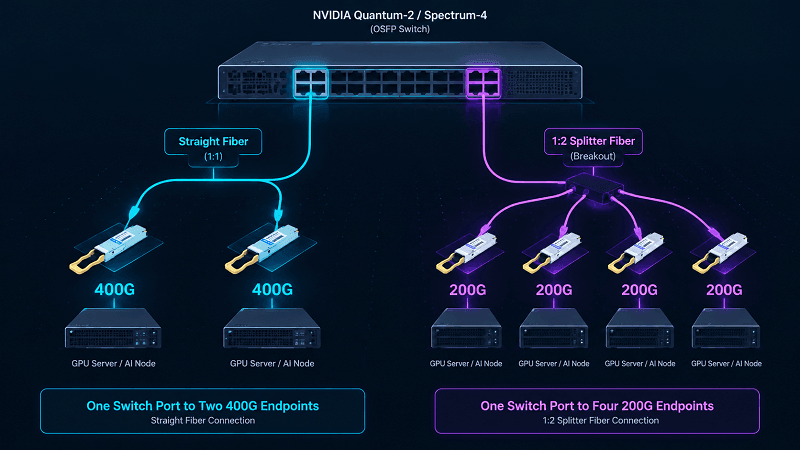
Pattern A: One Switch Port to Two 400G Endpoints
A twin-port 2×400G OSFP transceiver is installed in the NVIDIA Quantum-2 or Spectrum-4 switch.
Two independent fiber connections are then connected to two QSFP112 interfaces on ConnectX-7 adapters, BlueField-3 DPUs, or ConnectX-8 C8240 adapters.
Each endpoint receives a dedicated 400G connection.
This layout is commonly used for high-performance AI training clusters where maximum bandwidth per GPU node is required.
Reach requirements must also be considered.
For example:
- The QSFP112 DR4 optical module may support up to 500m under specific conditions.
- The complete system link distance depends on the switch-side module and fiber assembly.
- Cable assembly specifications may limit the final deployment distance.
For multimode applications:
- MFP7E10 supports straight multimode connections up to 50m.
For single-mode applications:
- MFP7E30 supports straight single-mode connections up to 100m.
Pattern B: One Switch Port to Four 200G Endpoints
Run the same twin-port OSFP module into an MFP7E20 1:2 splitter fiber instead, and you get four 200G NDR200 links.
Something quietly efficient happens in this mode. Only two of the module’s four lanes activate, so the QSFP112 module drops its power draw from roughly 8.5W to about 5.5W on its own. That is a 35% cut in module power, with no configuration required.
That density pattern shows up constantly in cost-sensitive AI racks where 400G to every node is overkill.
| Fiber assembly | Type | Endpoints served | Max reach |
| MFP7E10 | Straight multimode | 2 × 400G | 50m |
| MFP7E20 | 1:2 splitter multimode | 4 × 200G NDR200 | 50m |
| MFP7E30 | Straight single-mode | 2 × 400G | 100m |
The Rule That Prevents Deployment Failures
Both optical paths from a twin-port OSFP transceiver must use the same cable configuration.
The correct combinations are:
- Straight fiber + straight fiber
- Splitter fiber + splitter fiber
Do not mix one straight connection with one splitter connection on the same twin-port module.
A mixed configuration may result in incorrect lane mapping or link instability.
Why Your NVIDIA QSFP112 Link Won’t Come Up
Four failure modes account for most dead QSFP112 NVIDIA links. Each has a distinct signature.
| Symptom | Likely cause | First thing to check |
| Link registers but passes no traffic | One straight leg, one splitter leg | Both bit-fibers are the same type |
| Module won’t seat with normal resistance | Wrong part family ordered | MMA/MMS prefix against cage type |
| No link at any speed | QSFP-DD to QSFP112 lane mismatch | 8 × 50G lanes vs 4 × 100G lanes |
| Intermittent ID or DOM errors | Firmware or CMIS mismatch | NOS version against supported-optics list |
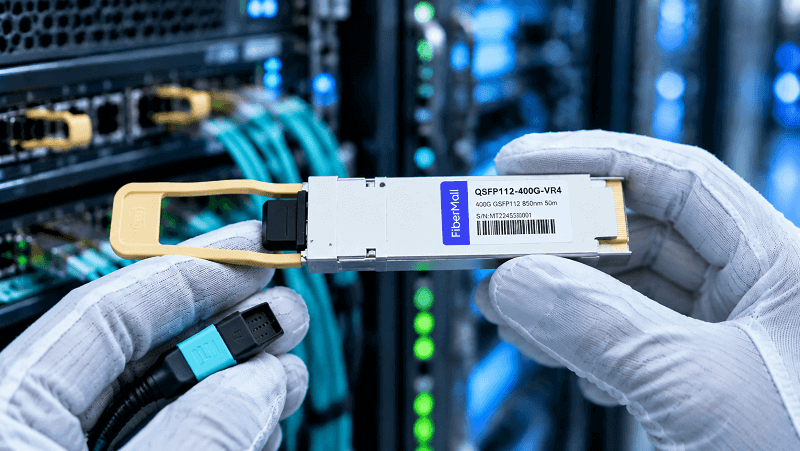
Mixed Straight and Splitter Fiber
If one side of a twin-port optical module uses a straight fiber connection and the other uses a splitter assembly, the link may not operate correctly.
Always verify the complete cable assembly before replacing optical modules.
Wrong Part Number Family
Confirm the module prefix against the cage. MMA and MMS parts aren’t interchangeable with switch cages. If the module doesn’t seat with normal resistance, stop pushing and reread the label.
Lane-Rate Mismatch
A passive 400G DAC cannot directly connect a QSFP-DD port to a QSFP112 port.
The reason is the lane architecture:
- QSFP-DD 400G typically uses eight 50G PAM4 electrical lanes.
- QSFP112 400G uses four 100G PAM4 electrical lanes.
Because the electrical lane structures are different, passive copper assemblies cannot perform the required
conversion.
Use compatible optical modules or active cable solutions when connecting different interface architectures.
Firmware and CMIS
Firmware compatibility is another important consideration.
Older firmware versions may incorrectly identify optical modules or display inaccurate digital diagnostics information.
Before troubleshooting hardware, verify:
- Switch NOS version
- Adapter firmware version
- Supported optics list
- CMIS compatibility
Many apparent hardware failures are caused by software compatibility issues.
Backward Compatibility and Downshifting
QSFP112 interfaces on NVIDIA ConnectX-7 adapters and BlueField-3 DPUs support backward compatibility with lower-speed QSFP modules, including QSFP56 at 200G and QSFP28 at 100G, when supported by the specific platform and firmware configuration.
This provides a flexible migration path for data center operators.
However, compatibility works in one direction:
- A QSFP112 cage can support compatible lower-speed QSFP modules.
- A QSFP112 module cannot be installed into an OSFP switch cage.
- OSFP and QSFP112 remain mechanically different form factors.
This allows existing infrastructure to continue operating while organizations gradually migrate toward higher-speed 400G networking.
For example:
- Existing 100G or 200G links can continue using QSFP28 or QSFP56 optics.
- New AI cluster deployments can adopt QSFP112-based 400G adapters and DPUs.
For a deeper understanding of optical module compatibility, refer to our QSFP28 transceiver guide and 200G QSFP56 module overview.
QSFP112 NVIDIA FAQ
Can I use QSFP112 in an NVIDIA switch?
No. NVIDIA Quantum-2 and Spectrum-4 switch platforms use OSFP-based cages for 400G connectivity.
QSFP112 is designed for compatible adapter and DPU interfaces, such as ConnectX-7 QSFP112 configurations, BlueField-3, and ConnectX-8 C8240.
Which NVIDIA cards use QSFP112?
QSFP112 is supported on:
- ConnectX-7 adapters with QSFP112 configurations
- BlueField-3 DPUs
- ConnectX-8 C8240 adapters
However, ConnectX-7 and ConnectX-8 product families include multiple interface configurations.
Always confirm the exact NVIDIA part number before selecting optical modules.
Is QSFP112 the same as OSFP?
No.
Although both can support 400G networking, they are different physical interfaces.
QSFP112:
- Uses four 100G PAM4 electrical lanes
- Uses a flat-top QSFP112 package
- Commonly used on adapters and DPUs
OSFP:
- Uses a larger OSFP package
- Supports higher thermal capacity
- Used by NVIDIA 400G-class switches such as Quantum-2 and Spectrum-4
They are mechanically and electrically different and cannot be directly interchanged.
Does ConnectX-8 support QSFP112?
Yes, depending on the model.
For example:
- ConnectX-8 C8240 uses dual QSFP112 ports supporting 400GbE or NDR400 per port.
- ConnectX-8 C8180 uses an OSFP-RHS interface for 800G connectivity.
The product family name alone is not enough to determine the required optical form factor.
What is the difference between MMA1Z00-NS400 and MMS1X00-NS400?
Both are single-port QSFP112 modules at 400G. The MMA1Z00-NS400 is multimode SR4 reaching 50m on OM4. The MMS1X00-NS400 is single-mode DR4 reaching 500m.
Can QSFP112 run at 200G?
Yes. Using a 1:2 splitter fiber from a twin-port OSFP switch module creates four 200G NDR200 links, and the module automatically reduces power as two lanes deactivate.
Choosing Optics for a QSFP112 NVIDIA Build
The selection sequence is short once you know the constraints.
1. Identify the adapter model, not just the product family.
2. Confirm the cage type from the datasheet, not the marketing page.
3. Pick reach and media for your fiber plant.
4. Match the part number prefix to that cage.
Third-party modules and NVIDIA-branded modules use identical optical engines when both comply with the same MSA. The real differences are firmware coding, PSID strings, and support coverage. On NVIDIA platforms, register maps are strict, so buy from suppliers who validate coding against the target platform rather than assuming generic compatibility.
For 400G fabrics, pair ConnectX-7 QSFP112 adapters with 400G optical modules selected for your fiber plant. For mixed 400G generation planning, our QSFP-DD vs OSFP vs QSFP56 vs QSFP112 comparison maps the trade-offs.
FiberMall supplies QSFP112 transceivers and NVIDIA-compatible cabling that are tested against major switch platforms, with factory-direct pricing for volume deployments.
Conclusion
The key concept behind NVIDIA QSFP112 deployments is simple:
QSFP112 and OSFP serve different roles in NVIDIA 400G AI networking architectures.
QSFP112 is primarily used for adapter-side and DPU-side connectivity, while NVIDIA Quantum-2 and Spectrum-4 switches use OSFP interfaces.
Understanding this distinction prevents common ordering mistakes and simplifies 400G AI cluster deployment.
The main points to remember:
- QSFP112 is used on compatible NVIDIA adapters and DPUs, including ConnectX-7 QSFP112 configurations, BlueField-3, and ConnectX-8 C8240.
- NVIDIA 400G switches such as Quantum-2 and Spectrum-4 use OSFP interfaces.
- MMA and MMS prefixes identify optical technology differences, such as multimode SR4 and single-mode DR4, rather than adapter-side or switch-side usage.
- QSFP112 and OSFP modules require matching cages and cannot be directly interchanged.
- Passive DAC solutions cannot convert different electrical lane architectures such as QSFP-DD and QSFP112.
With the correct understanding of form factors, optical media, and cable architectures, NVIDIA 400G AI networking deployments can be planned reliably for both high-performance training clusters and scalable data center environments.
Ready to design your QSFP112 NVIDIA deployment?
Contact our optical networking engineers to select compatible transceivers, DAC/AOC cables, and fiber solutions based on your NVIDIA platform requirements.
Related Products:
-
 NVIDIA MMA4Z00-NS400 Compatible 400G OSFP SR4 Flat Top PAM4 850nm 30m on OM3/50m on OM4 MTP/MPO-12 Multimode FEC Optical Transceiver Module
$400.00
NVIDIA MMA4Z00-NS400 Compatible 400G OSFP SR4 Flat Top PAM4 850nm 30m on OM3/50m on OM4 MTP/MPO-12 Multimode FEC Optical Transceiver Module
$400.00
-
NVIDIA MMS4X00-NS400 Compatible 400G OSFP DR4 Flat Top PAM4 1310nm MTP/MPO-12 500m SMF FEC Optical Transceiver Module
$450.00
-
NVIDIA MMA1Z00-NS400 Compatible 400G QSFP112 VR4 PAM4 850nm 50m MTP/MPO-12 OM4 FEC Optical Transceiver Module
$385.00
-
NVIDIA MMS1X00-NS400 Compatible 400G NDR QSFP112 DR4 PAM4 1310nm 500m MPO-12 with FEC Optical Transceiver Module
$500.00
-
FiberMall QSFP112-400G-VR4 Compatible 400G QSFP112 VR4 PAM4 850nm 50m MTP/MPO-12 OM4 FEC Optical Transceiver Module
$385.00
-
LQSFP112-400G-DR4 400G LPO QSFP112 DR4 PAM4 1310nm 500m MTP/MPO-12 with KP4 FEC Optical Transceiver Module
$1200.00
-
LQSFP112-400G-SR4 400G LPO QSFP112 SR4 PAM4 850nm 50m MTP/MPO-12 OM3 FEC Optical Transceiver Module
$800.00
-
QSFP112-400G-LR4 400G QSFP112 LR4 PAM4 CWDM 10km Duplex LC SMF FEC Optical Transceiver Module
$1000.00
-
QSFP112-400G-FR4 400G QSFP112 FR4 PAM4 CWDM 2km Duplex LC SMF FEC Optical Transceiver Module
$600.00
-
QSFP112-400G-FR1 4x100G QSFP112 FR1 PAM4 1310nm 2km MTP/MPO-12 SMF FEC Optical Transceiver Module
$800.00
-
QSFP112-400G-DR4 400G QSFP112 DR4 PAM4 1310nm 500m MTP/MPO-12 with KP4 FEC Optical Transceiver Module
$500.00
-
QSFP112-400G-SR4 400G QSFP112 SR4 PAM4 850nm 100m MTP/MPO-12 OM3 FEC Optical Transceiver Module
$400.00