Mike Torres observed the indicator lights on his 400G switch. Three of the sixteen connections showed amber instead of green. The logs showed that link flapping occurred. The cables were brand new—3-meter QSFP-DD DACs from a reputable vendor. They should work.
The team spent three days solving the problem. The team executed cable changes. The team performed port reseating. The team installed new firmware. The problem persisted until an engineer from the vendor asked one question: “Are those passive or active DACs?” Mike didn’t understand the distinction between the two types of DACs. At 3 meters and 400G speeds, passive DAC signal integrity fails. He needed active DACs. He required AECs. He required AOCs.
Data center operations experience a weekly repetition of incidents like the one Mike encountered. QSFP-DD cable selection seems simple—just match connectors and choose a length. The selection of DAC, AEC, and AOC cables determines how well signals travel through the system, how much power the system consumes, and how quickly the system can be set up. The system experiences link flapping, port errors, and complete connection failures when you select the wrong option.
This guide provides a complete QSFP-DD cable compatibility reference. You’ll learn the specifications, length limitations, power profiles, and breakout configurations for each cable type. For module compatibility, see our QSFP-DD transceiver complete guide. For module selection guidance, check our 400G QSFP-DD module types guide.
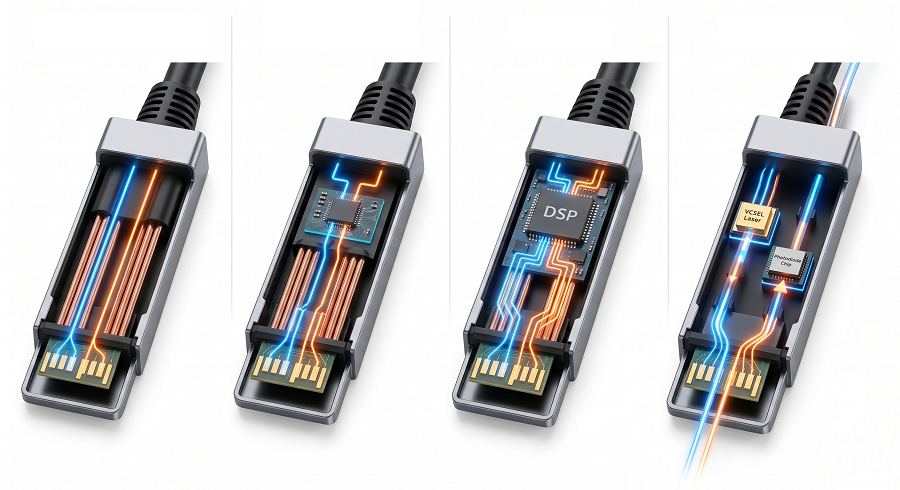
Quick Reference: QSFP-DD Cable Type Comparison
Here’s everything you need to know at a glance.
| Specification | Passive DAC | Active DAC | AEC | AOC | Breakout DAC |
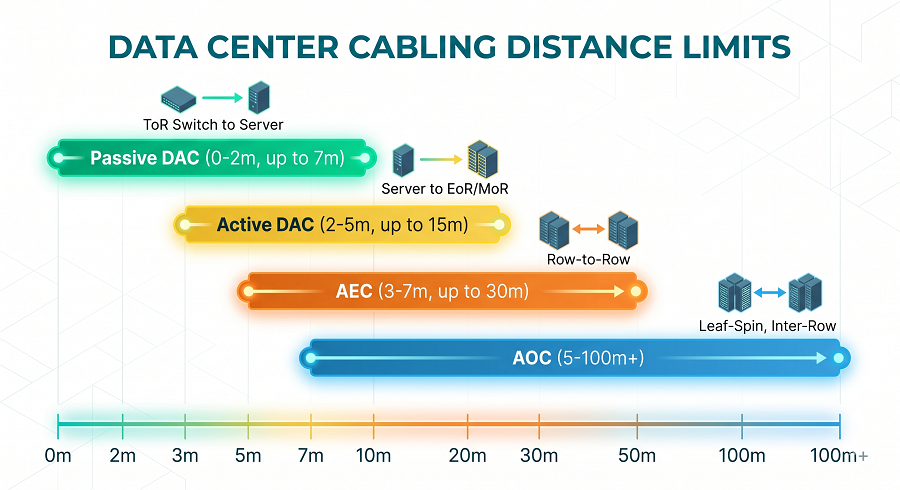
| Max Length | 2m | 5m | 7m | 100m | 3m |
| Media | Copper | Copper | Copper | Fiber | Copper |
| Power per End | <0.5W | 0.5-1W | 1-2W | 2-3W | <0.5W × 5 |
| Signal Conditioning | None | Active | Active | Optical conversion | None |
| Cost (3m) | $50-80 | $100-150 | $150-250 | $300-500 | $250-400 |
| Reliability | Excellent | Very good | Very good | Good (2-3% failure rate) | Excellent |
| Best For | In-rack, <2m | 2-5m reach | 3-7m sweet spot | Long reach, isolation | Migration, mixed speeds |
The least expensive option, the DAC, can only handle distances up to 2 meters. AEC fills the 3-7m gap between DAC and AOC. AOC provides the longest distance transmission capability, although it consumes more power and experiences more system failures. Organizations can use breakout cables for their migration processes; however, they must control polarity at all times.
Understanding QSFP-DD Cable Types
DAC (Direct Attach Copper)
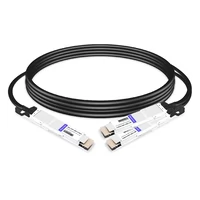
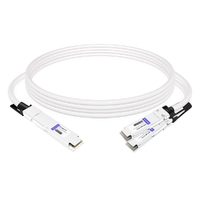
DAC cables use copper conductors to transmit electrical signals directly between QSFP-DD ports. They’re the simplest, lowest-cost, and lowest-power option—but with strict length limitations.
Key characteristics:
- Media: Twinax copper cable
- Connectors: QSFP-DD integrated at both ends
- Types: Passive DAC (no signal conditioning) vs Active DAC (signal conditioning)
- Power: <0.5W (passive), 0.5-1W (active)
- Cost: 50−80(passive),50−80(passive),100-150 (active) for 3m
Passive DAC limitations: Signal integrity at 400G speeds with PAM4 signaling deteriorates immediately after reaching the first transmission distance. The operational range of passive DACs extends effectively until they reach their maximum distance of 2 meters. The majority of deployments at 3-meter distances experience either link flapping or complete link failures. The distance of your installation needs testing with the compatibility matrix from your switch vendor to determine if the passive DAC will function correctly.
Active DAC advantages: Signal conditioning chips enable signal transmission up to 5 meters while preserving complete signal fidelity. The system experiences a minor increase in power requirements, but its operational dependability stays intact. Active DAC functions optimally for connections between 2 and 5 meters, while AOC presents excessive performance capacity.
The best solution for in-rack connections that need to extend under 2 meters is passive DAC. Active DAC delivers dependable network connections between 2 and 5 meters while remaining more economical than optical network solutions.
AEC (Active Electrical Cable)
AEC cables represent the middle ground between DAC and AOC. They use copper like DAC but include more sophisticated signal conditioning than active DAC.
Key characteristics:
- Media: Copper with advanced signal conditioning
- Length: 3-7 meters (some vendors to 10m)
- Power: 1-2W per end
- Cost: $150-250 for typical lengths
- Reliability: Very good—fewer active components than AOC
The AEC advantage: Many engineers jump directly from active DAC to AOC without considering AEC. The AEC system establishes a 7-meter distance capability, which costs approximately half of the AOC system. The signal conditioning system operates PAM4 signals successfully while avoiding the need for optical system components.
When to choose AEC:
- Distance 3-7 meters (adjacent racks, cross-aisle)
- Cost-sensitive deployments
- Environments where fiber management is challenging
- Applications needing longer reach than DAC but not AOC’s maximum distance
AEC is often overlooked because vendors promote DAC and AOC more heavily. But for many data center interconnects, AEC hits the sweet spot of reach, cost, and reliability.
AOC (Active Optical Cable)
AOC cables convert electrical signals to optical at the connector, transmit over fiber, then convert back to electrical. This provides electrical isolation and extended reach.
Key characteristics:
- Media: Multimode fiber (typically OM3 or OM4)
- Length: 5-100 meters
- Power: 2-3W per end
- Cost: $300-500 for typical lengths
- Reliability: Good, but higher failure rate than copper (2-3% annually)
AOC advantages:
- Long reach: Up to 100 meters, far exceeding copper options
- Electrical isolation: No ground loop concerns between devices
- Lightweight: Fiber weighs less than copper, simplifying cable management
- Thin profile: Easier routing in dense environments
AOC considerations:
- Higher power: 4-6W total versus <1W for passive DAC
- Active components: VCSELs and photodiodes add failure points
- Cost: 3-5x more expensive than DAC options
- Failure rate: Plan for 2-3% annual replacement rate
Choose AOC when you need reach beyond 7 meters, require electrical isolation, or are connecting across different power domains. For shorter distances, copper solutions offer better value and reliability.
Breakout Cables
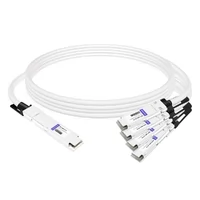
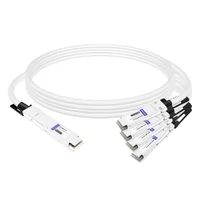
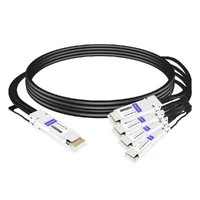
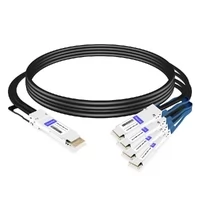
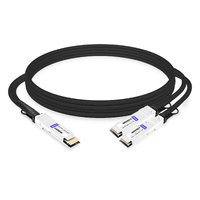
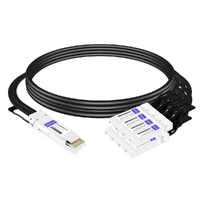
Breakout cables split a single 400G QSFP-DD connection into four 100G connections. They enable gradual migration and mixed-speed environments.
Key characteristics:
- Configuration: 400G QSFP-DD to 4×100G QSFP28
- Types: DAC breakout, AOC breakout
- Polarity: Critical for proper operation
- Bulk: 4x the fiber/copper count of standard cables
Breakout configurations:
- SR8 breakout: MPO-16 (400G) to 4×MPO-12 (100G)
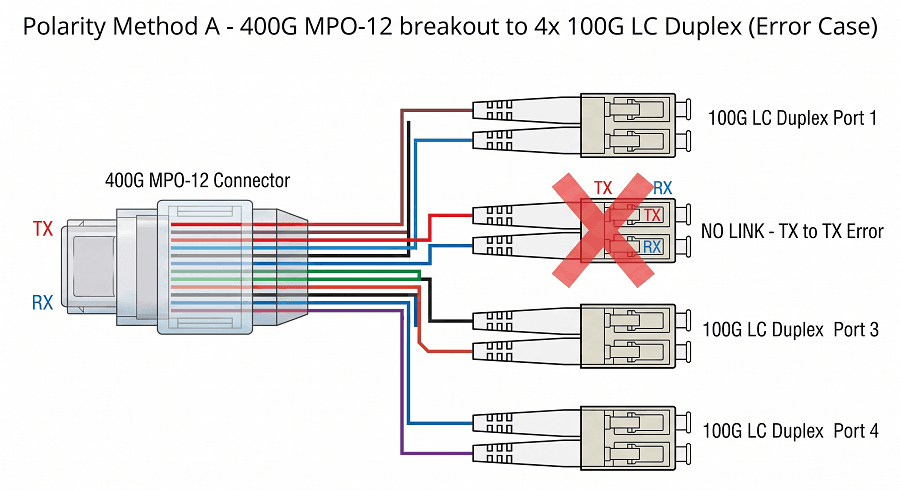
- DR4 breakout: MPO-12 (400G) to 4×duplex LC (100G)

Critical insight: Breakout cables require correct polarity to function. Method B (crossover) is standard for breakout, but some vendors ship Method A. Testing polarity before installation saves days of troubleshooting.
Physical considerations: Breakout cables create bulk. At the breakout point, you have 4× the cable count. Standard cable trays will not work for the extra volume, so you must plan cable management through other methods.
For detailed polarity guidance, see our MPO polarity guide.
Cable Length Limitations and Selection Matrix
Length Selection Matrix
Start with distance. It’s the primary constraint that eliminates options.
| Distance | Recommended Cable | Rationale |
| 0-2m | Passive DAC | Lowest cost, lowest power, reliable |
| 2-3m | Active DAC | Signal conditioning for marginal distances |
| 3-5m | Active DAC or AEC | Active DAC for cost, AEC for future flexibility |
| 5-7m | AEC | Sweet spot for mid-range without AOC cost |
| 7-10m | AEC or AOC | AEC if available, AOC for guaranteed reach |
| 10m+ | AOC | Only viable option for long reach |
Why Length Matters at 400G
400G uses PAM4 (Pulse Amplitude Modulation 4-level) encoding. Each symbol carries two bits, doubling throughput—but requiring much cleaner signal integrity than NRZ encoding.
Signal degradation factors:
- Attenuation: Copper losses increase with frequency and distance
- Crosstalk: Adjacent channel interference
- Reflections: Impedance mismatches cause signal reflections
- Jitter: Timing variations reduce signal margin
Passive DACs have no signal conditioning. The raw signal must survive the cable run. At 400G speeds, that survival distance is approximately 2 meters. Beyond that, active conditioning becomes necessary.
Active solutions work differently:
- Active DAC: Signal conditioning chips boost and clean the signal
- AEC: More sophisticated DSP-based conditioning
- AOC: Optical conversion eliminates electrical signal integrity concerns entirely
Breakout Cable Polarity Guide
Sarah Chen thought she had planned the migration perfectly. Her team installed fifty breakout cables to link the new 400G spine with the existing 100G leaf switches. But twelve links wouldn’t come up. TX-to-RX mismatches. The polarity was wrong.
Three days of work were needed to re-terminate connectors. The team had to remove cables for all instances of incorrect polarity because they needed to re-terminate with correct polarity and conduct tests again. A polarity tester would have caught this in minutes before installation.
Understanding Breakout Configurations
400G SR8 Breakout:
- Input: MPO-16 (8 fibers × 2 for full duplex)
- Output: 4× MPO-12 (2 fibers active per connection)
- Mapping: Each 100G connection uses 2 fibers from the 400G port
400G DR4 Breakout:
- Input: MPO-12 (4 fibers × 2 for full duplex)
- Output: 4× duplex LC (1 fiber each direction)
- Mapping: Each 100G connection uses 1 fiber pair from the 400G port
Polarity Methods for Breakout
Method A (Straight-Through):
- Fiber 1 at input → Fiber 1 at output
- Maintains fiber position
- Used for specific structured cabling scenarios
Method B (Crossover) – Standard for Breakout:
- Fiber 1 at input → Fiber 2 at output
- Fiber 2 at input → Fiber 1 at output
- Swaps TX/RX pairs for proper duplex operation
- Required for most switch-to-switch connections
Method C (Pair-Flip):
- Flips fiber pairs
- Rarely used in data center applications
Critical: Always verify which polarity your vendor supplies. Don’t assume Method B. Some vendors default to Method A. The cable documentation should specify, but testing before installation confirms.
Polarity Testing
A polarity tester costs between $200 and $400. The device tests optical fibers by illuminating each fiber one at a time, which enables you to check the mapping at the distant point. The testing instrument generates savings which exceed its purchase price when testing systems that have more than ten breakout cables.
Testing procedure:
- Connect tester to one end of breakout cable
- Check fiber mapping at far end
- Verify Method B crossover (or Method A if required)
- Label cable with polarity method
- Install only verified cables
Power Consumption Comparison
Cable choice affects switch power budgets. At scale, these differences matter.
Power by Cable Type
| Cable Type | Power per End | 32-Port Switch Total | Annual Power Cost* |
| Passive DAC | <0.5W | <16W | $14 |
| Active DAC | 0.5-1W | 16-32W | $28 |
| AEC | 1-2W | 32-64W | $56 |
| AOC | 2-3W | 64-96W | $84 |
| Breakout DAC | <0.5W × 5 | ~80W** | $70 |
*Based on $0.10/kWh, 24/7 operation, PUE 1.5
**Breakout: 1×400G + 4×100G = 5 connections
Power Planning Implications
Standard data center deployment: A 32-port switch fully populated with AOC cables operates at 64-96W power consumption which includes its optical components. The switch equipment requires an additional power consumption of 300-400W. The total power consumption for each switch operation ranges between 364 and 496 watts. Network equipment at the site consumes between 36 and 50 kilowatts which results from using 100 switches.
Cooling considerations: The power consumption of the system creates thermal output. The AOC deployment at the 100-switch site requires between 15 and 20 tons of cooling capacity to support the operational needs of its cables and switch optics.
Efficiency optimization: The active DAC solution shows power savings of approximately 40 watts per switch when it operates in environments where all connections need to cover distances shorter than 5 meters. The switch operation at 100 devices leads to power savings of 4 kilowatts which results in annual electricity expenses of approximately 3,500 dollars saved.
For detailed thermal planning, see our QSFP-DD power and thermal guide.
Cable Management Best Practices
Managing Breakout Cable Bulk
Breakout cables create 4× the cable volume at the breakout point. Standard cable management often can’t accommodate this.
Cable tray planning:
- Standard cable trays handle individual cables well
- Breakout points need 4× capacity
- Consider dual-level trays for breakout zones
- Leave service loop space (see below)
Service loop requirements:
- Standard cables: 1-2 meters service loop
- Breakout cables: 2-3 meters at breakout point
- Allows for re-termination if polarity is wrong
- Facilitates future moves, adds, changes

Bend Radius Considerations
Every cable type has minimum bend radius requirements. Exceeding them causes signal degradation or physical damage.
| Cable Type | Min Bend Radius | Best Practice |
| DAC (passive/active) | 38mm (4× cable diameter) | 50mm minimum |
| AEC | 38mm | 50mm minimum |
| AOC | 30mm | 40mm minimum |
| Breakout cables | Varies by construction | Follow vendor spec |
Bend radius violations cause:
- Signal attenuation (especially in fiber)
- Physical damage to conductors
- Long-term reliability issues
Plan cable routes with gentle curves. Avoid 90-degree turns without appropriate bend radius management.
Labeling and Documentation
Cable labeling scheme:
[Source Switch]-[Source Port]-[Dest Switch]-[Dest Port]-[Cable Type]
Example: SW01-P01-SW02-P01-ADAC (Active DAC)
Documentation requirements:
- Cable type and length
- Polarity method (for breakout)
- Installation date
- Expected replacement date (AOC: 3-5 years)
Label both ends identically. Documentation saves hours during troubleshooting or upgrades.
Cost Comparison and TCO
Price Range by Cable Type (3m)
| Cable Type | Price Range | Relative Cost |
| Passive DAC | $50-80 | 1× (baseline) |
| Active DAC | $100-150 | 2× |
| AEC | $150-250 | 3× |
| AOC | $300-500 | 5-6× |
| Breakout DAC | $250-400 | 5× |
TCO Considerations
Replacement rates:
- DAC/AEC: <1% annually (physical damage only)
- AOC: 2-3% annually (active component failure)
Power costs (3-year, 100-switch deployment):
- Passive DAC: $4,200
- Active DAC: $8,400
- AEC: $16,800
- AOC: $25,200
Sparing inventory:
- DAC/AEC: 5% spare rate sufficient
- AOC: 10% spare rate recommended (higher failure rate)
Three-year TCO example (1,000 cables):
- Passive DAC: 58,000(cables)+58,000(cables)+4,200 (power) = $62,200
- AOC: 400,000(cables)+400,000(cables)+25,200 (power) + 24,000(replacements)=24,000(replacements)=449,200
The cost difference is substantial. Choose AOC only when distance or electrical isolation requirements demand it.
For comprehensive cost analysis, see our QSFP-DD pricing and TCO guide.
Troubleshooting Common Cable Issues
Link Flapping or Instability
Symptoms: Link cycles up and down, errors increment, performance degraded
Check:
- Length vs cable type: 3m passive DAC at 400G often fails
- Bend radius: Violations cause signal degradation
- Physical damage: Kinks, crimps, or connector damage
- Compatibility: Verify cable on switch vendor’s compatibility list
Fix: Replace with appropriate cable type for distance. Verify bend radius compliance.
No Link Detected
Symptoms: No link light, port shows down, no traffic
Check:
- Seating: Remove and reseat both ends
- Cleanliness: Inspect connectors for dust or damage
- Port configuration: Verify port speed and mode settings
- Known-good test: Try cable in different ports
Fix: Clean connectors with appropriate tools. Test with known-good cable to isolate issue.
High Error Rates
Symptoms: Link up but CRC errors, packet loss, degraded throughput
Check:
- Optical power (AOC): Check RX power levels
- Polarity (breakout): Verify Method B crossover
- FEC status: Check if FEC is correcting errors
- Cable quality: Try replacement cable
Fix: For breakout cables, verify polarity with tester. For AOC, check optical budgets.
For detailed troubleshooting procedures, see our QSFP-DD troubleshooting guide.
FAQ
How long can I run DAC before switching to AOC?
The passive DAC system operates at full performance until it reaches a distance of 2 meters. The active DAC system operates at distances up to 5 meters. AEC operates at 7 meters while AOC extends to 100 meters. The signal integrity at 400G speeds deteriorates within a short period so users must implement appropriate signal conditioning before they reach these operational limits.
What distinguishes active DAC from passive DAC?
The operation of passive DAC requires only copper connections without any electronic components. The active DAC system uses signal conditioning chips to amplify and purify the transmitted signal. The operational range of passive DAC at 400G exists between 2 meters and 2 meters while active DAC extends its range to 5 meters. The power consumption of passive DAC operates below 0.5 watts while active DAC consumes between 0.5 and 1 watt.
What is the correct polarity to use with breakout cables?
The breakout cable standard requires Method B crossover function. The system needs TX and RX pairs to be exchanged so it can function correctly in duplex mode. The default polarity setting from your vendor must be checked because some companies use Method A as their default. The polarity tester should be used before installation begins because it prevents testing delays that can last multiple days.
AOC or DAC—which is more reliable?
DAC proves to be a more dependable option than AOC. The passive and active DAC systems exhibit annual failure rates below 1 percent because their failures result from physical damage. AOC experiences active optical device failures which include VCSELs and photodiodes at an annual failure rate between 2 percent and 3 percent. For critical connections which extend less than 5 meters DAC should be used as the preferred method.
What is AEC and in which situations should I implement it?
AEC (Active Electrical Cable) serves as the middle ground between DAC and AOC. The system employs copper wires which have been developed with modern signal conditioning technology to achieve a transmission distance between 3 and 7 meters. Use AEC when active DAC’s 5m isn’t enough but AOC’s cost isn’t justified. AEC represents the best solution for adjacent rack connections which engineers frequently ignore.
What is the power consumption of every cable category?
The power consumption of passive DAC systems equals less than 0.5 watts for each end point. Active DAC systems operate with power consumption ranging between 0.5 watts and 1 watt. AEC systems operate with power consumption between 1 watt and 2 watts. AOC systems consume power between 2 watts and 3 watts. The 32-port switch requires between 16 watts and 96 watts of power to operate its complete system through passive DAC cables and AOC cables. The system impacts both the power capacity of the switch and its cooling requirements.
How can I handle the bulkiness of breakout cables?
Breakout cables have 4× the fiber/copper count at the breakout point. The cable trays need to accommodate four times their regular capacity at these specific locations. The breakouts need 2-3 meter service loops to support equipment re-termination. The installation of dual-level cable trays is necessary for areas that experience high-density equipment usage.
Which store provides the best breakout cables for purchase?
Quality varies significantly. Look for vendors with MSA compliance certification, compatibility matrices for your switch vendor, and warranty terms of at least 3 years. Test samples before large orders. Verify polarity documentation and request Method B as standard.
Conclusion
The QSFP-DD cable landscape offers options for every distance and application. But choosing wrong means link failures, troubleshooting delays, and wasted budget.
Key takeaways for your cable selection:
- Respect length limitations. Passive DAC fails beyond 2m at 400G. Don’t repeat Mike’s mistake—choose active solutions for longer distances.
- Consider AEC for 3-7m distances. It’s the overlooked middle option that often provides the best value between DAC and AOC.
- Verify breakout polarity. Method B is standard, but test before installation. A polarity tester costs $200 and saves days of troubleshooting.
- Plan for cable bulk. Breakout cables create 4× volume. Your cable management must accommodate this.
- Account for power and reliability. AOC uses 3-5× more power than DAC and has 2-3% annual failure rates. Use it only when distance requires it.
Don’t let cable selection delay your deployment. Audit your distances, plan your cable management, verify compatibility with your switch vendor, and test breakout polarity before installation.
For assistance selecting the right QSFP-DD cables for your infrastructure, contact FiberMall’s technical team. Our engineers can analyze your distance requirements, power budgets, and migration strategy to recommend the optimal cable mix for your deployment.
Related Products:
-
 QDD-2QDD-400G-PC50CM 0.5m (1.6ft) 400G QSFP-DD to 2x200G QSFP-DD Passive Direct Attach Copper Breakout Cable
$176.00
QDD-2QDD-400G-PC50CM 0.5m (1.6ft) 400G QSFP-DD to 2x200G QSFP-DD Passive Direct Attach Copper Breakout Cable
$176.00
-
OSFP-4Q56-PC1M 1m (3ft) 400G Twin-port 2x200G OSFP to 4x100G QSFP56 Passive Breakout Direct Attach Copper Cable
$120.00
-
Arista Networks CAB-O-4Q-400G-1M Compatible 1m (3ft) 400G Twin-port 2x200G OSFP to 4x100G QSFP56 Passive Breakout Direct Attach Copper Cable
$120.00
-
OSFP-2Q56-PC1M 1m (3ft) 400G OSFP to 2x200G QSFP56 Passive Breakout Direct Attach Cable
$99.00
-
QDD-4Q28-400G-AC1M 1m (3ft) 400G QSFP-DD to 4x100G QSFP28 PAM4 Active Breakout Direct Attach Copper Cable
$2374.00
-
QDD-4Q56-400G-PC1M 1m (3ft) 400G QSFP-DD to 4x100G QSFP56 PAM4 Passive Breakout Direct Attach Copper Cable
$123.00
-
QDD-2Q56-400G-PC50CM 50cm (1.6ft) 400G QSFP-DD to 2x200G QSFP56 PAM4 Passive Breakout Direct Attach Copper Cable
$90.00
-
QSFP-DD-8SFP56-PC1M 1m (3ft) 400G QSFP-DD to 8x 50G SFP56 Passive Direct Attach Twinax Copper Breakout Cable
$170.00