Priya noticed the slowdown on a Tuesday afternoon. Her team’s virtualization cluster links were running at 78% utilization, and VM migrations that used to finish in nine minutes were stretching past half an hour. The 10G ports weren’t failing. They were just full.
That’s the quiet way most SFP+ to SFP28 migrations begin. Not with an outage, but with back-to-back backups creeping later and later, latency climbing on the same old links, and the vague sense that the network is doing its job while also holding everyone back.
This guide walks through the SFP+ to SFP28 migration end to end: the signals that say it’s time, the compatibility rules that trip people up, the real cost math, and a four-phase plan that avoids a forklift upgrade. You’ll also get the validation gates worth running before you roll 25G out across a fleet.
If you’re not sure whether your switches even support 25G, talk to our engineers for a free compatibility check before you buy anything.

When Should You Upgrade from SFP+ to SFP28?
Here’s the short answer. Upgrade from SFP+ to SFP28 when your 10G links are consistently saturated, your server refresh cycle already expects 25G NICs, and your cabling can carry the higher speed. If those three things line up, the migration usually pays for itself. If they don’t, 10G SFP+ is still the cheaper, more sensible choice.
Let’s unpack each signal, because the third one surprises people more than it should.
Server NICs ship at 25G by default now. Major server vendors moved their base NIC speed from 10G to 25G around 2019-2020. If you’re buying new servers in 2026, you’re likely paying for 25G-capable ports whether you use them or not. Leaving them running at 10G wastes the hardware you already own.
Links sit at 60-80% utilization. Average utilization hides bursts. A link that averages 65% can spike to 100% during a backup window or a live migration, and those spikes are where the pain shows up. Watch the error counters and queue drops, not just the interface summary.
You’re running out of 10G ports. At some point, adding another 48-port switch to squeeze out more 10G capacity costs more than replacing the access layer with 25G. Port density per rack is a real budget line.
Storage and virtualization are the real drivers. A single host running multiple VMs, software-defined storage, and container workloads can easily generate more than 10 Gbps. That’s not a peak demand problem. It’s a structural one.
Now the honest flip side. Stay on SFP+ if your servers are still 1G or 10G, if traffic is flat, or if your top-of-rack switches are SFP+-only. A 25G server port means nothing if the switch in front of it only speaks 10G. And there’s no point migrating an access layer that nothing downstream can feed.
Why 10G to 25G Beats 10G to 40G
There are two common upgrade paths off 10G, and they’re not equally good for most environments.
The 10G to 25G to 100G path keeps the same SFP form factor, stays backward compatible with SFP+, and maps neatly onto leaf-spine architectures. Four 25G lanes bundle cleanly into one 100G QSFP28 uplink. That’s the path most data centers end up on.
The 10G to 40G to 100G path uses the bigger QSFP+ interface, which doesn’t directly accept your existing SFP+ modules and often forces cabling changes to MPO. It’s a fine path for environments that already have 40G equipment. For everyone else, it’s a detour.
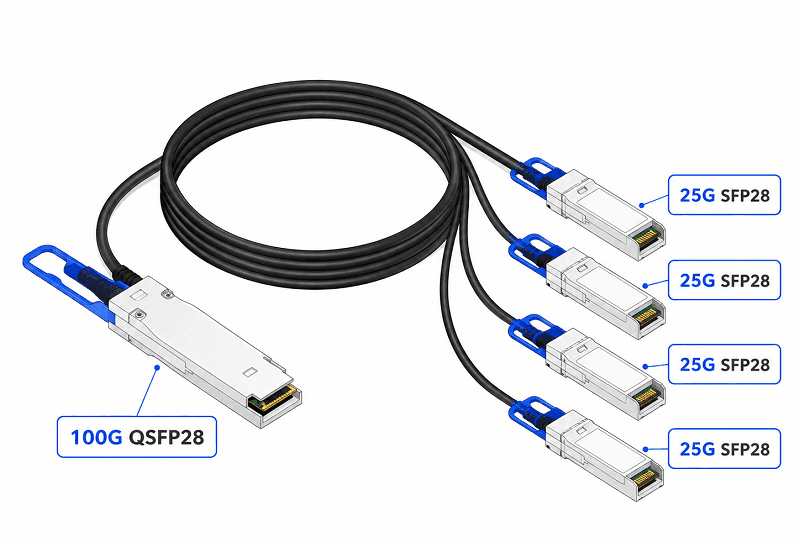
The lane math is what makes 25G elegant. A single 25G lane becomes 50G with two lanes and 100G with four. When you connect a 25G leaf switch to a 100G spine, a QSFP28-to-4x25G breakout cable lets one spine port fan out to four leaf ports. That’s a clean 4:1 oversubscription model with no wasted ports.
There’s also a case for skipping 25G entirely. If you’re building a brand-new fabric from scratch, or your workloads genuinely need 100G at the server today, going straight to 100G QSFP28 might make more sense than staging through 25G. We covered that upgrade path in our QSFP28 to 400G migration guide. For most brownfield access layers, though, 25G is the right intermediate step.
SFP+ to SFP28 Compatibility: What Actually Happens in the Port
This is where the SFP+ to SFP28 migration gets interesting, because the modules look identical and behave differently.
SFP28 and SFP+ share the same physical cage, defined by SFF-8432. They’re mechanically interchangeable. The electrical side is another story. An SFP+ port runs a 10G SerDes at roughly 10.3125 Gbps. An SFP28 module expects a 25G SerDes at 25.78125 Gbps. Physical fit doesn’t change what the host silicon can do.
Here’s the directional reality:
| Situation | Likely outcome | What to verify |
| SFP+ module in an SFP28 port | Works, downshifts to 10G | Port supports 10G mode and auto-negotiation |
| SFP28 module in an SFP+ port | Usually fails at 25G | Dual-rate support on both module and host |
| SFP28 DAC in an SFP+ port | Rarely works | Same dual-rate caveat as above |
| SFP+ DAC in an SFP28 port | Works at 10G | Host treats it as a 10G link |
The asymmetry matters during a phased migration. You can keep running old SFP+ optics in your new 25G leaf switches while you migrate servers one at a time. But you can’t drop SFP28 modules into the old SFP+ switches and expect 25G. Those switches simply don’t have the SerDes for it.
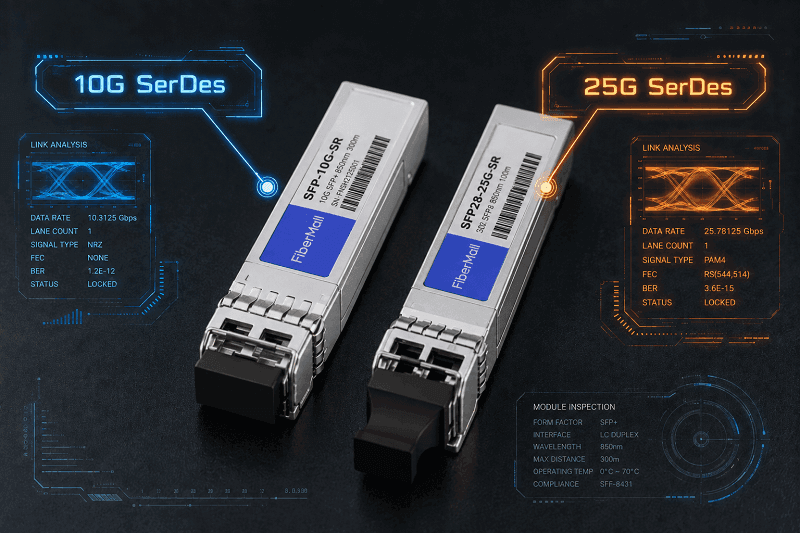
There’s also the vendor coding problem. A third-party SFP28 module that works flawlessly in an Arista switch can show up as “unsupported” in a Cisco Nexus because the EEPROM vendor ID isn’t on the approved list. Electrically it’s fine. Politically, the switch disagrees. Our SFP28 compatibility guide covers the platform-by-platform details, including how to handle vendor coding during a mixed-vendor migration.
FEC adds one more wrinkle. 25G links frequently require RS-FEC or FC-FEC to hit acceptable error rates, and FEC is a link setting that has to align at both ends. It’s not something you can flip inside a single module. If one end expects FEC and the other doesn’t, you’ll see link flaps and error counters that look like a hardware fault.
Marcus, an IT manager in Frankfurt, hit exactly this during his first 25G pilot. He connected two leaf switches with a 25G DAC, saw the link light come up, and then watched the error counters climb over the next hour. The fix wasn’t a new cable. It was enabling RS-FEC on both ends. Twenty minutes of configuration, not a single hardware swap.
What a 10G-to-25G Migration Really Costs
Here’s the number that surprises most procurement teams: the optics are not the expensive part anymore. The SFP28 price gap over SFP+ has nearly closed.
Third-party 25GBASE-SR modules typically run 17 to 55, compared to 80 to 250 for the same thing from an OEM. 25GBASE-LR sits around 40 to 90 third-party versus 150 to 400 OEM. OEM-branded modules carry a three to five times premium. Volume pricing kicks in fast too. A single 25GBASE-SR might cost about 35, but a box of 50 usually drops below 20 per unit.
| Component | Third-party | OEM | Notes |
| 25GBASE-SR | $17-55 | $80-250 | The 10G to 25G delta is roughly $10-20 |
| 25GBASE-LR | $40-90 | $150-400 | For single-mode and longer reaches |
| Passive SFP28 DAC (1 m) | $15-35 | $60-150 | Cheapest option for in-rack links |
| SFP28 leaf switch ports | varies | varies | Usually the biggest line item |
The real cost of a 10G to 25G migration lives in the switches and the NICs, not the optics. That’s why the decision should hinge on your refresh cycle. If the leaf switches and servers are due for replacement anyway, the marginal cost of going 25G instead of 10G is small. If you’re replacing optics on hardware that still has years of life, the economics look much worse.
Power is a quieter win. A 25G SFP28 SR module draws roughly 1.0 to 1.2 W, versus 0.7 to 1.0 W for SFP+. That’s about a 20% power increase for 2.5 times the throughput. Watts per gigabit drops by more than half, and cooling follows. Over a few hundred ports, that adds up on the opex side.
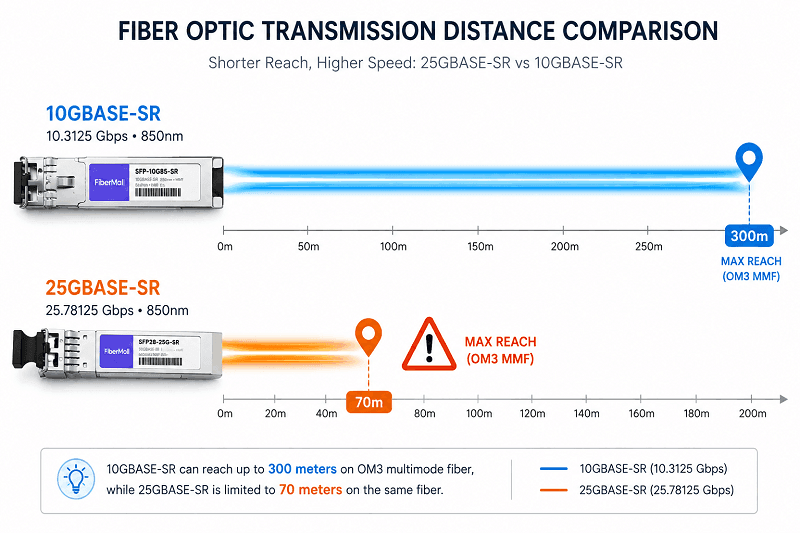
Cabling reuse is where you either save a fortune or get blindsided. Existing OM3 or OM4 fiber can often carry 25GBASE-SR, but the reach shrinks. 10GBASE-SR reaches 300 meters on OM3. 25GBASE-SR reaches 70 meters on OM3 and 100 meters on OM4, because the higher signaling rate is more sensitive to modal dispersion. A long OM3 run that was fine at 10G may be too long at 25G. And passive SFP28 DACs drop to 1 to 3 meters, down from 5 to 7 meters for SFP+ DACs.
Our SFP28 price guide has the detailed per-type pricing if you’re building a budget.
The SFP+ to SFP28 Migration Playbook: Four Phases
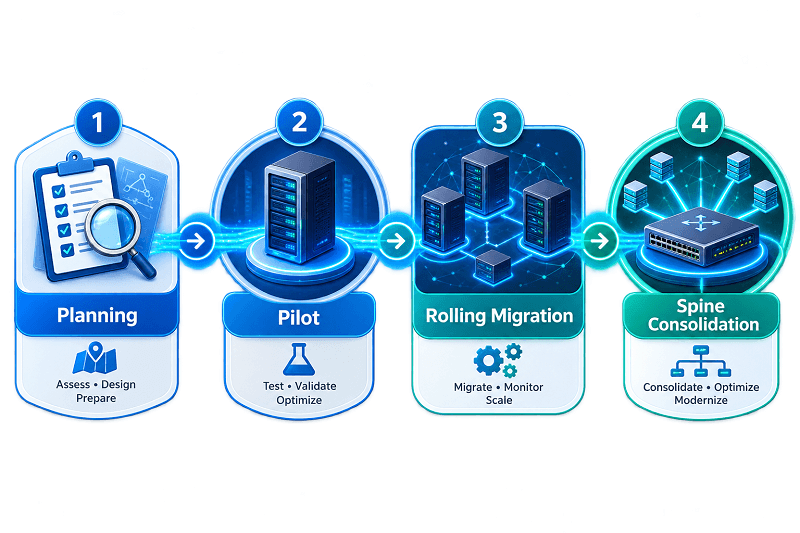
A phased rollout keeps the network up and spreads the risk. Here’s a structure that’s worked across data centers and enterprise LANs.
Phase 1: Planning and Inventory
Start with a full inventory before touching anything. Count every 10G port, every server NIC, every fiber run, and every DAC. Measure the actual utilization on the links you think are saturated. Audit the fiber plant for OM3 versus OM4 and measure the long runs, because the 70 meter SR limit will decide which links need LR optics or re-cabling.
This is also the time to confirm which switches support 25G and which are SFP+-only. That single check determines whether your migration is a switch refresh, a phased coexistence, or a full rebuild.
Phase 2: Pilot
Pick one rack or one pod and treat it as the test bed. Deploy a 25G-capable leaf switch, connect the pilot servers with SFP28 SR modules or DACs, and bring up the 100G QSFP28 uplink to the spine. Measure link error rates, FEC behavior, and throughput under real workload.
The pilot is where you learn your vendor coding issues and your FEC requirements without risking the whole network. If the pilot can’t hit clean error-free 25G, don’t expand until you know why.
Phase 3: Rolling Access-Layer Migration
Once the pilot passes, move rack by rack. Use dual-rate ports during the transition so new 25G servers and legacy 10G servers coexist on the same leaf switch. New server connections get SFP28; older hosts keep their SFP+ modules until their refresh cycle comes around.
Sync this phase with the server refresh calendar. Replacing NICs mid-cycle is wasteful. Waiting for the next server purchase to align with the switch rollout saves both money and downtime.
Phase 4: Uplink and Spine Consolidation
With the access layer on 25G, the uplinks start to look congested. This is where QSFP28 breakout cables earn their keep. A single 100G spine port fans out to four 25G leaf ports, so you can grow capacity without adding spine switches.
Between every phase, run a go/no-go gate. Did error rates stay clean? Did the applications that drove the migration actually improve? If the answer to either is no, stop and investigate before continuing. And always document a rollback plan. The beauty of the SFP28 migration is that a rollback is usually just a matter of running the old SFP+ modules in the dual-rate ports.
Validate Before You Roll Out: The 4-Gate Check
Before you sign off on a fleet-wide 25G rollout, put every workload through four gates.
Workload gate. Does the application actually benefit from 25G? More line rate doesn’t help if the bottleneck is CPU scheduling, storage latency, or an oversubscribed upstream. Verify the app improved in the pilot before assuming it will at scale.
Platform gate. Confirm the NIC, PCIe path, server firmware, hypervisor drivers, and switch ports all support the intended 25G mode. Check that the breakout profile on a 100G port doesn’t disable adjacent ports. Document the exact driver and firmware combination that passed the pilot.
Physical gate. Match the cable or optic to the actual route. Fiber grade, connector, length, bend radius, and optical budget all have to line up. The OM3 reach surprise is the classic failure here, so measure, don’t assume.
Operational gate. Are monitoring, spares, and configuration management ready for the new rate? Do your dashboards show 25G interfaces? Do you have SFP28 spares on the shelf, and SFP+ spares for the legacy hosts that remain? Two 25G ports in a bond don’t automatically give you a 50G flow, so test link-loss behavior under representative traffic too.
A data center operator we work with skipped the physical gate once and paid for it. Their team reused what they assumed was a short OM3 run for a new 25G server link. It measured 85 meters. The 25GBASE-SR module negotiated up, then spent the next two weeks throwing correctable errors. The fix was moving the server closer to the switch, a trivial change that a tape measure would have caught in Phase 1.
Common Migration Failures (and How to Avoid Them)
A few failures repeat across almost every migration. Knowing them in advance keeps your cutover windows boring.
FEC mismatch. One end runs RS-FEC, the other doesn’t. Result: link flaps and high error counts. Align FEC at both endpoints as a named configuration step.
SFP28 module in an SFP+ port. It fits, it doesn’t negotiate at 25G, and someone has to explain why the new modules “don’t work.” Check dual-rate support before ordering, or keep the new SFP28 modules on the 25G-capable switches.
Vendor-coded optics rejected. A perfectly good third-party module shows up as unsupported because of EEPROM coding. Verify against the switch’s qualified optics list before a big order, not after.
The OM3 reach surprise. 10GBASE-SR does 300 meters on OM3. 25GBASE-SR does 70. Long multimode runs need LR optics, new fiber, or a shorter path.
DAC length exceeded. SFP28 passive DACs top out around 1 to 3 meters. Longer runs need AOC or optics. Measure the rack, then pick the cable.
Breakout port profile not enabled. A 100G port set to a single-lane profile won’t fan out to 4x25G until the breakout mode is configured. That’s a config issue, not a hardware fault.
Our SFP28 troubleshooting guide walks through the full diagnostic flow for each of these, including the vendor CLI commands worth running.
SFP+ to SFP28 Migration FAQ
Can I use my existing SFP+ modules during the migration?
Yes. SFP+ modules work in most 25G-capable ports and downshift to 10G automatically. That’s what makes the phased migration possible.
Can I reuse my existing fiber?
Often, but check the reach. OM3 fiber supports 25GBASE-SR up to 70 meters and OM4 up to 100 meters. Longer runs need LR optics or new cabling.
Do 25G links require FEC?
Many do. SFP28 links commonly use RS-FEC or FC-FEC to keep error rates acceptable, and FEC must be configured consistently at both ends.
Should I upgrade switches or servers first?
Switches first, in most cases. A 25G-capable leaf switch with dual-rate ports supports both your current 10G servers and your future 25G servers. Upgrading server NICs before the switch creates 25G ports that have nowhere to connect.
Is 25G worth it, or should I skip to 100G?
For existing 10G access layers, 25G is usually the right step. For greenfield builds with 100G server requirements, skipping to 100G QSFP28 can make sense. It depends on your workload and refresh cycle.
Plan the Migration, Not Just the Purchase
The teams that migrate successfully don’t just buy faster optics. They inventory their fiber, measure their utilization, pilot one rack, and gate every phase. They keep SFP+ modules working in dual-rate ports while they wait for the server refresh to line up. And they verify FEC, vendor coding, and reach before committing to a fleet-wide order.
The SFP+ to SFP28 migration is one of the more forgiving network upgrades you’ll run. The form factor stays the same, the old modules still work in the new ports, and the fiber often carries over. The failures that do happen are almost always the predictable ones: FEC, reach, vendor coding. Plan for those, and the rest is mostly logistics.
When you’re ready to price out the optics and cables for your 25G rollout, browse our 25G SFP28 transceivers or request a quote. Our engineers can help you size the migration against your actual port counts and fiber plant.
Related Products:
-
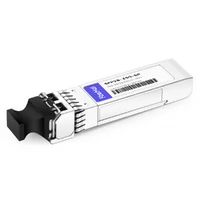
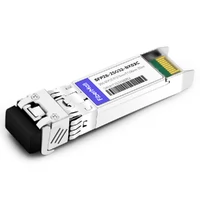
 SFP28-25G-SR 25G SFP28 SR 850nm 100m LC MMF DDM Transceiver Module
$25.00
SFP28-25G-SR 25G SFP28 SR 850nm 100m LC MMF DDM Transceiver Module
$25.00
-
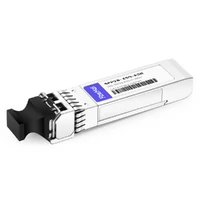
SFP28-25G-ESR 25G SFP28 ESR 850nm OM3 200m/OM4 300m LC MMF DDM Transceiver Module
$35.00
-
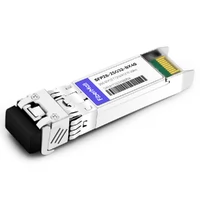
SFP28-25G32-BX40 25GBASE SFP28 BIDI ER TX1310nm/RX1270nm 40km LC SMF DDM Optical Transceiver Module
$180.00
-
SFP28-25G-ER 25G SFP28 ER 1310nm 40km LC SMF DDM Transceiver Module
$125.00
-
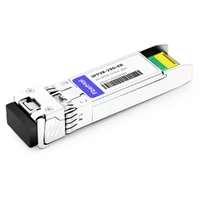
SFP28-25G32-BX10 25G BX BIDI SFP28 TX1330nm/RX1270nm 10km LC SMF DDM Transceiver Module
$42.00
-
SFP28-25G23-BX10 25G BX BIDI SFP28 TX1270nm/RX1330nm 10km LC SMF DDM Transceiver Module
$42.00
-
SFP28-25G-LR 25G SFP28 LR 1310nm 10km LC SMF DDM Transceiver Module
$45.00
-
SFP28-25G32-BX10I 25G BX BIDI SFP28 TX1330nm/RX1270nm 10km LC SMF DDM Industrial Transceiver Module
$50.00
-
SFP28-25G23-BX10I 25G BX BIDI SFP28 TX1270nm/RX1330nm 10km LC SMF DDM Industrial Transceiver Module
$50.00
-
SFP28-25G32-BX03C 25G BX BIDI SFP28 TX1330nm/RX1270nm 300m LC SMF DDM Transceiver Module
$58.00
-
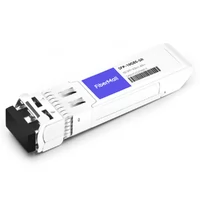
SFP-10G85-SR 10G SFP+ SR 850nm 300m LC MMF DDM Transceiver Module
$12.00
-
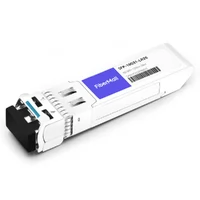
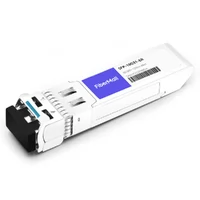
SFP-10G31-LR 10G SFP+ LR 1310nm 10km LC SMF DDM Transceiver Module
$18.00
-
SFP-10G31-LR20 10G SFP+ LR 1310nm 20km LC SMF DDM Transceiver Module
$22.00
-
SFP-10G31-ER 10G SFP+ ER 1310nm 40km LC SMF DDM Transceiver Module
$25.00
-
SFP-10G-TS100 10GBase-T Copper SFP+ to RJ45 100m Transceiver Module
$70.00
-
SFP-10G55-ER 10G SFP+ ER 1550nm 40km LC SMF DDM Transceiver Module
$80.00
-
SFP-10G55-ZR 10G SFP+ ZR 1550nm 80km LC SMF DDM Transceiver Module
$150.00
-
SFP-10G55-ZR100 10G SFP+ ZR 1550nm 100km LC SMF DDM Transceiver Module
$280.00