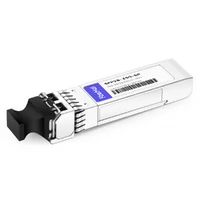
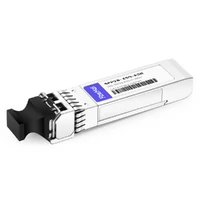
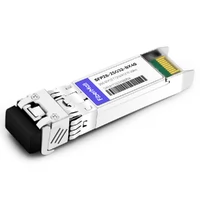
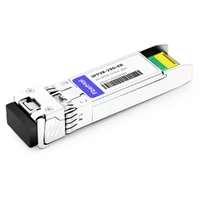
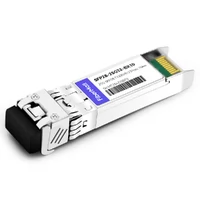
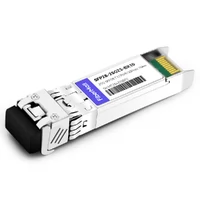
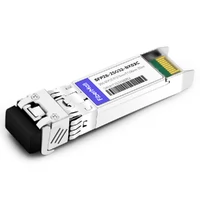
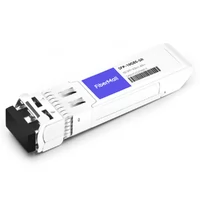
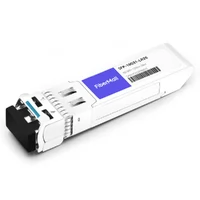
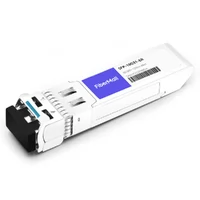
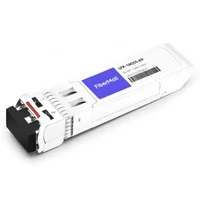
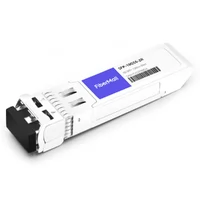
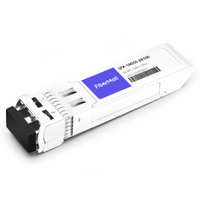
The module slides into the cage with a satisfying click. Same metal shell. Same pull tab. Same LC connectors.
You’d swear it was just another 10G SFP+ optic.
It isn’t.
If you’ve ever stood in front of a switch wondering whether SFP28 vs SFP+ is just a speed bump or a real architectural decision, you’re in the right place. The two modules look identical. They share the same form factor, the same latch, and often the same fiber. But the electrical interface, power draw, compatibility rules, and cost profile are genuinely different.
This guide compares SFP28 vs SFP+ across speed, encoding, reach, power, price, and migration strategy. We’ll explain backward compatibility without the usual hand-waving, show when 25G makes financial sense, and flag the mistakes that cause link-down pages at 2 a.m.
Need help validating which module your switch actually supports? Contact our networking team for a free compatibility check.
What Is SFP+?
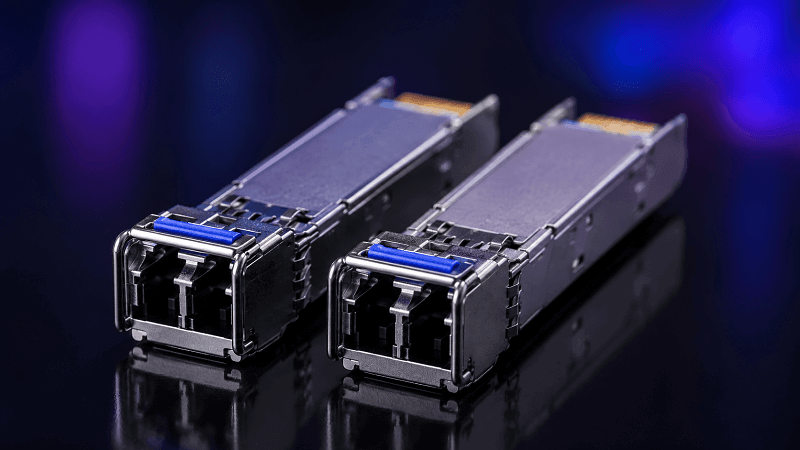
SFP+ is a hot-pluggable optical transceiver that delivers 10 Gigabit Ethernet over a single electrical lane. It replaced the older XFP form factor and quickly became the standard for server uplinks, storage networks, and enterprise aggregation in the 2010s.
The electrical interface runs at roughly 10.3125 Gbps using 64b/66b block encoding. Common optical variants include 10GBASE-SR for short-reach multimode, 10GBASE-LR for 10 km single-mode, and 10GBASE-ER for extended reach. Copper variants include passive and active DAC cables, plus a small number of 10GBASE-T modules.
SFP+ modules typically draw 0.7-1.0 W, which made them easy to deploy in dense 48-port switches without special thermal planning. They also dropped support for the older 1G SFP electrical interface in many implementations, although a lot of SFP+ ports can still accept 1G modules if the switch firmware allows it.
By 2026, SFP+ is firmly in the “legacy workhorse” category. It is still manufactured in huge volumes, still cost-effective, and still the right answer for networks that do not need more than 10 Gbps per port.
What Is SFP28?
SFP28 is the 25 Gigabit Ethernet evolution of the same form factor. The “28” refers to the maximum lane signaling rate of roughly 28 Gbps, while the usable Ethernet payload is 25 Gbps.
The electrical interface is defined by IEEE 802.3by and uses a 25.78125 Gbps line rate. Like SFP+, it uses 64b/66b encoding, but the SerDes runs more than twice as fast. Common optical variants include 25GBASE-SR, 25GBASE-LR, 25GBASE-ER, plus BiDi, CWDM, and DWDM options for telecom and WDM applications.
SFP28 modules typically draw 1.0-1.5 W for SR/LR, with ER and WDM variants climbing toward 2.0 W. That is higher than SFP+ in absolute terms, but the power per gigabit is significantly lower. A 25G module moving 2.5× the data does not consume 2.5× the power.
SFP28 is now the default for new server-facing ports, leaf switches, and 5G fronthaul. It is also the single-lane building block of 100G QSFP28, since four SFP28 lanes bundle neatly into one QSFP28 module or breakout cable.
SFP28 vs SFP+ Side-by-Side
Here is the comparison most engineers actually want.
| Feature | SFP+ | SFP28 |
| Usable data rate | 10 Gbps | 25 Gbps |
| Line rate | ~10.3125 Gbps | ~25.78125 Gbps |
| IEEE standard | 802.3ae (10GBASE-R) | 802.3by (25GBASE-R) |
| Encoding | 64b/66b | 64b/66b |
| Form factor | SFP | SFP (same cage) |
| Typical SR reach | 300 m on OM3 | 70 m OM3 / 100 m OM4 |
| Typical LR reach | 10 km OS2 | 10 km OS2 |
| Typical power (SR) | 0.7-1.0 W | 1.0-1.2 W |
| Typical power (LR) | 1.0-1.2 W | 1.2-1.5 W |
| FEC | Not required | RS-FEC / FC-FEC often required |
| Backward compatibility | Fits in SFP28 port at 10G | May fit in SFP+ port at 10G if dual-rate |
| Best for (2026) | Legacy 10G, cost-sensitive | New builds, AI clusters, 25G leaf |
The headline is simple: same size, different speed. But that headline hides a lot of host-dependent nuance.
David, a network engineer in Singapore, learned this during a weekend refresh. His team ordered SFP28 SR modules for new leaf switches and assumed the old SFP+ spares would work in any leftover ports. They did.
What they didn’t expect was that the SFP28 modules themselves would not run at 10G in the older SFP+ access switches. Two racks stayed dark until Monday morning because the team had not verified dual-rate support. The modules fit. The ports didn’t negotiate.
Compatibility: Can SFP28 Work in an SFP+ Port?
This is the single most common question in any SFP28 vs SFP+ discussion. The answer is frustrating: it depends.
Mechanically, both modules use the same SFP-style cage defined by SFF-8432. An SFP28 module will physically slide into an SFP+ port. Electrical compatibility is a separate question.

SFP+ ports use a 10G SerDes. SFP28 modules expect a 25G SerDes. You cannot make a 10G electrical lane run at 25G just because the module is rated for it.
The directional rules look like this:
- SFP+ module in SFP28 port: Often works at 10G. Most 25G-native switches support 10G downshift, and some support 1G.
- SFP28 module in SFP+ port: Usually will not run at 25G. May run at 10G if both the module and host support dual-rate operation.
- SFP (1G) in SFP28 port: Sometimes supported for management ports; many 25G-only ASICs drop 1G entirely.
Host firmware also matters. Vendors often maintain an approved transceiver list. A third-party SFP28 module may be electrically perfect but rejected because the EEPROM vendor ID is not recognized. This is why the same module can work in an Arista switch and show “unsupported” in a Cisco Nexus.
So the practical rule is: physical fit does not guarantee functional compatibility. Always check the switch compatibility matrix before you order. If you are mixing speeds, confirm dual-rate support on both the host and the module.
Speed, Encoding, and Reach
SFP+ and SFP28 both use 64b/66b block encoding. The efficiency is similar. The raw signaling rate is not.
SFP+ runs a 10.3125 Gbps line rate to deliver 10 Gbps Ethernet. SFP28 runs 25.78125 Gbps to deliver 25 Gbps Ethernet. That 2.5× jump is the whole point of the upgrade.
Reach differs because the standards were written for different assumptions about fiber and laser power:
- 10GBASE-SR reaches 300 m on OM3 because it was designed when OM3 was the dominant data center fiber.
- 25GBASE-SR reaches 70 m on OM3 and 100 m on OM4. The higher signaling rate is more sensitive to modal dispersion, so the standard tightened the distance budget.
For single-mode, both generations typically reach 10 km in their LR variants. Extended-reach modules push SFP+ to 40 km (10GBASE-ER) and SFP28 to 30-40 km (25GBASE-ER). ZR and DWDM options exist for both, though they are specialized telecom optics.
DAC and AOC cables also differ. A passive SFP+ DAC can reach 5-7 m in many cases. A passive SFP28 DAC is usually limited to 1-3 m because signal integrity at 25G over copper degrades faster. Active DACs and AOCs extend that, but for SFP28 the practical in-cabinet limit is shorter unless you move to active copper or fiber.

Power Consumption and Thermal Impact
At first glance, SFP28 looks hotter. It is. But the comparison is more useful when you look at power per gigabit.
A typical 10GBASE-SR module draws 0.8-1.0 W. That is 0.08-0.10 W per Gbps. A typical 25GBASE-SR module draws 1.0-1.2 W.
That is 0.04-0.05 W per Gbps. Per bit moved, SFP28 is roughly twice as efficient.
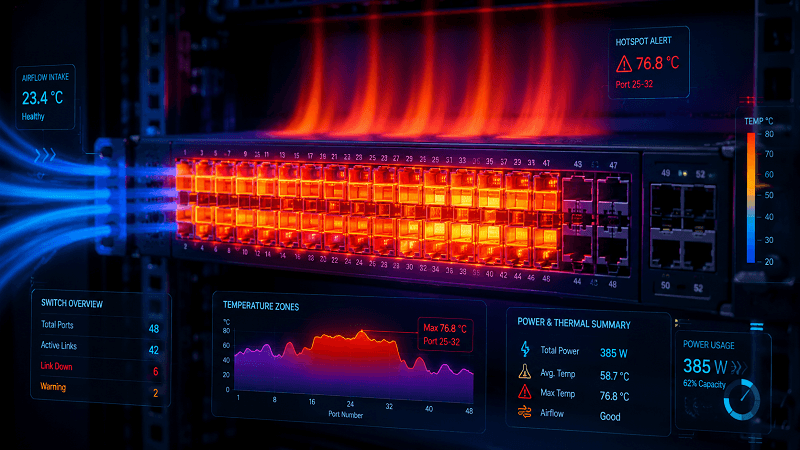
Absolute power still matters in dense switches. A fully loaded 48-port SFP28 switch can consume 50-70 W from optics alone, versus 35-50 W for the same port count at SFP+. If you are refreshing a full rack, the extra heat adds up. You need front-to-back airflow, blanking panels in empty ports, and DOM temperature monitoring.
Lisa, a data center operations manager in Frankfurt, had to recalculate her rack power budget during a 10G-to-25G migration. The per-port increase was only 0.3-0.5 W, but across 576 ports it became enough to push two cabinets over their contracted power limit.
She ended up splitting the rollout across more racks rather than densifying. The bandwidth upgrade was worth it. The cooling surprise was not.
For most single-rack or small deployments, the thermal difference is negligible. For hyperscale or high-density co-location environments, it is a real planning input.
Cost and TCO
Module pricing has narrowed significantly. As of 2026, third-party 10G BASE-SR modules often cost 15- 35, while third-party 25G BASE-SR modules cost 20- 45. The gap is small enough that many new builds default to SFP28 simply to avoid a future forklift upgrade.
OEM-branded modules still carry a premium. A Cisco-branded SFP+ SR might cost 80−200, while the SFP28 equivalen truns 150-300. Third-party coded modules close that gap for organizations willing to use non-OEM optics.
The bigger TCO factors are not the modules themselves:
- Switch hardware: A 25G leaf switch costs more than a 10G leaf switch, though the gap has shrunk.
- Server NICs: Most server vendors now ship 25G by default. If your servers already have 25G NICs, leaving them on 10G wastes capability.
- Cabling: OM3 and OM4 multimode fiber can usually be reused for 25GBASE-SR within the distance limits. OS2 single-mode works for both.
- Power and cooling: Slightly higher per-port draw, but lower per-Gbps draw.
- Labor and downtime: A phased migration using dual-rate modules can reduce cutover risk.
For greenfield builds, SFP28 is usually cheaper over a 5-year lifecycle because you avoid a mid-life speed upgrade. For legacy environments with years of life left, staying on SFP+ is often the financially rational choice.
When to Upgrade from SFP+ to SFP28
Upgrade signals:
- Server NICs are 25G-native and you are still running them at 10G.
- You are running out of 10G ports and would rather increase density than add switches.
- Your leaf switches need 100G QSFP28 uplinks, and 25G server ports are the natural match.
- You are building AI/ML clusters or storage fabrics where 25G per server is a minimum.
- The cost delta between SFP+ SR and SFP28 SR is small enough that future-proofing is basically free.
When to stay on SFP+:
- Your servers and workloads are genuinely capped at 10G.
- Your switches have years of depreciation left and no 25G support.
- Your fiber runs exceed 100 m on OM3, making 25GBASE-SR impractical without fiber replacement.
- Your budget is constrained and the switch refresh can wait.
A phased migration usually works best. Start with 25G-native leaf switches that have QSFP28 uplinks. Run SFP28 for new connections and keep SFP+ for legacy hosts.
Use QSFP28-to-4×SFP28 breakout cables to connect 25G leaves to existing 100G spines. Replace 10G NICs during the normal server refresh cycle.
Common Migration Pitfalls
Even when the hardware supports it, mixed-speed deployments fail in predictable ways.
FEC mismatch
25G links often require forward-error correction. Some switches default to RS-FEC, others to FC-FEC, and some leave it off. If both ends do not match, the link may come up briefly, flap, or show a high error rate. Always set FEC explicitly on both sides.
Vendor-coded modules rejected
A third-party SFP28 module coded for Arista may not be recognized by Cisco, or vice versa. The laser is fine. The firmware is the gatekeeper. Order modules coded for the switch brand you are plugging into.
Trying to run 25G in a 10G-only port
This sounds obvious, but it happens constantly. Just because the module fits and the link light turns on does not mean you are getting 25G. Check the negotiated speed in the switch CLI.
DAC length exceeded
Passive SFP28 DACs have shorter reach than passive SFP+ DACs. A 5 m passive SFP28 DAC that worked fine at 10G may not work reliably at 25G.
Fiber mismatch
25GBASE-SR on OM3 is limited to 70 m. If your OM3 run is 90 m, you need OM4 or a different module type. Do not assume the same fiber works at the same distance just because the speed increased.
FAQ
Can SFP28 run at 10G?
Some SFP28 modules support dual-rate operation and will negotiate down to 10G in an SFP+ port. This is not universal. Check the module datasheet and host switch documentation before relying on it.
Is SFP28 backward compatible with SFP+?
Physically, yes. Electrically, mostly in one direction. SFP+ modules usually work in SFP28 ports at 10G. SFP28 modules generally will not run at 25G in SFP+ ports.
Does SFP28 need special fiber?
Not necessarily. OM4 multimode and OS2 single-mode work well for both. OM3 can be reused for 25GBASE-SR up to 70 m. Longer OM3 runs may need fiber replacement or a different module type.
Which is better for data centers?
For new builds, SFP28. For legacy environments with remaining life, SFP+. The right answer depends on the refresh cycle, not just the module price.
Can I mix SFP+ and SFP28 in the same switch?
Yes, if the switch supports both speeds and the ports are configured correctly. Verify compatibility, FEC settings, and dual-rate support.
Does SFP28 use more power than SFP+?
Absolute power is slightly higher. Power efficiency per Gbps is significantly better.
Conclusion
SFP28 vs SFP+ is not a religious debate. It is a timing and economics question.
Both modules share the same form factor. Both plug into the same cage. But SFP28 pushes 2.5× the data through a 25G electrical lane, and that changes power, reach, FEC requirements, and compatibility behavior.
- Choose SFP+ when you are maintaining legacy 10G infrastructure, have tight budget constraints, or your servers genuinely do not need more than 10G.
- Choose SFP28 for new data center builds, AI/ML clusters, 5G fronthaul, or any environment where 25G server ports and 100G QSFP28 spines are the target architecture.
- Always verify host compatibility before ordering. Physical fit is not a guarantee.
- Match FEC settings on both ends of every 25G link.
- Account for thermal and power budgets in dense deployments.
If you are planning a 10G-to-25G migration or just need to know whether your existing SFP+ switches can accept SFP28 modules, start with a compatibility review. Explore our 25G SFP28 products for MSA-compliant modules coded for major switch brands, or contact our engineering team for migration guidance. The cheapest module is only a bargain if it links up on the first try.
Related Products:
-
 SFP28-25G-SR 25G SFP28 SR 850nm 100m LC MMF DDM Transceiver Module
$25.00
SFP28-25G-SR 25G SFP28 SR 850nm 100m LC MMF DDM Transceiver Module
$25.00
-
SFP28-25G-ESR 25G SFP28 ESR 850nm OM3 200m/OM4 300m LC MMF DDM Transceiver Module
$35.00
-
SFP28-25G32-BX40 25GBASE SFP28 BIDI ER TX1310nm/RX1270nm 40km LC SMF DDM Optical Transceiver Module
$180.00
-
SFP28-25G-ER 25G SFP28 ER 1310nm 40km LC SMF DDM Transceiver Module
$125.00
-
SFP28-25G32-BX10 25G BX BIDI SFP28 TX1330nm/RX1270nm 10km LC SMF DDM Transceiver Module
$42.00
-
SFP28-25G23-BX10 25G BX BIDI SFP28 TX1270nm/RX1330nm 10km LC SMF DDM Transceiver Module
$42.00
-
SFP28-25G-LR 25G SFP28 LR 1310nm 10km LC SMF DDM Transceiver Module
$45.00
-
SFP28-25G32-BX10I 25G BX BIDI SFP28 TX1330nm/RX1270nm 10km LC SMF DDM Industrial Transceiver Module
$50.00
-
SFP28-25G23-BX10I 25G BX BIDI SFP28 TX1270nm/RX1330nm 10km LC SMF DDM Industrial Transceiver Module
$50.00
-
SFP28-25G32-BX03C 25G BX BIDI SFP28 TX1330nm/RX1270nm 300m LC SMF DDM Transceiver Module
$58.00
-
SFP-10G85-SR 10G SFP+ SR 850nm 300m LC MMF DDM Transceiver Module
$12.00
-
SFP-10G31-LR 10G SFP+ LR 1310nm 10km LC SMF DDM Transceiver Module
$18.00
-
SFP-10G31-LR20 10G SFP+ LR 1310nm 20km LC SMF DDM Transceiver Module
$22.00
-
SFP-10G31-ER 10G SFP+ ER 1310nm 40km LC SMF DDM Transceiver Module
$25.00
-
SFP-10G-TS100 10GBase-T Copper SFP+ to RJ45 100m Transceiver Module
$70.00
-
SFP-10G55-ER 10G SFP+ ER 1550nm 40km LC SMF DDM Transceiver Module
$80.00
-
SFP-10G55-ZR 10G SFP+ ZR 1550nm 80km LC SMF DDM Transceiver Module
$150.00
-
SFP-10G55-ZR100 10G SFP+ ZR 1550nm 100km LC SMF DDM Transceiver Module
$280.00