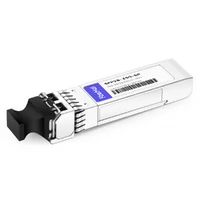
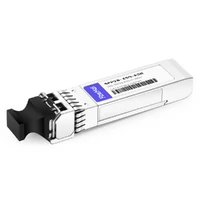
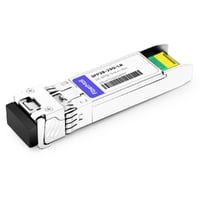
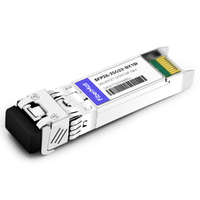
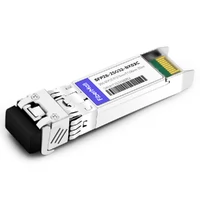
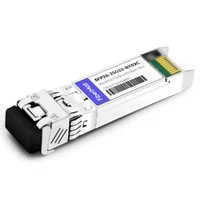
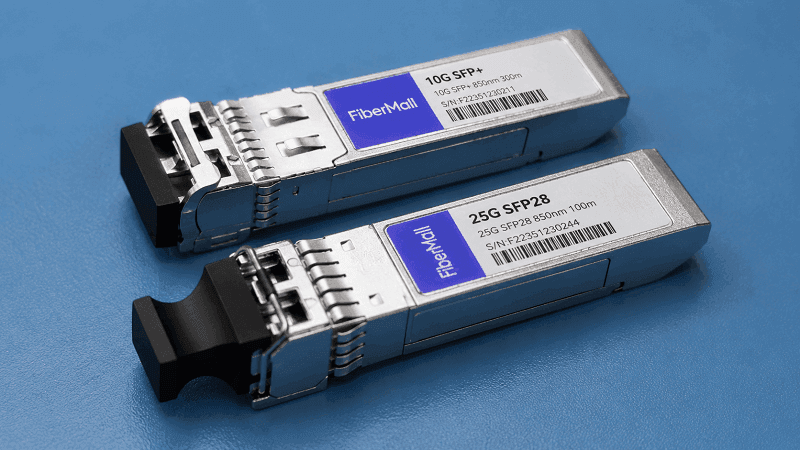
Two modules sit on the bench. Same metal cage, same pull tab, same latch. One says 10G SFP+. The other says 25G SFP28.
To a busy network engineer refreshing a leaf switch, they look interchangeable.
They aren’t.
If you’ve ever pulled an SFP+ module and wondered whether the SFP28 transceiver in your hand will work in its place, you’re not alone. The form factor hasn’t changed since the original SFP. The rules underneath have. Data rate, forward-error correction, power draw, and vendor coding all shift when you move from 10G to 25G.
This guide explains what an SFP28 transceiver actually is, how it differs from SFP and SFP+, and how to choose the right 25G module for your switch, fiber, and budget. We’ll cover IEEE 802.3by and SFF standards, SR/LR/ER/ZR/BiDi variants, vendor compatibility, pricing, migration economics, and troubleshooting. By the end, you’ll know whether 25G is the right stop for your network or whether you should skip straight to 100G.
Maria, a data center architect in Dallas, faced exactly this call in March. Her team was refreshing server uplinks from 10G to 25G. They assumed existing OM3 fiber would limit them.
Actually, 25GBASE-SR reaches 70 m on OM3 and 100 m on OM4. The real problem turned out to be switch firmware: two older leaf switches refused to recognize third-party SFP28 modules until a code upgrade. Her fiber was fine. Her compatibility testing wasn’t.
Need help validating compatibility for your switch platform? Contact our networking team for a free compatibility review.
What Is an SFP28 Transceiver?
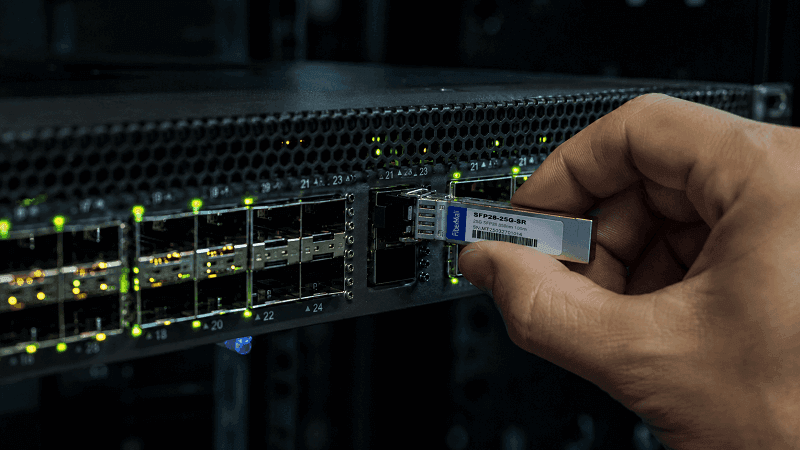
An SFP28 transceiver is a hot-pluggable optical module that delivers 25 Gigabit Ethernet over a single electrical lane. It uses the same physical form factor as SFP (1G) and SFP+ (10G), but its electrical interface supports a 25.78125 Gbps line rate defined by IEEE 802.3by. The “28” in the name refers to the maximum lane signaling rate of roughly 28 Gbps, not the usable Ethernet payload of 25 Gbps.
Like its predecessors, an SFP28 module slides into a switch port and converts electrical signals from the host board into optical signals for fiber transmission. On the receive side, it does the reverse. Most modules include a clock-data recovery (CDR) circuit to clean up signal jitter, and they expose digital diagnostics monitoring (DOM/DDM) over an I²C bus so you can read Tx/Rx power, temperature, and voltage in real time.
SFP28 is governed by three main specifications:
- SFF-8431 defines the electrical interface and high-speed signaling.
- SFF-8432 defines the mechanical form factor and connector dimensions.
- SFF-8472 defines the DOM/DDM data structure and alarm thresholds.
Together with the IEEE 802.3by standard, these documents make SFP28 modules interoperable across vendors. Interoperable, however, isn’t the same as universally accepted. Switch manufacturers often validate their own part numbers and may reject correctly coded third-party modules if the firmware is old or strict. We’ll cover that in the compatibility section.
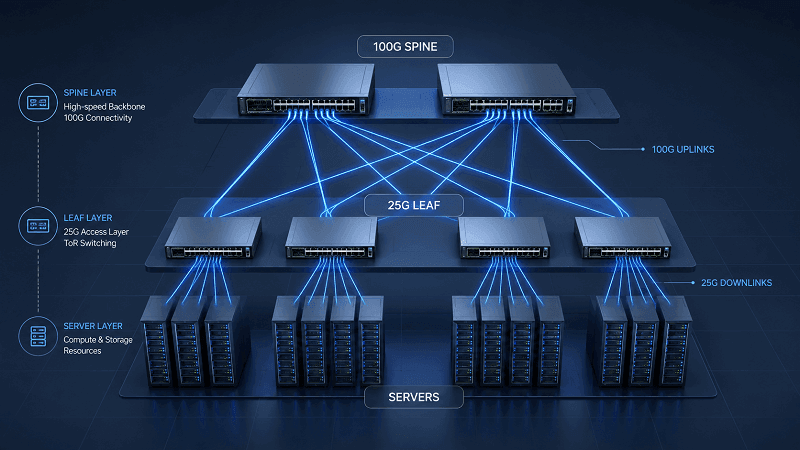
For data center architects, SFP28 is the logical step between 10G server uplinks and 100G spine links. It doubles port density compared to SFP+ at the same bandwidth target, or it doubles bandwidth per port. Either way, the economics of 25G have made SFP28 the dominant form factor for modern leaf switches.
How SFP28 Works: Standards and Signaling
The 25GBASE-R physical coding sublayer uses 64b/66b block encoding over a single lane. The raw line rate is 25.78125 Gbps, which yields a usable 25 Gbps Ethernet stream after encoding overhead. That is a big jump from SFP+, which runs 10.3125 Gbps per lane.
IEEE 802.3by specifies several 25G variants:
- 25GBASE-SR for short-reach multimode fiber.
- 25GBASE-LR for 10 km single-mode fiber.
- 25GBASE-ER for extended reach up to 40 km.
- 25GBASE-T for copper twisted-pair (separate from SFP28 modules).
SFP28 electrical signaling is defined in SFF-8431, Rev. 4.1 and later. The host board provides a single 25G lane to the module, and the module’s CDR retimes the signal before it reaches the optical transmitter. Without CDR, jitter would accumulate across cascaded devices and degrade bit-error rate.
Forward-error correction (FEC) is where 25G gets interesting. IEEE 802.3by includes an optional Reed-Solomon FEC (RS-FEC, RS(528,514)) for 25GBASE-SR/LR/ER.
RS-FEC adds a small latency penalty, roughly 100 ns per hop, but it allows links to run on slightly lower-quality fiber or at higher optical budgets. Some switch vendors require RS-FEC on 25G ports by default. Others default to Fire-Code FEC (FC-FEC, RS(2112,2080)), which is older and less robust.
When two linked SFP28 ports disagree on FEC mode, the link may come up, flap, or show a high error rate. The fix is usually a CLI command.
On Cisco, you might see fec none, fec fire-code, or fec reed-solomon. On Arista, the command is fec under the interface. Always match both ends.
Lane architecture is another point of confusion. SFP28 is single-lane 25G. QSFP28 is four-lane 25G bundled into one module, giving 100G total.
A QSFP28 port can often break out to four SFP28 ports using a breakout cable. That makes SFP28 and QSFP28 natural companions in leaf-spine designs.
SFP28 vs SFP+ vs SFP: What’s the Difference?
The physical similarity is intentional. SFP28 ports accept SFP and SFP+ modules in most cases. The reverse isn’t always true. Backward compatibility depends on the switch ASIC, firmware, and whether the module is correctly coded.
| Feature | SFP | SFP+ | SFP28 |
| Standard data rate | 1 Gbps | 10 Gbps | 25 Gbps |
| Line rate | 1.25 Gbps | 10.3125 Gbps | 25.78125 Gbps |
| Encoding | 8b/10b | 64b/66b | 64b/66b |
| Typical max reach (SR) | n/a | 300 m (10GBASE-SR) | 100 m (25GBASE-SR OM4) |
| Typical power draw | < 1 W | ~1 W | ≤ 1 W (SR), 1.2–1.5 W (LR) |
| FEC | No | No | Optional RS-FEC/FC-FEC |
| Backward compatibility | Fits in SFP+ port | Fits in SFP28 port | May not work in SFP+ port |
The key backward-compatibility rules:
- SFP28 in SFP+ port: Usually won’t run at 25G. Some SFP28 modules can negotiate down to 10G if the host supports it, but don’t count on this for production.
- SFP+ in SFP28 port: Often works at 10G, letting you reuse spare 10G optics during a migration.
- SFP in SFP28 port: Sometimes works at 1G for out-of-band management, but many 25G-only ASICs drop 1G support entirely.
Host dependency matters. A Dell switch with a Broadcom ASIC may accept a third-party SFP28 module while a Cisco Nexus switch with the same module shows “unsupported transceiver.” The difference is usually EEPROM coding and firmware policy, not hardware.
So when should you choose each generation? Use SFP for legacy 1G access or management. Use SFP+ when 10G is enough and cost is the main driver. Use SFP28 when you need 25G server or storage uplinks, when your leaf switch is 25G-native, or when you want a clean migration path toward 100G QSFP28 spines.
Want a deeper side-by-side? Read our SFP28 vs SFP+ comparison for speed, power, and cost details.
SFP28 Module Types and Reach
SFP28 modules are categorized by reach, wavelength, and fiber type. Choosing the right one starts with the distance between endpoints and whether you have single-mode or multimode fiber installed.
25GBASE-SR
SR stands for short reach. It uses 850 nm vertical-cavity surface-emitting laser (VCSEL) optics over multimode fiber. Typical reaches are 70 m on OM3 and 100 m on OM4. It is the default choice for in-rack and adjacent-rack links inside a data center.
25GBASE-LR
LR stands for long reach. It uses 1310 nm lasers over single-mode fiber and reaches 10 km. LR is the workhorse for building-to-building campus links and small central-office handoffs.
25GBASE-ER
ER extends single-mode reach to roughly 30–40 km. It uses more powerful 1310 nm or 1550 nm optics and draws more power. Use ER only when LR isn’t enough.
25GBASE-ZR
ZR is not formally defined by IEEE 802.3by but is a common industry term for 80 km+ 25G DWDM or coherent modules. These are specialized telecom optics, often with tunable lasers and amplifier pairs.
BiDi, CWDM, and DWDM
BiDi modules transmit and receive on different wavelengths over a single fiber strand. A typical 25G BiDi pair uses 1270 nm in one direction and 1310 nm in the other. CWDM and DWDM variants let you carry multiple 25G channels over the same fiber using wavelength division multiplexing. These are popular in telecom fronthaul and metro networks where fiber is scarce.
| Module type | Wavelength | Fiber | Typical reach | Use case |
| 25GBASE-SR | 850 nm | OM3/OM4 MMF | 70–100 m | In-rack data center |
| 25GBASE-LR | 1310 nm | OS2 SMF | 10 km | Campus / metro |
| 25GBASE-ER | 1310 nm | OS2 SMF | 30–40 km | Long-distance enterprise |
| 25GBASE-BiDi | 1270/1310 nm | Single strand | 10–20 km | Fiber-constrained links |
| 25GBASE-CWDM | 1270–1610 nm | SMF | 10 km | WDM aggregation |
| 25GBASE-DWDM | C-band tunable | SMF | 80 km+ | Telecom / long haul |
DAC and AOC cables are also part of the SFP28 ecosystem. A passive DAC uses twin-ax copper and works for 1–3 m inside a cabinet. An AOC uses embedded optics and can reach 7–15 m. Both are cheaper and lower-power than discrete transceivers plus patch cables for very short links.
SFP28 Compatibility by Vendor
This is where procurement gets painful. Most SFP28 modules are built on the same lasers and DSPs. The difference between a 45 third – party module and a 250 OEM module is often just the EEPROM string that identifies the vendor.
Major switch vendors encode their optics with a vendor identifier, part number, checksum, and sometimes a digital signature. When the switch boots, it reads the SFP28 ID and either accepts the module, warns that it is unsupported, or disables the port. The module itself is electrically fine. The firmware is the gatekeeper.
Here are typical OEM part-number prefixes to look for:
- Cisco: SFP-25G-SR-S, SFP-25G-LR-S, SFP-25G-ER-S
- Arista: SFP-25G-SR, SFP-25G-LR, SFP-25G-CW-xx-10
- Juniper: JNP-SFP-25G-SR, JNP-SFP-25G-LR
- Dell: 407-BBRB, 407-BBRO
- NVIDIA/Mellanox: MMA2P00-AS, MMA2L20-AR
- HPE Aruba: J9151D, J9153D
| Vendor | 25G SR example | 25G LR example | Firmware policy |
| Cisco | SFP-25G-SR-S | SFP-25G-LR-S | Strict; often requires supported list |
| Arista | SFP-25G-SR | SFP-25G-LR | Moderate; open ecosystem friendly |
| Juniper | JNP-SFP-25G-SR | JNP-SFP-25G-LR | Moderate; validation recommended |
| Dell | 407-BBRB | 407-BBRO | Varies by OS10/Force10 generation |
| NVIDIA/Mellanox | MMA2P00-AS | MMA2L20-AR | Strict on Spectrum switches |
| HPE Aruba | J9151D | J9153D | Moderate; checks EEPROM |
James, a network integrator in Toronto, learned this the hard way on a mixed-vendor job. His customer bought third-party SFP28 LR modules for Arista leaf switches. They linked up perfectly.
The same modules plugged into Cisco Nexus 9300 switches showed “ErrDisabled.” A firmware downgrade temporarily allowed them, but the customer wanted a supported configuration. James ended up splitting the order: coded modules for Cisco, generic-coded for Arista. The optics were identical. The part numbers were not.
If you manage a mixed environment, ask your optics supplier for switch-specific coding before you order. Reputable suppliers keep a database of per-vendor EEPROM maps and can ship the same laser with multiple firmware identities. The cost difference is usually small. The downtime avoided is substantial.
SFP28 DAC, AOC, and Breakout Cables
Not every 25G link needs a transceiver and a fiber patch cord. For top-of-rack switches connected to servers inside the same cabinet, direct-attach copper (DAC) and active optical cable (AOC) assemblies are cheaper, simpler, and more reliable.
A passive DAC is a twin-ax copper cable with SFP28 connectors on each end. It has no active electronics, draws almost no power, and costs 20-50 for a 1 m length. The catch is distance. Most passive DACs top out at 3 m, and signal integrity falls quickly after that.
An active DAC adds signal-conditioning chips inside the connector. That extends reach to 5–7 m and improves jitter tolerance. It uses slightly more power but is still far lower than two transceivers plus fiber.
An AOC embeds optical transceivers permanently bonded to a fiber cable. AOCs reach 7–15 m, weigh less than DACs, and avoid the connector cleaning issues of detachable optics. They are common in high-density racks where cable bulk matters.
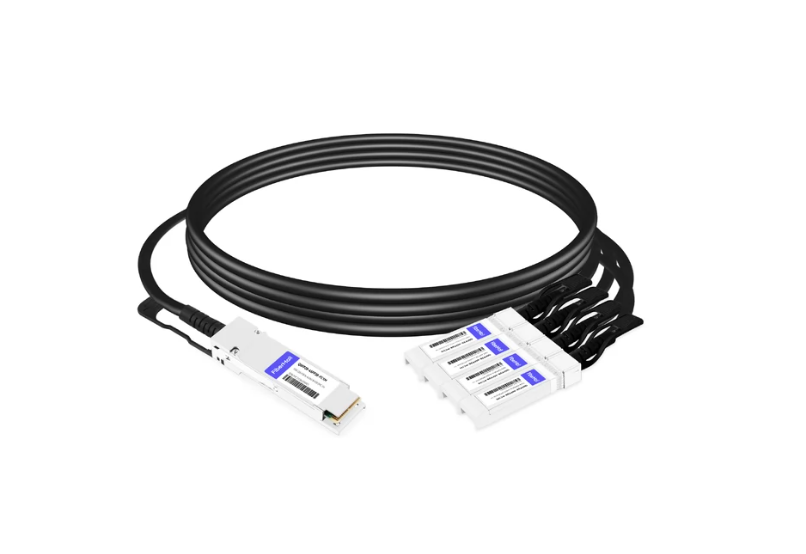
For switch-to-switch uplinks at 25G, a QSFP28-to-4×SFP28 breakout cable lets one 100G spine port fan out to four 25G leaf ports. This is one of the strongest economic arguments for SFP28. Instead of buying four separate 100G links, you can oversubscribe a single QSFP28 port and scale incrementally.
| Cable type | Medium | Typical reach | Power per end | Best for |
| Passive DAC | Copper | ≤ 3 m | Near zero | Server to ToR in same cabinet |
| Active DAC | Copper | ≤ 7 m | Low | ToR to adjacent cabinet |
| AOC | Fiber | 7–15 m | Medium | High-density clean cable runs |
| Breakout DAC/AOC | Copper/fiber | 1–5 m | Low | 100G spine to 25G leaf |
DAC and AOC cables also carry vendor coding. Some switches require the cable EEPROM to match the switch vendor. Always confirm coding before a bulk purchase.
10G to 25G Migration: When to Upgrade
Moving from SFP+ to SFP28 is rarely about a single link. It is about port density, server NIC speed, and the cost of refreshing switching fabric.
Signals that it’s time to move:
- Server NICs are shipping 25G by default. Major server vendors moved their base NIC speed from 10G to 25G around 2019–2020.
- Your leaf switches support 25G and QSFP28 uplinks. The marginal cost of 25G ports over 10G ports has shrunk.
- You are running out of 10G ports and would rather upgrade density than add more switches.
- Your storage or AI cluster needs more bandwidth per server than 10G can provide.
But 25G isn’t always the right answer. If your servers are still 1G or 10G and your traffic isn’t growing, SFP+ is cheaper and perfectly adequate. If you’re building a new spine fabric today, 100G QSFP28 or 400G QSFP-DD may be the better long-term investment. In some cases, skipping 25G entirely and moving straight to 100G server connectivity is the smarter play.
A phased migration usually looks like this:
1. Upgrade leaf switches to 25G-native models with QSFP28 uplinks.
2. Run SFP28 SR for new server connections and keep SFP+ modules for legacy hosts.
3. Use QSFP28 breakout cables to connect 25G leaves to existing 100G spines.
4. Replace remaining 10G NICs during the next server refresh cycle.
The cost delta between SFP+ SR and SFP28 SR optics has narrowed significantly. Third-party 25GBASE-SR modules often cost only 10-20 more than equivalent 10GBASE-SR modules. The bigger cost is the switch hardware, not the optics.
SFP28 in 5G Fronthaul and Telecom
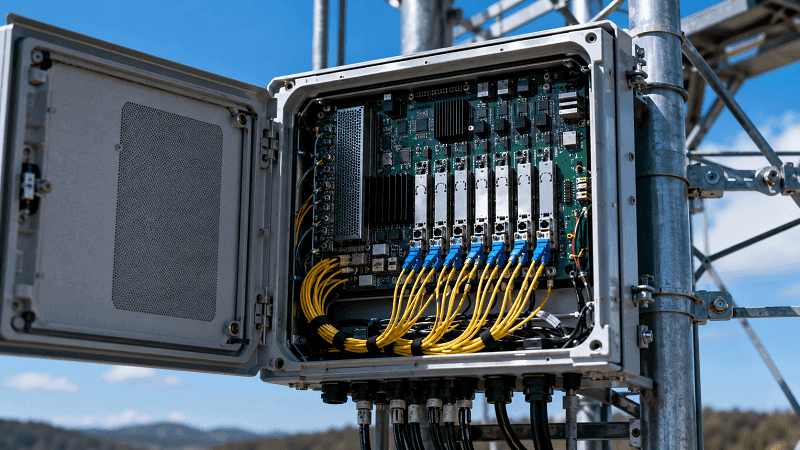
SFP28 isn’t just a data center story. Telecom operators use industrial-temperature 25G SFP28 modules for 5G fronthaul links between baseband units (BBUs) and remote radio units (RRUs) or active antenna units (AAUs).
The eCPRI interface common in 5G New Radio uses 25G Ethernet to carry IQ samples. Latency budgets are tight. A typical fronthaul link must stay under 100 µs one-way, and many operators target 50 µs or less. SFP28’s single-lane architecture keeps serialization delay predictable.
Industrial-temperature SFP28 modules are rated for -40 °C to +85 °C. They use hardened components and conformal coating to survive vibration, humidity, and thermal cycling. Standard commercial modules are rated 0 °C to +70 °C and will fail in outdoor cabinets.
Reach requirements vary by cell-site topology. Urban dense deployments may need only 2–10 km. Rural macro cells can push 15–20 km. CWDM and DWDM SFP28 variants are popular where dark fiber is limited and multiple 25G fronthaul streams must share one fiber pair.
For telecom procurement, verify that modules meet the operator’s optical budget, temperature, and jitter/wander specifications. A module that works in a climate-controlled data center may not survive a rooftop enclosure in Phoenix.
SFP28 Power, Thermal, and Deployment Best Practices
Typical SFP28 power draw is low compared to higher-speed modules, but rack-level planning still matters.
| Module type | Typical power | Thermal note |
| 25GBASE-SR | 0.8–1.0 W | VCSEL-based, low heat |
| 25GBASE-LR | 1.2–1.5 W | DFB laser, moderate heat |
| 25GBASE-ER | 1.5–2.0 W | Higher Tx power, more heat |
| 25GBASE-CWDM | 1.5–2.0 W | Multiple wavelengths, more heat |
| DAC/AOC | Near zero to 0.5 W | Lowest power option |
A fully loaded 48-port 25G switch can consume 50–70 W just from optics. In a dense rack with multiple switches, that heat accumulates. Make sure front-to-back airflow aligns with your cabinet layout and that blanking panels fill empty ports to preserve airflow.
DOM monitoring is your early warning system. SFP28 DOM reports temperature, Tx/Rx optical power, laser bias current, and supply voltage.
Set thresholds so you get alerts before a link fails. A sudden drop in Rx power usually means a dirty connector, a bent fiber, or a failing laser. A temperature spike can indicate blocked airflow.
Physical installation best practices:
- Clean fiber connectors with lint-free wipes and IPA before every insertion.
- Do not exceed the minimum bend radius of your fiber cable, typically 30 mm for patch cords.
- Leave some service loop, but avoid coiling fiber tightly behind the switch.
- Install dust caps immediately when a module or patch cord is removed.
- Label both ends of every fiber run. Troubleshooting is faster when you know what is plugged in where.
A clean, well-labeled installation pays for itself the first time you debug a link-down at 2 a.m.
SFP28 Pricing and Cost Factors
Pricing depends on vendor coding, reach, wavelength technology, and volume. OEM-branded modules carry a substantial premium, often 3–5× the cost of equivalent third-party modules.
| Module type | Third-party price range | OEM price range |
| 25GBASE-SR | 17-55 | 80-250 |
| 25GBASE-LR | 40-90 | 150-400 |
| 25GBASE-ER | 120-250 | 400-900 |
| 25GBASE-BiDi | 50-120 | 200-500 |
| Passive DAC 1 m | 15-35 | 60-150 |
| AOC 7 m | 80-180 | 250-600 |
Volume discounts kick in quickly. A single 25GBASE-SR module might cost 35. A box of 50 often drops below 20 per unit. OEMs also discount at scale, but their starting point is higher.
Total cost of ownership includes more than the module price. Consider sparing stock, lead time, warranty, technical support, and the cost of downtime if a module fails. For mission-critical production, many engineers keep a small stock of tested spares rather than relying on next-day shipping.
FiberMall offers 25G SFP28 transceivers and cables with MSA-compliant coding for major switch brands. Request a quote if you need volume pricing or switch-specific compatibility programming.
SFP28 Troubleshooting Quick Reference
Even with the right module, links can fail. Here is a diagnostic flow that catches the most common problems.
Link will not come up at all
- Check that both ends are the same type: SR to SR, LR to LR, and so on.
- Verify the fiber type matches the module. OM4 for SR, OS2 for LR/ER.
- Inspect and clean connectors on both ends.
- Confirm the switch port is enabled and not administratively shut.
- Check for “unsupported transceiver” or “ErrDisabled” messages. Re-code or update firmware.
Link comes up but shows errors or flaps
- Verify FEC mode matches on both ends. RS-FEC on one side and FC-FEC on the other is a classic mismatch.
- Check DOM for low Rx power. A dirty connector can drop signal 1–3 dB.
- Look for temperature alarms. Hot modules generate errors.
- Verify cable length is within spec. A 5 m passive DAC is not guaranteed to work.
Vendor-lock symptoms
- Module is recognized but powers down after boot.
- Switch CLI shows “unknown” vendor ID.
- Same module works in one brand of switch but not another.
DOM alarm interpretation
- Tx power low: End-of-life laser or failing driver.
- Rx power low: Dirty connector, bend loss, or far-end Tx issue.
- Temperature high: Airflow blockage or high ambient temperature.
- Voltage alarm: Usually a power-supply issue on the host board.
When in doubt, swap the module with a known-good spare and move one variable at a time. Changing the fiber, the module, and the switch port all at once hides the real cause.
FAQ
Can SFP28 run at 10G?
Some SFP28 modules can negotiate down to 10G in an SFP+ port, but this isn’t guaranteed. The module’s EEPROM and the host ASIC must both support rate negotiation. For production links, use the correct module for the port speed.
Is SFP28 backward compatible with SFP+?
Physically, yes. Electrically, mostly no for 25G operation. An SFP28 module can usually plug into an SFP+ port, but it won’t deliver 25G unless the port is a true 25G SFP28 port. SFP+ modules often work in SFP28 ports at 10G.
What fiber do I need for SFP28 SR?
25GBASE-SR uses multimode fiber. Use OM4 for up to 100 m or OM3 for up to 70 m. LC connectors are standard.
Can I use SFP28 in a QSFP28 port?
Not directly. A QSFP28 port is four lanes wide. You need a QSFP28-to-4×SFP28 breakout cable or adapter to connect SFP28 modules to a QSFP28 port.
What is the max distance of SFP28 LR?
25GBASE-LR reaches 10 km over single-mode OS2 fiber. Some extended variants reach 15 km, but check the datasheet.
Does SFP28 require FEC?
FEC is optional per IEEE 802.3by but often required by switch vendors for reliable 25G operation. Always match the FEC setting on both ends of the link.
Conclusion
SFP28 is the natural 25G bridge between 10G server uplinks and 100G spine fabrics. It keeps the familiar SFP form factor, adds a single 25G lane, and gives data center and telecom engineers a dense, cost-effective way to scale bandwidth. The key takeaways are simple.
- SFP28 shares the same mechanical form factor as SFP and SFP+ but uses a 25.78125 Gbps electrical lane.
- Match module type to fiber and distance: SR for multimode data center links, LR/ER for single-mode campus and telecom links.
- Vendor compatibility is usually an EEPROM coding issue, not a hardware issue. Code modules for the switch brand you are plugging into.
- FEC mode must match on both ends. A mismatch causes errors or link flaps.
- DAC and AOC cables are lower-power, lower-cost alternatives for short links.
- 25G is a strong upgrade from 10G, but in some greenfield builds, skipping straight to 100G or 400G makes more sense.
If you are planning a 10G-to-25G migration, building a 5G fronthaul network, or just trying to figure out which SFP28 module your switch will accept, start with a compatibility review. Explore our 25G SFP28 products for MSA-compliant modules and switch-specific coding, or contact our engineering team for volume pricing. The right module at the right price is only useful if it links up on the first try.
Related Products:
-
 SFP28-25G-SR 25G SFP28 SR 850nm 100m LC MMF DDM Transceiver Module
$25.00
SFP28-25G-SR 25G SFP28 SR 850nm 100m LC MMF DDM Transceiver Module
$25.00
-
SFP28-25G-ESR 25G SFP28 ESR 850nm OM3 200m/OM4 300m LC MMF DDM Transceiver Module
$35.00
-
SFP28-25G32-BX10 25G BX BIDI SFP28 TX1330nm/RX1270nm 10km LC SMF DDM Transceiver Module
$42.00
-
SFP28-25G23-BX10 25G BX BIDI SFP28 TX1270nm/RX1330nm 10km LC SMF DDM Transceiver Module
$42.00
-
SFP28-25G-LR 25G SFP28 LR 1310nm 10km LC SMF DDM Transceiver Module
$45.00
-
SFP28-25G32-BX10I 25G BX BIDI SFP28 TX1330nm/RX1270nm 10km LC SMF DDM Industrial Transceiver Module
$50.00
-
SFP28-25G23-BX10I 25G BX BIDI SFP28 TX1270nm/RX1330nm 10km LC SMF DDM Industrial Transceiver Module
$50.00
-
SFP28-25G32-BX03C 25G BX BIDI SFP28 TX1330nm/RX1270nm 300m LC SMF DDM Transceiver Module
$58.00
-
SFP28-25G23-BX03C 25G BX BIDI SFP28 TX1270nm/RX1330nm 300m LC SMF DDM Transceiver Module
$58.00
-
SFP28-25G-ER 25G SFP28 ER 1310nm 40km LC SMF DDM Transceiver Module
$125.00
-
SFP28-25G32-BX40 25GBASE SFP28 BIDI ER TX1310nm/RX1270nm 40km LC SMF DDM Optical Transceiver Module
$180.00
-
SFP28-25G23-BX40 25GBASE SFP28 BIDI ER TX1270nm/RX1310nm 40km LC SMF DDM Optical Transceiver Module
$180.00