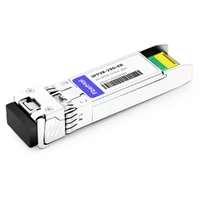
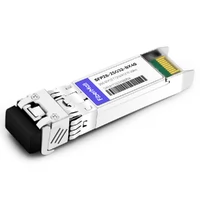
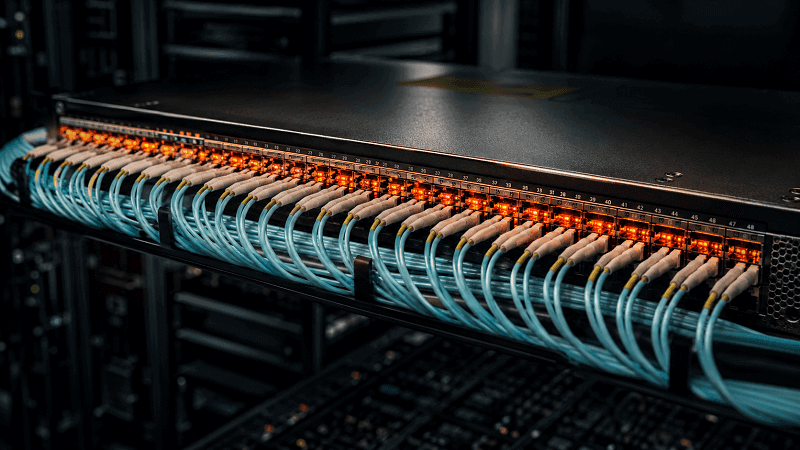
A 48-port switch that draws 45 W empty can pull over 100 W once every port has an SFP28 optic in it. Most teams find this out at the breaker, not in the planning spreadsheet.
That gap is why SFP28 power consumption keeps showing up in deployment meetings. One module at 1.2 W sounds like nothing. Multiply that by a few hundred ports and it stops being nothing. It becomes heat, PDU load, and airflow you have to design for.
This guide walks through real per-module wattage data for SR, LR, ER, and cable options, the switch and rack math that turns watts into a budget, and the temperature classes that decide whether a module survives its environment. If you are new to the 25G form factor itself, our complete SFP28 transceiver guide covers the basics first.
What Is SFP28 Power Consumption?
SFP28 power consumption is the electrical draw of a 25G single-lane module or cable assembly, usually between 1 and 2.5 W depending on the reach class and optical design. It matters because the power becomes heat inside the switch, and heat limits how many ports you can load into one box.
Two things confuse people here. First, SFP28 draws more absolute watts per module than SFP+. Second, it draws less power per delivered gigabit. Both are true, and both matter in different parts of the design.
A few basics set the table. SFP28 modules run on a single +3.3 V supply. The SFF specifications cover the electrical interface (SFF-8431), the mechanical fit (SFF-8432), and diagnostic monitoring (SFF-8472). The Ethernet signaling itself sits on top of IEEE 802.3.
A short-reach 25GBASE-SR module with a VCSEL laser draws a fraction of what a 40 km ER module with a hotter laser draws.
SFP28 Power Consumption by Module Type
Power scales mostly with reach and optical complexity. Short multimode links use low-power VCSELs. Long single-mode links need more powerful lasers, better drivers, and often amplification. WDM modules add tuning and channel circuitry on top of that.
| Module type | Typical power | Max noted | Laser / media | Best fit |
| 25GBASE-SR (850 nm) | ~1.0–1.2 W | <1.2 W | VCSEL, OM3/OM4 | In-rack and nearby-rack links |
| 25GBASE-LR (1310 nm, 10 km) | ~1.2–1.5 W | ~1.5 W | DFB, single mode | Building and campus links |
| 25GBASE-ER (30–40 km) | ~1.5–2.0 W | <2.0 W | DFB/EML, single mode | Longer point-to-point links |
| 25G ZR (up to ~80 km) | ~2.5 W | ~3.5 W at iTemp | Long-reach optics | Metro and transport links |
| 25G BiDi | ~1.0–1.5 W | Vendor dependent | VCSEL/DFB, one strand | Fiber-constrained upgrades |
| 25G CWDM / DWDM | ~1.5–2.0 W | ~2.0 W | Channel-specific lasers | Shared transport fiber |
| Passive DAC | Near zero to 0.5 W | ~0.5 W | None (copper) | Same-rack server links |
| Active DAC | ~1.5–2.5 W per assembly | ~2.5 W | Signal conditioning | Nearby-rack copper links |
| AOC | ~1 W per end | ~1 W | Embedded optics | Short rack-to-rack optical runs |
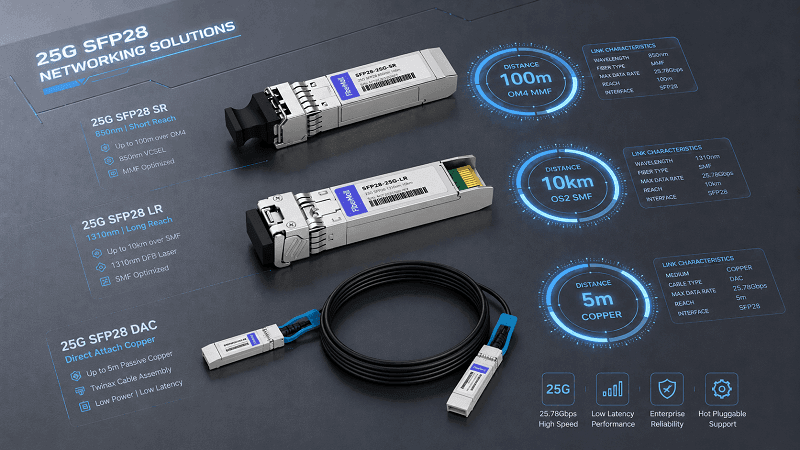
Treat these as planning ranges, not guarantees. Vendors differ by 0.2–0.5 W on the same module type. The safe move is to budget with the maximum figure from the specific data sheet you are actually buying.
A useful rule of thumb: the shortest suitable medium usually draws the least power. A 2 m passive DAC beats an SR module and an LR module on watts, and it costs less to boot. But “shortest suitable” means the full channel, not the straight-line distance. Our SFP28 module types guide walks through matching medium to installed fiber and reach.
Sizing a 25G refresh and unsure what power each port will actually draw? Send FiberMall the switch model and module list. The engineering team can pull the real wattage figures and flag anything that will bite the power budget before you order.
SFP28 Power vs SFP+: The Efficiency Story
This is the comparison that surprises most people moving from 10G. On absolute watts, SFP28 is a small step up. On watts per gigabit, it is roughly twice as efficient.
| Metric | SFP+ (10G) | SFP28 (25G) |
| SR module power | ~0.7–1.0 W | ~1.0–1.2 W |
| LR module power | ~1.0–1.2 W | ~1.2–1.5 W |
| Power per gigabit (SR) | ~0.08–0.10 W/Gbps | ~0.04–0.05 W/Gbps |
| 48-port switch optics | ~35–50 W | ~50–70 W |
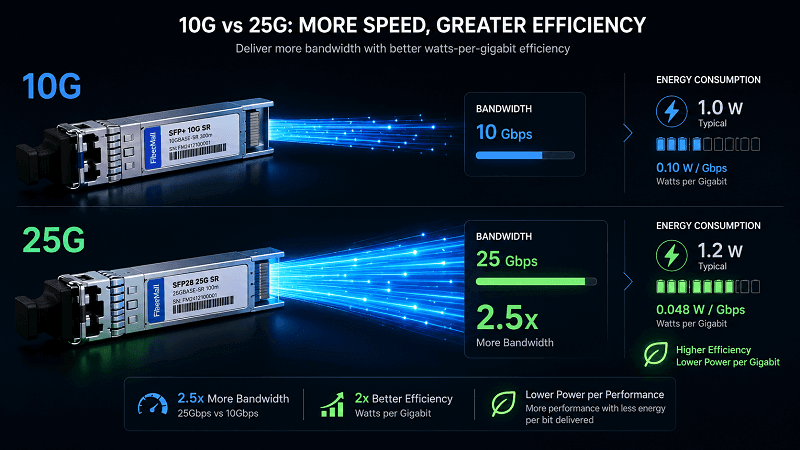
The per-gigabit math is the headline. A 10GBASE-SR module draws around 0.08–0.10 W for each gigabit it carries. A 25GBASE-SR module carries 2.5 times the bandwidth for roughly the same absolute power, so it lands around 0.04–0.05 W/Gbps. That is the efficiency argument for moving off 10G in dense environments.
The absolute numbers still matter at scale. A fully loaded 48-port SFP28 switch runs ~50–70 W of optics load against ~35–50 W for SFP+. That is a 15–20 W delta per switch, which seems small until you stack eight switches in a rack and start counting breakers.
The upgrade path between the two matters too. In many platforms an SFP+ module can run at 10G inside an SFP28 port, but that is platform-dependent. Our SFP28 vs SFP+ comparison covers which port accepts what and when the migration actually pays off.
SFP28 vs QSFP28: Where Aggregation Wins
At the access layer, SFP28 wins on raw port count and per-port simplicity. At the spine, QSFP28 often wins on power per delivered gigabit. It is a genuine trade-off, not a marketing preference.
A single QSFP28 module carries 100G on four lanes and typically draws 3–5.5 W depending on reach. An LR4 version sits around 4–5 W, which works out to roughly 0.05 W/Gbps. Delivering that same 100G with four SFP28 ports means four modules, four switch ports, and four cables. At ~1.5–2 W each, that is 6–8 W total, or 0.06–0.08 W/Gbps.
So absolute power per module favors SFP28, but watts per gigabit at 100G aggregation favors QSFP28. That is why the common design puts 25G SFP28 on the server-facing leaf ports and 100G QSFP28 on the spine uplinks.
We break down the full efficiency ladder across 40G, 100G, 200G, 400G, and 800G in our QSFP power consumption per gigabit guide. For the QSFP28 side of the comparison specifically, the QSFP28 power consumption guide has the per-module thermal detail.
Switch and Rack-Level Power Budget Math
Here is where SFP28 power consumption turns into something you can size a PDU against. The process is: sum the optics, add the switch base load, convert to heat, and leave headroom.
Let us run a worked example with a 48-port SFP28 leaf switch using LR optics at a 1.5 W average:
- Optics: 48 × 1.5 W = 72 W
- Switch base load: roughly 120–180 W depending on the model
- Total: ~190–250 W per switch fully loaded
A 64-port version pushes optics alone to ~96 W. Now put eight fully loaded 48-port switches in one rack:
- Networking load: ~1.5–2 kW before you add a single server
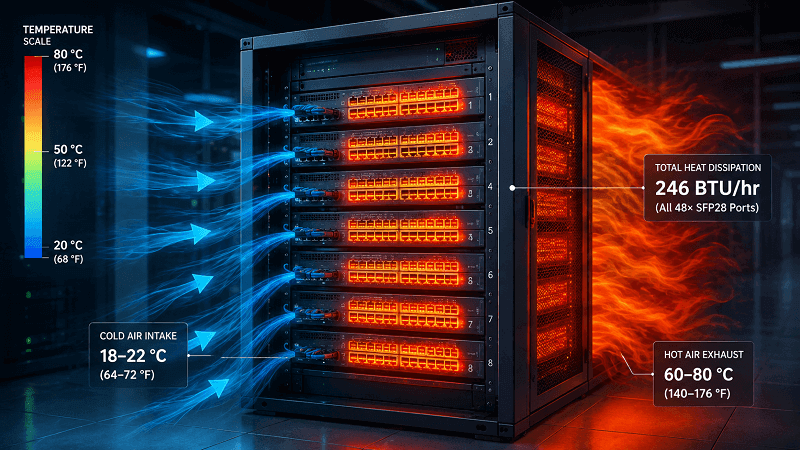
- Cooling load: 72 W of optics per switch converts to roughly 246 BTU/hr per switch just for the optics
The conversion rule is simple: 1 W = 3.412 BTU/hr. A rack that draws 2 kW of networking power sheds about 6,824 BTU/hr of heat that the cooling system has to remove.
Ana learned this the hard way. Her team populated a 64-port SFP28 leaf with LR optics, sized the PDU on switch base power alone, and tripped the 30 A breaker during the first full-rack power-on. The optics added ~96 W they had not budgeted.
Re-cabling to a second PDU cost them a weekend of deployment time. Nothing was broken; the spreadsheet was just incomplete.
A couple of cautions from the field. Module power figures can effectively double at the board level, because populating a port wakes up supporting components on the line card. And the standard advice is to size PDUs at 80% of rated capacity so you keep 20% headroom for startup surges and future modules. Always budget on maximum module power, not the typical figure.
SFP28 Temperature Classes and Thermal Reliability
Temperature is the second half of the power story, because power becomes heat and heat shortens component life. The relationship is well documented: for roughly every 10 °C rise in operating temperature, component lifespan can halve. That applies to laser diodes, driver ICs, and receiver amplifiers, not just the switch ASIC.
SFP28 modules come in two common temperature classes:
| Grade | Case temperature range | Typical use |
| Commercial | 0 °C to +70 °C | Climate-controlled data centers and wiring closets |
| Industrial | -40 °C to +85 °C | Outdoor cabinets, 5G fronthaul, factory floors |
Commercial modules are fine in a normal data center. Put them in an outdoor telecom cabinet in summer and they will degrade, drop links, or fail outright. Industrial-temp modules use hardened components and conformal coating, but they cost more and often draw more power at the extremes.
Inside a rack, airflow does the heavy lifting. Keep front-to-rear airflow consistent, use blanking panels to stop hot air recirculating, and avoid packing dozens of hot modules into a poorly ventilated chassis. Sanoc’s work on low-power SFP thermal design goes deep on how heat at the component level degrades signal integrity and bit-error rate.
Monitoring SFP28 Power and Temperature with DDM
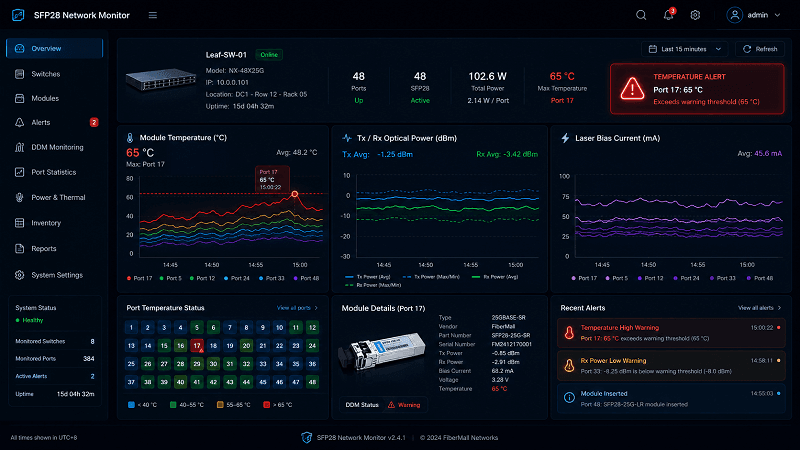
You cannot manage what you are not measuring. SFP28 modules expose digital diagnostics monitoring (DDM/DOM) over an I²C bus, per the SFF-8472 diagnostic spec. It reports four key values in real time:
- Temperature
- Supply voltage
- Laser bias current
- Tx and Rx optical power
The classic DDM table on a 25GBASE-SR module might read:
| Parameter | Typical | Alert level |
| Temperature | 42 °C | Warn at 65 °C, alarm at 70 °C |
| Voltage | 3.3 V | Out of range below 3.1 V |
| Laser bias | 8.4 mA | Rising trend flags aging laser |
| Tx power | 0.4 mW | Drop means dirty or damaged optics |
| Rx power | -3.2 dBm | Drop means connector or far-end issue |
Set thresholds before the link fails, not after. A sudden Rx power drop almost always means a dirty connector, a bent fiber, or a failing far-end transmitter. A temperature spike means blocked airflow. If you see a DDM alarm and need to work the link down fast, our SFP28 troubleshooting guide has the diagnostic flow.
5-Step SFP28 Power Budget Checklist
Run through these before you finalize a 25G deployment:
1. Inventory every module and cable by type. List SR, LR, ER, WDM, DAC, and AOC separately with their maximum power figures.
2. Sum optics power per switch. Use max values, not typical, and remember the board-level multiplier that wakes up supporting components.
3. Add the base switch load and apply the 80% PDU rule. Total switch power divided by 0.8 gives you the minimum PDU sizing.
4. Convert to BTU/hr and check cooling. Multiply total watts by 3.412 and confirm the cooling capacity covers it.
5. Set DDM alerts roughly 15 °C below the thermal limit. That gives you warning time before a module cooks.
SFP28 Power Consumption FAQ
How many watts does an SFP28 module use?
Most SFP28 modules draw between 1 and 2 W. A 25GBASE-SR module typically uses 1.0–1.2 W, an LR module 1.2–1.5 W, and an ER module 1.5–2.0 W. Long-reach ZR modules can reach ~2.5 W or more.
Is SFP28 more power-efficient than SFP+?
Per gigabit, yes. SFP28 carries 2.5 times the bandwidth of SFP+ for roughly the same absolute power, so it uses about half the power per delivered gigabit. Per module, SFP28 draws slightly more watts.
What is the SFP28 temperature range?
Commercial SFP28 modules are rated 0 °C to +70 °C case temperature. Industrial-temp modules are rated -40 °C to +85 °C for outdoor and harsh environments.
How much heat does a 48-port SFP28 switch generate?
A fully loaded 48-port SFP28 switch with LR optics draws roughly 50–70 W from optics alone, on top of the switch base load. That converts to around 170–240 BTU/hr of heat just from the optics.
How much power does a 25G DAC cable use?
A passive DAC draws near-zero power, around 0.5 W or less. An active DAC assembly with signal conditioning draws about 1.5–2.5 W total. AOC cables draw roughly 1 W per end.
Can I monitor SFP28 temperature and power via DDM?
Yes. SFP28 modules report temperature, supply voltage, laser bias, and Tx/Rx optical power over the SFF-8472 digital diagnostics interface.
Build the Power Budget Before You Build the Rack
The takeaway is straightforward. SFP28 is not a power problem at one port. It is a power problem at a hundred ports, and the math works the same whether you are refreshing a leaf pair or an entire fabric.
Start with the real module wattage for your exact SKUs, not a generic range. Sum the SFP28 power consumption at the switch level, convert it to heat, and size the PDU and cooling with headroom. Then set DDM thresholds so a dirty connector or a blocked vent shows up as an alarm instead of an outage.
For a 25G deployment where power and thermal headroom are tight, getting the module specs right the first time saves the whole project. Contact FiberMall with your switch model, port count, and reach requirements, and the engineering team will match 25G SFP28 transceivers to your power budget with verified compatibility. The right module is the one that links up clean and stays cool under load.
Related Products:
-
 SFP28-25G-SR 25G SFP28 SR 850nm 100m LC MMF DDM Transceiver Module
$25.00
SFP28-25G-SR 25G SFP28 SR 850nm 100m LC MMF DDM Transceiver Module
$25.00
-
SFP28-25G-ESR 25G SFP28 ESR 850nm OM3 200m/OM4 300m LC MMF DDM Transceiver Module
$35.00
-
SFP28-25G32-BX10 25G BX BIDI SFP28 TX1330nm/RX1270nm 10km LC SMF DDM Transceiver Module
$42.00
-
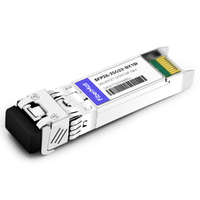
SFP28-25G23-BX10 25G BX BIDI SFP28 TX1270nm/RX1330nm 10km LC SMF DDM Transceiver Module
$42.00
-
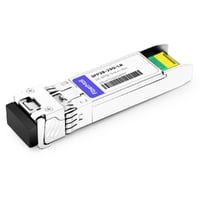
SFP28-25G-LR 25G SFP28 LR 1310nm 10km LC SMF DDM Transceiver Module
$45.00
-
SFP28-25G32-BX10I 25G BX BIDI SFP28 TX1330nm/RX1270nm 10km LC SMF DDM Industrial Transceiver Module
$50.00
-
SFP28-25G23-BX10I 25G BX BIDI SFP28 TX1270nm/RX1330nm 10km LC SMF DDM Industrial Transceiver Module
$50.00
-
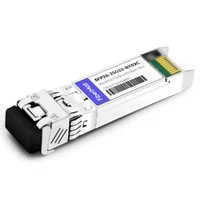
SFP28-25G32-BX03C 25G BX BIDI SFP28 TX1330nm/RX1270nm 300m LC SMF DDM Transceiver Module
$58.00
-
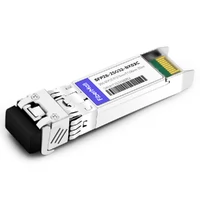
SFP28-25G23-BX03C 25G BX BIDI SFP28 TX1270nm/RX1330nm 300m LC SMF DDM Transceiver Module
$58.00
-
SFP28-25G-ER 25G SFP28 ER 1310nm 40km LC SMF DDM Transceiver Module
$125.00
-
SFP28-25G32-BX40 25GBASE SFP28 BIDI ER TX1310nm/RX1270nm 40km LC SMF DDM Optical Transceiver Module
$180.00
-
SFP28-25G23-BX40 25GBASE SFP28 BIDI ER TX1270nm/RX1310nm 40km LC SMF DDM Optical Transceiver Module
$180.00