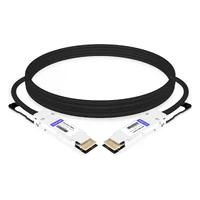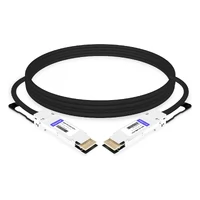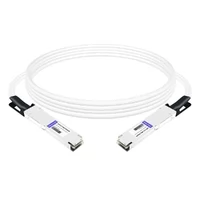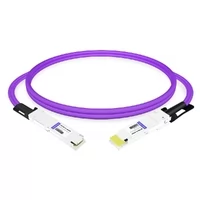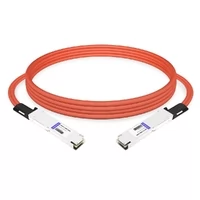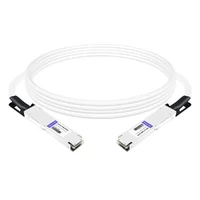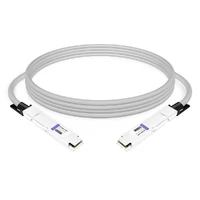

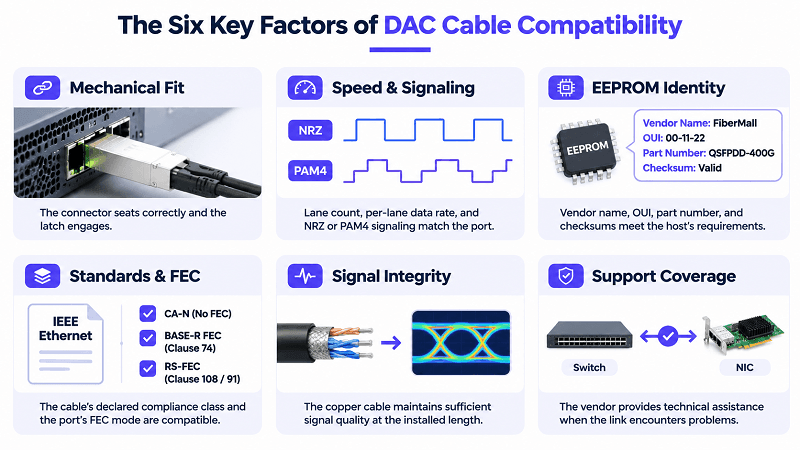
DAC cable compatibility is not determined by a single property. It depends on six conditions that must work together: the connector fits the cage, the speed and signaling match the port, the host accepts the EEPROM identity, the standards and FEC settings align, the copper cable supports the required signal quality at the installed length, and the connection falls within the vendor’s support policy. If any one of these conditions fails, the link may not come up or may operate outside the vendor’s support coverage, even when the other conditions are satisfied.
A DAC that has worked reliably for a year may stop being recognized after a firmware upgrade, even when neither end’s hardware has changed.
What Does DAC Cable Compatibility Mean?
DAC cable compatibility is the set of conditions under which a Direct Attach Copper cable establishes a link at the intended speed between two ports. It requires a mechanical fit, matching speed and signaling, an EEPROM identity the host accepts, compatible standards and FEC settings, adequate signal integrity at the installed length, and coverage under the vendor’s support policy.
That definition is long because each condition can fail independently.
- Mechanical fit: The connector seats correctly and the latch engages.
- Speed and signaling: Lane count, per-lane data rate, and NRZ or PAM4 signaling match the port.
- EEPROM identity: Vendor name, OUI, part number, and checksums meet the host’s identification requirements.
- Standards and FEC: The cable’s declared compliance class and the port’s supported FEC mode are compatible.
- Signal integrity: The copper cable maintains sufficient signal quality at the installed length.
- Support coverage: The vendor provides technical assistance when the link encounters problems.
Mechanical fit, speed and signaling, and EEPROM identity primarily determine whether the host can physically accommodate and recognize the cable. Standards, FEC settings, and signal integrity determine whether the link operates reliably. Support coverage determines whether the vendor will assist when problems occur.
The distinction that matters in procurement is between identity compatibility and performance compatibility. Coding changes the identity information presented to the host. It does not alter the cable’s conductor geometry, insertion loss, or maximum supported reach. A generic 5 m passive DAC coded for Cisco is still a 5 m passive DAC. If the channel has insufficient signal margin at 5 m, changing the vendor string will not solve the problem.
Physical Fit and Port Speed: What Plugs Into What
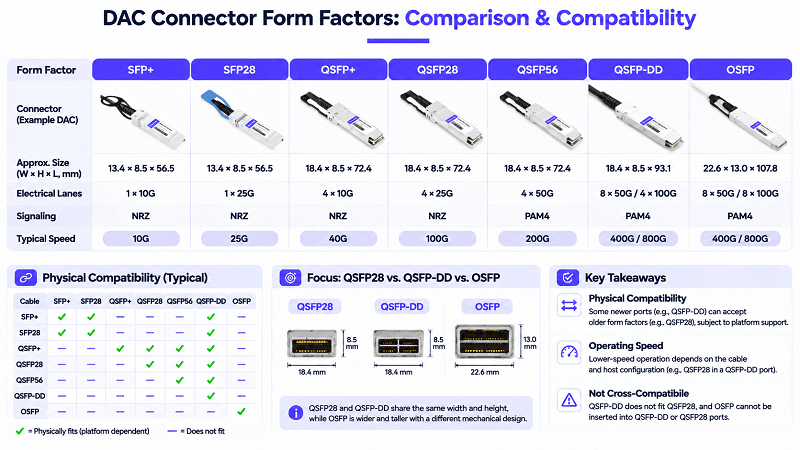
Physical fit is the easiest compatibility layer to check and one of the easiest to misunderstand. Backward compatibility is directional and depends on the host platform.
- An SFP+ DAC in an SFP28 or SFP112 port can usually operate at 10G if the host supports the lower speed and the port is configured accordingly.
- An SFP28 DAC may physically fit an SFP+ port, but the SFP+ port cannot operate at 25G. Operation at 10G depends on whether the cable and host support that rate.
- A QSFP28 or QSFP56 DAC in a QSFP-DD port can usually operate at the corresponding lower speed when the platform supports backward compatibility.
- A QSFP-DD DAC does not fit directly into a QSFP28 port.
- OSFP is mechanically different from QSFP-DD and QSFP28. These form factors cannot be inserted directly into each other’s cages. Certain platform-qualified adapters or specially designed cable assemblies may support specific cross-form-factor connections, but compatibility must be verified for the actual equipment.
Speed does not necessarily negotiate or downshift in the same way as an RJ45 Ethernet port. Some DAC cables support multiple operating rates, while others are designed for a specific rate or application. The host port must support a speed that is compatible with the cable and the link partner. EEPROM information helps identify the cable’s capabilities and compliance, but it should not be interpreted as a single fixed speed declaration for every DAC.
DAC cable compatibility by connector family
| Cable family | Compatible ports (subject to host support) | Typical operating speed | Caveat |
| SFP+ | SFP+, SFP28, SFP112 | 10G | Port and cable must support 10G operation |
| SFP28 | SFP+, SFP28, SFP112 | 25G; some cables also support 10G | An SFP+ port cannot run at 25G |
| QSFP+ | QSFP+, QSFP28, QSFP56, QSFP-DD | 40G | Port profile and backward compatibility must be supported |
| QSFP28 | QSFP28, QSFP56, QSFP-DD | 100G | Lower-speed operation depends on the cable and host |
| QSFP56 | QSFP56, QSFP-DD | 200G | PAM4-capable port and compatible configuration required |
| QSFP-DD | QSFP-DD | 400G/800G, depending on generation | Does not fit directly into QSFP28 |
| OSFP | OSFP | 400G/800G, depending on generation | No direct cross-fit with QSFP-DD |
The table describes typical form-factor and speed relationships, not guaranteed interoperability. Always verify the supported cable types, operating rates, and port modes for the specific switch or NIC.
EEPROM Coding, MSA Standards and “Vendor-Coded” Cables
When a DAC is inserted, the host reads identification information stored in the connector’s serial EEPROM before deciding whether to enable the port. SFP/SFP+ modules and cables commonly use the SFF-8472 management interface. Its identification fields include the vendor name at A0h bytes 20–35, vendor OUI at bytes 37–39, part number at bytes 40–55, the base checksum at byte 63, and the extended checksum at byte 95. QSFP+ products commonly use SFF-8436, while QSFP28 products use SFF-8636 or, in newer implementations, CMIS. QSFP-DD and OSFP products generally use CMIS, where byte 0x01 identifies the CMIS revision.
A “vendor-coded” or “Cisco-coded” DAC is one whose EEPROM identification fields have been programmed with the relevant vendor information, such as the vendor name, OUI, and part number, with applicable checksums recalculated. This is the basic mechanism behind vendor coding. However, host validation is not necessarily limited to these fields. Some platforms may also apply vendor-specific checks, compatibility allowlists, or other validation mechanisms.
Coding should therefore be understood as an identity and recognition mechanism, not a quality rating. A host that checks the vendor information is determining whether it recognizes the cable, not independently verifying its electrical performance.
Three sourcing options follow:
- MSA-generic: Uses the cable manufacturer’s identity and standard-compliant identification fields. It may be accepted on some platforms and flagged or rejected on others.
- Vendor-coded: Pre-programmed for Cisco, Arista, Juniper, NVIDIA, HPE, Dell, or another target vendor. This can improve host recognition but does not guarantee platform support or successful link operation.
- Field-programmable: Allows EEPROM identification data to be rewritten using a compatible programmer when the destination platform changes. This should only be done when the cable and supplier support the process.
A cable built to the wrong electrical or management specification cannot be made compliant simply by changing its EEPROM coding.
| Form factor | Relevant specification |
| SFP+ 10G | SFF-8431, SFF-8432, SFF-8472 |
| SFP28 25G | SFF-8402; applicable management interface |
| QSFP+ 40G | SFF-8436 |
| QSFP28 100G | SFF-8665, SFF-8636 or CMIS |
| QSFP-DD / OSFP | Respective MSA specifications and CMIS |
For module-level vendor coding, see our QSFP28 compatibility guide. This article covers the cable side.
Mixed-vendor links and dual-coded DACs
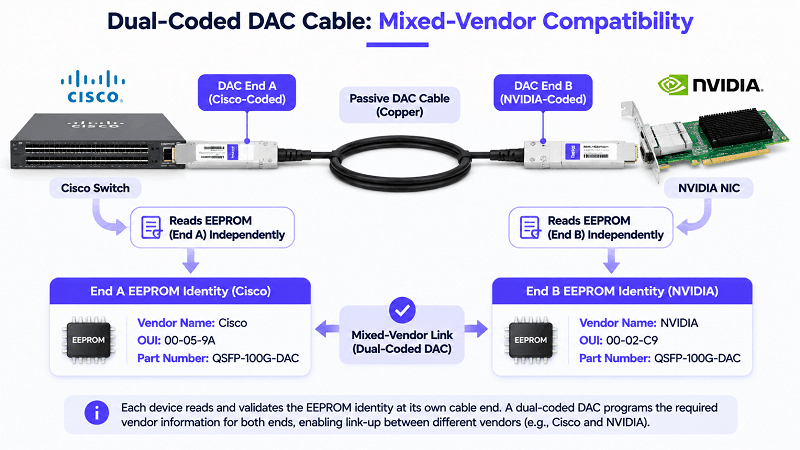
Many DAC assemblies provide EEPROM identification data at both connector ends, with each connected host reading the information presented at its own end. When a Cisco switch connects to an NVIDIA NIC, for example, both devices validate the cable independently. A single-coded assembly may therefore be accepted by one endpoint but rejected by the other.
The solution may be a dual-coded, or hybrid, cable: vendor A’s identification information is programmed at the A end, and vendor B’s at the B end. When ordering, specify both connected devices and identify which cable end connects to each device. Simply requesting a “Cisco-coded” cable is ambiguous for a mixed-vendor link, and ambiguous orders are a common reason for otherwise avoidable cable returns.
DAC Cable Compatibility by Switch and NIC Vendor
Everything below varies by platform, line card, OS release, and port profile. Treat the table as a starting point and confirm against the vendor’s own matrix before you commit a purchase order.
DAC cable compatibility by switch vendor
| Vendor | Typical third-party behavior | Common symptom | Practical fix |
| Cisco IOS / IOS XE | Not supported officially; override available | Port err-disabled, gbic-invalid | Configure `service unsupported-transceiver` and execute `no errdisable detect cause gbic-invalid`. |
| Cisco NX-OS | Platform and release dependent | Unsupported transceiver log | Verify in release notes; use coded parts |
| Arista EOS | Generally tolerant of MSA parts | Transceiver not supported message | Newer EOS versions may require the configuration of `service unsupported-transceiver`. |
| Juniper Junos | HCT defines the support list | Link up, support case limited | Confirm the HCT entry; keep a spare |
| NVIDIA / Mellanox | NVIDIA coding is the practical default | Link down or FEC errors | Order NVIDIA-coded or dual-coded |
| HPE | ProCurve historically requires HPE coding | Unsupported message, link down | HPE-coded assembly |
| Dell | Depends on platform and firmware | Part not recognized | Dell-coded part; check port mode |
| White-box / SONiC | Very permissive | None until a profile mismatch | Match the platform port profile |
Cisco: policy, not a blanket block
Cisco’s published position is that third-party SFPs are not validated and not supported, and only approved parts are guaranteed to work. That is a support statement, not a claim that every non-Cisco part fails. Many Nexus platforms bring up third-party DACs with a log message and nothing else.
For IOS and IOS XE systems, the officially documented workaround is to configure `service unsupported-transceiver` in conjunction with `no errdisable detect cause gbic-invalid`. The availability and persistence of this approach vary by platform and software version; therefore, please be sure to consult the release notes for the specific version you are running. If you anticipate the potential need to open a support case with the Cisco Technical Assistance Center (TAC) in the future, it is recommended to use genuine Cisco modules, as this avoids the introduction of unnecessary configuration parameters.
Arista and Juniper: tolerant, with conditions
Arista generally maintains an open stance toward MSA-compliant modules; however, newer versions of EOS may require an unlock key, which can be entered using the `service unsupported-transceiver <key>` command. Since the mechanisms used in older versions differ, the specific software version is a critical factor.
Juniper publishes a Hardware Compatibility Tool, and that list is the support boundary. Third-party breakout DACs are permitted where they meet the published specification and the minimum Junos release, but JTAC can ask you to swap in a Juniper-qualified part during a case. That is a support-risk decision, not an electrical one.
NVIDIA, Broadcom, and Intel: the NIC is half the link
NIC validation is often stricter than switch validation, and most compatibility pages skip it. NVIDIA-coded cables are the practical default for ConnectX and BlueField, and dual-coded cables are common where the switch end is another brand.
Broadcom publishes an Interconnect Compatibility List for its Thor adapters that maps cable configurations to switch SerDes rate, connector type, and port split. Intel E810 adapters have their own matrix. Check the NIC side before you blame the cable.
FEC, Breakout and Firmware: What Coding Won’t Fix
A correctly coded cable can still fail. Three causes account for a large share of those cases.
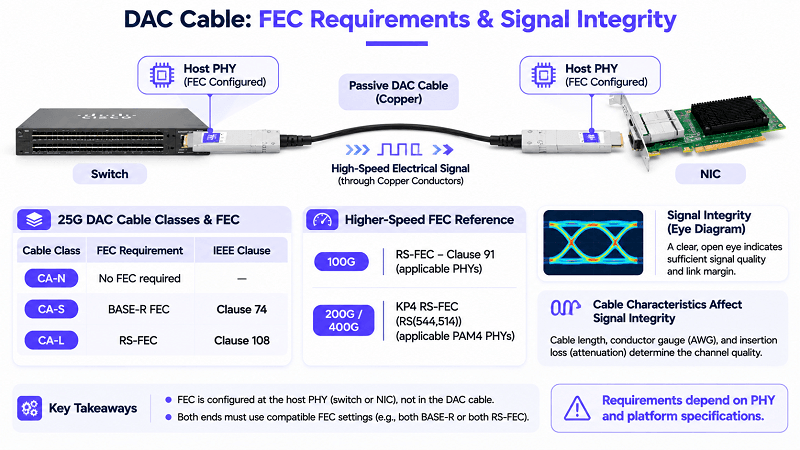
FEC mismatch is the most common. 25G links use RS-FEC under Clause 108, 100G uses Clause 91, and 200G and 400G use KP4. Passive copper is graded by cable class: CA-N for short runs without FEC, CA-S with BASE-R FEC, and CA-L for RS-FEC at 3 to 5 m. The class code sits in the EEPROM and must match the port’s FEC setting. Mismatched FEC usually shows up as a link that comes up but passes no traffic, or one that flaps under load.
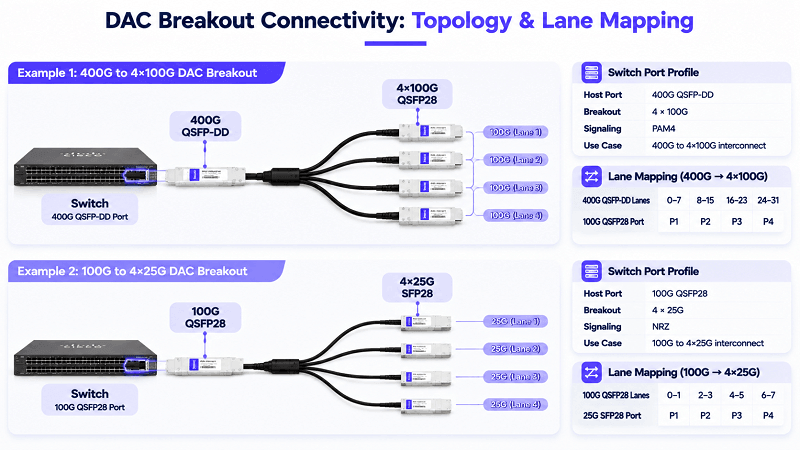
Breakout is a host feature, not a cable property. A 400G-to-4x100G fan-out needs a switch port profile that supports breakout, and the same applies to 100G-to-4x25G and 800G-to-4x200G. The cable is correct, and the port is not configured. For port-side detail, see the QSFP-DD DAC and breakout guide.
Firmware and OS upgrades change allowlists and CMIS handling. A cable validated against one release can be rejected by the next, particularly at 400G and 800G, where the host checks the CMIS revision byte and may refuse a newer memory map. Read the release notes before you replace hardware.
If the link is marginal at the installed length rather than failing outright, see passive vs active DAC cable before assuming a coding problem.
Troubleshooting: DAC Cable Not Recognized or Link Down
Match the symptom to the layer before you change anything. The same “it doesn’t work” covers four different faults.
DAC cable troubleshooting by symptom
| Symptom | Layer | Check | Fix |
| Not detected, unsupported transceiver | Identity | EEPROM read, vendor string | Recode or replace with a coded part |
| err-disabled, gbic-invalid | Policy/identity | Err-disable cause | Platform override, or coded part |
| Detected, link down | Speed / FEC | Port speed, FEC mode, cable class | Match speed and FEC on both ends |
| Link flaps, pre-FEC errors | Signal integrity | FEC counters, length, AWG | Shorter run, lower AWG, ACC or AEC |
| Worked, then failed after upgrade | Firmware | Release notes, CMIS revision | Roll back or recode |
These four commands cover most scenarios. On Cisco devices, use `show interfaces transceiver` and `show interfaces status err-disabled`; on Arista devices, use `show interfaces transceiver`; and on Juniper devices, use `show chassis hardware`. On any Linux host, you can use `ethtool -m` to read the EEPROM directly, which reveals the specifications declared by the cable itself.
Stop when the EEPROM read shows the wrong vendor or a checksum failure on a link that must stay in support. A coded replacement is cheaper than the next hour of console work.
DAC Cable Compatibility FAQ
Are DAC cables universal? No. A DAC is universal only at the connector level, and only in one direction. Speed, coding, FEC class, and vendor support each narrow the list of ports it will work in.
Do DAC cables need to be coded? On many platforms, no. On Cisco, HPE, and some NICs, a coded cable is the practical default. Coding makes the host accept the part; it does not affect signal quality.
Will any DAC cable work with a Cisco switch? Electrically, often yes. Officially, no. Cisco supports only validated parts, and the override commands vary by platform and release.
Can I use a 10G SFP+ DAC in a 25G SFP28 port? Usually yes, at 10G. The port must be set to 10G, and it will not run the cable faster than the cable declares.
Can I use a QSFP28 DAC in a QSFP-DD port? Usually yes, through the lower contact row. The reverse does not work, because a QSFP-DD connector will not seat in a QSFP28 cage.
Can I connect two switch brands with one DAC? Yes, with a dual-coded cable that carries each vendor’s identity at the matching end. A single-coded cable can pass one host and fail the other.
Does cable length affect compatibility? Yes. Length changes signal integrity, and at 25G and above it changes the required cable class and FEC mode. A cable that works at 2 m may not at 5 m.
Can I recode a DAC myself? Sometimes. Field programmers can rewrite the EEPROM, but the process invalidates the supplier’s test record and can void support. For production, order the coding you need.
Related Products:
-
 QDD-200G-PC50CM 0.5m (1.6ft) 200G QSFP-DD to QSFP-DD Passive Direct Attach Copper Twinax Cable
$45.00
-
QSFP56-200G-PC50CM 0.5m (1.6ft) 200G QSFP56 to QSFP56 PAM4 Passive Direct Attach Copper Twinax Cable
$45.00
-
QSFPDD-400G-PC50CM 0.5m (1.6ft) 400G QSFP-DD to QSFP-DD PAM4 Passive Direct Attach Copper Twinax Cable
$70.00
-
QSFP-DD-400G-AC3M 3m (10ft) 400G QSFP-DD to QSFP-DD PAM4 Active Direct Attach Copper Twinax Cable
$350.00
-
QDD-OSFP-FLT-PC50CM 0.5m (1.6ft) 400G QSFP-DD to OSFP Flat Top PAM4 Passive Direct Attached Cable
$154.00
-
OSFP-FLT-400G-PC50CM 0.5m (1.6ft) 400G NDR OSFP to OSFP PAM4 Passive Direct Attached Cable, Flat top on one end and Flat top on other
$110.00
-
QDD-OSFP-FLT-AEC50CM 0.5m (1.6ft) 400G QSFP-DD to OSFP Flat Top PAM4 Active Electrical Copper Cable
$1200.00
-
OSFP-FLT-800G-AC3M 3m (10ft) 800G Twin-port 2x400G OSFP to 2x400G OSFP InfiniBand NDR Active Copper Cable, Flat top on one end and Flat top on the other
$600.00
-
OSFP-FLT-800G-PC2M 2m (7ft) 2x400G OSFP to 2x400G OSFP PAM4 InfiniBand NDR Passive Direct Attached Cable, Flat top on one end and Flat top on the other
$300.00
-
OSFP-800G-PC50CM 0.5m (1.6ft) 800G Twin-port 2x400G OSFP to 2x400G OSFP InfiniBand NDR Passive Direct Attach Copper Cable
$105.00