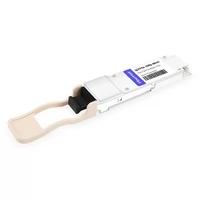
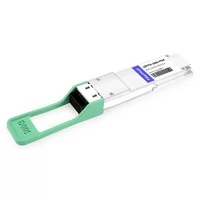
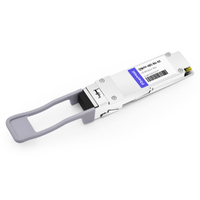
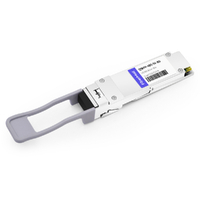
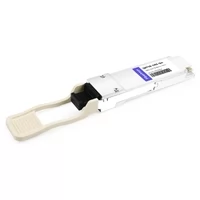
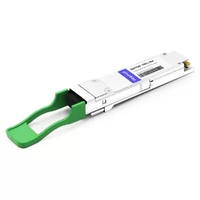
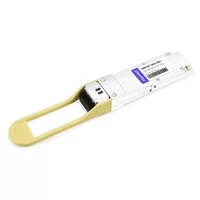
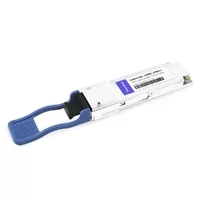
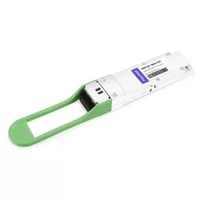
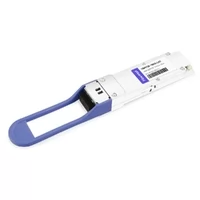
In March 2024, a procurement team at a Midwest colocation facility placed an order for 400 QSFP56 optical modules. Their network refresh spec called for 100G spine links. The modules arrived, slid perfectly into the switch cages, and failed to link.
Same form factor. Same physical dimensions. Completely different electrical interface. The $312,000 order had to be returned because nobody told them the difference between QSFP28 and QSFP56 goes deeper than the label.
That story repeats more often than most engineers care to admit. The QSFP family of optical transceivers looks identical from the outside.
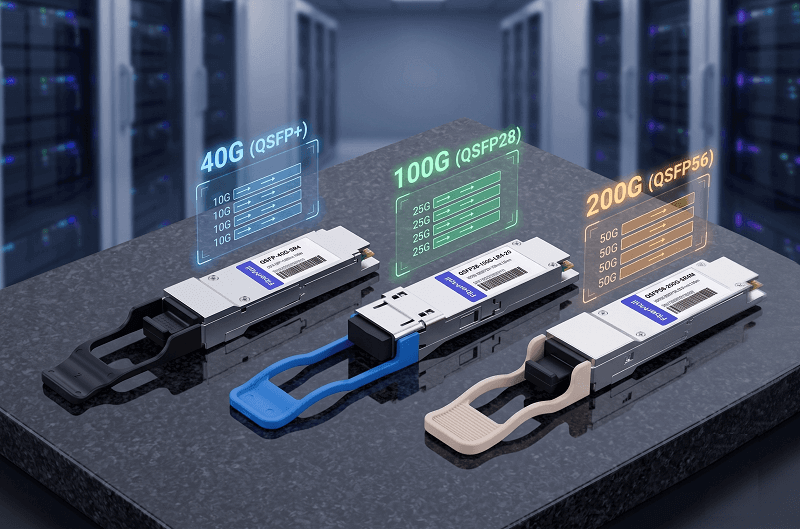
Same 38-pin connector. Same metal cage. Same latch mechanism. Under the hood, though, QSFP+ (40G), QSFP28 (100G), and QSFP56 (200G) are three entirely different generations of optical networking technology.
If you are planning a data center upgrade, sorting out the QSFP28 vs. QSFP+ question is only the starting point. You also need to know where QSFP56 fits, whether PAM4 signaling changes your cabling requirements, and how much hotter your switches will run.
This guide breaks down all three form factors side by side. No marketing fluff. Just the technical details that drive real deployment decisions.
New to 100G optics? Our complete QSFP28 guide covers module selection, cabling, and troubleshooting in depth.
At a Glance: QSFP+ vs QSFP28 vs QSFP56
The fastest way to separate these three form factors is to look at lane architecture. Every QSFP module transmits across four optical lanes. The number after “QSFP” tells you the lane speed.
Specification Comparison
| Specification | QSFP+ | QSFP28 | QSFP56 |
| Total Data Rate | 40 Gbps | 100 Gbps | 200 Gbps |
| Lane Configuration | 4 x 10 Gbps | 4 x 25 Gbps | 4 x 50 Gbps |
| Signaling Method | NRZ | NRZ | PAM4 |
| Electrical Interface | XLPPI | CAUI-4 | CAUI-4 (PAM4) |
| Max Power (Typical) | 1.5 – 3.5W | 3.5 – 5.5W | 5.0 – 7.0W+ |
| Standard | IEEE 802.3ba | IEEE 802.3ba | IEEE 802.3bs / 802.3cd |
| Introduced | 2011 | 2015 | 2019 |
| Common Reach Types | SR4, LR4, ER4 | SR4, LR4, CWDM4, ER4, PSM4 | SR4, LR4, FR4 |
| Breakout Cable | 4 x SFP+ (10G) | 4 x SFP28 (25G) | 4 x SFP56 (50G) |
Lane Architecture Evolution
QSFP+ pushed four 10 Gbps lanes through the same connector that previously handled 10G total. That 4x multiplexing approach became the template for everything that followed. QSFP28 kept the four-lane structure but raised each lane to 25 Gbps using NRZ signaling. QSFP56 doubled again to 50 Gbps per lane, which required a switch from NRZ to PAM4 modulation.
The naming convention is straightforward once you see the pattern. The suffix indicates lane speed in Gbps.
QSFP+ uses 10G lanes (the “+” denotes 10G+ evolution). QSFP28 uses 28G signaling lanes (25 Gbps plus 8b/10b encoding overhead). QSFP56 uses 56G signaling lanes (50 Gbps plus PAM4 encoding overhead).
The Technical Difference: NRZ vs PAM4
Here is where most comparison articles stop at “QSFP56 uses PAM4.” That doesn’t help if you’re trying to understand whether your cabling plant can handle it.
How NRZ Works
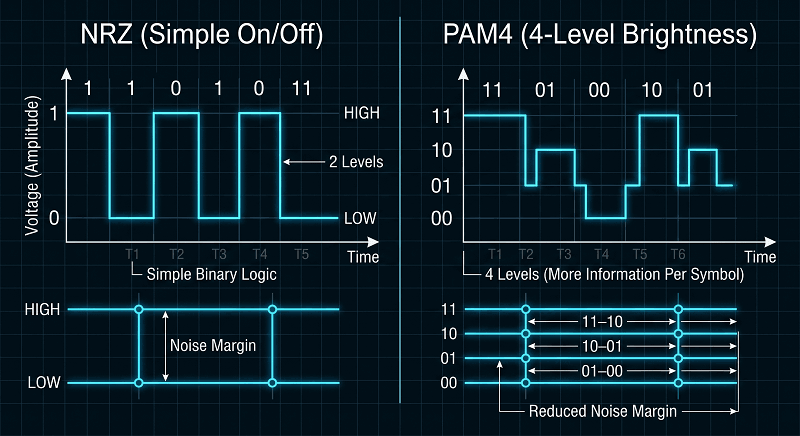
NRZ, or Non-Return-to-Zero, sends one bit per symbol. The laser is either on (1) or off (0). Think of it like flashing a light on and off in a dark room.
QSFP+ and QSFP28 both use NRZ. The difference is simply how fast that light flashes. QSFP+ flashes at 10.3 Gbps per lane. QSFP28 flashes at 25.8 Gbps per lane.
NRZ is simple, reliable, and well understood. It tolerates noisy cables and marginal splices. The receiver only has to distinguish between two states: light or no light.
How PAM4 Works
PAM4, or Pulse Amplitude Modulation with 4 levels, sends two bits per symbol. Instead of on/off, the laser uses four distinct brightness levels. Level 1 = 00, Level 2 = 01, Level 3 = 10, Level 4 = 11.
That is like flashing the same light, but using four brightness settings instead of two. You pack twice as much data into each flash. QSFP56 uses PAM4 at roughly 26.6 Gbaud per lane to deliver 53.125 Gbps per lane.
Why PAM4 Matters in Production
The trade-off is noise margin. NRZ gives you a wide gap between on and off. PAM4 squeezes four levels into the same voltage swing. The gaps between levels are narrower.
A small amount of electrical noise or fiber impairment that would not bother an NRZ link can corrupt a PAM4 symbol.
That is why QSFP56 deployments require stronger Forward Error Correction (FEC). QSFP+ and QSFP28 can run with light FC-FEC or even none at all on short-reach links. QSFP56 needs Reed-Solomon RS-FEC (528,514) running on the switch ASIC and the module DSP. The module itself draws more power because of the digital signal processor required to encode and decode PAM4 waveforms.
PAM4 also changes your cabling requirements. A multimode fiber plant that comfortably carries 100G QSFP28 SR4 may struggle with 200G QSFP56 SR4 over the same distance. OM4 fiber that handles 100 meters at 100G might only reach 70 meters at 200G.
Form Factor by Form Factor Breakdown
QSFP+ (40G): The Legacy Workhorse
QSFP+ launched in 2011 and remains the most widely deployed 40G form factor. The ecosystem is mature, pricing is at commodity levels, and almost every switch vendor supports it. A QSFP+ SR4 module costs roughly 25-45 in volume. LR4 variants run 80-150.
The limitation is bandwidth. Four 10G lanes topped out at 40G total. In a modern leaf-spine topology, 40G spine links create a bottleneck when each leaf switch carries multiple 25G or 100G server-facing ports. Still, for legacy environments, test labs, and budget-constrained upgrades, QSFP+ keeps the lights on.
QSFP28 (100G): The Industry Standard
QSFP28 hit volume production around 2015 and now accounts for over 70% of 100G optical shipments. It is the sweet spot for cost-per-bit in data center networking today. A QSFP28 SR4 typically runs 45-90. LR4 and CWDM4 variants fall in the 120-280 range, depending on vendor and reach.
The real advantage is ecosystem depth. Every major switch vendor ships QSFP28 platforms. QSFP28 module types explained range from 100-meter SR4 to 10-kilometer ER4, with CWDM4 and PSM4 filling the middle distances. The 4x25G breakout capability lets a single QSFP28 port fan out to four 25G SFP28 server ports, which is how most hyperscale data centers build their leaf layer.
QSFP56 (200G): Next-Gen Density
QSFP56 doubles the bandwidth of QSFP28 in the same physical envelope. That density sounds appealing for spine switches where every rack unit matters. In practice, QSFP56 occupies a narrow niche.
The PAM4 complexity adds cost. QSFP56 SR4 modules typically run $180-320. The switch ports themselves need PAM4-capable SerDes, which limits platform choice.
Power draw is 30-50% higher than QSFP28. And the 4x50G breakout requires SFP56 NICs, which are still ramping in volume.
Here is where the thermal math gets real. When the network team at a Vancouver hosting provider upgraded their 32-port spine from QSFP+ to QSFP28 LR4, they expected some extra heat. They didn’t expect thermal alarms on ports 25-32.
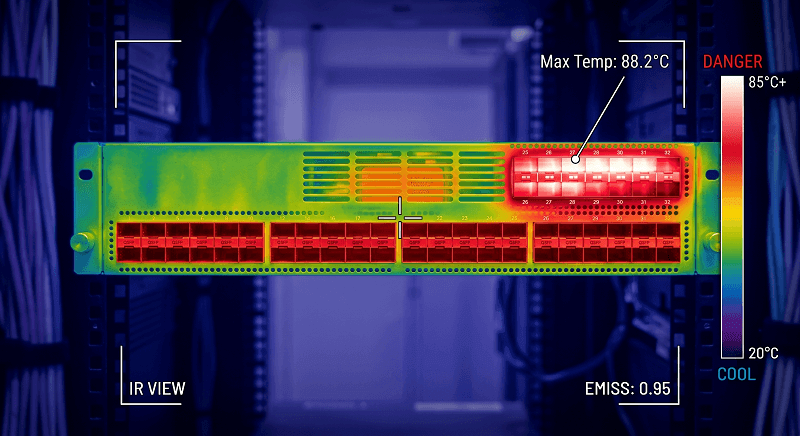
QSFP28 LR4 draws 4.5W versus 3.0W for QSFP+ LR4. Across 32 ports, that is an extra 48 watts concentrated in the top row of a 1RU switch. The airflow pattern pushed that heat directly into the upper bank of optics. They ended up re-racking the switch with a 1RU blank above it just to create a thermal buffer.
Want current pricing for all three generations? Our QSFP28 pricing analysis includes cost-per-bit benchmarks and volume discount ranges.
Compatibility: What Works With What
The physical cage is the same. The electrical interface is not. This is the single most expensive misconception in QSFP procurement.
Backward Compatibility Matrix
| Port Type | QSFP+ Module | QSFP28 Module | QSFP56 Module |
| QSFP+ Port (40G) | Works at 40G | Does NOT work | Does NOT work |
| QSFP28 Port (100G) | Works at 40G | Works at 100G | Does NOT work |
| QSFP56 Port (200G) | Works at 40G | Works at 100G | Works at 200G |
| QSFP-DD Port (400G) | Works at 40G* | Works at 100G* | Works at 200G* |
*Via adapter or backward-compatibility mode, depending on switch vendor.
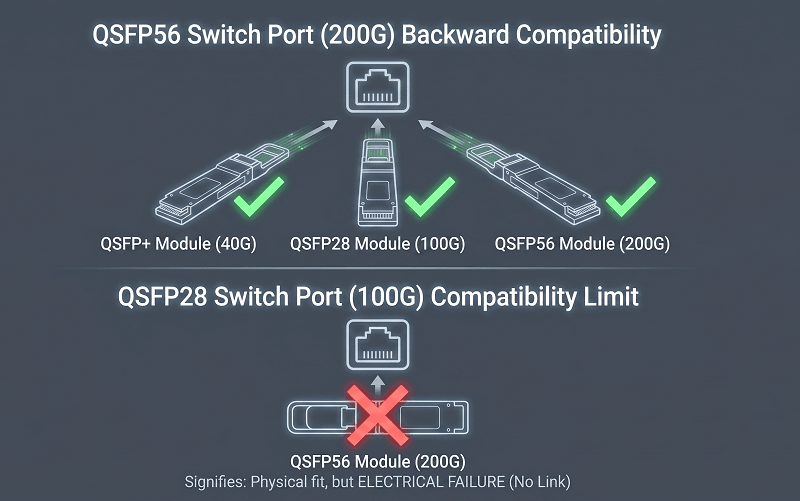
QSFP28 ports accept QSFP+ modules and negotiate down to 40G. That is useful for phased upgrades. QSFP+ ports cannot accept QSFP28 modules. The XLPPI electrical interface on QSFP+ simply does not speak CAUI-4.
QSFP56 ports are generally backward compatible with QSFP28 and QSFP+. The switch firmware detects the module type and drops to the appropriate signaling rate. But the reverse is never true. A QSFP56 module won’t link in a QSFP28 port because the port lacks PAM4 SerDes.
Forward Compatibility Limits
You cannot future-proof a QSFP+ switch by buying QSFP28 modules. They won’t link. If you need 100G, you need QSFP28 ports. Period.
QSFP-DD, the 400G form factor, is worth mentioning here because it changes the compatibility picture. QSFP-DD ports use an expanded cage with additional electrical contacts, but they include a backward-compatible mode for QSFP+, QSFP28, and QSFP56 modules via adapter or direct insertion on many platforms. That is why some data centers are skipping QSFP56 entirely and deploying QSFP-DD spine switches now. They run QSFP28 today and upgrade to 400G later without swapping hardware.
Breakout Cable Incompatibility Warning
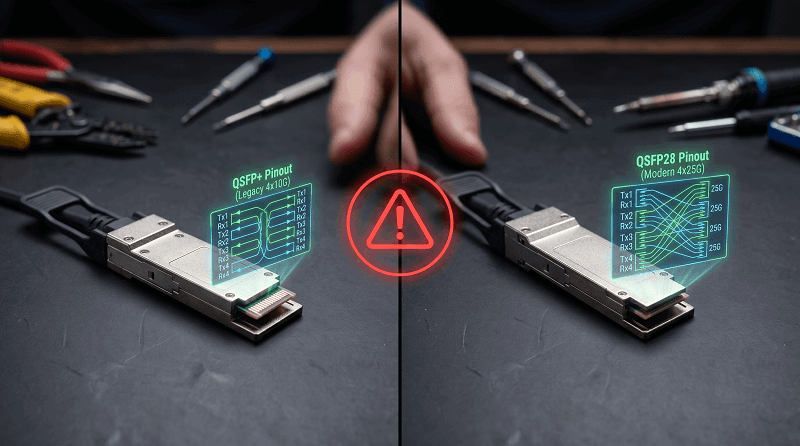
This mistake costs more than mismatched modules. A QSFP+ breakout cable splits one 40G port into four 10G SFP+ ports. A QSFP28 breakout cable splits one 100G port into four 25G SFP28 ports. The connectors look similar. The pinouts are different.
A procurement manager at a SaaS company learned this the hard way. Her team ordered 200 QSFP28 SR4 modules for a new leaf switch deployment. They reused the existing QSFP+ to 4xSFP+ breakout cables from the previous generation. The cables clicked into place.
Every breakout link failed. The pin assignment for the QSFP28 breakout uses different signal pairs than the QSFP+ breakout. She had to emergency-order 200 QSFP28 to 4xSFP28 cables at 85 each. The 17,000 mistake delayed the cutover by four days.
The rule is simple: match the breakout cable to the module generation. QSFP+ → 4xSFP+. QSFP28 → 4xSFP28. QSFP56 → 4xSFP56.
For vendor-specific compatibility details and CLI commands, see our QSFP28 compatibility by vendor breakdown.
Power, Thermal, and Real-World Deployment
Optical modules draw more power than most people realize. In a dense switch, the optics can consume more energy than the switching silicon itself.
Power Consumption Trajectory
| Form Factor | Typical Range | High-Power Variants | 32-Port Switch Total |
| QSFP+ | 1.5 – 3.5W | ER4 ~3.5W | ~80 – 112W |
| QSFP28 | 3.5 – 4.5W | ER4/ZR4 ~5.5W | ~128 – 176W |
| QSFP56 | 5.0 – 7.0W | Long-reach ~8W+ | ~192 – 256W |
Those 32-port totals matter for thermal design. A 1RU switch with 32 QSFP56 ports and long-reach optics could face 256 watts of optical heat load alone. Add the switching ASIC, power supply losses, and ancillary components, and you are pushing 450-500 watts in one rack unit. Not every data center can cool that density.
Thermal Implications in Top-of-Rack Switches
Top-of-rack switches with front-to-back airflow often run hottest in the upper port banks. Hot air from the lower modules rises across the upper ones. If you are deploying high-power variants like QSFP28 ER4 or any QSFP56 module, leave headroom in your thermal budget.
A network engineer in Singapore told me his top-row QSFP28 ER4 ports were running 8-10 degrees Celsius above the switch’s ambient sensor reading. The switch reported 42C internally. The actual QSFP28 DOM readings on ports 29-32 showed 51C.
The modules were still within spec, but the margin was thinner than he expected. He now specifies QSFP28 CWDM4 instead of ER4 for links under 2 kilometers. CWDM4 draws 3.8W versus 4.5W. That 0.7W savings per port adds up across 32 ports.
FEC Requirements by Form Factor
Forward Error Correction is optional for most QSFP+ and QSFP28 links. Short-reach SR4 and LR4 often run without FEC on clean fiber. Longer reaches and marginal links benefit from Firecode FEC (FC-FEC), which adds minimal latency.
QSFP56 makes FEC mandatory. Reed-Solomon RS-FEC (528,514) adds about 100-150 nanoseconds of latency per hop. That is negligible for most data center traffic, but it matters for high-frequency trading or tightly coupled HPC clusters.
The FEC engine also consumes switch ASIC resources. On some early 200G switches, enabling FEC on all ports reduced the available buffer pool.
Which One Should You Choose? Decision Framework
Stay on QSFP+ If…
Your current 40G links are not saturated
You are maintaining a legacy environment or lab network
Budget constraints rule out a full platform refresh
Your switches only have QSFP+ ports
QSFP+ is not dead. It is just mature. For non-critical links, test environments, and environments where 40G still meets traffic demand, there is no technical reason to force an upgrade.
Move to QSFP28 If…
You are building a new leaf-spine topology today
Your server-facing ports are 25G or higher
You need the best cost-per-bit for 100G connectivity
You want the deepest ecosystem of switch vendors and module types
QSFP28 is the default choice for data center builds in 2026. It balances bandwidth, cost, power, and vendor support better than any other form factor at 100G. Our cost-per-bit analysis shows QSFP28 delivers roughly 2.5x better cost efficiency than QSFP+ at equivalent production volumes.
Consider QSFP56 If…
You have a specific 200G bandwidth requirement
Your spine switches support PAM4 signaling natively
You are space-constrained and need maximum port density
Your traffic patterns justify the 40% per-port cost premium
QSFP56 makes sense for specialized deployments. A financial exchange running 200G spine links between matching engines might justify the cost. A typical enterprise data center probably does not.
Skip to QSFP-DD If…
You are designing a greenfield data center
You want 400G spine capability without a hardware swap
You prefer buying switch hardware once and upgrading optics later
The skip-generation strategy is increasingly popular. Deploy QSFP-DD spine switches now. Run QSFP28 optics in them today using backward compatibility. Upgrade to 400G QSFP-DD or 800G QSFP-DD800 later without touching the switch chassis.
FAQ
Can I use a QSFP28 module in a QSFP+ port?
No. QSFP28 modules require the CAUI-4 electrical interface. QSFP+ ports only support XLPPI. The module will fit physically, but won’t link.
Can I use a QSFP+ module in a QSFP28 port?
Yes. QSFP28 ports are backward compatible with QSFP+ modules. The port negotiates down to 40G. This is useful for mixed-generation deployments.
Can I use a QSFP56 module in a QSFP28 port?
No. QSFP56 uses PAM4 signaling. QSFP28 ports use NRZ. The electrical interfaces are incompatible.
Do breakout cables work across form factors?
No. QSFP+ breakout cables split to 4xSFP+. QSFP28 breakout cables split to 4xSFP28. QSFP56 breakout cables split to 4xSFP56.
The pinouts and signal assignments differ. Using the wrong breakout cable will cause link failures.
Is QSFP28 still worth buying in 2026?
Yes. QSFP28 remains the dominant 100G form factor. It offers the best combination of cost, availability, and vendor support.
While QSFP56 provides 200G, the cost premium and PAM4 complexity make QSFP28 the better choice for most 100G deployments. QSFP-DD platforms can accept QSFP28 modules for future-proofing.
Conclusion
QSFP+, QSFP28, and QSFP56 share a form factor but serve different generations of network infrastructure. QSFP+ keeps legacy 40G links running at commodity prices. QSFP28 is the industry standard for 100G data center networking, delivering the best balance of cost, power, and ecosystem maturity. QSFP56 pushes 200G through the same cage but demands PAM4-capable hardware, stronger FEC, and a higher thermal budget.
The compatibility rules are simple. QSFP28 ports accept QSFP+ modules, but not the reverse. QSFP56 ports accept both older generations, but QSFP56 modules only work in QSFP56 or QSFP-DD ports.
Breakout cables never cross generations. And power increases with each step up. A 32-port QSFP56 spine can dump over 220 watts of optical heat into your rack. Plan your cooling accordingly.
If you are deciding between these form factors for an upcoming deployment, FiberMall’s engineering team can help you match the right optical transceiver to your switch platform and traffic requirements. Contact our networking experts for a compatibility review and volume pricing.
For a deeper dive into 100G module selection, port compatibility, and network design, see our complete QSFP28 guide.
Related Products:
-
 QSFP56-200G-SR4M 200G QSFP56 SR4 PAM4 850nm 100m MTP/MPO APC OM3 FEC Optical Transceiver Module
$139.00
QSFP56-200G-SR4M 200G QSFP56 SR4 PAM4 850nm 100m MTP/MPO APC OM3 FEC Optical Transceiver Module
$139.00
-
QSFP56-200G-FR4S 200G QSFP56 FR4 PAM4 CWDM4 2km LC SMF FEC Optical Transceiver Module
$650.00
-
H3C QSFP-40G-SR4-MM850 Compatible 40G QSFP+ SR4 850nm 150m MTP/MPO MMF DDM Transceiver Module
$25.00
-
QSFPP-40G-IR4 40G QSFP+ IR4 1310nm (CWDM4) 2km LC SMF DDM Transceiver Module
$129.00
-
QSFPP-40G-BD-RX 40G QSFP+ Bi-Directional 850nm/900nm 100m/150m Duplex LC MMF Optic Module Receiver Only
$165.00
-
QSFPP-40G-SR-BD 40G QSFP+ SR Bi-Directional 850nm/900nm 100m/150m Duplex LC MMF Transceiver Module
$249.00
-
QSFPP-40G-ER4 40G QSFP+ ER4 1310nm (CWDM4) 40km LC SMF DDM Transceiver Module
$449.00
-
QSFPP-40G-ZR4 40G QSFP+ ZR4 LWDM4 80km LC SMF DDM Optical Transceiver Module
$1200.00
-
QSFP28-100G-SR4 100G QSFP28 SR4 850nm 100m MTP/MPO MMF DDM Transceiver Module
$40.00
-
QSFP28-100G-IR4 100G QSFP28 IR4 1310nm (CWDM4) 2km LC SMF DDM Transceiver Module
$110.00
-
QSFP28-100G-DR1 100G QSFP28 Single Lambda DR 1310nm 500m LC SMF with FEC DDM Optical Transceiver
$180.00
-
QSFP28-100G-PSM4 100G QSFP28 PSM4 1310nm 500m MTP/MPO SMF DDM Transceiver Module
$180.00
-
QSFP28-100G-FR1 100G QSFP28 Single Lambda FR 1310nm 2km LC SMF with FEC DDM Optical Transceiver
$215.00
-
QSFP28-100G-LR1 100G QSFP28 Single Lambda LR 1310nm 10km LC SMF with FEC DDM Optical Transceiver
$265.00
-
QSFP28-100G-LR4 100G QSFP28 LR4 1310nm (LAN WDM) 10km LC SMF DDM Transceiver Module
$285.00
-
QSFP28-100G-SWDM4 100G QSFP28 SWDM4 850nm-940nm 100m LC MMF DDM Optical Transceiver
$300.00
-
QSFP28-100G-BDRX 100G QSFP28 BIDI 850nm & 900nm Only Receiver 100m LC MMF Optical Transceiver
$379.00
-
QSFP28-100G-SRBD Dual Rate 40G/100G QSFP28 BIDI 850nm & 900nm 100m LC MMF DDM Optical Transceiver
$449.00