The team retrieved a $2,000 QSFP28 transceiver from a production switch, which Marcus examined. The link failed to establish a connection because the diagnostic tests revealed no signals, and the hardware vendor declared the port to be defective. The replacement process began after the team ordered a new device and paid for expedited delivery, yet they experienced four hours of operational downtime.
The main problem exists because a Type A MPO loopback adapter operates in a Type B environment. The fiber mapping showed incorrect results because it sent signals to inactive channels, which led to the destruction of a functional transceiver.
Data centers around the globe observe this occurrence every week. Technicians use MPO loopback adapters, which people also refer to as loopback plugs, for their diagnostic functions, but selecting the incorrect type results in wasted resources and decreased customer satisfaction.
The guide provides complete instructions for accurate MPO port testing, which includes fundamental fiber mapping knowledge, polarity selection, detailed testing procedures, and effective troubleshooting techniques. For a broader overview of MPO connector technology, see our complete guide to MPO fiber connectors.
What is an MPO Loopback Adapter?
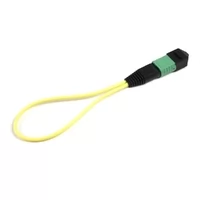
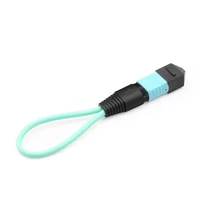
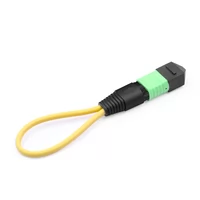
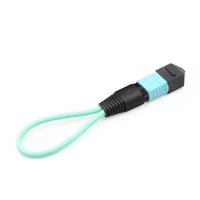
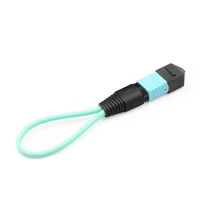
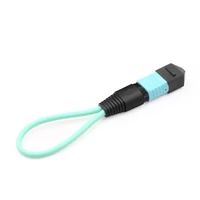
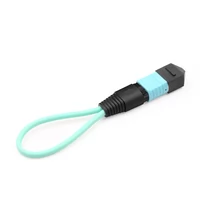
An MPO loopback adapter is a passive fiber optic testing device that routes transmitted optical signals (Tx) back into receiving lanes (Rx) within the same connector. The system establishes an optical path for testing transceiver operation, which does not need a complete fiber link or additional equipment to function.
The system functions as a mirror that reflects optical signals. The loopback adapter connects to the QSFP port, which causes the transceiver to send data through Tx fibers. The adapter then sends those signals to the Rx fibers while the device picks up its own incoming transmission. Your hardware functions correctly when the link becomes active.

Why Loopback Testing Matters
Data center technicians face a diagnostic dilemma: Is the port dead, or is the cable plant at fault? Without a loopback adapter, isolating hardware failures requires:
- A second known-good device at the far end
- A complete, tested fiber link between them
- Coordinating tests across multiple locations
An MPO loopback adapter eliminates these dependencies. Plug it in, power on, check the link light. Thirty seconds versus thirty minutes.
Types of MPO Loopback Adapters
MPO loopback adapters come in multiple configurations. Choosing correctly requires matching four parameters to your equipment.
By Fiber Count
| Fiber Count | Common Name | Primary Applications |
| 8-fiber | MPO-8 | 40G SR4, 100G SR4, 100G DR4 (4 Tx + 4 Rx lanes) |
| 12-fiber | MPO-12 | 40G/100G SR4 with spare fibers, general testing |
| 16-fiber | MPO-16 | 400G SR8, 800G (8 Tx + 8 Rx lanes) |
| 24-fiber | MPO-24 | High-density applications, future 800G+ standards |
Key Point: Match the fiber count to your transceiver’s lane architecture, not just the connector size.
By Fiber Type
- Singlemode (OS2): 9/125 μm fiber for long-distance applications (DR4, FR4, LR4 optics)
- Multimode (OM3/OM4): 50/125 μm fiber for short-reach data center links (SR4, SR8 optics)
- Multimode (OM5): Wideband multimode for SWDM applications
Using single-mode loopbacks on multimode ports (or vice versa) causes high insertion loss and false failure readings.

By Connector Gender
MPO connectors come in two genders that must mate correctly:
- Male (with guide pins): Has two alignment pins protruding from the ferrule face
- Female (without guide pins): Has two holes that receive the pins
Rule: Male plugs into female. Female plugs into male. Most transceivers have female MPO ports, requiring male loopback adapters. Always verify before ordering.
By Polish Type
| Polish | Return Loss | Typical Use |
| UPC (Ultra Physical Contact) | ≥50 dB | Multimode data center applications |
| APC (Angled Physical Contact) | ≥60 dB | Singlemode, reduced back reflection |
APC connectors have an 8-degree angled polish and are color-coded green. UPC connectors are typically blue (multimode) or beige.
Fiber Mapping and Polarity Types
Here’s where most loopback testing fails. The internal fiber routing—how Tx lanes connect to Rx lanes—determines whether your test works or silently fails.
Understanding MPO Fiber Positions
A standard 12-fiber MPO connector arranges fibers in two rows of six. Looking at the connector face with the keyway at the bottom:
Top Row (Key Up): Positions 1, 2, 3, 4, 5, 6 (left to right)
Bottom Row (Key Up): Positions 7, 8, 9, 10, 11, 12 (left to right)
For 40G SR4 and 100G SR4 applications using 8 fibers:
- Tx Lanes: Positions 1, 2, 3, 4
- Unused: Positions 5, 6, 7, 8
- Rx Lanes: Positions 9, 10, 11, 12
Polarity Type A (Straight-Through)
Fiber Mapping: Position 1→1, 2→2, 3→3… (straight-through)
Connector Orientation: Key-up to key-down
Use Case: Cassette-based systems, Method A polarity cabling
In a Type A loopback, Tx1 (position 1) returns to Rx1 (position 1). This works for duplex applications but typically fails for parallel optics where Tx and Rx occupy different fiber positions. For more information on cassette-based connectivity, see our guide to MPO data center connectivity solutions.
Polarity Type B (Reversed/Crossover) ← MOST COMMON
Fiber Mapping: Position 1→12, 2→11, 3→10, 4→9, 5→8, 6→7
Connector Orientation: Key-up to key-up (creates the fiber flip)
Use Case: Required for 40G/100G/400G SR4/SR8 parallel optics
Critical for 40G SR4 Testing:
- Tx1 (Pos 1) → Rx1 (Pos 12)
- Tx2 (Pos 2) → Rx2 (Pos 11)
- Tx3 (Pos 3) → Rx3 (Pos 10)
- Tx4 (Pos 4) → Rx4 (Pos 9)
This reversal aligns the transmit lanes from the transceiver with the receive lanes, creating a functional loop. If you test SR4 optics, you almost certainly need Type B.

Polarity Type C (Pairwise Swapped)
Fiber Mapping: 1↔2, 3↔4, 5↔6, 7↔8, 9↔10, 11↔12
Connector Orientation: Key-up to key-down
Use Case: Legacy MPO-to-LC duplex breakout systems
Type C is rarely used for modern parallel optics testing. Unless you’re working with older 10G duplex installations, you probably don’t need this type.
Quick Selection Guide
| Application | Polarity Type | Notes |
| 40G SR4 | Type B | Standard for parallel optics |
| 100G SR4 | Type B | Standard for parallel optics |
| 400G SR8 | Type B | MPO-16, full fiber flip |
| 100G DR4 | Type B | Singlemode parallel optics |
| Cassette-based systems | Type A | Check your cabling method |
Step-by-Step Loopback Testing Procedure
Follow this systematic approach to verify MPO ports correctly.
Pre-Test Preparation (2 minutes)
- Verify Adapter Specifications: Confirm fiber count, gender, polarity, and fiber type match your transceiver
- Gather Tools: MPO loopback adapter, fiber cleaning wipes, optical power meter (optional)
- Clean Everything: Use MPO-specific cleaning tools on both the adapter and the transceiver port. For detailed cleaning procedures, refer to our MPO connector cleaning and testing guide.
- Document Baseline: Record expected insertion loss from your adapter specifications
Step 1: Physical Connection (30 seconds)
- Align the loopback adapter keyway with the transceiver port key
- Insert gently until fully seated—never force the connection
- Verify the connector housing clicks or seats fully home
Critical: Handle MPO connectors by the housing, never the fiber cable.
Step 2: Power-On Verification (1 minute)
- Power on the network equipment or enable the port
- Observe the port status LED (if visible on the device)
- Check for link activity indicators
Step 3: Software Validation (2 minutes)
Access your switch or device CLI/management interface:
show interface ethernet 1/1
show transceiver details
Verify:
- Port status shows “up” or “connected”
- Link speed matches expected (40G/100G/400G)
- No error counters incrementing
Step 4: Optical Testing (Optional, 3 minutes)
For critical applications, verify optical power levels:
- Connect an optical power meter via patch cable (if testing through)
- Verify received power falls within transceiver specifications
- Compare against loopback adapter rated insertion loss
Expected Results:
- Elite grade loopback: <0.35 dB insertion loss
- Standard grade loopback: <0.75 dB insertion loss
Step 5: Far-End Isolation Testing (if applicable)
If the loopback test passes but the actual link fails, the issue is likely in your cabling infrastructure, not the hardware.

Test Result Interpretation
| Observation | Interpretation | Next Step |
| Link up, normal power | Port functional | Equipment verified |
| Link up, high loss | Poor connection | Clean and retest |
| No link | Hardware or adapter fault | Verify adapter type |
| Intermittent link | Loose connection | Reseat adapter |
Performance Grades and Specifications
Not all loopback adapters perform equally. Understanding grade differences prevents false test results.
Standard Grade
| Parameter | Specification |
| Insertion Loss | ≤0.75 dB (typical ≤0.50 dB) |
| Return Loss (SM APC) | ≥60 dB |
| Return Loss (MM) | ≥25 dB |
| Mating Cycles | ≥500 |
Best For: General testing, burn-in applications, non-critical loss budgets.
Elite/Low Loss Grade
| Parameter | Specification |
| Insertion Loss | ≤0.35 dB (typical ≤0.20 dB) |
| Return Loss (SM APC) | ≥65 dB |
| Return Loss (MM) | ≥30 dB |
| Mating Cycles | ≥1,000 |
Best For: 400G/800G testing, tight loss budgets, critical production environments.
When to Choose Elite Grade
Select Elite grade when:
- Testing 400G or 800G transceivers
- Your link budget is tight (<3 dB available)
- Performing production acceptance testing
- Testing will occur frequently (>100 insertions)
Standards Compliance
Quality MPO loopback adapters should meet:
- IEC 61754-7: MPO connector interface standard
- TIA-604-5 (FOCIS 5): Fiber optic connector intermateability
- TIA-568.3-D: Optical fiber cabling components
- RoHS: Environmental compliance
Selecting the Right Loopback Adapter
Use this decision framework to order the correct adapter the first time.
Step 1: Identify Your Transceiver Type
| Transceiver | Fiber Count | Fiber Type | Polarity |
| 40G SR4 | 8 or 12 | OM3/OM4 | Type B |
| 100G SR4 | 8 or 12 | OM3/OM4 | Type B |
| 100G DR4 | 8 | OS2 | Type B |
| 400G SR8 | 16 | OM3/OM4 | Type B |
| 400G DR4 | 8 | OS2 | Type B |
| 800G | 16 or 24 | OM4/OM5 | Type B |
Step 2: Determine Connector Gender
- Inspect your transceiver port or check the datasheet
- Female port (holes) → Male loopback (pins)
- Male port (pins) → Female loopback (holes)
- Default: Most QSFP ports are female; order male loopbacks
Step 3: Verify Polarity
- 95% of parallel optics: Use Type B
- If using Method A cabling with cassettes: Confirm with your cabling vendor
- When in doubt: Type B is the safer default for 40G/100G/400G
Step 4: Select Performance Grade
- Routine testing/burn-in: Standard grade acceptable
- Production acceptance: Elite grade recommended
- 400G/800G: Elite grade strongly recommended
Compatibility Checklist
Before ordering, confirm:
Fiber count matches transceiver lanes
Fiber type (SM vs MM) matches application
Gender mates with port (male/female)
Polarity matches application (usually Type B)
Grade appropriate for test criticality
Polish type matches (UPC vs APC)
Troubleshooting Common Issues
Even with the right adapter, tests sometimes fail. Here’s how to diagnose problems systematically.
Issue: No Link Light
Possible Causes:
- Wrong polarity type (Type A instead of Type B for SR4)
- Gender mismatch (can’t physically mate)
- Dirty connector end faces
- Faulty transceiver port
Diagnostic Steps:
- Verify adapter fully seated (click heard)
- Inspect and clean both connector faces
- Confirm polarity type matches optic requirements
- Try adapter in known-good port
Issue: High Insertion Loss
Possible Causes:
- Contaminated connector end faces
- Singlemode/multimode mismatch
- APC/UPC mismatch (flat against angled)
- Damaged loopback adapter
Diagnostic Steps:
- Clean both connectors with approved wipes
- Verify fiber type matches (SM vs MM)
- Check polish type (green = APC, blue = UPC)
- Test with an alternative loopback adapter
Issue: Intermittent Connection
Possible Causes:
- Loose connector seating
- Worn connector keys
- Damaged guide pins (male connectors)
- Excessive bend radius on the adapter cable
Solution: Replace the loopback adapter. Intermittent connections indicate mechanical wear.
Issue: Loopback Passes, Real Link Fails
Interpretation: Your hardware works. The problem is in your cabling infrastructure.
Next Steps:
- Test the fiber plant with OTDR
- Verify polarity throughout the channel
- Check for macrobends or damage in cabling
- Validate connector cleanliness at both ends
Best Practices for Data Center Testing
Field-tested recommendations from network engineers.
Before Every Test
Clean First: MPO connectors are sensitive to contamination. Clean both the adapter and the port before every insertion. A single particle can add 0.5 dB of loss.
Inspect: Use a fiber inspection scope to verify end face condition. Look for:
- Dust and debris
- Oil smudges
- Scratches or pits
- Broken fibers
During Testing
Handle With Care: Never pull on the fiber cable. Always grip the connector housing. MPO fibers are delicate and easily damaged.
Use Attenuators for Singlemode: When testing high-power single-mode transceivers (ZR, ER optics), use optical attenuators to prevent receiver overload. Check your transceiver’s maximum receive power specification.
Document Results: Record test results with:
- Date and time
- Equipment under test
- Loopback adapter serial/part number
- Measured insertion loss
- Pass/fail status
Storage and Maintenance
Use Dust Caps: Always install dust caps when the loopback isn’t in use. Contamination is the #1 cause of false test failures.
Organize by Type: Label and store loopbacks by:
- Fiber count (8F/12F/16F/24F)
- Polarity type (A/B/C)
- Gender (Male/Female)
- Performance grade
Rotate Stock: Elite-grade loopbacks support 1,000+ mating cycles, but connector degradation occurs over time. Replace adapters showing wear or inconsistent results.
FAQ
Can a loopback adapter damage my transceiver?
No, when used correctly. Loopback adapters are passive devices with no power source. The only risk is optical power overload on high-power single-mode transceivers (ZR/ER). Use attenuators for long-distance optics.
Why does my loopback test pass, but the real link fails?
A passing loopback test proves your transceiver and port are functional. If the actual link fails, the problem is in your cabling infrastructure—polarity mismatches, dirty connectors, cable damage, or loss budget violations. Test your fiber plant separately.
Do I need different loopbacks for QSFP+ vs QSFP28?
Not necessarily. Both 40G QSFP+ and 100G QSFP28 SR4 use the same 8-fiber MPO configuration and Type B polarity. However, 100G DR4 (singlemode) requires OS2 fiber rather than OM3/OM4. Always match the fiber type to your optic.
How do I know if I need Type A or Type B?
For 95% of modern data center applications using parallel optics (40G/100G/400G SR4/DR4/SR8), you need Type B. Type A is primarily used in cassette-based systems with specific cabling methods. When in doubt, Type B is the safer choice.
Should I get male or female loopback?
Check your transceiver port. Most QSFP transceivers have female MPO ports (holes), requiring male loopback adapters (with pins). Look at the port or check your transceiver datasheet to confirm.
Conclusion
MPO loopback adapters are essential diagnostic tools for modern data centers. The key to successful testing isn’t just having a loopback—it’s having the right loopback with correct fiber mapping, polarity, and specifications.
Remember the critical points:
- Match fiber count to your transceiver lane requirements
- Use Type B polarity for parallel optics (40G/100G/400G)
- Select male or female based on your port gender
- Clean connectors before every test
- Choose Elite grade for 400G/800G or critical testing
A 50loopbackadaptercanpreventa50loopbackadaptercanpreventa2,000 transceiver replacement. More importantly, it saves the hours of troubleshooting time that disrupt deployment schedules and strain engineering teams.
For assistance selecting MPO loopback adapters or other optical testing equipment, contact FiberMall’s technical team for expert guidance.
Related Products:
-
 16 Fibers MPO APC Female OS2 9/125 Single Mode Fiber Loopback Cable
$18.00
16 Fibers MPO APC Female OS2 9/125 Single Mode Fiber Loopback Cable
$18.00
-
12Fibers MPO APC Female OM4 50/125 Multimode Fiber Loopback Cable
$17.00
-
12 Fibers MPO APC Female OS2 9/125 Single Mode Fiber Loopback Cable
$14.00
-
8 Fibers MPO APC Female OS2 9/125 Single Mode Fiber Loopback Cable
$14.00
-
16 Fibers MPO APC Female OM4 50/125 Multimode Fiber Loopback Cable
$14.00
-
12 Fibers MPO UPC Female OM4 50/125 Multimode Fiber Loopback Cable
$12.00
-
8 Fibers MPO APC Female OM4 50/125 Multimode Fiber Loopback Cable
$15.00
-
8 Fibers MPO UPC Female OM4 50/125 Multimode Fiber Loopback Cable
$12.00