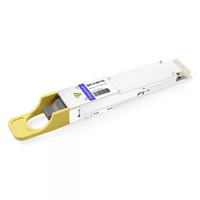
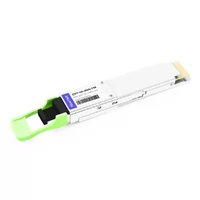
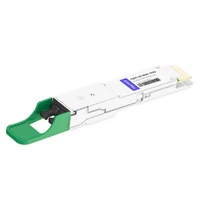
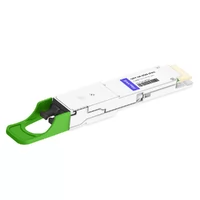
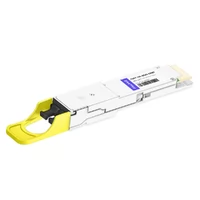
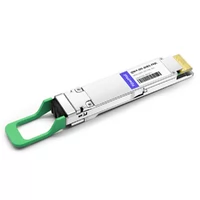
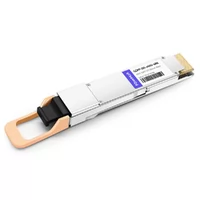
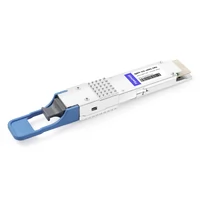
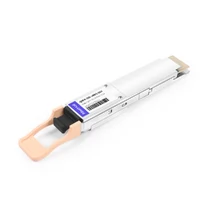
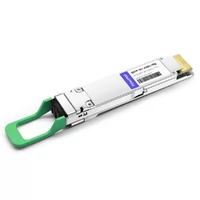
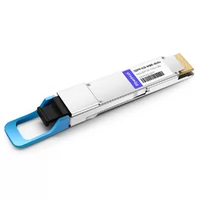
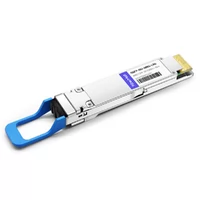
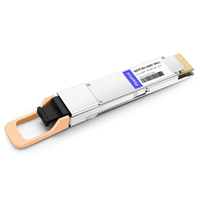
Jake stared at the console in disbelief. His switch ports contained twelve 800G QSFP-DD modules, which remained inactive. The maintenance window reached its midpoint. His rollback plan assumed the old modules would still work—they did—but that didn’t solve his problem.
The root cause was firmware incompatibility. His Nexus switches ran NX-OS 10.3(2), but these modules required 10.4(3). No one had informed him. The product page said “MSA compliant.” The datasheet showed the correct form factor. He had missed the firmware requirement hidden in the release notes.
The firmware upgrade took three hours to complete, after which the modules began functioning. This extended the maintenance window, escalated his change request, and ruined his weekend.
QSFP-DD systems require specific modules for their operation. “MSA compliant” helps, but it doesn’t guarantee your modules will work in your switches with your firmware. This guide provides the verification framework that prevents Jake’s experience through clear matrices and specific firmware versions, and effective troubleshooting steps.
What you’ll learn:
- What MSA certification actually guarantees—and what it does not.
- Switch compatibility matrices showing which platforms support which modules and firmware.
- A complete pre-purchase verification checklist.
New to QSFP-DD? Start with our complete QSFP-DD guide for fundamentals.
What Makes QSFP-DD Compatible: The MSA Standard
MSA-compliant doesn’t mean plug-and-play.
The QSFP-DD Multi-Source Agreement defines mechanical, electrical, and thermal specifications. It ensures that a module from one vendor can physically fit and electrically interface with another vendor’s switch. However, true compatibility requires more than MSA compliance.
What MSA Guarantees
- Mechanical compatibility: dimensions, bezel design, and thermal interface. Any QSFP-DD port can accept any MSA-compliant QSFP-DD module.
- Electrical interface: 8-lane specifications, signal integrity, and power limits.
- Standardized pin assignments for power, ground, data lanes, and management.
Standardized pin assignments exist for all devices. All MSA-compliant devices use identical pinouts to connect power circuits, ground connections, data transmission paths, and management interfaces.
What MSA Doesn’t Guarantee
Firmware recognition: switches validate module EEPROMs for vendor ID, part number, and serial number. Unrecognized modules are often disabled.
- Higher-layer protocol support (RoCEv2, PFC, ECN).
- Vendor-specific features such as advanced diagnostics, telemetry, and encryption.
- Future firmware compatibility: a module that works today may fail after a switch firmware update.
The lesson: MSA compliance is necessary but not sufficient for QSFP-DD compatibility.

QSFP-DD Switch Compatibility Matrix
Not all 800G switches work seamlessly with all QSFP-DD modules.
Each vendor implements QSFP-DD support differently. Some enable third-party modules by default. Others require explicit configuration or block non-certified optics.
Cisco Compatibility
Cisco’s Nexus 9000 series supports QSFP-DD across multiple platforms, but third-party modules face restrictions.
Supported Platforms:
- Nexus 92348GC-X (400G)
- Nexus 9364C-GX (400G/800G)
- Nexus 9408 (800G)
- Nexus 9736C-FX (400G/800G)
Third-Party Module Support:
Cisco requires the service unsupported-transceiver command for non-Cisco modules. Some platforms also need no transceiver-eeprom-read-disable. Even then, certain features may not work.
Known Quirks:
- Early 800G support had limited module type recognition
- Telemetry features often require Cisco-certified modules
- Digital Optical Monitoring (DOM) may not populate for third-party modules
Arista Compatibility
Arista generally offers the most flexible third-party module support among major switch vendors.
Supported Platforms:
- 7060X5 series (400G/800G)
- 7800R3 series (400G/800G)
- 7500R3 series (400G)
Third-Party Module Support:
Arista uses the allowed-transceiver command to specify acceptable vendors. By default, most platforms accept MSA-compliant modules. The transceiver speed command configures mixed-speed operation.
Known Quirks:
- Some early 7060X5 firmware versions had 800G module detection issues
- Breakout cables require explicit speed configuration
- Certain FEC modes require vendor-specific module support
Juniper Compatibility
Juniper’s PTX and QFX series support QSFP-DD, with varying degrees of third-party module acceptance.
Supported Platforms:
- PTX10008 (400G/800G)
- PTX10016 (400G/800G)
- QFX10000 series (400G)
Third-Party Module Support:
Juniper is more restrictive than Arista. Many platforms reject non-Juniper modules by default. The chassis network-services enhanced mode sometimes helps, but full compatibility often requires Juniper-coded optics.
Known Quirks:
- PTX platforms have strict EEPROM validation
- Some third-party modules report incorrect power consumption values
- 800G support varies significantly by platform generation
NVIDIA/Mellanox Compatibility
NVIDIA’s Spectrum-4 based switches (SN5600 series) use QSFP-DD for 800G, but with strong preference for NVIDIA-coded modules.
Supported Platforms:
- SN5600 (800G)
- SN5400 (400G/800G)
- SN5000 series (400G)
Third-Party Module Support:
NVIDIA switches accept MSA-compliant modules but may disable advanced features. For AI clusters using RoCEv2, NVIDIA strongly recommends NVIDIA-certified modules for optimal performance.
Known Quirks:
- RoCEv2 tuning parameters assume NVIDIA module characteristics
- Some telemetry features require NVIDIA-specific EEPROM fields
- Spectrum-1 and Spectrum-2 switches have different 400G module requirements than Spectrum-3/4
Module Compatibility Summary Matrix
| Switch Vendor | 400G QSFP-DD | 800G QSFP-DD | Third-Party Friendly |
| Cisco Nexus | Yes | Yes (newer platforms) | Restricted |
| Arista 7060X5 | Yes | Yes | Most flexible |
| Juniper PTX | Yes | Yes (select platforms) | Restricted |
| NVIDIA SN5600 | Yes | Yes | Moderate |
Always verify specific platform datasheets for latest compatibility information.
Firmware Version Compatibility Matrix
Your modules won’t work without the right firmware.
This is the number one cause of QSFP-DD compatibility failures. A module that worked in your lab doesn’t work in production. The difference? Firmware version. Maria learned this lesson before her deployment, not during it.
Maria planned to upgrade her company’s AI cluster from 400G to 800 GB. She spent two days researching before ordering. She found that her Arista 7060X5 switches needed EOS 4.28.0F minimum for 800G QSFP-DD support. Her switches ran 4.26. She upgraded first, then ordered modules. Everything functioned correctly when they arrived.
“The two days of research saved us a week of troubleshooting,” she said.
Cisco Firmware Requirements
400G QSFP-DD Support:
- Nexus 9000: NX-OS 10.2(1) or later
- Recommended: 10.3(3) or later for best third-party module support
800G QSFP-DD Support:
- Nexus 9400/9700: NX-OS 10.4(1) or later
- Recommended: 10.4(3) or later for full feature support
- Critical: Early 10.4 releases had 800G module detection bugs
Where to Check:
- Cisco Release Notes under “New Hardware Support”
- Platform-specific configuration guides
- show module output shows recognized module types
Arista Firmware Requirements
400G QSFP-DD Support:
- EOS 4.24.0F or later for 7060X5
- Recommended: 4.26.0F or later for stable operation
800G QSFP-DD Support:
- EOS 4.28.0F or later (minimum)
- Recommended: 4.30.0F or later for production deployments
- Critical: 4.28.0F-4.29.x had intermittent 800G link issues with some modules
Where to Check:
- Arista Release Notes “New Platforms and Hardware” section
- Platform datasheets list minimum EOS versions
- show version and show interfaces hardware commands
Juniper Firmware Requirements
400G QSFP-DD Support:
- JunOS 21.2R1 or later for PTX10008
- Recommended: 21.4R1 or later
800G QSFP-DD Support:
- JunOS 22.1R1 or later (PTX10008/10016)
- Recommended: 22.4R1 or later
- Critical: Third-party module support varies significantly by release
Where to Check:
- JunOS Release Notes “Hardware” section
- Platform hardware compatibility tools
- show chassis hardware and show version commands
Verifying Your Firmware Version
Cisco:
show version | include System version
show module | include Model
Arista:
show version
show interfaces hardware
Juniper:
show version
show chassis hardware
NVIDIA:
show version
show interfaces transceiver
Plan firmware updates before module deployment. Updating firmware during a maintenance window intended for module installation is a recipe for delays.
Backward Compatibility: 400G to 800G
Can you use 400G modules in 800G switches?
Yes. Usually. With caveats.
QSFP-DD’s backward compatibility is one of its key advantages over OSFP. The 800G QSFP-DD form factor maintains the same physical dimensions and electrical interface as 400G QSFP-DD. But backward compatibility has layers.
Mechanical Compatibility
Physical fit: Guaranteed. An 800G QSFP-DD port accepts a 400G QSFP-DD module. The module latches properly. The bezel aligns. The connector seats correctly.
Port density: No change. You get the same number of ports whether you populate them with 400G or 800G modules.
Electrical Compatibility
Speed negotiation: The 800G QSFP-DD ports will automatically negotiate their speed according to the connected module. An 800G port operates at 400G when it connects to a 400G module.
Power considerations: 400G modules typically draw 8-12W. The QSFP-DD interface of 800G ports provides power up to 18W and additional power capacity. The power budget does not create any issues.
Signal integrity: 800G ports are designed for 112G PAM4 signaling. 400G modules use 56G PAM4. The port adapts to the lower speed.

Backward Compatibility Matrix
| Configuration | 400G Module | 800G Module | Expected Result |
| 400G QSFP-DD port | Yes | No | 800G module won’t fit electrically |
| 800G QSFP-DD port | Yes | Yes | Auto-negotiates to module speed |
| 800G QSFP-DD switch (all ports) | Yes | Yes | Mixed operation supported on most platforms |
Real-World Mixed Deployment
Most organizations upgrading from 400G to 800G use backward compatibility for gradual migration:
- Phase 1: Install 800G-capable switches, populate with existing 400G modules
- Phase 2: Upgrade spine-to-spine links to 800G as traffic demands
- Phase 3: Upgrade leaf connections as servers/NICs support 800G
This approach lets you deploy switch infrastructure before all endpoints support 800G.
For detailed module specifications, see our 400G QSFP-DD module types guide.
Third-Party Module Compatibility
Generic modules are hit or miss.
The QSFP-DD market includes Tier 1 vendors (Cisco, Arista, Juniper), third-party specialists (FS.com, Cozlink, Flyin), and generic no-name modules from auction sites. Compatibility varies significantly across these categories.
MSA Compliant vs Vendor Certified
MSA Compliant:
- Meets mechanical and electrical specifications
- May not include vendor-specific EEPROM coding
- Switch may not recognize the module
- Limited or no warranty support
Vendor Certified:
- Includes vendor-specific EEPROM programming
- Recognized by switch firmware
- Full feature support (DOM, telemetry)
- Warranty and support available
Third-Party Vendor Reliability
Tier 1 Alternatives (FS, Cozlink, Flyin):
- Program modules for specific switch vendors
- Provide compatibility matrices
- Offer warranties and support
- Generally reliable for production use
Generic/No-Name:
- Hit-or-miss EEPROM coding
- No compatibility guarantees
- No warranty or support
- Risk of firmware update breaking compatibility
Enabling Third-Party Modules
Cisco:
configure terminal
service unsupported-transceiver
no transceiver-eeprom-read-disable
Arista:
configure terminal
allowed-transceiver module-type qsfp-dd
Juniper:
configure
set chassis network-services enhanced
Note: These commands vary by platform and firmware version. Check vendor documentation for your specific switches.
DAC and AOC Cable Compatibility
DAC cables have active components too.
Direct Attach Copper (DAC) cables seem simple—just copper with connectors. But 400G and 800G DACs contain active signal conditioning chips. These chips are programmed for specific switch vendors.
DAC Cable Considerations
Active vs Passive:
- Passive DACs: Limited to very short distances (<1m), simpler compatibility
- Active DACs: Contain signal conditioning, programmed for vendors
Vendor Programming:
A DAC programmed for Cisco may not work in Arista switches. The EEPROM identifies the “intended” vendor, and switches may reject mismatched cables.
Cross-Vendor Compatibility:
Some third-party DACs support multiple vendors through configurable EEPROMs. Others are single-vendor only.
AOC Cable Considerations
Active Optical Cables (AOCs) are generally more forgiving than DACs for cross-vendor use. The optical transceivers on each end are less vendor-specific than DAC signal conditioners.
Best Practice:
- Use vendor-specific DACs for guaranteed compatibility
- AOCs offer more flexibility for multi-vendor environments
- Always test before production deployment
For detailed cable guidance, see our QSFP-DD cable compatibility guide.
Troubleshooting Compatibility Issues
Module not detected? Here’s the diagnostic flow.
David faced this exact situation. His new QSFP-DD SR8 modules weren’t showing up in his switch. The show interfaces command showed empty ports. His go-live date was approaching.
He worked through a systematic checklist. The correct firmware version existed. He reseated the module despite having a proper module installation. The cable connection proved functional through testing with a known operational spare. The logs showed that EEPROM read errors had occurred. The solution required users to execute a particular workaround command due to a firmware bug. The two-hour structured troubleshooting process fixed the problem, which would have taken one week to solve.
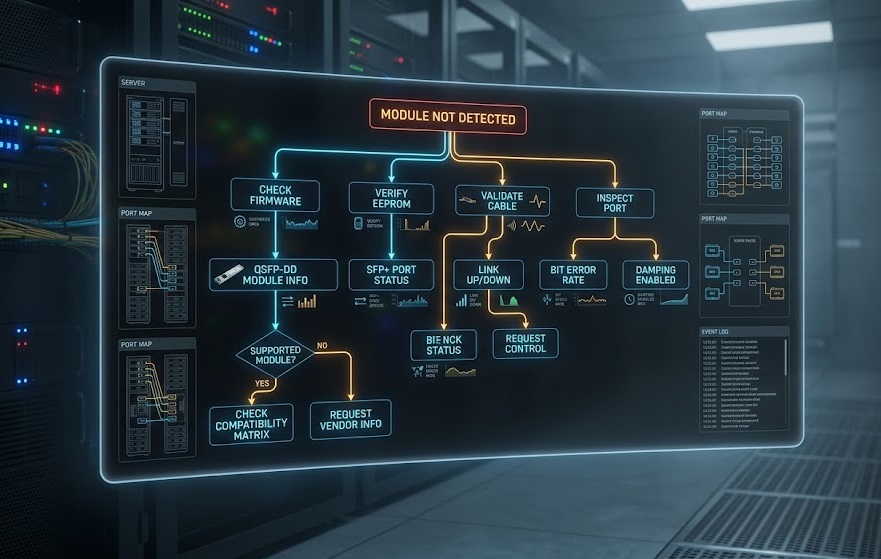
Common Symptoms and Causes
Module not detected:
- Cause: Firmware doesn’t recognize EEPROM
- Check: Firmware version, third-party enable commands
Module detected but won’t link:
- Cause: Speed mismatch, FEC incompatibility, cable issue
- Check: Speed configuration, FEC mode, cable type
Link flapping or errors:
- Cause: Signal integrity, power issue, incompatible FEC
- Check: Cable quality, DOM readings, FEC configuration
Performance degradation:
- Cause: FEC errors, optical issues, buffer exhaustion
- Check: Error counters, optical power levels, buffer statistics
Diagnostic Checklist
Step 1: Verify Firmware Version
show version
# Compare against vendor compatibility matrix
Step 2: Check Module Recognition
show interfaces hardware
show module
# Look for module presence and vendor ID
Step 3: Validate Cable/Connector
- Reseat module
- Try a known-good cable
- Check for physical damage
- Verify cable type (DAC vs AOC)
Step 4: Review Logs
show log | grep -i transceiver
show log | grep -i module
# Look for EEPROM errors or compatibility warnings
When to Contact Vendor
Hardware failures:
- Multiple modules fail in same port (likely switch issue)
- Module fails in multiple ports (likely module issue)
- DOM shows abnormal readings (optical or power problem)
Firmware bugs:
- Known issue in release notes
- Bug ID assigned by vendor
- Workaround available
Escalation path:
- Vendor technical support
- Module supplier (if third-party)
- Platform vendor (for switch issues)
Compatibility Verification Checklist
Verify before you buy.
This checklist prevents the most common compatibility failures. Use it before ordering modules or planning deployments.
Pre-Purchase Checklist
Switch Model Verification:
Confirm the switch model supports QSFP-DD
Verify port speed capability (400G vs 800G)
Check platform-specific limitations
Firmware Version Check:
Record the current firmware version
Compare against the minimum required version
Plan upgrade if needed
Module Specification Match:
Speed: 400G or 800G
Reach: SR8 (100m), DR8 (500m), 2FR4 (2km), etc.
Fiber type: Multimode (OM4) or single-mode (OS2)
Vendor Compatibility List Review:
Check the switch vendor’s supported optics list
Verify third-party module acceptance
Review any required configuration commands
Pre-Deployment Checklist
Firmware Backup:
Backup current firmware
Document rollback procedure
Test rollback in the lab if possible
Maintenance Window Planning:
Include firmware upgrade time if needed
Plan for troubleshooting buffer
Notify stakeholders of potential delays
Testing Plan:
Verify one module before full deployment
Check DOM readings
Validate throughput and error rates
FAQ
Will any QSFP-DD module work in any QSFP-DD port?
No. The MSA compliance standard guarantees both physical compatibility and electrical requirement fulfillment, but different switch manufacturers implement their firmware identification systems in distinct ways. The switches will not accept modules that lack the unique vendor identification required. You need to check compatibility with your specific switch model and its installed firmware.
Which firmware version do I need for 800G QSFP-DD?
It varies by vendor. Cisco Nexus requires NX-OS version 10.4(1) or higher for successful operation. Arista 7060X5 requires EOS 4.28.0F as its minimum operating system release. Juniper PTX requires at least JunOS version 22.1R1 to function properly. Check vendor release notes for your specific platform before purchasing modules.
Can I use 400G modules in 800G QSFP-DD switches?
The answer is yes. The 400G QSFP-DD modules can be used with QSFP-DD 800G ports because they have backward compatibility. The port will automatically adjust to the operating speed of the connected module. The QSFP-DD standard provides this benefit over OSFP because it allows 400G systems to transition into 800G systems gradually.
Why did my modules stop working after a firmware update?
The firmware updates introduce new compliance checks that evaluate module EEPROMs for module operation. The solution requires either using vendor-certified modules or identifying third-party modules with updated coding or configuring the switch to support unsupported transceivers.
Do I need vendor-specific DAC cables?
The answer is yes. 400G and 800G DAC cables contain active signal conditioning chips, which vendors have programmed for their specific switches. A DAC programmed for Cisco may not work in Arista switches. AOC cables allow different vendors to use their products without restrictions. To guarantee compatibility, you must use vendor-specific DACs or conduct complete tests on third-party cables.
Conclusion
Jake’s firmware surprise wasn’t unique. It happens regularly because QSFP-DD compatibility has multiple layers—mechanical, electrical, and firmware—and MSA only covers the first two.
Key takeaways:
- MSA compliance is necessary but not sufficient—firmware recognition matters
- Verify firmware versions before purchasing—the #1 cause of compatibility failures
- QSFP-DD backward compatibility works—enabling gradual 400G to 800G migration
- Third-party modules vary in quality—established vendors offer better reliability
- DAC cables are vendor-specific—AOCs offer more flexibility
The verification checklist in this guide prevents most compatibility issues. Use it. The fifteen minutes of verification save hours of troubleshooting.
Ready to verify your QSFP-DD setup? Contact FiberMall’s technical team for compatibility verification, module selection, and deployment planning. We’ve validated QSFP-DD compatibility across Cisco, Arista, Juniper, and NVIDIA platforms—helping you avoid the firmware surprises that derail deployments.
Explore our 800G QSFP-DD product line for validated compatible modules.
The 1.6T generation is coming. QSFP-DD1600 will maintain the same backward compatibility promise. Your compatibility verification process will apply to the next speed generation too.
Related Products:
-
 QSFP-DD-800G-DR8 800G-DR8 QSFP-DD PAM4 1310nm 500m DOM MTP/MPO-16 SMF Optical Transceiver Module
$1000.00
QSFP-DD-800G-DR8 800G-DR8 QSFP-DD PAM4 1310nm 500m DOM MTP/MPO-16 SMF Optical Transceiver Module
$1000.00
-
QSFP-DD-800G-FR8 QSFP-DD 8x100G FR PAM4 1310nm 2km DOM MPO-16 SMF Optical Transceiver Module
$1200.00
-
QSFP-DD-800G-2FR4 800G QSFP-DD 2FR4 PAM4 1310nm 2km DOM Dual CS SMF Optical Transceiver Module
$1900.00
-
QSFP-DD-800G-2FR4L QSFP-DD 2x400G FR4 PAM4 CWDM4 2km DOM Dual duplex LC SMF Optical Transceiver Module
$1800.00
-
QSFP-DD-800G-DR8D QSFP-DD 8x100G DR PAM4 1310nm 500m DOM Dual MPO-12 SMF Optical Transceiver Module
$1000.00
-
QSFP-DD-800G-FR8L QSFP-DD 800G FR8 PAM4 CWDM8 2km DOM Duplex LC SMF Optical Transceiver Module
$3000.00
-
QSFP-DD-400G-SR8 400G QSFP-DD SR8 PAM4 850nm 100m MTP/MPO OM3 FEC Optical Transceiver Module
$149.00
-
QSFP-DD-400G-DR4 400G QSFP-DD DR4 PAM4 1310nm 500m MTP/MPO SMF FEC Optical Transceiver Module
$400.00
-
QSFP-DD-400G-SR4 QSFP-DD 400G SR4 PAM4 850nm 100m MTP/MPO-12 OM4 FEC Optical Transceiver Module
$450.00
-
QSFP-DD-400G-FR4 400G QSFP-DD FR4 PAM4 CWDM4 2km LC SMF FEC Optical Transceiver Module
$500.00
-
QSFP-DD-400G-XDR4 400G QSFP-DD XDR4 PAM4 1310nm 2km MTP/MPO-12 SMF FEC Optical Transceiver Module
$550.00
-
QSFP-DD-400G-LR4 400G QSFP-DD LR4 PAM4 CWDM4 10km LC SMF FEC Optical Transceiver Module
$600.00
-
QSFP-DD-400G-SR4.2 400Gb/s QSFP-DD SR4 BiDi PAM4 850nm/910nm 100m/150m OM4/OM5 MMF MPO-12 FEC Optical Transceiver Module
$750.00
-
QSFP-DD-400G-ER4 400G QSFP-DD ER4 PAM4 LWDM4 40km LC SMF without FEC Optical Transceiver Module
$3500.00
-
QSFP-DD-400G-ER8 400G QSFP-DD ER8 PAM4 LWDM8 40km LC SMF FEC Optical Transceiver Module
$3800.00
-
QSFP-DD-400G-LR8 400G QSFP-DD LR8 PAM4 LWDM8 10km LC SMF FEC Optical Transceiver Module
$3800.00