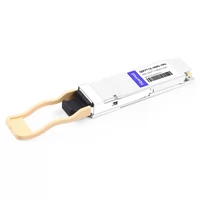
Priya spent most of a Tuesday morning troubleshooting a link that should have taken four minutes to bring up. She inserted a 400G QSFP112 module into an older leaf switch with a compatible-looking QSFP cage, watched the switch inventory recognize the module, and waited for the port status to turn green.
It never did.
No critical alarm. No obvious console error. Just a device that detected the module but refused to establish a link.
What caused the problem was not the module itself. It was the meaning of the word “compatibility.”
Most engineers initially treat QSFP112 compatibility as a simple question: does the module physically fit into the cage? If it fits, it should work. If it does not, it will not.
That assumption is where troubleshooting time disappears.
A 400G QSFP112 link only comes up when multiple conditions are satisfied together, including the physical interface, host ASIC capability, firmware support, module management compatibility, FEC configuration, power capability, and application coding.
The cage is only the first step.
This guide walks through these compatibility factors in the order they typically fail. It covers compatibility matrices, CMIS versions, platform requirements, host application compatibility, breakout limitations, and practical troubleshooting steps before deployment.
For the full technology background, see our complete QSFP112 400G guide.
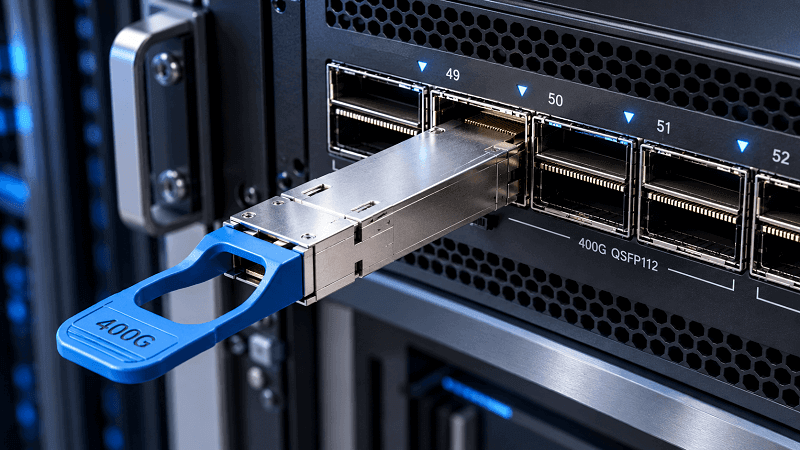
Quick Answer: Will QSFP112 Work in Your Platform?
Short version: QSFP112 uses the QSFP form factor and can be mechanically compatible with many QSFP56 and QSFP28 environments, but electrical compatibility depends on the host platform.
A QSFP112 module requires a host ASIC capable of supporting 100G-class PAM4 SerDes lanes (commonly referred to as 112G PAM4). QSFP28 and QSFP56 modules may operate in QSFP112-capable ports when the platform supports the required modes, but inserting a QSFP112 400G module into a QSFP28-only port will normally result in module detection without link establishment.
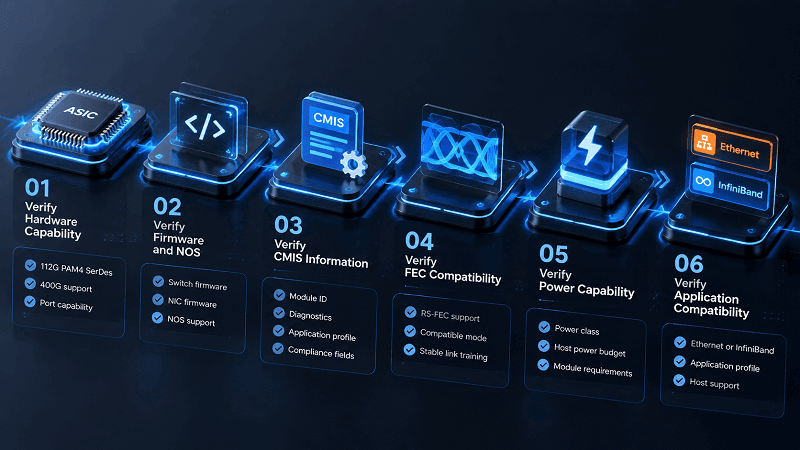
That single explanation answers most compatibility questions. The remaining troubleshooting usually comes down to six compatibility gates:
- ASIC: Does the switch or NIC silicon support 112G PAM4 SerDes?
- Firmware: Does the NOS or firmware version support QSFP112 operation on this platform?
- CMIS: Can the host and module successfully communicate through the management interface?
- FEC: Are both endpoints configured with compatible forward error correction modes?
- Power: Can the host cage provide the module’s required power class?
- Application compatibility: Does the module advertise the correct Ethernet or InfiniBand application profile for the host?
Failing any one of these conditions may produce the same symptom:
Module detected, but no link.
QSFP112 Physical Fit vs Electrical Compatibility
QSFP112 follows the QSFP family mechanical ecosystem and shares a similar form factor with QSFP28 and QSFP56 modules. However, physical fit alone does not guarantee operational compatibility.
A module can be inserted into a compatible-looking cage while still failing because the host lacks the required electrical interface, firmware support, power capability, or application configuration.
The key difference is on the electrical side:
- QSFP28 typically uses four 25G NRZ lanes for 100G operation.
- QSFP56 typically uses four 50G PAM4 lanes for 200G operation.
- QSFP112 typically uses four 100G-class PAM4 lanes for 400G operation.
NRZ uses two signal levels per symbol, while PAM4 uses four signal levels. Moving from 25G NRZ to 100G-class PAM4 requires a significantly different SerDes architecture.
Our QSFP transceiver guide maps how the QSFP family evolved from QSFP+ through QSFP112 and how the electrical interfaces changed.
The management interface creates another common misunderstanding.
CMIS communication operates through a low-speed management channel, allowing a switch or NIC to read module information such as vendor name, part number, temperature, voltage, and diagnostic data.
Therefore, a host may successfully identify a QSFP112 module even when its ASIC cannot support the required high-speed electrical interface.
The chassis detects the module.
The module reports its information.
The data link remains down.
Physical insertion should therefore be considered the first compatibility check, not proof that the module will operate.
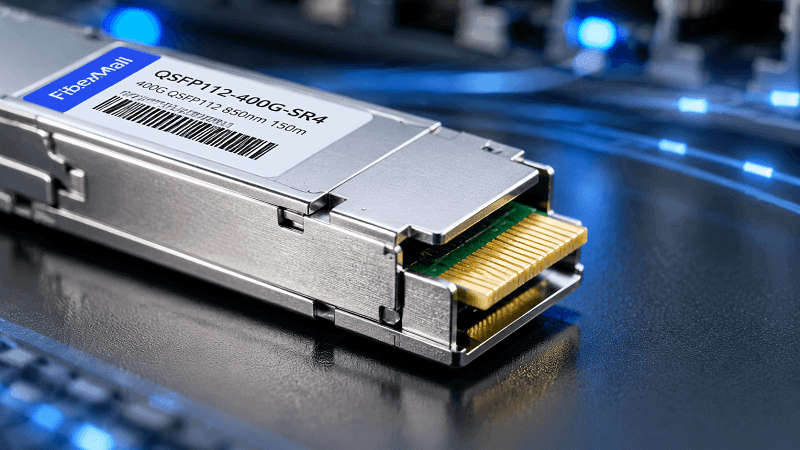
The Bidirectional QSFP112 Compatibility Matrix
Most compatibility pages answer one direction: will my old module work in a new port? The reverse direction is where people lose money, so here’s both sides.
| Insert this module | Into this port | Result | Why |
| QSFP112 400G | QSFP112 | 400G, native | 4 x 112G PAM4 on both ends |
| QSFP112 400G | QSFP-DD | Platform-dependent, 4-lane mode | MSA says QSFP-DD cages accept QSFP112; host must run 4 x 100G PAM4 |
| QSFP112 400G | OSFP | Does not fit | Different form factor and electrical interface |
| QSFP112 400G | QSFP28-only | Detected, no link | Host lacks 112G PAM4 SerDes |
| QSFP112 400G | QSFP56-only | Detected, no link at 400G | Same reason |
| QSFP28 100G | QSFP112 | 100G | Rate negotiation, if the ASIC is multi-rate |
| QSFP56 200G | QSFP112 | 200G | Rate negotiation; native on ConnectX-7 and BlueField-3 |
| QSFP-DD 400G | QSFP112 | No | 8 lanes vs 4 lanes |
| QSFP+ 40G | QSFP112 | Usually 40G | Depends on multi-rate support |
One rule covers the whole table. QSFP112 is a backward-compatible receiver, not a backward-compatible transmitter. A QSFP112 port happily accepts legacy modules. A legacy port does not accept a QSFP112 module at speed.
The QSFP-DD row deserves a caveat. The QSFP112 MSA states that QSFP112 modules can be accepted by QSFP-DD connectors and cages, and several vendors confirm QSFP-DD cages take QSFP112, QSFP56 and QSFP28 parts.
But QSFP-DD uses a wider connector in some implementations, so physical insertion isn’t guaranteed on every cage. Verify the cage before you plan a mixed deployment. We cover the eight-lane-versus-four-lane reasoning in our QSFP-DD vs QSFP112 decision guide.
CMIS 4.0 vs 5.0 vs 5.2: What Each Version Actually Unlocks
CMIS, the Common Management Interface Specification, handles host-to-module communication. It’s form-factor agnostic, so the same specification serves OSFP, QSFP-DD and QSFP112. What changes between versions is how much the module will tell you.
| CMIS version | What it adds | Practical effect |
| 4.0 | Detection and basic pages | Links up, but thin telemetry |
| 5.0 | Power management, basic diagnostics | The stated minimum for QSFP112 support |
| 5.2 | Per-lane signal quality, extended DOM, advanced power management | What production monitoring needs |
The trap here is quiet. A module listed as “CMIS 5.0” will link and it will report temperature, voltage and total optical power. It just won’t hand your NMS per-lane SNR or the extended DOM fields a 400G fabric needs to spot a degrading lane before it fails. You find out the difference the first time you try to build a threshold alert and the data simply isn’t exposed.
Cage-side, CMIS-FF defines the QSFP112 hardware signals your platform toggles: ResetL, IntL/RxLOS, LPMode/TxDis and ModSelL. Optional TxDis and RxLOSL functions are advertised and controlled through CMIS-FF, which is why some switches can mute a single transmitter on a 400G module and others can’t.
If per-lane visibility matters to your monitoring stack, specify QSFP112 CMIS 5.2 and ask for it in writing. It’s a pre-purchase decision, not something a firmware update adds later.
QSFP112 Firmware Requirement: Switch and NOS Floors
Firmware configures 112G SerDes. It can’t create it. That distinction saves a lot of wasted upgrade windows, because a platform without the analog path will never run QSFP112 no matter what you load onto it.
| Platform | Minimum firmware | Notes |
| Cisco Nexus 9000 (Silicon One G200 class) | NX-OS 10.2(1) | Later references cite 10.4(1)F+ for 112G mode negotiation |
| Arista 7060X6 / 7800R4 (Tomahawk 5) | EOS 4.31.x | 4.32.1F+ referenced for 112G mode |
| Juniper QFX / PTX | Junos 23.2R1 | Verify the line card, not just the platform |
| NVIDIA | Cumulus Linux 5.x / MLNX-OS 3.9.x | Native QSFP112 ecosystem |
| Dell (Tomahawk 5) | OS10 10.5.6.x | |
| SONiC | Validated Tomahawk 5 platforms | Version-sensitive; confirm with your distributor |
A common deployment mistake is assuming that a firmware upgrade can add QSFP112 capability to an older switch.
For example, a platform built on older silicon without 112G PAM4 SerDes cannot become QSFP112-capable through software alone.
The symptom of a firmware compatibility issue often looks similar to a hardware limitation:
- module is detected
- inventory information is available
- interface remains down
This is why checking both the hardware generation and software version is essential before troubleshooting further.
Platform Notes: Cisco, Arista, NVIDIA and Juniper
Switch vendor support varies enough that “QSFP112 compatible” on a datasheet means very little on its own.
QSFP112 Cisco Compatibility
Cisco supports QSFP112 on select Nexus 9000 platforms with the right line card. Not every N9K does 400G, and fewer still do QSFP112 specifically, so check the platform support list for your exact SKU. Cisco expects its own optics for TAC coverage, though third-party MSA modules often link up.
QSFP112 Arista Compatibility
Arista has been the most aggressive adopter. The 7060X5, 7060X6 and 7800R series support QSFP112 natively, and the multi-rate ports negotiate down to 200G or 100G, which simplifies mixed-speed environments considerably. EOS also reads CMIS 5.2 diagnostics cleanly.
QSFP112 NVIDIA Compatibility
NVIDIA/Mellanox is the native QSFP112 ecosystem. Spectrum-4 and Quantum-2 switches are built around the form factor, ConnectX-7 ships in both OSFP and QSFP112 versions, and BlueField-3 DPUs use QSFP112 only.
In practice, NVIDIA’s adapters are more tolerant of third-party optics than its switches are. Our QSFP112 in NVIDIA AI clusters guide covers the adapter lineup and part numbers.
QSFP112 Juniper Compatibility
Juniper supports QSFP112 on PTX10008 and select QFX platforms. The implementation is solid, but the supported list is narrower than Arista’s, so verify both line card and Junos release before committing.
Third-party modules are where most “compatibility” tickets originate. The failure mode we see most isn’t a dead link, it’s a partial one: the module links fine but reports temperature, voltage or receive power inaccurately, which breaks monitoring scripts and fires false alarms in the NMS.
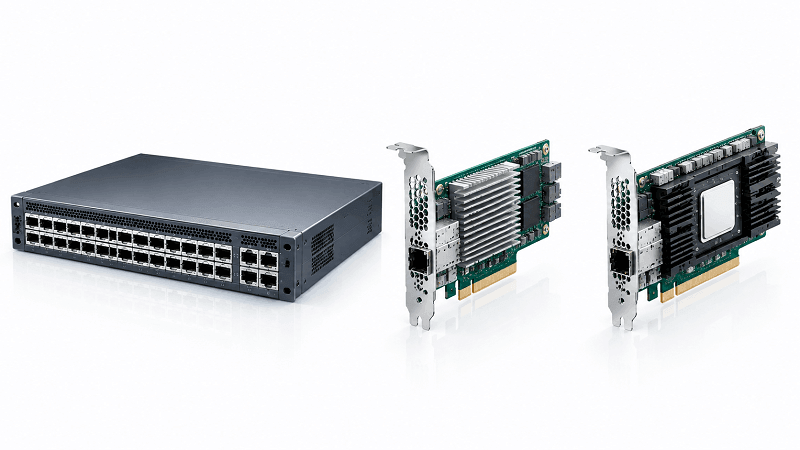
NIC and Cage Compatibility: ConnectX-7, BlueField-3 and OSFP
NVIDIA’s documentation is unusually explicit here, and it’s worth reading before you order an adapter.
QSFP112 cages in ConnectX-7 adapters and BlueField-3 DPUs are backward compatible with legacy parts and support QSFP56 200G in 4-lane operation. That’s genuine multi-rate behavior, not a workaround.
The trap is on the OSFP side. QSFP112 cannot go into a twin-port OSFP switch cage, and it cannot go into a single-port OSFP ConnectX-7 adapter. Those are siblings of the QSFP112 adapters, sold side by side, and the distinction disappears fast in a quote sheet.
One integrator learned this with 40 adapters on a pallet. They’d specified ConnectX-7 correctly by model family but ordered the OSFP variant instead of the QSFP112 one, and the QSFP112 modules they’d already received had nowhere to go.
The return took three weeks and pushed a cluster turn-up. Read the form factor, not just the model number. Our comparison of QSFP112 vs OSFP covers where the two ecosystems sit.
Cabling deserves its own mention. Low-grade cabling that behaved fine at 25G can fail outright at 112G, because 112G PAM4 is far more sensitive to insertion loss, crosstalk and connector contamination than the older NRZ rates.
Clean MPO-12/APC and duplex LC matter more at 400G than most teams expect. If you’re reusing an MPO plant, our MPO connector guide covers the polish and cleaning details.
One hardware gate that gets overlooked entirely: QSFP112 is a Class 6 module, up to 12W. A QSFP28 leg runs Class 5, capped around 5W. If the cage can’t source the advertised class, the module stays in low power and never initializes. That’s a chassis limitation, and no configuration will talk it around.
QSFP112 Host Code: The Ethernet vs InfiniBand Trap
This one is absent from nearly every compatibility article, and it costs people days.
A QSFP112 module advertises a protocol in its application descriptor, not just a speed. The host code tells the switch ASIC which stack to bring up.
| Protocol | Host code |
| 400G Ethernet | 0x50 |
| 200G Ethernet | 0x4E |
| 100G Ethernet | 0x4C |
| InfiniBand NDR | 0x32 (the lane-count byte separates 4-lane from 8-lane) |
| InfiniBand HDR | 0x31 |
Here’s why it bites. Media codes are shared between Ethernet and InfiniBand, so a module can look physically and optically correct on both ends while the host code guarantees the link never comes up.
An engineer building a 400GbE fabric once pulled modules from an InfiniBand NDR deployment, because the part numbers were nearly identical and both ran 400G over the same fiber. The switch accepted them, the optics lit, and the ports stayed down.
The modules were NDR parts with host code 0x32 in an Ethernet chassis. Same speed, same connector, wrong protocol.
Confirming the network protocol at order time, not at turn-up time, is the whole fix. Our QSFP56 compatibility guide picks up the thread from the 200G generation.
Breakout Compatibility: 2x200G Is Easier Than 4x100G
Breakout expectations built on QSFP-DD don’t transfer cleanly to QSFP112, and it’s worth understanding why before a design depends on it.
QSFP-DD carries 400G as eight 50G lanes, so splitting to four 100G legs maps two lanes per leg with no conversion. That’s why 400G QSFP-DD to 4x100G QSFP28 passive DACs are common and cheap.
QSFP112 carries 400G as four 112G PAM4 lanes. Mapping those onto four 25G NRZ QSFP28 legs is not one-to-one, and a passive cable cannot convert 100G PAM4 into 25G NRZ. Getting to 4x100G needs compatible host modes, active conversion or endpoints designed for single-lambda 100G. The simpler split is 2x200G to QSFP56, which works without that gymnastics.
Arista’s 7060X6 supports 400G QSFP112 breakout to both 4x100G and 2x200G, but that capability lives in the platform, not in the form factor. At least one major vendor lists QSFP112 among the single-channel form factors that don’t support breakout at all. So treat breakout as a port-guide question. Check the switch port guide and the module’s application descriptors, and don’t assume a label means the feature is there.
Third-Party QSFP112 Modules and Vendor Lock
QSFP112 third-party optics work in most platforms, and the honest caveat is that some platforms make it harder than others.
Locking implementations, where they exist, tend to escalate. The first level reads the EEPROM identity fields (vendor name, OUI, part number) and rejects anything off the list. The second validates a checksum, which defeats naive EEPROM spoofing.
A third adds a proprietary cryptographic handshake. The last enforces policy, gating power delivery or flagging the module as unsupported outright.
The signature of a lock rejection is subtle: the OS detects the module and can read its diagnostics, but the link never comes up. That’s why it gets mistaken for an optics fault.
On NVIDIA adapters specifically, ALLOW_UNSUPPORTED_CABLES relaxes the whitelist so third-party parts can be tried. It does not override invalid CMIS or EEPROM fields. If the module misadvertises its compliance, no host setting will rescue it, and the fix is a module that genuinely advertises 400G compliance and the correct power class.
This is the practical argument for vendor-coded optics. FiberMall stocks QSFP112 SKUs coded for Cisco, Arista and H3C precisely because some platforms only accept a matching identity.
Ask which platforms a supplier tested against, and treat “MSA compliant” as a starting point rather than a guarantee. Our QSFP112 module types guide notes where the variants differ in power and FEC, which is where coded parts diverge most.
Fixing QSFP112 Compatibility: “Module Detected, No Link”
Start with the registers, not the fiber.
On ConnectX-7, a QSFP112 module only gets powered up and receive-enabled after the NIC’s CMIS checks pass: valid media compliance with an explicit 400GBASE classification, a non-zero supported cable speed bitmap that includes 400G, and a power class appropriate for 400G SR4 (typically Class 6 or higher). When those checks fail, you’ll often see a specific triad: compliance reads Unspecified, supported cable speed reads 0, and power class reads 1.5W. The NIC then holds Vcc near 0V and reports receive power around -40 dBm even with a live transmitter on the far end.
That triad means one thing: the module isn’t being recognized as a valid 400G device. It’s an EEPROM and CMIS problem, not an optics problem, and no amount of cleaning or re-seating will change it.
From there, work the gates in order:
1. ASIC: does the chip do 112G PAM4? If not, stop. It’s a hardware limit.
2. Firmware: is the NOS at or above the floor? “Detected, no link” points here first.
3. CMIS: read the registers above. Unspecified compliance means a module identity problem.
4. FEC: confirm both ends run the same mode. RS(544,514) KP4 is mandatory at 100G per lane, and a mismatch flaps the link rather than killing it outright, which makes it harder to spot.
5. Power class: does the cage supply the module’s advertised class?
6. Host code: Ethernet or InfiniBand? Check the application descriptor.
Working the list in order matters, because the gates mask each other. A firmware problem looks exactly like a CMIS problem until you’ve ruled one out.
Pre-Purchase QSFP112 Compatibility Checklist
Run this before the order, not after the delivery.
1. Confirm the switch ASIC supports 112G PAM4, not just a QSFP cage.
2. Confirm the NOS version meets your vendor’s QSFP112 floor.
3. Confirm the module advertises CMIS 5.2 if your monitoring needs per-lane data.
4. Confirm both ends use the same FEC mode at 100G per lane.
5. Confirm the cage power class covers a Class 6 module.
6. Confirm the host code and protocol (Ethernet versus InfiniBand).
7. Confirm the cage type: QSFP112, QSFP28, QSFP56 and QSFP-DD are candidates; OSFP is not.
8. Confirm you’re ordering the coded variant your platform expects.
Eight checks, maybe ten minutes. It’s a much shorter list than the troubleshooting path Priya took.
FAQ
Can I plug a QSFP112 module into a QSFP28 port?
Physically, some QSFP112 modules may fit QSFP28-style cages, but operational compatibility depends on the host implementation.
A QSFP28-only port normally lacks the electrical capability required for 400G QSFP112 operation, so the module may be detected without establishing a link.
The reverse direction may work when the QSFP112 port supports legacy QSFP28 operation.
Will QSFP112 work in a QSFP-DD port?
The MSA supports it and QSFP112 runs in 4-lane mode, but it needs host support for 4 x 100G PAM4, and cage width varies by vendor. Verify both before planning a mixed deployment.
Is QSFP112 compatible with QSFP56?
Compatibility depends on the host design.
Although both belong to the QSFP family ecosystem, they use different lane architectures:
- QSFP-DD: typically eight electrical lanes
- QSFP112: four electrical lanes
Successful operation requires compatible cage design, SerDes support, firmware, and application configuration.
What CMIS version does QSFP112 need?
QSFP112 modules commonly use CMIS 5.x.
CMIS 5.0 provides modern module management capabilities, while CMIS 5.2 adds enhanced diagnostics such as improved lane-level monitoring.
The required version depends on the monitoring and management requirements of the deployment.
Why does my switch detect the module but the link stays down?
Common causes include:
- unsupported ASIC
- outdated firmware
- incorrect CMIS information
- FEC mismatch
- insufficient power capability
- incorrect Ethernet/InfiniBand application profile
Do third-party QSFP112 modules work in Cisco and Arista switches?
They can work when:
- the module follows required specifications
- the host accepts third-party optics
- coding and firmware requirements are satisfied
Some platforms may require vendor-specific coding for official support or operation.
Does QSFP112 support 4x100G breakout?
It depends on the platform.
QSFP112 uses four high-speed PAM4 lanes, and breakout capability depends on:
- switch ASIC
- firmware
- supported application modes
- cable type
Do not assume QSFP112 breakout behavior is identical to QSFP-DD.
The Bottom Line on QSFP112 Compatibility
QSFP112 compatibility is not determined by the connector alone.
A successful 400G QSFP112 link requires multiple layers to work together:
- ASIC capability
- Firmware support
- CMIS compatibility
- FEC alignment
- Power capability
- Application compatibility
Physical insertion proves only that the module fits.
Module detection proves only that management communication works.
A stable 400G link requires the entire system stack to be compatible.
Before deployment, verify the platform model, firmware version, optic application, and module specifications.
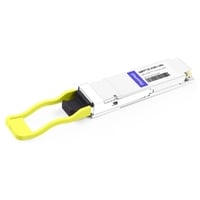
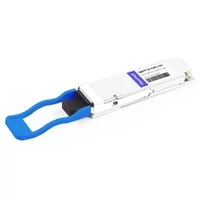
FiberMall provides QSFP112 solutions including SR4 and DR4 modules and vendor-coded variants for different networking platforms.
For platform validation, provide your switch or NIC model and firmware version to confirm compatibility before ordering.
Related Products:
-
 QSFP112-400G-SR4 400G QSFP112 SR4 PAM4 850nm 100m MTP/MPO-12 OM3 FEC Optical Transceiver Module
$400.00
QSFP112-400G-SR4 400G QSFP112 SR4 PAM4 850nm 100m MTP/MPO-12 OM3 FEC Optical Transceiver Module
$400.00
-
QSFP112-400G-DR4 400G QSFP112 DR4 PAM4 1310nm 500m MTP/MPO-12 with KP4 FEC Optical Transceiver Module
$500.00
-
QSFP112-400G-FR1 4x100G QSFP112 FR1 PAM4 1310nm 2km MTP/MPO-12 SMF FEC Optical Transceiver Module
$800.00
-
QSFP112-400G-FR4 400G QSFP112 FR4 PAM4 CWDM 2km Duplex LC SMF FEC Optical Transceiver Module
$600.00
-
QSFP112-400G-LR4 400G QSFP112 LR4 PAM4 CWDM 10km Duplex LC SMF FEC Optical Transceiver Module
$1000.00
-
FiberMall QSFP112-400G-VR4 Compatible 400G QSFP112 VR4 PAM4 850nm 50m MTP/MPO-12 OM4 FEC Optical Transceiver Module
$385.00