When Lian Park’s team unboxed their first 200G switch shipment in February 2025, they assumed cabling would be the easy part. They’d used QSFP28 DACs for years without issues. But 200G PAM4 signaling changed everything. A 3-meter passive DAC that worked flawlessly at 100G now threw CRC errors at 200G. The project stalled for two weeks while they re-evaluated.
If you’ve stood where Lian stood, you know the trap. Most procurement teams over-spec AOC for short runs, wasting $200+ per link. Others under-spec DAC for marginal distances, causing intermittent errors that are maddening to diagnose. Both mistakes are avoidable with one measurement.
This guide gives you the QSFP56-specific cabling framework that generic 200G articles miss. You’ll learn exactly how PAM4 modulation changes the DAC vs. AOC equation, what distances each cable type actually supports, and how to calculate the true cost of your choice over a three-year lifecycle. By the end, you’ll have a five-step decision process that eliminates guesswork from your next 200G deployment.
What Is QSFP56 and Why Cabling Matters at 200G
QSFP56 stands for Quad Small Form-Factor Pluggable 56. The “56” refers to the 56 Gbps signaling rate per electrical lane. Four lanes at roughly 50 Gbps payload each give you 200 Gbps aggregate throughput.
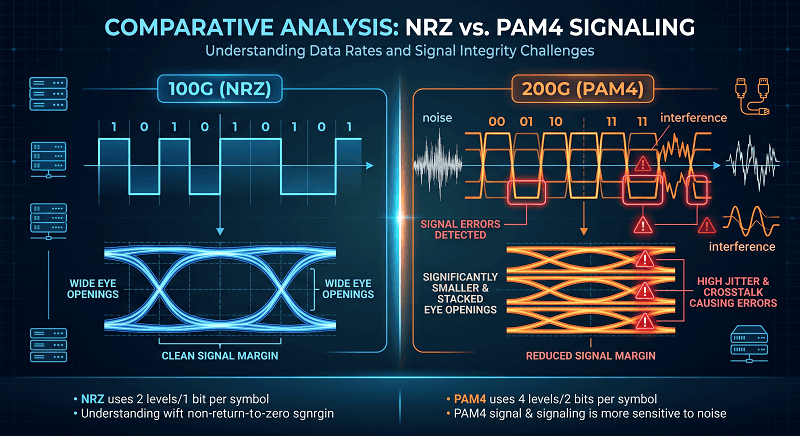
The critical difference from QSFP28 is modulation. QSFP28 uses NRZ (Non-Return-to-Zero), which sends one bit per symbol. QSFP56 uses PAM4 (Pulse Amplitude Modulation 4-Level), which packs two bits into every symbol. PAM4 lets you double the data rate without doubling the bandwidth, but it comes at a cost.
PAM4 signals have smaller voltage eye openings. They are far more sensitive to noise, insertion loss, and crosstalk. At 100G with NRZ, a passive DAC could stretch to 5 meters in some configurations. At 200G with PAM4, that same copper construction often struggles beyond 2 meters. This is why cable choice at 200G is more consequential than it was at 100G.
The electrical interface is 200GAUI-4, defined in IEEE 802.3cd. Your switch ASIC must support this interface to drive QSFP56 modules or cables. Most modern 200G switches do, but always verify—some early 200G platforms use different electrical mappings.
Tip: Need to verify your switch supports 200GAUI-4? Check your vendor’s hardware specification sheet for QSFP56 port compatibility before ordering any cables.
QSFP56 DAC: Technical Specifications and Limits
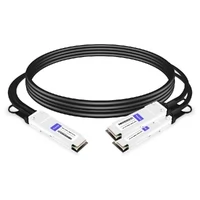
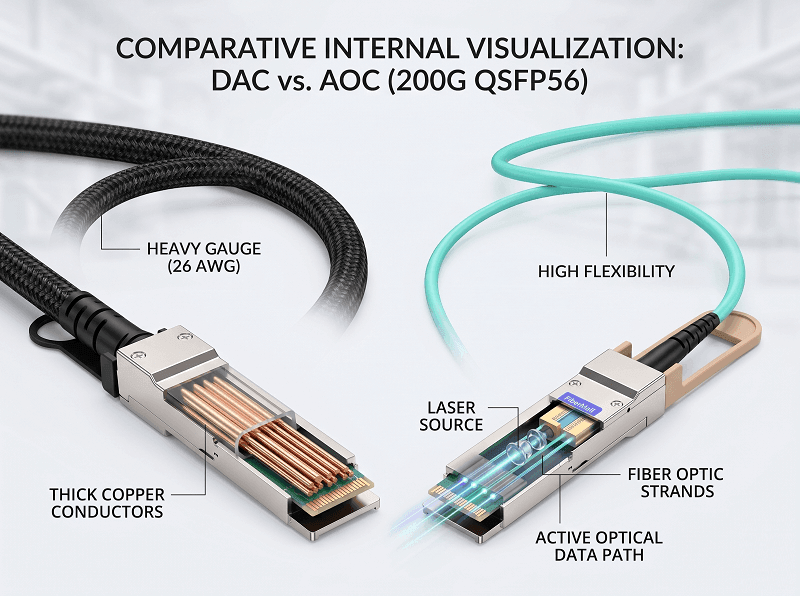
QSFP56 DAC (Direct Attach Copper) integrates the transceiver electronics directly into the cable assembly. No separate pluggable modules needed. You plug one end into a QSFP56 port, the other end into another QSFP56 port, and the link comes up.
Passive DAC Specifications
Passive DACs contain no active signal conditioning. They rely entirely on high-quality copper twinax cable to carry the PAM4 signal from port to port. This simplicity is their biggest advantage—and their biggest limitation.
Key specifications for QSFP56 passive DACs:
Distance: 0.5m to 3m, depending on wire gauge
Power consumption: Less than 0.1W per end (nearly zero)
Latency: Under 100 nanoseconds
Wire gauge options: 30 AWG (0.5-2m), 28 AWG (2m), 26 AWG (2.5-3m)
Bend radius: 35mm (30 AWG), 41mm (28 AWG), 47.5mm (26 AWG)
The AWG (American Wire Gauge) rating determines how far a passive DAC can reliably carry a 200G PAM4 signal. Thicker wire (lower AWG number) has less insertion loss. But thicker wire also means a stiffer, heavier cable that’s harder to route in dense racks.
A 1-meter 30 AWG passive DAC typically costs between $150 from third-party suppliers. OEM-branded equivalents often run $500. For a data center deploying 500 DAC links, that’s a $175,000 savings by choosing compatible third-party cables.
Active DAC (ACC) Specifications
Active DACs—sometimes called ACC (Active Copper Cables) or DAC with signal conditioning—include retimer or redriver chips inside the connector housing. These active components clean and reshape the PAM4 signal, extending reach beyond passive limits.
Distance: Up to 7 meters (some vendors claim 10m)
Power consumption: 1W to 2W per end
Latency: Slightly higher than passive, typically 100-150ns
Cost: Roughly 2× to 3× the price of passive DAC
Active DACs occupy an interesting middle ground. They offer more reach than passive DACs without the cost jump to AOC. But they’re less common in the QSFP56 ecosystem than passive DACs or AOCs. Many procurement teams don’t even know they exist.
QSFP56 Breakout DAC
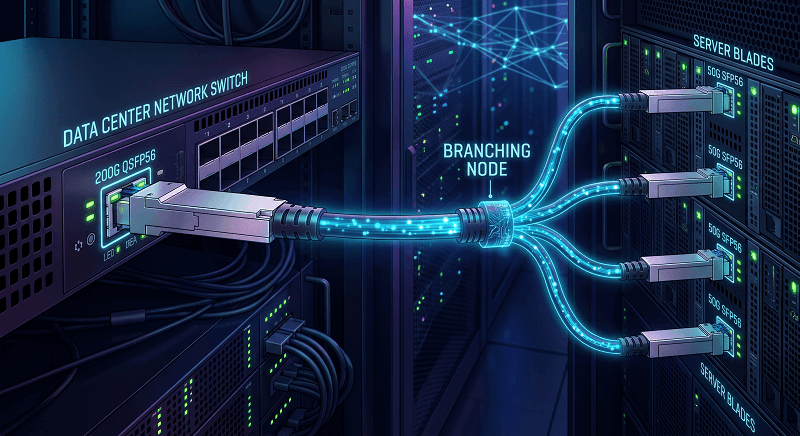
A QSFP56 port can break out into four independent 50G SFP56 links. Breakout DACs enable this configuration, letting you connect a 200G spine switch to four 50G leaf switches or servers.
Breakout DACs come in passive variants for distances under 2 meters. The cable splits from one QSFP56 connector to four SFP56 connectors. This is especially useful during mixed-speed migrations where some equipment still runs at 50G.
Looking for compatible QSFP56 DAC cables? FiberMall supplies MSA-compliant passive and active DAC cables tested across major switching platforms, with options from 0.5m to 7m.
QSFP56 AOC: Technical Specifications and Advantages
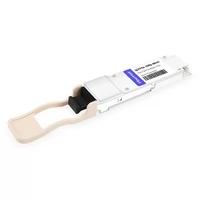
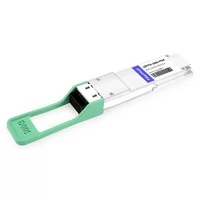
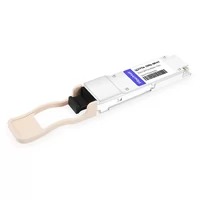
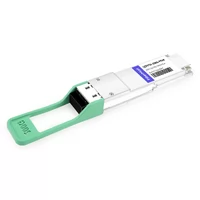
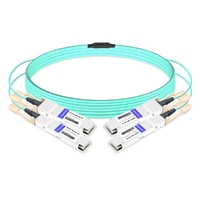
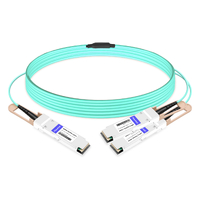
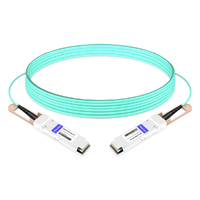
QSFP56 AOC (Active Optical Cable) replaces copper with optical fiber. The cable assembly includes VCSEL lasers and photodetectors embedded in the connector housings. Electrical signals convert to optical at one end, travel through fiber, and convert back to electrical at the other end.
Core Specifications
Distance: 3m to 100m over multimode fiber (OM3/OM4/OM5)
Power consumption: 4W to 5W per end
Wavelength: 850nm VCSEL array
Latency: Approximately 200 nanoseconds round-trip
Bend radius: Approximately 30mm
Weight: Roughly 60% lighter than equivalent DAC
The distance advantage is obvious. A single AOC can cover an entire data center row, whereas DACs are restricted to intra-rack connections. But the benefits go beyond reach.
AOCs are immune to electromagnetic interference. In facilities with heavy power distribution, motor loads, or RF equipment, this immunity eliminates a whole category of potential issues. Copper cables can pick up noise from adjacent power cables, especially in poorly managed racks.
Cable management is another win. A 3-meter QSFP56 AOC weighs about 40 grams and bends easily. A 3-meter 26 AWG DAC weighs closer to 250 grams and fights back when you try to route it. In high-density AI clusters where every cubic centimeter of airflow matters, that weight difference adds up fast.
Breakout AOC Configurations
Like DACs, QSFP56 AOCs support breakout modes. Common configurations include:
200G to 2×100G QSFP56: Split one 200G port into two 100G links
200G to 4×50G SFP56: Split one 200G port into four 50G links
Breakout AOCs cost more than standard AOCs but provide flexibility during infrastructure transitions.
DDM/DOM Support
Unlike passive DACs, AOCs support Digital Diagnostic Monitoring (DDM) or Digital Optical Monitoring (DOM). This lets you query real-time parameters through the switch’s management interface:
Transmitter optical power
Receiver optical power
Temperature
Voltage
For operations teams managing thousands of links, this visibility matters. A slowly degrading receive power level often predicts a failure days before the link actually drops.
Need extended reach with monitoring capabilities? QSFP56 AOC cables from FiberMall include full DDM support and operate across 3m to 100m distances on standard multimode fiber.
Head-to-Head Comparison: DAC vs AOC
Distance Decision Matrix
| Distance Range | Best Choice | Why |
| 0.5m – 2m | Passive DAC | Lowest cost, lowest power, lowest latency |
| 2m – 3m | Passive DAC (26 AWG) or AOC | Depends on rack density and EMI |
| 3m – 7m | Active DAC or AOC | Active DAC saves money; AOC saves power vs optics |
| 7m – 100m | AOC | Only viable option without pluggable transceivers |
Power Consumption at Scale
Let’s run the numbers for a fully loaded 32-port QSFP56 leaf switch.
With passive DACs: 32 links × 0.1W = 3.2W total cable power
With AOCs: 32 links × 4.5W = 144W total cable power
That 140.8W difference might not sound dramatic. But multiply it across 50 leaf switches in a medium-sized data center. You’re now looking at 7,040W of additional power draw just from cable selection. At $7,400 per year in extra electricity. Over three years, cable power alone creates a $22,000 delta.
The thermal impact is equally real. That extra 7kW becomes heat your cooling system must remove. In facilities already running near thermal capacity, this can be the difference between comfortable operation and hot spots that trigger thermal throttling.
Cost Analysis
Per-unit pricing for third-party QSFP56 cables (mid-2026 estimates):
| Cable Type | 1m Price | 3m Price | 7m Price |
| Passive DAC | $150 | $180 (26 AWG) | N/A |
| Active DAC | $280 | $350 | $450 |
| AOC | $400 | $500 | $650 |
Now consider the three-year TCO for a 128-link deployment:
- Passive DAC (1m average): 128 links × $150 = $19,200
- AOC (10m average): 128 links × ~$520 = $66,560
If your links average under 2 meters, DACs save roughly $47,000 over three years. If your links average 15 meters, AOCs are your only practical choice regardless of cost.
Cable Management Comparison
Marcus Chen learned about cable bulk the hard way during his team’s NVIDIA DGX cluster build in late 2024. They specified passive DACs for every GPU-to-switch connection to save money. The cables arrived—thick, stiff, and heavy. Routing 128 DACs through cable managers designed for lightweight fiber took three engineers two full days. Worse, the dense copper bundle blocked airflow so badly that GPUs ran 4°C hotter than spec.
They swapped to AOCs for the longer runs and kept DACs only for sub-1m connections. Airflow improved immediately. The lesson? DACs make sense for cost and power, but only when distance and density allow.
| Attribute | Passive DAC | AOC |
| Weight per 3m | ~250g | ~40g |
| Bend radius | 35-47.5mm | ~30mm |
| Flexibility | Stiff | Highly flexible |
| Airflow impact | Significant in bulk | Minimal |
| EMI susceptibility | Yes | No |
When to Choose QSFP56 DAC
Passive DACs win in four specific scenarios.
Intra-rack connections. If your switch and servers sit in the same rack or adjacent racks, and the cable run stays under 2 meters, passive DACs are almost always the right call.
Cost-sensitive scale deployments. Hyperscale operators running tens of thousands of links care deeply about per-unit cost. A $250 delta per link across 10,000 links is $2.5 million.
Ultra-low latency requirements. High-frequency trading and HPC workloads measure latency in nanoseconds. Passive DACs add under 100ns of latency. AOCs add roughly 200ns.
Power-constrained environments. Edge data centers, telecom cabinets, and remote facilities often have strict power budgets. Passive DACs draw virtually nothing.
When to Choose QSFP56 AOC
AOCs dominate in five scenarios where DACs fall short.
Inter-rack leaf-to-spine links. Most leaf-spine architectures need 5 to 20 meters between switches. Passive DACs can’t cover this. Active DACs sometimes can, but AOCs offer more headroom and simpler cable management.
AI and GPU clusters. NVIDIA DGX and HGX systems generate enormous heat. Every watt and every cubic centimeter of airflow matters. AOCs are lighter, more flexible, and don’t contribute to thermal load the way thick copper bundles do.
EMI-heavy environments. Manufacturing floors, laboratories with high-voltage equipment, and facilities with large motor loads create electromagnetic noise that can degrade copper signals. Fiber is immune.
Cable management-constrained racks. When you’re running hundreds of cables through a single cable manager, flexibility and light weight become operational necessities, not luxuries.
Future flexibility. AOCs can be reused at different distances without worrying about AWG ratings. A 10-meter AOC works at 3 meters just as well as at 10 meters. A 3-meter 30 AWG DAC will never stretch to 4 meters.
QSFP56 Cabling for AI and HPC Clusters
AI training clusters present unique cabling challenges that make the QSFP56 DAC vs AOC decision especially consequential.
A typical NVIDIA DGX H100 system has eight GPUs interconnected via NVLink, plus multiple QSFP56 ports for external network connectivity. These external ports connect to InfiniBand or Ethernet switches that aggregate traffic from dozens or hundreds of GPU nodes.
In these environments, AOCs dominate for several reasons. First, GPU nodes are typically arranged in rows with switches at the end of each row. Distances range from 3 to 15 meters—squarely in AOC territory. Second, the cable volume is staggering. A 128-GPU cluster might have 256 to 512 external QSFP56 links. Using DACs for all of them would create a copper spaghetti monster that blocks airflow and complicates maintenance.
Still, DACs have a place in AI clusters. Some hyperscale operators use passive DACs exclusively for the shortest connections—typically under 1 meter—where GPUs sit directly adjacent to their network switches in custom rack designs. This hybrid approach (DAC for short runs, AOC for longer runs) optimizes cost without sacrificing cable manageability.
Breakout configurations are also common in AI clusters. A 200G QSFP56 switch port might feed four 50G GPU connections via a breakout AOC or DAC. This improves port utilization during transitions from 50G to 100G or 200G server connectivity.
Planning an AI cluster interconnect? Map your actual rack layout and measure distances before choosing cables. A 20% buffer above measured distance prevents unpleasant surprises during installation.

Common QSFP56 Cabling Mistakes
Even experienced teams make these errors.
Ordering passive DAC for 5-meter runs. At 200G PAM4, passive signal integrity degrades rapidly past 3 meters. A 5-meter passive DAC might link up in a cold rack but fail intermittently as temperatures rise. Stick to the AWG distance charts.
Ignoring AWG ratings. A supplier’s “QSFP56 DAC” might be 30 AWG rated only to 2 meters. If you need 3 meters, you need 26 AWG. Always verify the gauge spec, not just the form factor.
Forgetting bend radius in dense racks. A 26 AWG DAC needs 47.5mm minimum bend radius. In a rack with 36 cables turning at the same point, that’s over 1.7 meters of horizontal space just for cable turns. Poor planning here damages cables and creates management nightmares.
Mismatched breakout configurations. A 200G to 4×50G breakout cable won’t work in a switch port configured for standard 200G mode. Verify your switch supports breakout and is configured correctly before installation.
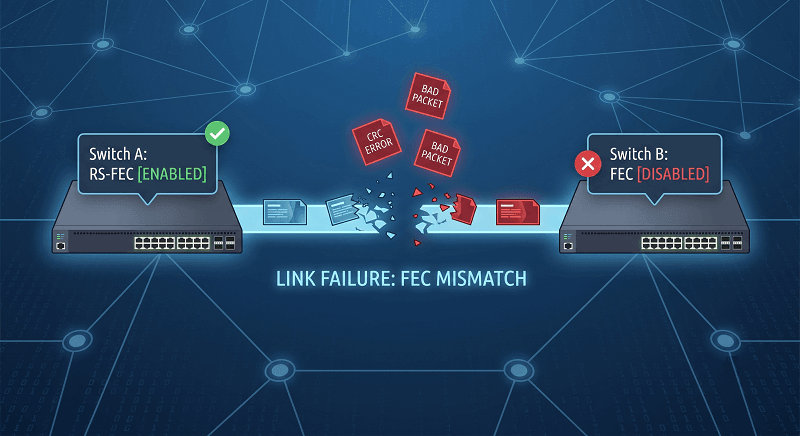
Overlooking FEC requirements. PAM4 signaling requires Forward Error Correction (FEC) to achieve acceptable Bit Error Rates. Most 200G switches default to Reed-Solomon FEC on QSFP56 ports. If one end of a link has FEC enabled and the other doesn’t, you’ll see mysterious CRC errors rather than a clean link-down. Standardize FEC settings across your fabric.
Sarah Okonkwo, a network architect at a Midwest cloud provider, spent three days troubleshooting what she thought was a faulty AOC. The link established, showed good optical power, but produced 0.01% CRC errors—just enough to degrade application performance without triggering alarms. The root cause? One switch had RS-FEC enabled, the other had it disabled. A five-minute configuration change fixed what three days of cable swapping couldn’t.
Decision Framework: 5-Step Selection Process
Here’s the practical process you can use on your next deployment.
Step 1: Measure actual distance with 20% buffer. Don’t trust floor plans. Walk the route. Account for patch panels, cable managers, slack loops, and routing detours. If your measured distance is 2.2 meters, add 20% and call it 2.6 meters. That tells you immediately whether passive DAC is viable.
Step 2: Assess rack density and airflow constraints. Count the total cables passing through each cable manager. If you’re approaching the physical limit, AOC’s flexibility advantage becomes decisive. Also check your rack thermal design. If you’re already near redline, passive DACs’ near-zero heat output helps.
Step 3: Calculate power budget and thermal limits. Multiply your expected link count by per-cable power draw. Add that to your rack power budget. Check whether your cooling can handle the load at peak summer temperatures.
Step 4: Evaluate the EMI environment. Are you near power distribution units, motor controls, or RF equipment? If yes, AOC’s EMI immunity justifies the extra cost regardless of distance.
Step 5: Check switch compatibility and breakout needs. Confirm your switches support QSFP56 ports with 200GAUI-4. If you need breakout mode, verify the specific breakout ratios your switches support. Not all switches handle 200G→4×50G breakout.
Conclusion
QSFP56 DAC and AOC cables both serve critical roles in 200G networks, but they serve different roles. Passive DACs excel at short distances with unbeatable cost and power efficiency. AOCs dominate longer reaches and high-density environments where cable management and EMI immunity matter.
The key takeaways are straightforward. PAM4 signaling makes distance limits stricter than they were at 100G. Passive DACs top out at 3 meters. AOCs cover up to 100 meters. Power differences scale dramatically—32 AOC links draw 140W more than 32 passive DACs. And cable bulk matters more than most procurement teams realize until they’re staring at an unmanageable rack.
Your cable choice should flow from actual measurements, not assumptions. Measure distances. Count cables. Check thermal budgets. Then match the cable type to your constraints.
Ready to source QSFP56 cables for your deployment? Start with a clear distance map, verify your switch port configurations, and request samples tested on your specific hardware platforms before placing large orders.
Related Products:
-
 QSFP56-200G-SR4M 200G QSFP56 SR4 PAM4 850nm 100m MTP/MPO APC OM3 FEC Optical Transceiver Module
$139.00
QSFP56-200G-SR4M 200G QSFP56 SR4 PAM4 850nm 100m MTP/MPO APC OM3 FEC Optical Transceiver Module
$139.00
-
QSFP56-200G-FR4S 200G QSFP56 FR4 PAM4 CWDM4 2km LC SMF FEC Optical Transceiver Module
$650.00
-
NVIDIA(Mellanox) MMA1T00-HS Compatible 200G Infiniband HDR QSFP56 SR4 850nm 100m MPO-12 APC OM3/OM4 FEC PAM4 Optical Transceiver Module
$139.00
-
NVIDIA(Mellanox) MMS1W50-HM Compatible 200G InfiniBand HDR QSFP56 FR4 PAM4 CWDM4 2km LC SMF FEC Optical Transceiver Module
$650.00
-
NVIDIA MFS1S90-H003E Compatible 3m (10ft) 2x200G QSFP56 to 2x200G QSFP56 PAM4 Breakout Active Optical Cable
$800.00
-
NVIDIA(Mellanox) MCP7H50-H001R30 Compatible 1m (3ft) Infiniband HDR 200G QSFP56 to 2x100G QSFP56 PAM4 Passive Breakout Direct Attach Copper Cable
$55.00
-
NVIDIA(Mellanox) MFS1S50-H003E Compatible 3m (10ft) 200G HDR QSFP56 to 2x100G QSFP56 PAM4 Breakout Active Optical Cable
$480.00
-
NVIDIA(Mellanox) MFS1S00-H003E Compatible 3m (10ft) 200G HDR QSFP56 to QSFP56 Active Optical Cable
$350.00