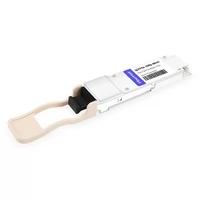
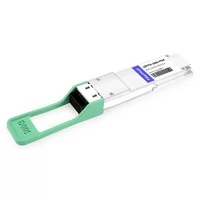
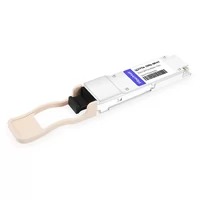
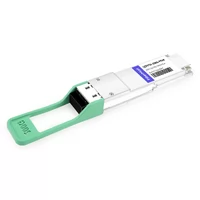
The wrong QSFP56 module costs more than the part. It costs a fiber plant rebuild.
We’ve seen it happen. A data center in Texas ordered 80 QSFP56 SR4 modules for inter-rack links. The fiber runs measured 120 meters. SR4 tops out at 100 meters on OM4.
The team faced a choice: re-cable the whole floor with OM5 at $8,000 in materials and labor, or swap every module to DR4. Either way, the “savings” of picking the cheapest module evaporated.
That mistake is exactly why this guide exists.
Most articles list QSFP56 module types with a spec table and call it done. They don’t tell you which module fits which distance. They don’t cover which fiber type you actually need. They skip how much power each one burns in a fully loaded switch.
This guide covers all five QSFP56 variants — SR4, DR4, FR4, LR4, and ER4 — with per-module power data, a selection decision tree, and real deployment scenarios. You’ll know exactly which module to order before you touch a fiber cable.

Quick Comparison: All 5 QSFP56 Module Types
| Module | Distance | Fiber | Wavelength | Power | Connector | Best For |
| SR4 | 100m OM4 / 150m OM5 | MMF | 850nm | 4-5W | MPO-12 | Data center inter-rack |
| DR4 | 500m | SMF | 1310nm | 5-5.5W | MPO-12 | Spine links, breakout |
| FR4 | 2km | SMF | CWDM4 1271-1331nm | 5-5.5W | Duplex LC | Campus, metro DCI |
| LR4 | 10km (20km FEC) | SMF | LWDM4 1295-1309nm | 6.5-7.5W | Duplex LC | Long-haul DCI, WAN |
| ER4 | 40km | SMF | LWDM4 1295-1309nm | 8-9W | Duplex LC | Telecom backhaul |
| LPO-SR4 | 100m | MMF | 850nm | ~2.5W | MPO-12 | AI clusters, power-limited racks |
Same form factor. Very different jobs. The power spread alone — 2.5W for LPO-SR4 up to 9W for ER4 — changes your thermal design dramatically when you multiply by 32 or 64 ports.
QSFP56 SR4 — Short-Reach Multimode
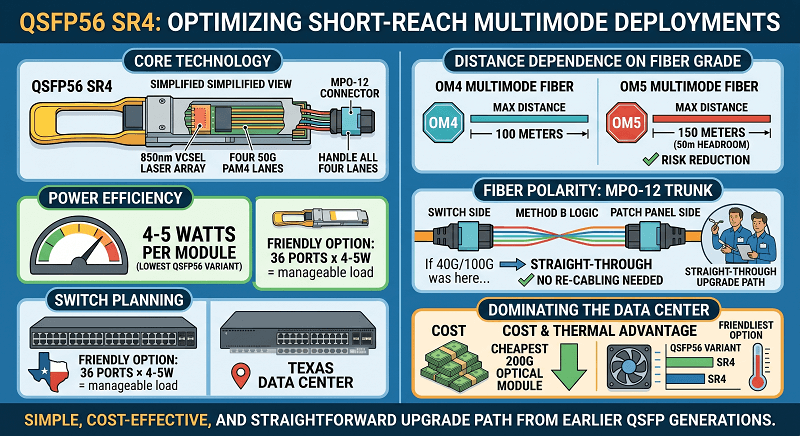
QSFP56 SR4 is the default choice for most data center deployments. It uses an 850nm VCSEL laser array to push four 50G PAM4 lanes across multimode fiber. The MPO-12 connector handles all four lanes in one plug, which simplifies patching in dense environments.
Distance depends on your fiber grade. OM4 gives you 100 meters. OM5 extends that to 150 meters.
We’ve used OM5 in newer builds where the extra 50 meters of headroom eliminates the risk of coming up short during moves or reconfigurations. SR4 draws 4-5 watts per module, the lowest of any standard QSFP56 variant. That matters when you’re loading 36 ports in a 1RU switch.
Fiber polarity is worth checking. SR4 typically uses Method B polarity (straight-through) with an MPO-12 trunk.
If your patch panel was wired for 40G or 100G QSFP+ / QSFP28, the polarity probably works without changes. No re-cabling needed. Pretty straightforward upgrade path from earlier QSFP generations.
Cost is another reason SR4 dominates inside the data center. It’s usually the cheapest 200G optical module you can buy. For QSFP56 power and thermal planning, SR4 is the friendliest option.
QSFP56 DR4 — 500m Parallel Single-Mode
DR4 switches from multimode to single-mode fiber and pushes reach to 500 meters. The 1310nm wavelength and MPO-12 connector keep the parallel-lane architecture, but the laser type changes from VCSEL to DFB. That switch adds about one watt — DR4 typically runs 5-5.5W.
The hidden feature is breakout. DR4 supports 4×50G breakout to SFP56 modules using an MPO-to-duplex breakout cable. One QSFP56 DR4 port feeds four 50G server links. We’ve deployed this exact setup for customers migrating from 25G server fabrics. They didn’t need new switches — just DR4 modules and breakout cables. One port. Four servers.
Choose DR4 over SR4 when any of these apply: your link exceeds 100 meters, you only have single-mode fiber installed, or you need breakout capability. Campus environments often hit this combination. The distance is too long for SR4, and SMF is already in the ground.
Power stays reasonable at 5-5.5W. A 32-port switch fully loaded with DR4 draws 160-176 watts from optics alone. That’s still manageable in most thermal budgets. For QSFP56 DAC and AOC breakout options, DR4 pairs well with active optical breakout cables when you need extra reach on the 50G legs.
QSFP56 FR4 — 2km CWDM4
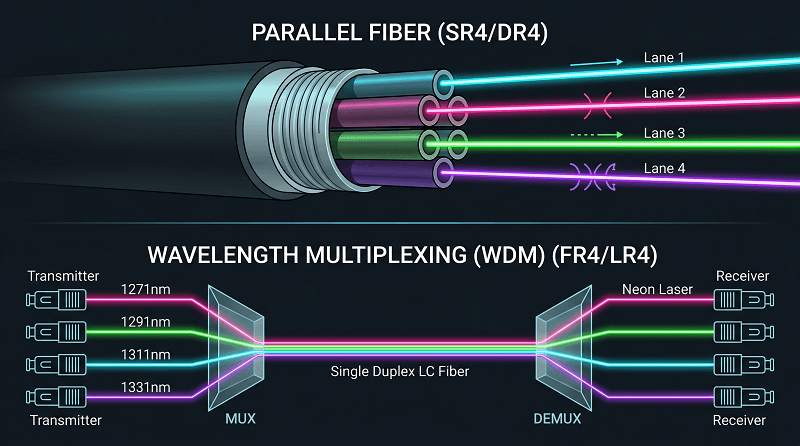
FR4 is where wavelength division multiplexing enters the picture. Instead of four parallel fibers, FR4 multiplexes four CWDM wavelengths — 1271nm, 1291nm, 1311nm, and 1331nm — onto a single duplex LC fiber pair. The result is 200G over two fibers out to 2 kilometers.
RS-FEC is mandatory for FR4. The PAM4 signaling at 50G per lane needs the error correction margin.
That matters once you move past the controlled environment of a single data center. FEC runs as RS(544,514) on the host side, so your switch ASIC needs to support it. Most modern platforms do. Check the datasheet if you’re running older gear.
FR4 sits at a pretty good sweet spot. It covers campus links, metro data center interconnects, and storage networks that need more reach than DR4 but don’t justify the cost or power of LR4.
Power consumption runs 5-5.5W. Nearly identical to DR4. That makes FR4 an easy step-up when distance demands it.
We’ve used FR4 for metro DCI links where the data centers sit 1-2 kilometers apart. The duplex LC connector also means you can reuse existing single-mode patch cables rather than stocking MPO-12 trunks. For QSFP56 vs QSFP-DD context, note that QSFP-DD 200G also supports FR4-style CWDM4, though with eight 25G NRZ lanes instead of four 50G PAM4.
QSFP56 LR4 — 10km LWDM4
LR4 extends reach to 10 kilometers using LWDM4 wavelengths clustered tightly around 1295-1309nm. The tighter spacing requires tighter laser control than CWDM4, which adds cost and power. LR4 typically draws 6.5-7.5W, a noticeable jump from FR4.
Here’s something most guides miss: LR4 can reach 20 kilometers with FEC enabled in extended mode. The standard specifies 10km without FEC and 20km with FEC.
Your switch needs to support the extended FEC configuration. We’ve used this mode for WAN edge links where the nearest point of presence sits 12-15 kilometers away. One module. No regeneration. No extra amplifiers.
Temperature grade matters for LR4. Commercial-grade modules are rated 0°C to 70°C. Industrial-grade extends to -40°C to 85°C.
The power delta between grades is usually 0.5-1W. Industrial runs hotter. If your gear lives in an uncontrolled telecom hut or rooftop enclosure, check the temperature rating before you order.
Best use cases include long-haul DCI, telecom aggregation, and WAN edge connections. LR4 costs more than FR4, but it’s cheaper than adding a regeneration site. For QSFP56 compatibility, verify that your switch supports the 200GAUI-4 electrical interface and RS-FEC before deploying LR4.
QSFP56 ER4 — 40km Extended Reach
ER4 is the extreme-distance option. Same LWDM4 wavelengths as LR4, but with higher-output lasers and more sensitive receivers that push reach to 40 kilometers. That performance comes at a cost: 8-9 watts per module, the highest of any QSFP56 variant, and the highest price.
ER4 costs more upfront AND more in power. A 32-port switch fully loaded with ER4 burns 256-288 watts from the optics alone.
That’s before you count the switch ASIC, fans, and power supply overhead. In a 4-switch rack, you’re looking at over 1,000 watts. Just from the transceivers.
Use ER4 only when you must. The typical scenarios are telecom backhaul, long-distance DCI between campuses or cities, and any link where regeneration isn’t practical.
If your run is under 10km, LR4 saves 1.5-2 watts per port. At 32 ports, that’s 48-64 watts per switch. Multiply across a data center. The savings add up fast.
For QSFP56 pricing, ER4 modules typically run 3-4x the cost of SR4. The math only works when the alternative is building a regen site or leasing dark fiber you don’t control.

QSFP56 LPO — Low-Power Variants
Linear Pluggable Optics (LPO) removes the DSP from the module. The host switch handles signal conditioning instead. That single change cuts power by 30-50%. An LPO-SR4 module can draw as little as 2.5W — down from 4-5W for the standard version.
The tradeoffs are real. LPO modules need switches that explicitly support LPO mode. The reach is usually shorter because there’s no re-timer in the module to clean up signal degradation.
Mixed-vendor deployments get tricky because the host DSP settings need to match the module linearity. If your fiber plant has questionable patch panels or older cables, the lack of a module-side re-timer can expose problems that a standard DSP module would fix.
We’re testing LPO modules in controlled environments. The results are pretty compelling for AI clusters where every watt matters and the reach is short. A rack of 64 GPU nodes connected with LPO-SR4 saves 100-150 watts compared to standard SR4. In a 1,000-rack cluster, that’s 100-150 kilowatts. At 0.10 per kWh, that’s $87,000-$131,000 per year in power savings alone.
LPO is the future. With caveats. Stick to standard DSP-based modules if you need maximum reach, run mixed vendors, or aren’t sure about your fiber quality. For QSFP56 in AI clusters, LPO is worth serious consideration.
QSFP56 Breakout Cables & Applications
DR4 has a feature most engineers overlook: breakout. A single QSFP56 DR4 module connects to four SFP56 modules using an MPO-to-duplex breakout cable. Each 50G lane runs independently out to 500 meters.
This matters for mixed-speed fabrics. A data center upgrading its spine to 200G can still serve 50G leaf switches or servers without buying separate 50G aggregation switches.
We’ve deployed this exact setup for an enterprise customer with 200 50G server ports. Instead of 200 SFP56 switch ports, they used 50 QSFP56 DR4 ports with breakout cables. They saved 60% on switch port count.
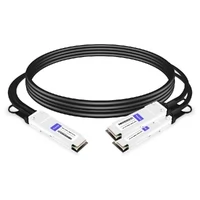
Breakout options come in two flavors. Passive DAC breakout works for links under 3 meters. Think same-rack connections.
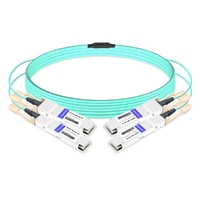
Active optical breakout (AOC) extends to 50-100 meters for cross-rack or adjacent-cabinet runs. The AOC option costs more. It eliminates the fiber management headache of four duplex cables per port.
Choose breakout when you’re bridging 200G spine infrastructure to 50G server or storage links. It’s the most cost-effective way to run a mixed-speed fabric without ripping out your existing edge switches. For QSFP56 DAC vs AOC guidance, breakout AOC is usually the better choice when the 50G legs exceed 5 meters.
Power & Thermal by Module Type
Module choice directly impacts your thermal design. Here’s the math for a 32-port switch:
| Module | Per-Module Power | 32-Port Switch Total |
| LPO-SR4 | ~2.5W | ~80W |
| SR4 | 4-5W | 128-160W |
| DR4 | 5-5.5W | 160-176W |
| FR4 | 5-5.5W | 160-176W |
| LR4 | 6.5-7.5W | 208-240W |
| ER4 | 8-9W | 256-288W |
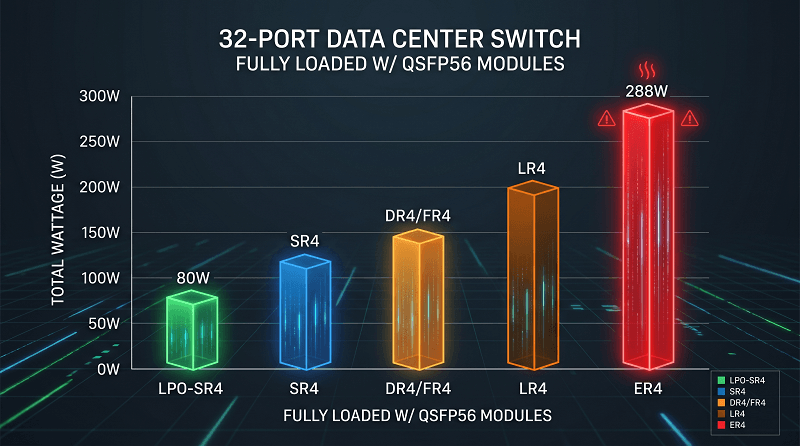
The spread from LPO-SR4 to ER4 is 176 watts on a single switch. Sounds small. Multiply by port count.
In a 4-switch rack, that’s 320W for all-LPO versus 1,152W for all-ER4. An 832-watt difference. At 1.5 PUE, that’s 1,248 watts of facility power. Over a year, that’s $1,090 in electricity per rack.
Most data centers don’t run uniform modules. A realistic mix might be 60% SR4 for inter-rack, 30% FR4 for DCI, and 10% LR4 for WAN.
Plan your worst-case thermal scenario. If you spec a cooling system for SR4 loads and later upgrade links to LR4, your thermal margin disappears.
For detailed QSFP56 power and thermal analysis, including PUE impact and rack-level planning, see our dedicated guide.
How to Choose the Right QSFP56 Module
Here’s the decision framework we use in the field. Answer these five questions:
1. What distance?
Under 100m: SR4 (or LPO-SR4 if power is tight)
100-500m: DR4
500m-2km: FR4
2-10km: LR4
Over 10km: ER4 (or LR4 with FEC extended to 20km)
2. What fiber is installed?
MMF only: SR4 or LPO-SR4
SMF available: DR4, FR4, LR4, or ER4
Mixed: Consider SR4 for short links, FR4 for longer ones
3. Need breakout to 50G?
Yes: DR4 only
No: Any module fits
4. Power budget tight?
Very tight: LPO-SR4 (requires LPO-compatible switch)
Moderate: SR4
Not a concern: Any module
5. Temperature environment?
Controlled data center (0-70°C): Commercial grade
Outdoor, uncontrolled, or extreme: Industrial grade (-40-85°C)
Industrial-grade LR4 and ER4 exist but cost more and draw extra power
Mixed? You’re not alone. Most networks run two or three module types. A typical spine-leaf fabric uses SR4 for leaf-to-spine inside the data center and FR4 or LR4 for DCI to the secondary site. Plan your inventory around the 80/20 rule: stock the module you use most, order the others as needed.
For QSFP56 to 400G migration planning, keep in mind that QSFP-DD switches can accept QSFP56 modules via adapter, but the reverse isn’t true. If 400G is on your 3-year roadmap, that might sway your switch selection and module strategy.
FAQ
Can I use OM3 with QSFP56 SR4?
Technically yes, but only to 70 meters. OM4 extends that to 100 meters and OM5 to 150 meters. If your fiber plant is OM3, measure every run before ordering SR4. One 90-meter link on OM3 will fail.
Which QSFP56 module has the lowest power?
LPO-SR4 at approximately 2.5W. Standard SR4 is next at 4-5W. ER4 is the highest at 8-9W.
Can QSFP56 DR4 do breakout to 4×50G?
Yes. DR4 supports 4×50G breakout to SFP56 modules using MPO-to-duplex breakout cables. Each lane runs independently up to 500 meters. This is one of the most cost-effective ways to connect 50G servers to a 200G spine.
What is the difference between FR4 and LR4?
FR4 uses CWDM4 wavelengths (1271-1331nm) and reaches 2km. LR4 uses LWDM4 wavelengths (1295-1309nm) and reaches 10km standard or 20km with FEC. LR4 draws 1-2 watts more and costs roughly 30-50% more than FR4.
Do all QSFP56 modules require FEC?
No. SR4 typically does not require FEC for distances under 100m. All SMF variants — DR4, FR4, LR4, and ER4 — require RS-FEC (544,514) per IEEE 802.3bs. LR4 can optionally use FEC extended mode to double reach to 20km.
What is QSFP56 LPO and should I use it?
LPO (Linear Pluggable Optics) removes the DSP from the module, cutting power 30-50%. Use it for short-reach, power-constrained deployments like AI clusters — but only if your switches support LPO mode. Skip it for mixed-vendor environments or questionable fiber plants.
Can I use QSFP56 LR4 for 20km?
Yes, with FEC extended mode enabled on both ends. The standard LR4 reach is 10km without FEC. With RS-FEC active, the link can reach 20km. Both switches must support the extended FEC configuration.
Which QSFP56 module is best for AI clusters?
SR4 or LPO-SR4 for short GPU interconnects inside the rack or adjacent racks. DR4 with breakout for connecting 50G server NICs to 200G spine switches. Avoid LR4 and ER4 inside the cluster — the power and latency penalties aren’t worth it for short links.
The Right Module for the Right Job
SR4 handles the short stuff. DR4 adds reach and breakout flexibility. FR4 covers the campus and metro links that most networks actually need. LR4 reaches the WAN edge. ER4 handles the extreme distances where regeneration isn’t practical. LPO cuts power for specialized environments.
The decision isn’t about the best module. It’s about the right module for your distance, your fiber, and your power budget. Most data centers run a mix. The key is knowing which module fits each link before you order — not after you discover the fiber run is 20 meters too long for SR4.
If you’re planning a 200G deployment and need help matching qsfp56 module types to your network topology, contact FiberMall engineering. We can verify switch compatibility, check your fiber plant requirements, and provide volume pricing across all five variants.
Related Products:
-
 QSFP56-200G-SR4M 200G QSFP56 SR4 PAM4 850nm 100m MTP/MPO APC OM3 FEC Optical Transceiver Module
$139.00
QSFP56-200G-SR4M 200G QSFP56 SR4 PAM4 850nm 100m MTP/MPO APC OM3 FEC Optical Transceiver Module
$139.00
-
QSFP56-200G-FR4S 200G QSFP56 FR4 PAM4 CWDM4 2km LC SMF FEC Optical Transceiver Module
$650.00
-
NVIDIA(Mellanox) MMA1T00-HS Compatible 200G Infiniband HDR QSFP56 SR4 850nm 100m MPO-12 APC OM3/OM4 FEC PAM4 Optical Transceiver Module
$139.00
-
NVIDIA(Mellanox) MMS1W50-HM Compatible 200G InfiniBand HDR QSFP56 FR4 PAM4 CWDM4 2km LC SMF FEC Optical Transceiver Module
$650.00
-
NVIDIA MFS1S90-H003E Compatible 3m (10ft) 2x200G QSFP56 to 2x200G QSFP56 PAM4 Breakout Active Optical Cable
$800.00
-
NVIDIA(Mellanox) MCP7H50-H001R30 Compatible 1m (3ft) Infiniband HDR 200G QSFP56 to 2x100G QSFP56 PAM4 Passive Breakout Direct Attach Copper Cable
$55.00
-
NVIDIA(Mellanox) MFS1S50-H003E Compatible 3m (10ft) 200G HDR QSFP56 to 2x100G QSFP56 PAM4 Breakout Active Optical Cable
$480.00
-
NVIDIA(Mellanox) MFS1S00-H003E Compatible 3m (10ft) 200G HDR QSFP56 to QSFP56 Active Optical Cable
$350.00