A single 8-GPU server pushes 3.2 Tbps into the network fabric. That’s not a theoretical number. It’s what happens when you rack a DGX H100 and fire up a distributed training job.
QSFP56 for AI clusters has become the workhorse physical layer that handles this deluge. It’s a 200 Gbps transceiver form factor using four 50G PAM4 lanes, and it enables both InfiniBand HDR and 200GbE — the two protocols that dominate GPU interconnects in 2026. If your data center is scaling past 100G but isn’t ready to swallow the cost of full 400G infrastructure, QSFP56 sits at the exact inflection point where most AI networks actually live.
This guide covers what QSFP56 does in AI clusters, how to choose between InfiniBand and Ethernet, which modules you actually need, and the thermal realities that catch engineers off guard. For a deeper look at QSFP56 technology across all applications, see our complete QSFP56 guide.
What Is QSFP56 and Why Does AI Need 200G?
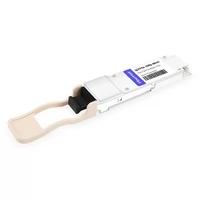
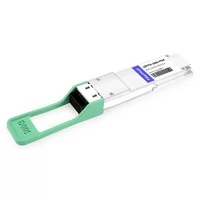
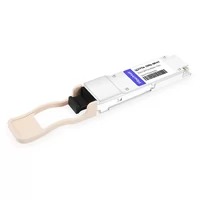
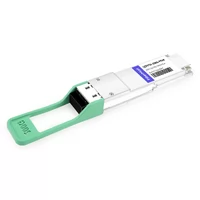
QSFP56 (Quad Small Form-factor Pluggable 56) packs 200 Gbps into the same physical envelope as QSFP28. It runs four lanes at 50 Gbps each using PAM4 modulation. The form factor itself is nothing exotic — 18.35mm × 8.5mm × 72.4mm, hot-pluggable, MSA-compliant.
The AI angle is bandwidth hunger. Training workloads generate roughly 70-90% east-west traffic. Every gradient synchronization step requires all-to-all communication across GPUs. A single NVIDIA H100 has a 400 Gbps ConnectX-7 NIC. An 8-GPU server has eight of them. The math gets big, fast.
100G QSFP28 used to handle this. It doesn’t anymore. Not cleanly, anyway. QSFP28 tops out at 100 Gbps per port, so you’re either doubling your cable count or bottlenecking your fabric. QSFP56 doubles the per-port bandwidth without forcing you to buy 400G switch ASICs. That matters when you’re building a 500-GPU cluster and the finance team is already wincing at the GPU bill.
AI is actually the reason 200G exists at scale. Without the explosion of GPU training clusters after 2022, 200G would have been a niche transition speed that most networks skipped entirely. The demand pulled the supply chain into maturity.

InfiniBand HDR vs 200GbE: Choosing Your QSFP56 Protocol
Here’s where engineers get stuck. QSFP56 is just the physical layer. The protocol running across it is what shapes your cluster’s personality.
| Feature | InfiniBand HDR | 200GbE RoCEv2 |
| Latency | ~600 ns | ~1 μs |
| RDMA | Native, built-in | Via RoCEv2, needs config |
| Congestion control | Credit-based, automatic | PFC/ECN/DCQCN, requires tuning |
| Typical ecosystem | NVIDIA/Mellanox only | Cisco, Arista, Juniper, Broadcom |
| Cost per port | Higher | Lower |
| Ops expertise needed | Specialized IB knowledge | Existing Ethernet team |
| Max scale | ~40K nodes per subnet | Virtually unlimited with IP routing |
InfiniBand HDR at 200 Gbps has been the safe choice for years. It just works. RDMA is native, congestion management is automatic, and NVIDIA tunes the whole stack end-to-end. If you’re running a DGX SuperPOD or anything NVIDIA-centric, InfiniBand is the path of least resistance.
200GbE with RoCEv2 has closed the gap. Meta’s engineering team published results from their 24,576-GPU Llama 3 cluster running on Arista Ethernet. The performance difference versus InfiniBand was statistically insignificant after proper tuning. The key was topology-aware scheduling and NCCL optimizations that pushed fabric utilization from roughly 10% to over 90%.
But — and this matters — RoCEv2 doesn’t work out of the box. You need PFC, ECN, and DCQCN configured correctly. Most Ethernet teams have never touched lossless features. We’ve seen customers deploy 200GbE for AI training, skip the PFC configuration, get terrible performance, and blame the QSFP56 modules. The optics were fine. The protocol stack wasn’t.
So which protocol should you pick? InfiniBand if you want guaranteed lowest latency and simplest RDMA deployment, especially in NVIDIA-dense environments. Ethernet if you need multi-vendor flexibility, lower cost, or your ops team already knows how to run a datacenter network. Either way, you’re plugging in QSFP56.
QSFP56 Module Types for AI Clusters
Not every AI link needs the same fiber. The module you choose depends on which tier of the cluster you’re cabling.
| Module | Fiber | Distance | AI Cluster Tier | Typical Use Case |
| SR4 | MMF OM4/OM5 | 100m / 150m | Leaf-to-server, intra-rack | GPU-to-ToR within same row |
| DR4 | SMF | 500m | Leaf-to-spine | Same data hall |
| FR4 | SMF (CWDM) | 2km | Spine-to-core, DCI | Cross-facility |
| LR4 | SMF (LWDM) | 10km | DCI, campus | Multi-building |
SR4 dominates intra-rack and intra-row connections. It uses OM4 multimode fiber with MPO-12 connectors, typically draws 4-5W, and costs around $200-400 for third-party MSA modules. If your GPUs and leaf switches are in the same rack row, SR4 is pretty much your answer.
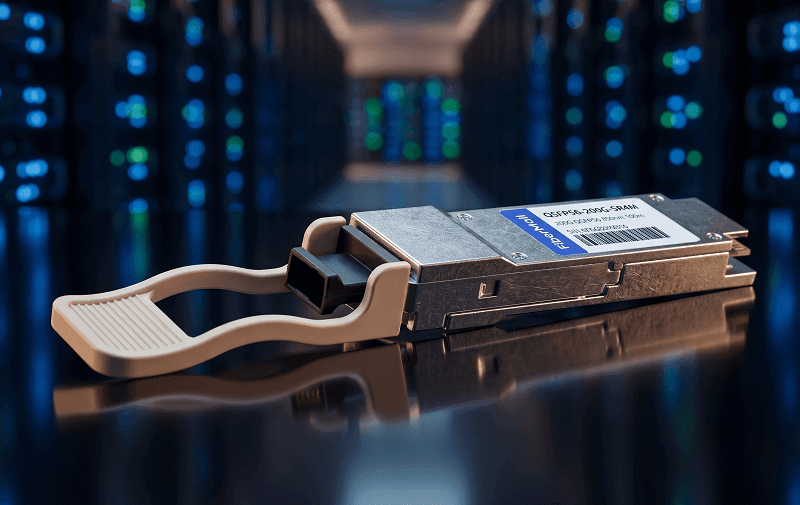
DR4 steps up to single-mode fiber for leaf-to-spine links within the same data hall. The 500m reach covers most hall layouts. Power sits around 4-5.5W.
FR4 and LR4 are less common in pure training clusters but show up when you need campus or metro connectivity. FR4 runs CWDM at 2km, LR4 pushes LWDM to 10km. These matter more for inference clusters that span buildings or for training facilities with geographically distributed nodes.
For a complete breakdown of every QSFP56 module type, check our QSFP56 module types guide.
Network Topologies for AI Clusters with QSFP56
AI clusters don’t use the same topologies as general-purpose data centers. The traffic pattern is fundamentally different.
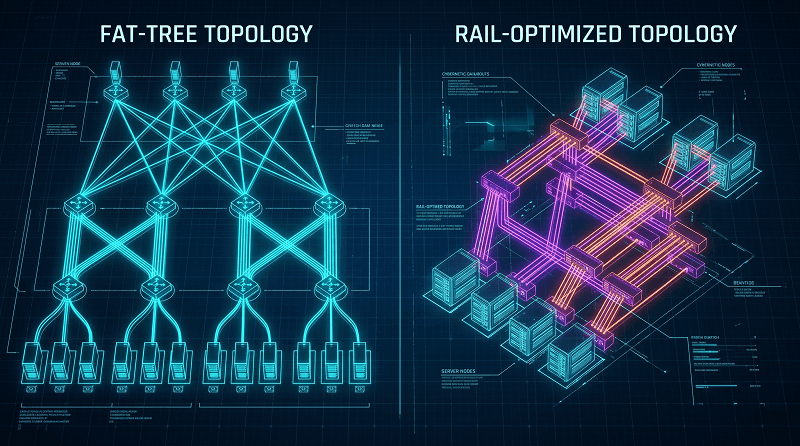
Fat-tree is the classic approach. Non-blocking, predictable, well-understood. Leaf switches connect to servers at 200G. Spine switches connect to leaf switches at 200G or 400G. Every GPU can talk to every other GPU at full bandwidth. The downside? You burn a lot of switch ports and optics.
Rail-optimized topology groups GPUs by their physical rack location. Instead of routing everything through a centralized spine, you create direct rail connections that reduce hop count and switch buffer contention. NVIDIA’s latest reference designs lean heavily on rail-optimized networking for clusters beyond 1,024 GPUs.
The boundary that matters most is NVLink versus network. Inside a single server, NVLink 4th gen gives you 900 GB/s between GPUs. That’s internal. QSFP56 handles everything external — server-to-leaf, leaf-to-spine, and spine-to-core.
Let’s look at a real example. A 128-GPU cluster built with 8-GPU servers:
16 servers × 8 GPUs = 128 GPUs total
Each server has 8× ConnectX-7 NICs, but typically 4× are used for backend fabric
Leaf layer: 8× leaf switches, each with 32× QSFP56 ports
64× QSFP56 SR4 for server-to-leaf (4 per server × 16 servers)
32× QSFP56 DR4 for leaf-to-spine
Spine layer: 2× spine switches with 16× QSFP56/QSFP-DD ports each
Total optics count: roughly 96 QSFP56 modules just for the compute fabric. Add management and storage networks and you’re past 120. That’s a lot of transceivers to keep cool.
Thermal Reality: QSFP56 in GPU-Dense Racks
This is the part that surprises most deployment teams. They plan for GPU power. They forget about optics power.
An NVIDIA H100 GPU draws 700W. An H200 is similar. Next-gen Blackwell B200 cards are pushing toward 1,000W. So you plan your rack for 8 GPUs × 700W = 5,600W per server. Maybe 8 servers per rack. That’s roughly 45kW per rack, and you’re already talking to your facilities team about liquid cooling.
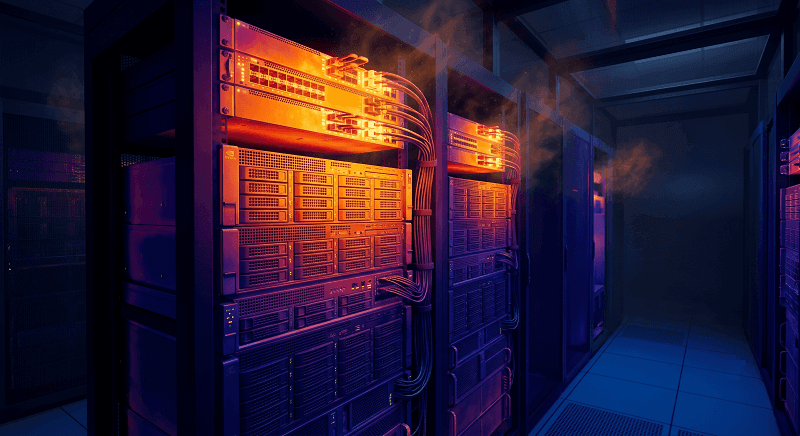
But wait. Each server also has 4-8 QSFP56 ports for the backend fabric. Each QSFP56 module draws 4-6.5W. At 8 modules per server and 8 servers per rack, you’re looking at 64 modules. Even at a conservative 5W average, that’s 320W of additional heat. It doesn’t sound like much compared to 45kW of GPUs. Until you realize those 320W are concentrated in the front panel of your switches and servers, right where airflow is already fighting through dense cabling.
We’ve seen racks where the top third of QSFP56 modules run 8-10°C hotter than the bottom third. Hot air rises. Front-to-rear airflow helps, but in a 45kW rack, the air is already warm by the time it reaches the upper units. Some teams rotate modules between top and bottom positions during maintenance to even out thermal stress.
If you’re planning a dense AI cluster, budget the optics into your thermal model. They’re not free heat-wise. For detailed power and thermal specifications, see our QSFP56 power consumption guide.
Breakout Configurations for Mixed-Speed AI Clusters
Not every GPU in your cluster runs 200G. Maybe you’re migrating from A100s with 100G ConnectX-6 NICs to H100s with 200G ConnectX-7. Maybe you’re running a research pool with mixed hardware generations. Either way, you need to connect 100G servers to 200G switches.
QSFP56 breakout cables solve this. A 200G QSFP56 port on your leaf switch can break out to 2× 100G QSFP28 ports using a splitter cable.
| Breakout Type | Configuration | Use Case |
| DAC breakout | 1× QSFP56 → 2× QSFP28, ≤3m | Same rack, cost-sensitive |
| AOC breakout | 1× QSFP56 → 2× QSFP28, ≤100m | Cross-rack, flexible routing |
DAC breakout cables are cheap and low-power, but limited to about 3 meters. AOC breakout gives you more distance and better cable management, at roughly 2-3× the cost. Both options let you run 200G leaf switches while protecting your existing 100G server investment.
The catch: your switch needs to support breakout mode. Not every 200G switch port can split to 2× 100G. Check your switch datasheet before you order cables. We’ve had customers assume breakout works on every port, then discover half their switch ports don’t support it.
Breakout also makes sense for gradual migrations. You can install 200G switches today, run breakout to your existing 100G servers, and swap to native QSFP56 when you refresh the servers. No switch replacement needed.

When to Choose QSFP56 vs 400G for AI
QSFP56 at 200G isn’t the bleeding edge anymore. It’s the pragmatic middle. The question is whether the middle is where you want to be.
QSFP56 wins when:
Your cluster is mid-scale — roughly 64 to 1,024 GPUs
Cost per port matters more than maximum density
You have existing QSFP28 inventory to protect
Your leaf switches support QSFP56 but not QSFP-DD
You’re buying third-party MSA modules and want the best cost-per-bit
400G wins when:
You’re building a new hyperscale facility from bare concrete
Your switch ASICs natively support 400G and you want maximum spine bandwidth
You need fewer cables more than lower cost per cable
You’re planning for 800G migration and want the QSFP-DD form factor path
The compatibility angle is worth noting. QSFP-DD ports accept QSFP56 modules. So you can deploy QSFP56 today in QSFP-DD switches and upgrade to 400G later without replacing the switch. That forward compatibility makes QSFP56 a lower-risk investment than it first appears.
In 2026, most AI clusters we see still deploy 200G at the leaf layer. The spines might be 400G, but the server-facing ports are mostly QSFP56. The cost delta between 200G and 400G optics is still significant — roughly 2.5-3× per port — and most training workloads don’t saturate 200G leaf uplinks anyway.
For a deeper comparison of 200G form factors, read our QSFP56 vs QSFP-DD guide. When you’re ready to plan the upgrade path, our QSFP56 to 400G migration guide covers the phased approach.
Frequently Asked Questions
What is QSFP56 used for in AI?
QSFP56 is a 200 Gbps transceiver form factor that serves as the physical layer for GPU cluster interconnects. It supports both InfiniBand HDR and 200GbE Ethernet, making it the standard connectivity for AI training clusters that have outgrown 100G but aren’t ready for 400G infrastructure.
Is QSFP56 better than QSFP28 for AI clusters?
For modern AI clusters, yes. QSFP28 tops out at 100 Gbps, which bottlenecks current GPU NICs like the ConnectX-7 that runs at 200 Gbps. QSFP56 doubles the per-port bandwidth in the same form factor, reducing cable count and fabric complexity.
Can I use QSFP56 in a QSFP28 port?
No. QSFP56 requires a QSFP56 or QSFP-DD port that supports 200G electrical signaling. The physical connector fits, but the electrical interface is incompatible. A QSFP28 module will work in a QSFP56 port at 100G, but not the reverse.
How much power does QSFP56 use in AI deployments?
Typical QSFP56 modules draw 4-6.5W depending on the type. SR4 modules usually run at the lower end (~4W), while FR4 and LR4 modules can hit 6W or more. In a dense AI rack with 64 modules, that’s 256-416W of heat just from optics.
Should I choose InfiniBand or Ethernet for my AI cluster?
Choose InfiniBand HDR if you want the simplest RDMA deployment, lowest latency (~600ns), and you’re running a NVIDIA-centric environment. Choose 200GbE RoCEv2 if you need multi-vendor flexibility, lower cost, or your operations team already runs Ethernet. Both use QSFP56 at the physical layer.
What QSFP56 module do I need for GPU-to-leaf connections?
For connections within the same rack or row — which is most GPU-to-leaf links — use SR4 modules with OM4 multimode fiber. SR4 supports 100m on OM4, costs around $200-400 for MSA modules, and uses MPO-12 connectors.
Conclusion
QSFP56 for AI clusters is about practical bandwidth. It delivers 200G per port — enough for modern GPU NICs — without forcing you into expensive 400G infrastructure. The same QSFP-size module works for both InfiniBand HDR and 200GbE, so your protocol decision doesn’t lock your physical layer.
If you’re designing an AI cluster in 2026, here’s the decision path we recommend:
1. Pick your protocol — InfiniBand for simplicity and NVIDIA ecosystems, Ethernet for flexibility and cost
2. Choose your topology — fat-tree for predictability, rail-optimized for scale beyond 1,024 GPUs
3. Match modules to distance — SR4 for intra-rack, DR4 for same-hall spine, FR4/LR4 only if you span buildings
4. Budget the thermal load — GPUs plus optics can push a rack past 45kW; plan airflow accordingly
5. Consider breakout for mixed speeds — 200G leaf switches with breakout to 100G servers protect existing hardware
QSFP56 isn’t the future of AI networking. It’s the present. Most clusters being deployed right now use it at the leaf layer, and the ecosystem is mature enough that third-party MSA modules work reliably across Cisco, Arista, Juniper, and NVIDIA switches.
Ready to spec your AI cluster? Explore FiberMall’s QSFP56 module portfolio or contact our engineering team for a compatibility check on your switch platform.
Related Products:
-
 QSFP56-200G-SR4M 200G QSFP56 SR4 PAM4 850nm 100m MTP/MPO APC OM3 FEC Optical Transceiver Module
$139.00
QSFP56-200G-SR4M 200G QSFP56 SR4 PAM4 850nm 100m MTP/MPO APC OM3 FEC Optical Transceiver Module
$139.00
-
QSFP56-200G-FR4S 200G QSFP56 FR4 PAM4 CWDM4 2km LC SMF FEC Optical Transceiver Module
$650.00
-
NVIDIA(Mellanox) MMA1T00-HS Compatible 200G Infiniband HDR QSFP56 SR4 850nm 100m MPO-12 APC OM3/OM4 FEC PAM4 Optical Transceiver Module
$139.00
-
NVIDIA(Mellanox) MMS1W50-HM Compatible 200G InfiniBand HDR QSFP56 FR4 PAM4 CWDM4 2km LC SMF FEC Optical Transceiver Module
$650.00
-
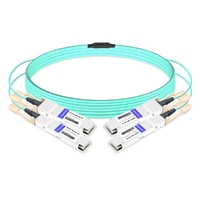
NVIDIA MFS1S90-H003E Compatible 3m (10ft) 2x200G QSFP56 to 2x200G QSFP56 PAM4 Breakout Active Optical Cable
$800.00
-
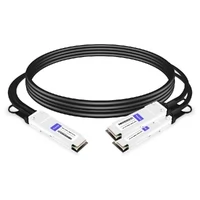
NVIDIA(Mellanox) MCP7H50-H001R30 Compatible 1m (3ft) Infiniband HDR 200G QSFP56 to 2x100G QSFP56 PAM4 Passive Breakout Direct Attach Copper Cable
$55.00
-
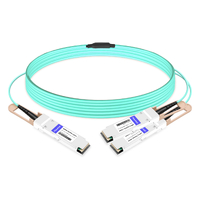
NVIDIA(Mellanox) MFS1S50-H003E Compatible 3m (10ft) 200G HDR QSFP56 to 2x100G QSFP56 PAM4 Breakout Active Optical Cable
$480.00
-
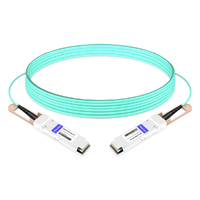
NVIDIA(Mellanox) MFS1S00-H003E Compatible 3m (10ft) 200G HDR QSFP56 to QSFP56 Active Optical Cable
$350.00