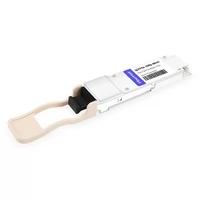
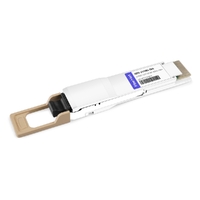
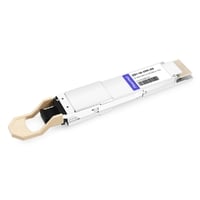
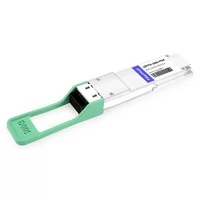
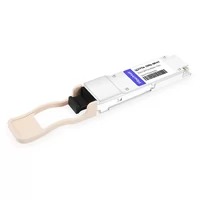
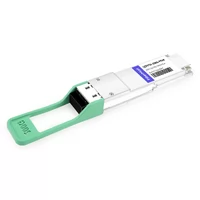
The wrong 200G choice costs more than $50,000.
Not the modules. The switches. The cables. The labor to rip it all out and start over. We’ve seen it happen. A data center team bought QSFP56 for their new AI cluster, ran into latency issues at scale, and spent $47,000 replacing switches to support QSFP-DD instead. Pretty expensive lesson.
Most qsfp56 vs qsfp-dd comparisons do the same thing. They show a spec table and call it a day. That’s useless if you’re actually designing a network. You need to know: Will it work in your switches? How much power will it draw? What’s the 3-year cost? Should you care about latency?
This guide answers all of that.
We break down the real differences between these two 200G form factors — not just the specs on paper, but what actually matters in deployment. You’ll get rack-level power calculations, a switch compatibility matrix for Cisco, Arista, Juniper and NVIDIA, real pricing ranges, and a 5-question framework that tells you exactly which to choose.
If you want the full picture on QSFP56 first, read our QSFP56 Transceiver Complete Guide. Ready to decide? Here’s what actually matters.
Quick Comparison Table
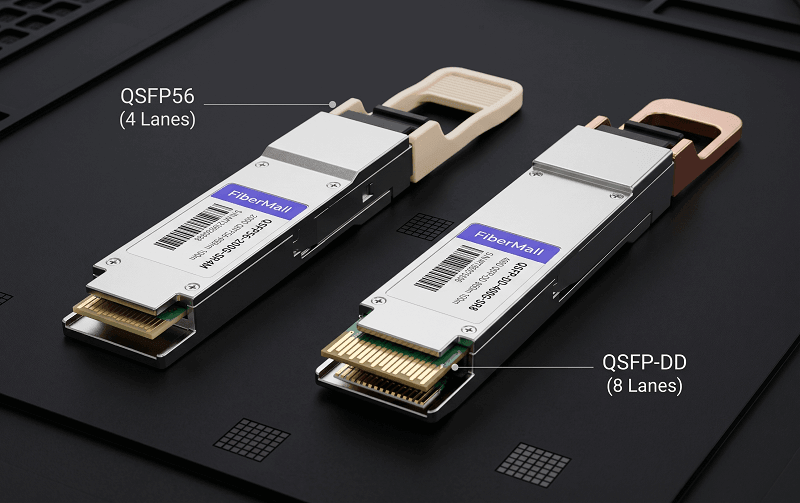
| Parameter | QSFP56 | QSFP-DD (200G) | QSFP-DD (400G) |
| Form factor | QSFP (38-pin) | QSFP-DD (76-pin) | QSFP-DD (76-pin) |
| Lanes | 4×50G | 8×25G | 8×50G |
| Modulation | PAM4 | NRZ | PAM4 |
| Power per module | 4-7W | 3.5-5W | 8-14W |
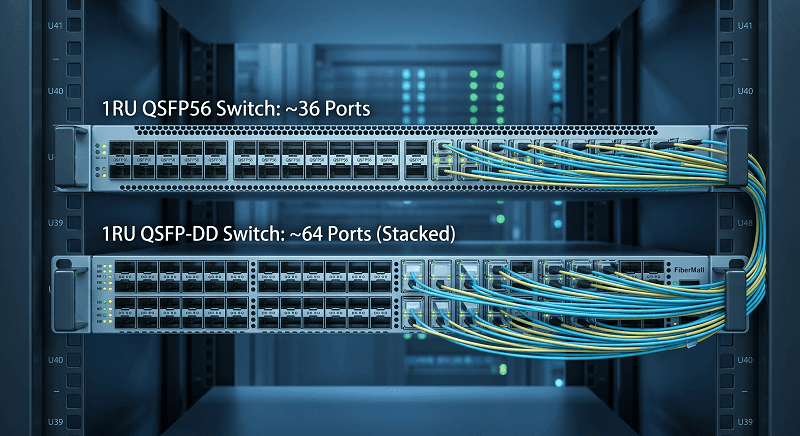
| Port density (1RU) | ~36 ports | ~64 ports | ~64 ports |
| 400G path | None | Native | Native |
| DSP required | Yes | No | Yes |
That table says most of what you need. But the story is in the details.
What Is QSFP56?
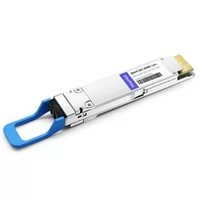
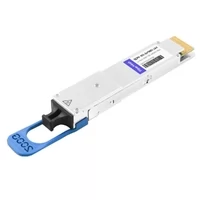
QSFP56 stands for Quad Small Form-Factor Pluggable 56. Four lanes, roughly 56 gigabaud each, adding up to 200 Gbps. Same physical package as QSFP28 — same 38-pin edge connector, same hot-pluggable dimensions, same cage size.
The key difference from QSFP28 is the electrical signaling. QSFP56 uses PAM4 instead of NRZ. Think of NRZ like a light switch: on or off, one bit per symbol. PAM4 uses four voltage levels — 00, 01, 10, 11 — so each symbol carries two bits. You double the data rate without doubling the wires.
That PAM4 signal needs a Digital Signal Processor (DSP) to encode and decode. The DSP adds about 1-2 watts compared to a simple NRZ design. It also adds roughly 100-200 nanoseconds of latency per hop. For most workloads, that latency is invisible. For some HPC codes, it matters.
The electrical interface is 200GAUI-4. Each lane runs at 53.125 Gbps before encoding overhead, settling at a clean 200 Gbps usable. Standards: IEEE 802.3bs, IEEE 802.3cd, and the QSFP56 MSA.
If you’re upgrading from 100G, QSFP56 fits in the same cages as your QSFP28 modules. But don’t get fooled — it’s not electrically backward compatible. Plugging a QSFP56 into a QSFP28 port won’t get you 200G. For a full three-generation comparison, see our QSFP28 vs QSFP+ vs QSFP56 guide.
What Is QSFP-DD?
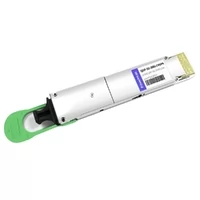
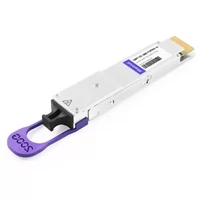
QSFP-DD stands for Quad Small Form-Factor Pluggable Double Density. The name tells the story: double the pins, double the density. It uses a 76-pin connector instead of 38, enabling eight electrical lanes in roughly the same width.
At 200G, QSFP-DD runs eight lanes of 25G NRZ. No PAM4. No DSP. Just a Clock Data Recovery (CDR) circuit on each lane. That means lower latency — near zero added latency per hop — and simpler signal processing. The tradeoff? You need twice as many optical components: eight lasers, eight receivers.
Here’s where QSFP-DD gets interesting. The same form factor handles 400G by switching to 8×50G PAM4. Your switch doesn’t change. Your cages don’t change. You just swap the module. That native 400G path is the single biggest reason buyers choose QSFP-DD over QSFP56.
Physically, QSFP-DD is deeper — about 87mm vs QSFP56’s 70mm. Most switches accommodate both, but always check your line card specs. The QSFP-DD MSA defines the mechanical and electrical standards.
QSFP-DD ports can accept QSFP56 modules (usually with an adapter), but QSFP56 ports cannot accept QSFP-DD modules. That asymmetry matters for migration planning.
PAM4 vs NRZ: The Signal Difference
This is the core technical decision. Everything else — power, latency, cost — flows from this.
PAM4 (used by QSFP56) packs two bits into every symbol using four voltage levels. NRZ (used by QSFP-DD at 200G) uses two voltage levels for one bit per symbol. To reach 200G, QSFP56 needs 4 lanes at 50G. QSFP-DD needs 8 lanes at 25G.
The PAM4 approach is elegant. Fewer lanes means fewer lasers, fewer receivers, less optical complexity. But those four voltage levels are crammed into the same signal swing as NRZ’s two levels. The noise margin drops by about 9 dB. Your fiber needs to be cleaner. Your connectors need better mating. Your DSP works harder to recover the signal.
NRZ is simpler. Two levels, wide noise margin, easy recovery. The downside is more components. Eight lanes means eight laser drivers, eight photodetectors, eight CDR circuits. More parts, more complexity, but each part works less hard.

Latency is where the difference shows up in practice. PAM4 DSP adds roughly 100-200 nanoseconds per hop. NRZ CDR adds essentially nothing — maybe 10-20 nanoseconds. For AI training clusters where a single GPU step takes milliseconds, that 100-200ns difference is meaningless. For high-frequency trading or tightly-coupled HPC, it can matter.
Both require Reed-Solomon FEC (544,514) at 200G. That doesn’t change. But QSFP-DD’s simpler signal path gives it a better pre-FEC Bit Error Rate — typically 10^-8 vs PAM4’s 10^-6. After FEC, both deliver 10^-12.
When QSFP56 Wins
QSFP56 isn’t the “old” option. In several scenarios, it’s actually the smarter choice.
Cost-sensitive deployments. QSFP56 modules cost 15-30% less than equivalent QSFP-DD modules. The supply chain is mature, competition is fierce, and the optics are simpler. If your budget is tight and 200G is your end goal, QSFP56 saves real money.
Brownfield upgrades. If you’ve already deployed QSFP28, your fiber plant and switch cages probably handle QSFP56 without changes. Same MPO-12 for parallel modules. Same duplex LC for WDM. One enterprise team we worked with upgraded 100G to 200G across 12 racks using QSFP56, reusing every cable and cage. They saved roughly $35,000 in infrastructure costs.
Shorter deployment horizons. If your 200G network has a 2-3 year life and you know you won’t need 400G in that window, QSFP56 is the pragmatic choice. Why pay the QSFP-DD premium for future-proofing you won’t use?
Simpler thermal design. Four lanes generate heat in fewer locations than eight lanes. Your switch heatsinks can handle it more evenly. In practice, this means QSFP56 switches run a few degrees cooler at the module face.
When QSFP-DD Wins
Future-proofing is the headline. But it’s not the only reason.
Native 400G path. This is the big one. QSFP-DD switches accept 400G modules. QSFP-DD switches accept 200G modules. QSFP56 switches accept neither 400G nor QSFP-DD. If your timeline includes 400G within 3 years, QSFP-DD is almost always the right call.
Maximum port density. A 1RU switch fits about 64 QSFP-DD ports vs 36 QSFP56 ports. Hyperscale operators care about this difference a lot. For most enterprises, 36 ports is plenty. But if you’re building a spine fabric where every rack unit costs real estate money, those extra 28 ports matter.
Lower latency. No DSP means no DSP latency. We’re talking about 100-200 nanoseconds saved per hop. For most workloads, that’s irrelevant. For AI inference clusters, HPC workloads, and financial trading networks, it can be the deciding factor.
Power efficiency at scale. Per-module, QSFP-DD at 200G draws 3.5-5W vs QSFP56’s 4-7W. The difference looks small. But at 1,000 ports, that’s 1,000-2,000 watts saved. Over 3 years, that adds up to real money in power and cooling.
AI/ML clusters. GPU interconnects push massive East-West traffic. Lower latency, higher density, and the 400G upgrade path all favor QSFP-DD. NVIDIA’s DGX systems and most major GPU server platforms ship with QSFP-DD ports specifically for this reason.
But here’s the catch. QSFP-DD only wins if your switches support it. If you’re upgrading existing QSFP28 switches that don’t have QSFP-DD cages, you can’t just buy QSFP-DD modules and plug them in. You need new switches. That changes the math completely.
Power & Thermal Comparison
Let’s run the actual numbers. Generic claims like “lower power” don’t help when you’re sizing your PDUs.
A 32-port switch fully loaded:
| Module Type | Power per Module | Switch Total | Heat (BTU/hr) |
| QSFP56 SR4 | 3.3-5W | 106-160W | 362-546 |
| QSFP56 FR4 | 5.5-7W | 176-224W | 601-765 |
| QSFP-DD SR8 | 3.5-5W | 112-160W | 382-546 |
| QSFP-DD FR8 | 5-7W | 160-224W | 546-765 |
At the module level, QSFP-DD usually wins by 0.5-1 watt. At the switch level, it’s roughly a wash — both can hit 224W with power-hungry optics.
Rack-level math: four 32-port switches with FR4 optics pull 640-896W just from transceivers. Add the switch ASICs, fans, and management modules, and you’re looking at 1,200-1,600W per rack. QSFP-DD saves maybe 150-250W at that scale. At 0.10 per kWh, that’s 130-220 per year per rack.
Not nothing. But not the deciding factor for most buyers either.
The real thermal difference is distributed vs concentrated heat. QSFP-DD’s eight lanes spread heat across more components. QSFP56’s four lanes with PAM4 DSP concentrate heat in fewer spots. In poorly ventilated IDF closets, that concentration can cause thermal throttling. We’ve seen it happen.
Port Density & Rack Space
Thirty-six ports per 1RU. Or sixty-four.
For a mid-size data center with 10 racks, that’s 360 ports vs 640. For a hyperscale deployment with 1,000 racks, that’s 36,000 vs 64,000. The difference is massive at scale and irrelevant for small deployments.
More ports also means more cables. A 1RU switch with 64 QSFP-DD ports needs serious cable management. DAC cables are thick and stiff. AOC cables are more flexible but still add up. If your cable trays are already full, doubling port count might be a problem.
Be honest about your scale. Most enterprise and mid-size data centers don’t need 64 ports per 1RU. Thirty-six is plenty. Hyperscale operators building AI training clusters are the ones who genuinely need the density.
Cost Comparison & TCO
Street prices for third-party MSA-compliant modules, mid-2026:
| Module | QSFP56 | QSFP-DD | Difference |
| SR (SR4/SR8) | $200-400 | $250-450 | QSFP56 cheaper |
| FR (FR4/FR8) | $400-700 | $500-800 | QSFP56 cheaper |
| LR (LR4/LR8) | $500-900 | $600-1,000 | QSFP56 cheaper |
QSFP56 modules cost 15-25% less across the board. OEM-branded modules from Cisco or Juniper cost 3-5× more, but the QSFP56 discount holds proportionally.
3-year TCO for 100 modules:
QSFP56: ~35K modules + 8K power= ~$43K
QSFP-DD: ~45K modules + 5K power = ~$50K
Wait — QSFP-DD costs MORE upfront. The power savings don’t offset the module premium at 100 units. The break-even point depends on your power cost and port count. At 500+ ports with expensive power, QSFP-DD starts to pay back. Below that, QSFP56 wins on TCO.
Volume pricing changes the picture. At 1,000+ units, both get 35-45% discounts. The absolute gap shrinks, but the percentage difference stays roughly the same.
Switch Compatibility Matrix
Not every switch with a QSFP cage supports both. The ASIC must handle the electrical signaling.
| Vendor | Platform | QSFP56 | QSFP-DD | Notes |
| Cisco | Nexus 9000 (select) | Yes | Yes | Verify line card model |
| Arista | 7060X4, 7170 series | Yes | Yes | Full 200G support |
| Juniper | QFX5200, QFX5220 | Yes | Yes | Check JunOS version |
| NVIDIA | Spectrum-3, SN4000 | Yes | Yes | Includes 400G path |
| Dell | Z9264F-ON, Z9332F-ON | Yes | Yes | OS10 required |
Key compatibility notes:
QSFP56 fits in QSFP28 cages physically, but NOT electrically. Don’t expect 200G from a QSFP28 port.
QSFP-DD ports usually accept QSFP56 modules (with adapter). This is a useful hybrid path.
Some switches support both form factors natively. Others need specific line cards.
Always check the hardware compatibility matrix before ordering. We’ve seen $20,000 in “wrong” modules sitting in a drawer because someone assumed compatibility.
For the full compatibility picture, see our QSFP56 compatibility matrix.
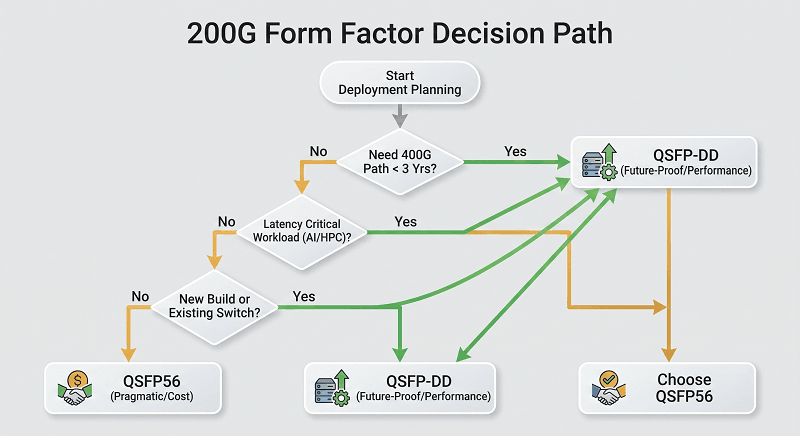
The 5-Question Decision Framework
Still not sure? Answer these five questions.
Q1: Do you need 400G in the next 3 years?
Yes → QSFP-DD. No → QSFP56.
Q2: Is latency critical for your workloads?
AI inference, HPC, financial trading → QSFP-DD. General data center, storage, web → QSFP56.
Q3: Are you upgrading existing switches or buying new?
Existing QSFP28 switches → QSFP56 (check compatibility). New build → QSFP-DD.
Q4: What’s your power budget per rack?
Tight PDU limits, expensive power → QSFP-DD. Standard data center power → Either works.
Q5: Do you need maximum port density?
Hyperscale, AI cluster, constrained rack space → QSFP-DD. Enterprise, 10-50 racks → QSFP56.
Scoring:
4-5 Yes answers → Buy QSFP-DD. The future-proofing, density, and latency benefits outweigh the premium.
4-5 No answers → Buy QSFP56. Save money now. Replace switches later if you ever need 400G.
Mixed (2-3 Yes) → Consider a hybrid. Deploy QSFP-DD switches with QSFP56 modules via adapters. Upgrade modules to 400G later without touching the switch.
The mixed scenario is more common than people think. A lot of enterprises buy QSFP-DD switches as insurance, run QSFP56 modules for their 200G phase, and swap to 400G modules when bandwidth demands justify it. One purchase protects two upgrade cycles.
Frequently Asked Questions
Is QSFP56 backward compatible with QSFP28?
Physically, yes — it fits in the same cage. Electrically, no. A QSFP56 module in a QSFP28 port typically won’t link at 200G. It may fall back to 40G or 100G, or fail to link entirely. Always verify switch ASIC support.
Can I use QSFP56 in a QSFP-DD port?
Usually yes. Most QSFP-DD ports accept QSFP56 modules either natively or with a simple adapter. This is a decent migration path: deploy QSFP56 now, then upgrade to 400G QSFP-DD modules later on the same switch.
Which has lower latency: QSFP56 or QSFP-DD?
QSFP-DD at 200G has lower latency. NRZ signaling with CDR adds essentially zero latency. QSFP56’s PAM4 DSP adds roughly 100-200 nanoseconds per hop. For most workloads, that difference is invisible. For HPC and financial trading, it matters.
Is QSFP56 cheaper than QSFP-DD?
Yes. QSFP56 modules typically cost 15-25% less than equivalent QSFP-DD modules. But factor in power and TCO over 3 years. At small scale, QSFP56 wins. At hyperscale with expensive power, QSFP-DD may break even.
Can QSFP-DD do 400G?
Yes. That’s the main advantage. QSFP-DD uses the same 76-pin form factor for both 200G (8×25G NRZ) and 400G (8×50G PAM4). Upgrade the module, keep the switch. QSFP56 has no 400G path.
Which is better for AI clusters?
QSFP-DD is generally better for AI training and inference clusters. Lower latency, higher port density, and the 400G upgrade path all matter for GPU interconnect fabrics. NVIDIA’s DGX platforms ship with QSFP-DD ports for this reason.
Do both require FEC?
Yes. RS-FEC (544,514) is mandatory for 200G links regardless of form factor. Both QSFP56 and QSFP-DD at 200G need matching FEC on both ends. A mismatch usually causes the link to fall back to a lower speed or fail entirely.
What switches support both QSFP56 and QSFP-DD?
Most modern data center switches from Arista (7060X4, 7170), Cisco Nexus 9000 (select line cards), Juniper QFX5200/5220, and NVIDIA Spectrum-3 support both. Always check the specific line card or platform datasheet — not all variants do.
Conclusion
QSFP56 and QSFP-DD both deliver 200G. The difference is everything else.
QSFP56 is the pragmatic, cost-effective choice for brownfield upgrades and shorter deployment horizons. Four lanes of PAM4. Same cages as QSFP28. Lower module cost. No 400G path.
QSFP-DD is the investment choice for new builds, AI clusters, and future-proofing. Eight lanes of NRZ at 200G. Native 400G upgrade. Higher density. Lower latency. Higher module cost.
The decision isn’t about which is “better.” It’s about which fits your timeline, your workloads, and your budget. Run the 5-question framework. Check your switch compatibility matrix. Then buy the modules that match your actual needs.
FiberMall supplies both QSFP56 and QSFP-DD modules with full MSA compliance and switch compatibility testing. If you’re planning a 200G deployment, contact our engineering team for a compatibility check and volume quote.
Related Products:
-
 QSFP56-200G-SR4M 200G QSFP56 SR4 PAM4 850nm 100m MTP/MPO APC OM3 FEC Optical Transceiver Module
$139.00
QSFP56-200G-SR4M 200G QSFP56 SR4 PAM4 850nm 100m MTP/MPO APC OM3 FEC Optical Transceiver Module
$139.00
-
Cisco QDD-2X100-SR4-S Compatible 2X100G QSFP-DD SR4 850nm 70m/100m OM3/OM4 MPO-24(UPC) MMF Optical Transceiver Module
$350.00
-
QSFP-DD-200G-SR8 2x 100G QSFP-DD SR8 850nm 70m/100m OM3/OM4 MPO-16(APC) MMF Optical Transceiver Module
$350.00
-
QSFP56-200G-FR4S 200G QSFP56 FR4 PAM4 CWDM4 2km LC SMF FEC Optical Transceiver Module
$650.00
-
QSFP-DD-200G-LR4 200G QSFP-DD LR4 PAM4 LWDM4 10km LC SMF FEC Optical Transceiver Module
$1000.00
-
QSFP-DD-200G-CWDM4 2X100G QSFP-DD CWDM4 2km CS SMF Optical Transceiver Module
$1100.00
-
Juniper QDD-2X100G-LR4 Compatible 2x100GBASE-LR4 QSFP-DD LWDM4 10km Duplex CS SMF Optical Transceiver Module
$1300.00
-
QSFP-DD-200G-CWDM4-10 2X100G QSFP-DD CWDM4 10km Dual CS SMF Optical Transceiver Module
$1300.00
-
NVIDIA(Mellanox) MMA1T00-HS Compatible 200G Infiniband HDR QSFP56 SR4 850nm 100m MPO-12 APC OM3/OM4 FEC PAM4 Optical Transceiver Module
$139.00
-
NVIDIA(Mellanox) MMS1W50-HM Compatible 200G InfiniBand HDR QSFP56 FR4 PAM4 CWDM4 2km LC SMF FEC Optical Transceiver Module
$650.00