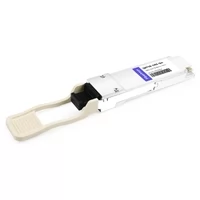
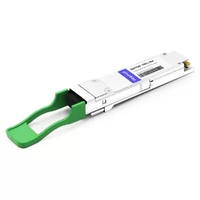
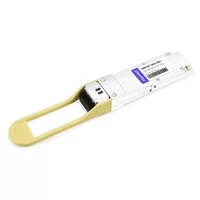
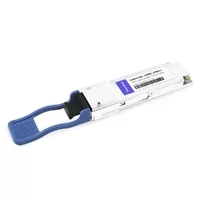
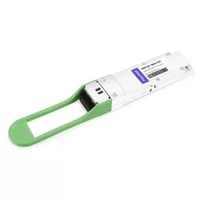
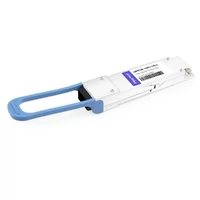
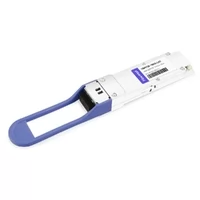
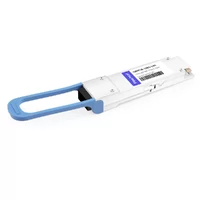
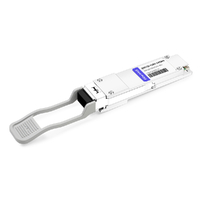
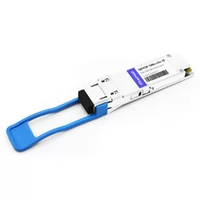
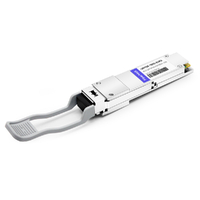
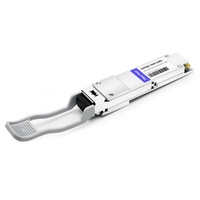
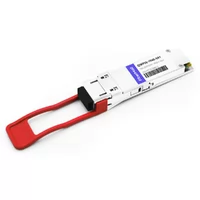
QSFP28 (Quad Small Form-factor Pluggable 28) is an industry-standard transceiver form factor that delivers 100 Gigabit Ethernet over four 25 Gbps lanes. It uses the same physical size as QSFP+ but supports 2.5× the bandwidth, making it the dominant 100G standard in modern data centers.
Pretty much every switch shipped today with 100G ports uses QSFP28. We’ve installed thousands of them.
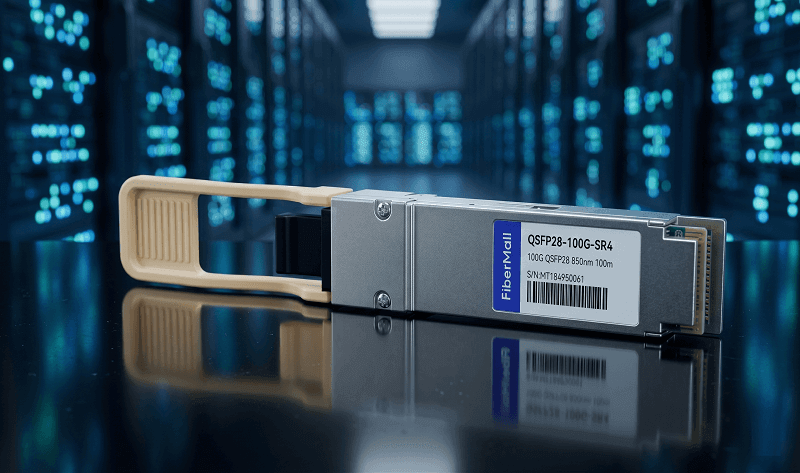
The ports are everywhere — leaf switches, spine switches, border routers, DCI platforms. But the questions we hear most aren’t about speed. They’re about compatibility, module selection, and whether that QSFP+ inventory will still work.
what is qsfp28 exactly? How does it differ from QSFP+? Which module type do you actually need? And will your existing optics work in that new switch?
This guide answers all of it. By the end, you’ll know the specs, the module types, the compatibility rules, and how to pick the right one for your link.
For a comprehensive technical deep dive, see our QSFP28 Transceiver Complete Guide.
What Does QSFP28 Stand For?
The acronym breaks down pretty simply.
Q = Quad. Four transmission lanes.
SFP = Small Form-factor Pluggable. The same family as SFP and SFP+ modules.
28 = 28 Gbps signaling rate per lane. That’s the maximum electrical signaling speed the interface supports.
Here’s the part that trips people up.
The “28” refers to signaling capability, not data rate. QSFP28 actually carries four lanes of 25 Gbps NRZ data. That’s 100 Gbps aggregate.
The extra 3 Gbps per lane is overhead for encoding and protocol. So yes, the name says 28. The payload is 25.
That’s just how the spec works.

The electrical interface is CAUI-4 (100 Gigabit Attachment Unit Interface, 4 lanes). It’s a completely different electrical standard than QSFP+’s XLPPI. That’s why QSFP28 modules won’t work in QSFP+ ports — even though the modules look identical.
Physically, QSFP28 measures 18.35 mm wide, 8.5 mm tall, and 72.4 mm deep. Same dimensions as QSFP+. Same cage. Same bezel cutout. The difference is entirely in the electrical signaling and the optics inside.
QSFP28 Specifications at a Glance
| Specification | Value |
| Form Factor | QSFP28 (SFF-8665) |
| Total Bandwidth | 100 Gbps |
| Lanes | 4 × 25 Gbps NRZ |
| Electrical Interface | CAUI-4 |
| Typical Power | 3.5–4.5W |
| Max Power (MSA) | 4.5W |
| Dimensions | 18.35 × 8.5 × 72.4 mm |
| Connector | MPO-12 (SR4) or Duplex LC (SMF) |
| Temperature | 0°C to 70°C (commercial) |
| Hot-Pluggable | Yes |
Those specs matter when you’re loading a switch. A fully populated 32-port QSFP28 switch draws roughly 112–144W from optics alone. That’s before the switch ASIC, fans, and power supply losses. Not huge, but not negligible either.
QSFP28 is MSA-compliant and hot-pluggable. You can swap modules without powering down the switch. In practice, most network engineers do exactly that during maintenance windows.
QSFP28 vs QSFP+: What’s the Difference?
| Feature | QSFP+ | QSFP28 |
| Speed | 40 Gbps | 100 Gbps |
| Per-lane Rate | 10 Gbps | 25 Gbps |
| Electrical Interface | XLPPI | CAUI-4 |
| Typical Power | 1.5–3.5W | 3.5–4.5W |
| Breakout | 4 × SFP+ (10G) | 4 × SFP28 (25G) |
| Year Introduced | ~2013 | ~2016 |
QSFP28 is 2.5× faster than QSFP+. Same size. More power. Different electrical standard.
The backward compatibility works in one direction only.
A QSFP+ module will work in a QSFP28 port. The switch detects the slower module and runs the port at 40G.
But a QSFP28 module will not work in a QSFP+ port. The host ASIC in QSFP+ switches can’t handle 25 Gbps lanes.
We had a customer last year who bought 120 QSFP28 LR4 modules for their “QSFP switches.” They didn’t check the plus sign. The modules wouldn’t even link up. They had to return the entire batch and reorder QSFP+ optics. The ports look identical. The electrical signaling doesn’t.
Breakout follows the same logic. QSFP+ breaks out to four SFP+ ports at 10G each. QSFP28 breaks out to four SFP28 ports at 25G each. The cables are physically different — you can’t use a QSFP+ breakout DAC on a QSFP28 port and expect 100G.

Common QSFP28 Module Types
| Module | Distance | Fiber Type | Connector | Best Use Case |
| SR4 | 70m (OM3) / 100m (OM4) | MMF OM3/OM4 | MPO-12 | Intra-DC, adjacent racks |
| PSM4 | 500m | SMF | MPO-12 | Short SMF runs |
| CWDM4 | 2km | SMF | Duplex LC | Cost-optimized DCI |
| LR4 | 10km | SMF | Duplex LC | Campus, metro links |
| ER4 | 30–40km | SMF | Duplex LC | Extended metro |
| ZR4 | 80km | SMF | Duplex LC | Long-haul DCI |
| BiDi | 70–100m | MMF | LC | Duplex MMF with LC |
Most data center deployments use SR4 for in-rack and row-to-row links. It’s the cheapest option and works fine over multimode fiber up to 100 meters.
CWDM4 is the sweet spot for data center interconnect. Two kilometers over single-mode fiber, duplex LC connector, no MPO cable needed. We’ve seen CWDM4 replace PSM4 in a lot of deployments because the fiber plant is simpler.
LR4 handles campus and metro links at 10km. ER4 and ZR4 push into telecom territory at 30–80km. For anything beyond 80km, you’re usually looking at coherent optics in a CFP2-DCO form factor — not QSFP28.
When to Use Breakout Cables
Breakout cables split one QSFP28 into four SFP28 connections. One hundred gigabits in. Twenty-five gigabits out of each of four ports.
Here’s when breakout makes sense.
You’re upgrading your leaf switches to 100G but your servers still have 25G NICs. Instead of buying separate 25G leaf switches, you use breakout DACs or AOCs. One QSFP28 port feeds four servers. Clean, simple, cost-effective.
Breakout also helps during migration. You can run a mix of 100G uplinks and 25G server access from the same switch. No need for separate switching tiers.
DAC breakout cables work for in-rack connections up to about 3–5 meters. AOC breakout cables reach 7–30 meters if you need to cross rows. Both are plug-and-play — no configuration needed beyond switch port breakout mode.
Not all switches support breakout, though. Check your datasheet. Some platforms require specific ports for breakout. Others support it on any QSFP28 port.
QSFP28 Compatibility: What Works in What Port?
| Module | QSFP+ Port | QSFP28 Port | QSFP56 Port |
| QSFP+ (40G) | ✅ Yes | ✅ Yes (at 40G) | ⚠️ Check switch |
| QSFP28 (100G) | ❌ No | ✅ Yes | ✅ Yes (at 100G) |
| QSFP56 (200G) | ❌ No | ❌ No | ✅ Yes |
The compatibility matrix is pretty simple once you know the rule. Newer ports accept older modules. Older ports reject newer modules.
QSFP+ in a QSFP28 port works. The switch auto-negotiates down to 40G. QSFP28 in a QSFP+ port does not work. The electrical interface is incompatible.
QSFP56 ports usually accept QSFP28 modules at 100G. That’s because QSFP56 is designed for backward compatibility. But always check your switch datasheet — some early QSFP56 platforms had spotty support.
Don’t assume DAC cables are interchangeable either. A QSFP+ DAC uses 10G/lane signaling. A QSFP28 DAC uses 25G/lane signaling. They’re physically keyed the same, but electrically different. We’ve seen engineers try to reuse old QSFP+ DACs in new QSFP28 ports. The link won’t come up.
Here’s the practical checklist we give customers:
1. Check your switch port type (QSFP+, QSFP28, or QSFP56)
2. Match the module to the port speed
3. Verify your fiber type (MMF or SMF)
4. Confirm connector type (MPO-12 or LC)
5. Check DAC/AOC compatibility if using direct-attach cables
Is QSFP28 Still the Right Choice in 2026?
QSFP28 is the mature 100G standard. It’s been around since 2016. The ecosystem is proven. The pricing is competitive.
And frankly, most data centers are still deploying it in 2026.
So when does QSFP28 still make sense?
You’re building or maintaining a 100G network
You need proven interoperability across vendors
Your budget doesn’t stretch to 200G or 400G
You’re upgrading from 40G and want a well-understood platform
When should you look at newer form factors?
QSFP56 for 200G spine-leaf upgrades
QSFP-DD for 400G greenfield data centers
OSFP for 400G+ AI training clusters
The reality is that 100G isn’t going anywhere. Most enterprise data centers, telecom edge nodes, and campus cores run QSFP28. The hyperscalers might be at 400G, but the rest of the industry is still solidly at 100G.
Frequently Asked Questions
What speed does QSFP28 support?
QSFP28 supports 100 Gigabit Ethernet. That’s four lanes of 25 Gbps NRZ signaling, for an aggregate 100 Gbps data rate. Some switches also support QSFP28 ports at 40G when using QSFP+ modules.
Can I use a QSFP+ module in a QSFP28 port?
Yes. QSFP28 ports are backward compatible with QSFP+ modules. The switch detects the 40G module and runs the port at 40 Gbps. You cannot use a QSFP28 module in a QSFP+ port, though — the electrical interface is incompatible.
What is the difference between QSFP28 SR4 and CWDM4?
SR4 uses multimode fiber and an MPO-12 connector for distances up to 100 meters. CWDM4 uses single-mode fiber and a duplex LC connector for distances up to 2 kilometers. SR4 is cheaper and better for intra-data center links. CWDM4 is the cost-optimized choice for DCI.
Do QSFP28 modules work in QSFP56 ports?
Usually yes. Most QSFP56 ports accept QSFP28 modules and run them at 100G. QSFP56 is designed with backward compatibility in mind. Always verify with your switch datasheet, though — some early QSFP56 platforms had limited support.
How much power does a QSFP28 module use?
Typical power consumption is 3.5–4.5W per module. The MSA spec limits maximum power to 4.5W. A fully loaded 32-port switch draws roughly 112–144W from optics alone.
What Is QSFP28? The Bottom Line
QSFP28 is the industry-standard 100G transceiver form factor. Four lanes of 25 Gbps. Same physical size as QSFP+. Backward compatible one direction only. Dominant in data centers, enterprise cores, and telecom networks worldwide.
Here’s the selection framework in plain terms:
1. Check your switch port type — QSFP28 ports accept QSFP+ at 40G, but not vice versa
2. Measure your fiber distance — under 100m with MMF means SR4; over 100m means SMF
3. Match your fiber type — MMF for SR4/BiDi, SMF for everything else
4. Consider breakout if you need 25G server access from 100G ports
5. Buy MSA-compliant modules from a vendor who tests compatibility
QSFP28 has been the workhorse of 100G networking for nearly a decade. It’s proven, widely supported, and cost-effective.
Whether you’re building a new leaf-spine fabric or upgrading from 40G, QSFP28 is still the right call for most networks in 2026.
Need help selecting the right QSFP28 modules for your deployment? FiberMall offers MSA-compatible QSFP28 SR4, CWDM4, LR4, ER4, and BiDi modules tested for compatibility with Cisco, Arista, Juniper, and major switch platforms. Contact our team for a free compatibility check and volume quote.
Related Products:
-
 QSFP28-100G-SR4 100G QSFP28 SR4 850nm 100m MTP/MPO MMF DDM Transceiver Module
$40.00
QSFP28-100G-SR4 100G QSFP28 SR4 850nm 100m MTP/MPO MMF DDM Transceiver Module
$40.00
-
QSFP28-100G-IR4 100G QSFP28 IR4 1310nm (CWDM4) 2km LC SMF DDM Transceiver Module
$110.00
-
QSFP28-100G-DR1 100G QSFP28 Single Lambda DR 1310nm 500m LC SMF with FEC DDM Optical Transceiver
$180.00
-
QSFP28-100G-PSM4 100G QSFP28 PSM4 1310nm 500m MTP/MPO SMF DDM Transceiver Module
$180.00
-
QSFP28-100G-FR1 100G QSFP28 Single Lambda FR 1310nm 2km LC SMF with FEC DDM Optical Transceiver
$215.00
-
Arista Networks QSFP-100G-LRL4 Compatible 100G QSFP28 LRL4 1310nm (LWDM4) 2km LC SMF DDM Transceiver Module
$245.00
-
QSFP28-100G-LR1 100G QSFP28 Single Lambda LR 1310nm 10km LC SMF with FEC DDM Optical Transceiver
$265.00
-
QSFP28-100G-SR1.2 Single Rate 100G QSFP28 BIDI 850nm & 900nm 100m LC MMF DDM Optical Transceiver
$280.00
-
QSFP28-100G-LR4 100G QSFP28 LR4 1310nm (LAN WDM) 10km LC SMF DDM Transceiver Module
$285.00
-
QSFP28-100G-SWDM4 100G QSFP28 SWDM4 850nm-940nm 100m LC MMF DDM Optical Transceiver
$300.00
-
QSFP28-100G-LR4-20 100G QSFP28 LR4 1310nm LWDM4 20km LC SMF DDM Transceiver Module
$300.00
-
QSFP28-100G-BDRX 100G QSFP28 BIDI 850nm & 900nm Only Receiver 100m LC MMF Optical Transceiver
$379.00
-
QSFP28-100G-SRBD Dual Rate 40G/100G QSFP28 BIDI 850nm & 900nm 100m LC MMF DDM Optical Transceiver
$449.00
-
QSFP28-100G-ER1 100G QSFP28 ER1 Single Lambda 1310nm 40km PAM4 LC SMF DDM Transceiver Module
$1250.00