Your 100G spine is running at 78% average utilization. Peak bursts hit 94%. You’ve got alarms firing, engineers paging, and finance asking why you need more budget.
200G network design with QSFP56 is the upgrade path most data centers hit at this exact moment. QSFP56 is a 200 Gbps transceiver form factor using four 50G PAM4 lanes in a standard QSFP-size package. It doubles spine bandwidth over 100G without forcing you into expensive 400G switch ASICs. The same module works for both 200GbE and InfiniBand HDR, which gives you flexibility most network architects don’t realize they have.
This guide covers when to make the jump, how to calculate oversubscription ratios with real switch ports, which QSFP56 modules you need for each network tier, and the fiber plant planning that saves you from ordering the wrong cables. For a full technical breakdown of QSFP56 technology, see our complete QSFP56 guide.
When Does 200G Spine Make Sense?
The upgrade decision is pretty simple. When your 100G spine links sustain 65% average utilization or spike above 85% during peak workloads, you’re in the danger zone. Network buffers fill, tail latency spikes, and your applications start feeling it.
East-west traffic is the driver. Server-to-server traffic now makes up 70-80% of total data center bandwidth. Storage replication, distributed databases, microservice chatter, and AI training all-to-all communication — it doesn’t leave through the core. It bounces between racks. And your spine carries all of it.
QSFP56 is the practical doubling. Same physical cage as QSFP28, double the bits. You don’t replace switch hardware. You don’t re-cable the entire data hall. You swap modules and turn up 200G ports. The cost per gigabit on QSFP56 has dropped roughly 40% since 2024, making the economics work for mid-scale deployments that couldn’t justify it two years ago.
But don’t wait for 400G if 200G solves your problem today. 400G switch ASICs are still premium hardware. QSFP-DD ports cost more per switch, 400G optics run 2.5-3× the price of 200G, and the power budget jumps significantly. If your leaf switches support QSFP56 and your traffic analysis says 200G buys you 3-4 years of headroom, that’s usually the right call.
QSFP56 Spine-Leaf Architecture Explained
Spine-leaf at 200G follows the same two-tier principles as 100G. The difference is bandwidth density and cable count.

Spine layer: 200G QSFP56 ports, full mesh between spine switches, no oversubscription between spines. Every spine connects to every other spine at line rate. ECMP spreads traffic across 4-8 equal-cost paths.
Leaf layer: Top-of-rack switches with 25G, 50G, or 100G downlinks to servers, and 200G QSFP56 uplinks to the spine. The leaf is where oversubscription lives.
Here’s what changes when you move from 100G to 200G spine:
| Feature | 100G Spine | 200G Spine |
| Leaf uplink speed | 100G QSFP28 | 200G QSFP56 |
| Typical oversubscription | 2.5:1 | 1.33:1 |
| Spine ports for 64-leaf fabric | 128×100G | 64×200G |
| Total spine bandwidth | 12.8 Tbps | 12.8 Tbps |
| Optics cost per leaf uplink | Baseline | 1.5-2× |
| Cable count per leaf uplink | 2× | 1× |
| Power per uplink module | 3.5-5W | 4-6.5W |
Same total bandwidth. Half the cables. Better oversubscription. The trade-off is slightly higher power and optics cost per port, which is usually worth it when you factor in reduced cable complexity and switch port count.
Oversubscription Ratio: The Math That Matters
Oversubscription isn’t a dirty word. It’s normal. Every data center oversubscribes somewhere. The question is whether you planned it.
The formula is straightforward:
Oversubscription Ratio = Total Downlink Bandwidth / Total Uplink Bandwidth
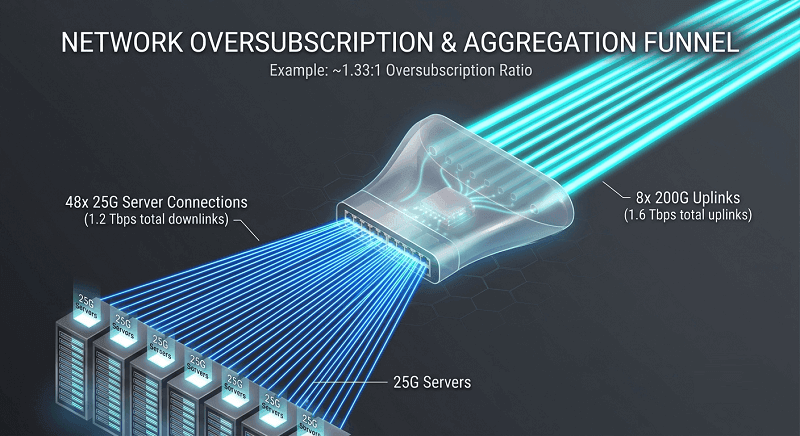
Let’s look at a real leaf switch. The Arista 7060X6-64PE has 48×25G downlinks and 8×200G uplinks.
Downlinks: 48 × 25G = 1,200 Gbps
Uplinks: 8 × 200G = 1,600 Gbps
Oversubscription: 1,200 / 1,600 = 1.33:1
That’s barely oversubscribed. For most workloads, it’s effectively non-blocking.
Now compare the same switch with 100G uplinks:
Downlinks: 48 × 25G = 1,200 Gbps
Uplinks: 8 × 100G = 800 Gbps
Oversubscription: 1,200 / 800 = 2.5:1
Moving to 200G uplinks cut oversubscription nearly in half. Same switch, same servers, just different optics.
Different workloads need different targets:
| Workload Type | Target Ratio | Example Configuration |
| AI/HPC training | 1:1 (non-blocking) | 8×200G up for 8×200G down |
| Enterprise compute | 2:1 | 48×25G + 8×100G |
| Virtualization / databases | 1.33:1 | 48×25G + 8×200G |
| Web services | 3:1+ | 48×10G + 4×100G |
| Dev/test | 4:1+ | High oversubscription acceptable |
We had a customer running a Cassandra cluster on 100G leaf uplinks. Their repair and rebuild operations saturated the spine every night. The cluster worked fine during the day, but maintenance windows turned into outages. Moving to 200G QSFP56 spine links eliminated the bottleneck. Same switches, new modules, problem solved.
The key: measure before you upgrade. sFlow or IPFIX will tell you your actual utilization. Don’t guess.
QSFP56 Module Selection by Network Tier
Not every link in your fabric needs the same module. The distance and fiber type determine your choice.
| Module | Distance | Fiber Type | Connector | Network Tier | Typical Cost (MSA) |
| DAC | ≤5m | Copper | QSFP56 | Intra-rack | $50-150 |
| SR4 | 100m (OM4) | MMF | MPO-12 | Leaf-to-server, intra-row | $200-400 |
| DR4 | 500m | SMF | MPO-12 | Leaf-to-spine, same hall | $300-600 |
| FR4 | 2km | SMF | Duplex LC | Spine-to-spine, campus | $500-900 |
| LR4 | 10km | SMF | Duplex LC | Metro DCI | $800-1,200 |
| ER4 | 40km | SMF | Duplex LC | Regional DCI | $1,200-1,800 |
For intra-rack server connections, passive DAC is hard to beat. Under 3 meters, it costs $50-100, uses no optical power, and adds negligible latency. Above 3 meters, AOC takes over.
Leaf-to-spine within the same row usually runs SR4 on OM4 multimode fiber. At 100 meters, SR4 covers most data hall layouts. MPO-12 connectors handle the four transmit and four receive lanes in parallel.
Leaf-to-spine across a large data hall needs DR4 on single-mode fiber. The 500m reach handles almost any same-building connection. Still MPO-12.
Campus links between buildings use FR4 at 2km. This is where the connector changes — FR4 uses CWDM4 over a single duplex LC pair instead of parallel MPO-12. That’s an important fiber plant planning detail.
Here’s a tip that saves money: don’t over-specify. We’ve seen teams buy ER4 modules for a 3km campus link because “we might expand.” ER4 costs roughly 3× FR4, uses 2× the power, and generates more heat. Buy what you need today. QSFP56 modules are hot-swappable for a reason.
For a complete module breakdown, see our QSFP56 module types guide.
Fiber Plant Planning for 200G
Fiber infrastructure is the part nobody thinks about until they’re holding a box of wrong cables.
QSFP56 uses two connector families. SR4 and DR4 use MPO-12 — a 12-fiber ribbon connector with 4 fibers transmitting, 4 receiving, and 4 unused (or used for redundancy in some implementations). FR4, LR4, and ER4 use duplex LC — the same two-fiber connector you know from 1G and 10G links.
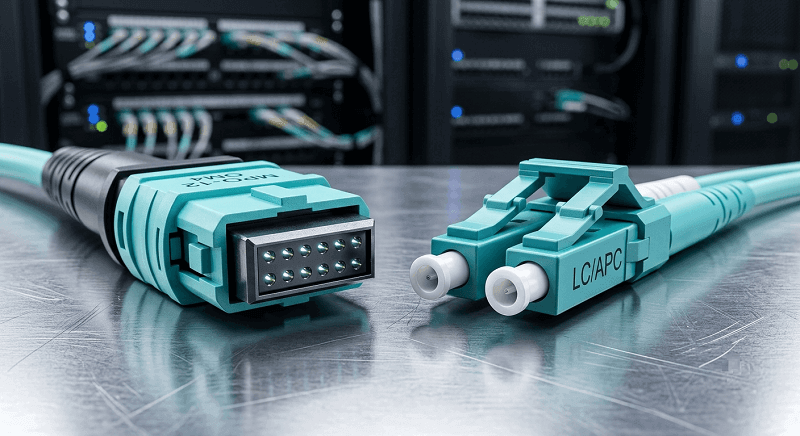
This matters for cable counts. A 128-leaf fabric with dual-homed leaves needs 256 leaf-to-spine links. If all SR4 or DR4: 256 MPO-12 cables. If you run FR4 for some campus spines: count those as duplex LC separately.
Loss budgets need checking too. OM4 multimode fiber loses about 3.0 dB per kilometer at 850nm. A 50-meter OM4 run loses 0.15 dB. SR4 has a 1.9 dB power budget, so you’ve got plenty of margin. But add a couple of patch panels and dirty connectors, and you can eat that margin faster than you’d think.
Single-mode fiber at 1310nm loses about 0.35 dB per kilometer. A 300-meter DR4 run loses 0.11 dB. DR4 budgets are typically 3.0 dB. Again, plenty of headroom — until you introduce legacy patch panels with 0.5 dB loss per mated pair.
Breakout cables also affect your fiber count. A 200G QSFP56 → 2×100G QSFP28 breakout cable lets you connect two 100G servers to one 200G leaf port. That reduces your leaf port count but doesn’t change your spine topology. Count carefully.
Label your MPO-12 cables by polarity — Method A vs Method B. Mix them up and your transmit fibers connect to transmit fibers. The link won’t come up, and you’ll spend an afternoon with a flashlight.
Switch Compatibility at 200G
Not every switch with a QSFP cage handles QSFP56. The ASIC must support 50G PAM4 electrical signaling per lane. Here’s what actually works in 2026:
| Vendor | Platform | QSFP56 Ports | Key Notes |
| Cisco | Nexus 9364D-GX2A | 64× QSFP-DD/QSFP56 | Verify line card supports PAM4 |
| Arista | 7060X6-64PE | 64× QSFP-DD/QSFP56 | Backward compatible with QSFP+/QSFP28 |
| Arista | 7170-32C | 32× QSFP56 | Purpose-built 200G, no QSFP-DD |
| Juniper | QFX5220-128C | 128× QSFP-DD/QSFP56 | High-density, good for large fabrics |
| Juniper | QFX5200-64Y | 64× QSFP56 | Mid-scale option |
| NVIDIA | Spectrum-3 SN4600 | 64× QSFP-DD/QSFP56 | InfiniBand HDR + 200GbE |
Three compatibility rules matter more than anything else:
1. QSFP-DD ports accept QSFP56 modules. Forward compatibility. Buy QSFP-DD switches now, deploy QSFP56, upgrade to 400G later without replacing the switch.
2. QSFP56 ports accept QSFP28 modules at 100G. Backward compatibility. You can populate half your 200G ports with existing 100G optics during migration.
3. QSFP56 modules do NOT work in QSFP28 ports at 200G. The physical connector fits, but the electrical interface is incompatible. The module might train at 100G if it has fallback logic, or it might not come up at all.
For a broader form factor comparison, check our QSFP56 vs QSFP-DD guide.
FEC Configuration: The Silent Killer
RS-FEC (Reed-Solomon Forward Error Correction, specifically RS(544,514)) is mandatory for all QSFP56 PAM4 optics. PAM4 has a higher bit error rate than NRZ. FEC fixes those errors in real time.
Both ends of every link must have matching FEC settings. This sounds obvious. It’s not.
We had a customer deploy a 200G spine with Cisco leaf switches and Arista spine switches. The links trained at 100G instead of 200G. Three engineers spent two days troubleshooting fiber, cleaning connectors, and swapping modules before someone checked FEC.
Cisco had FEC enabled. Arista had it disabled. The switches negotiated down to 100G as a fallback. Enabling FEC on the Arista side instantly brought all links to 200G.
Here are the verification commands:
Cisco Nexus: show interface ethernet <port> fec
Arista: show interfaces ethernet <port> phy detail | grep FEC
Juniper: show interfaces <port> extensive | match fec
Standardize this in your configuration templates. Every 200G port gets FEC enabled. No exceptions. Check it during provisioning. Check it during troubleshooting. It saves days.
DCI Design with QSFP56
Data center interconnect moves you from intra-facility to inter-facility. The modules change, but the architecture stays spine-leaf.
Campus DCI (under 2km): FR4 on duplex LC single-mode fiber. CWDM4 at 1271-1331nm. Power around 4-6.5W. Cost roughly $500-900 for MSA modules.
Metro DCI (under 10km): LR4 on duplex LC. LWDM4 at 1295-1309nm. Power similar to FR4. Cost $800-1,200.
Regional DCI (under 40km): ER4 on duplex LC. Same LWDM4 wavelengths as LR4 but with higher transmit power and better receiver sensitivity. Cost $1,200-1,800.
Beyond 40km, QSFP56 stops being the right answer. Coherent 200G DWDM takes over. It costs more per transponder — roughly $3,000-5,000 per 200G wave — but multiplexes 40+ waves onto a single fiber pair. For long-haul, that’s the only economical approach.

Power matters in DCI too. Four ER4 modules at 6.5W each = 26W for a 200G link. A coherent transponder at 20W gives you the same bandwidth with better reach. For short DCI under 10km, QSFP56 wins on cost and simplicity. For anything over 40km, coherent DWDM is the answer.
Frequently Asked Questions
What is 200G network design?
200G network design is the practice of building data center spine-leaf architectures using 200 Gbps optical transceivers, typically QSFP56 form factor. It doubles spine bandwidth over 100G while maintaining the same QSFP-size physical envelope, enabling lower oversubscription ratios without 400G infrastructure costs.
How do you calculate oversubscription ratio?
Oversubscription ratio equals total downlink bandwidth divided by total uplink bandwidth. For example, a leaf switch with 48×25G downlinks (1,200 Gbps) and 8×200G uplinks (1,600 Gbps) has a 1.33:1 oversubscription ratio.
Is QSFP56 backward compatible with QSFP28?
QSFP56 ports accept QSFP28 modules at 100G. However, QSFP56 modules do not work in QSFP28 ports at 200G because the electrical interface differs. QSFP-DD ports accept both QSFP56 and QSFP28 modules.
What fiber do I need for QSFP56?
QSFP56-SR4 and DR4 use MPO-12 connectors with multimode (OM4/OM5) or single-mode fiber respectively. QSFP56-FR4, LR4, and ER4 use standard duplex LC connectors with single-mode fiber.
Is FEC mandatory for QSFP56?
Yes. RS-FEC (544,514) is mandatory for all QSFP56 PAM4 optics. Both ends of every link must have matching FEC settings. Mismatched FEC causes links to train at fallback speeds, typically 100G instead of 200G.
When should I upgrade from 100G to 200G spine?
Upgrade when your 100G spine links sustain 65% average utilization or spike above 85% during peak workloads. QSFP56 provides double the bandwidth per port with half the cable count, making it the most cost-effective upgrade path for mid-scale data centers.
Conclusion
200G network design with QSFP56 isn’t about chasing the latest speed tier. It’s about solving a specific problem: your 100G spine is full, and 400G is overkill for your budget.
QSFP56 hits the sweet spot. Same form factor as QSFP28, double the bandwidth, mature optics pricing, and forward compatibility through QSFP-DD ports. The spine-leaf architecture doesn’t change. The oversubscription math gets better. The cable count drops.
If you’re designing a 200G fabric, work through this sequence:
1. Analyze traffic patterns — east-west vs north-south, actual utilization
2. Pick your topology — spine count, ECMP paths, leaf density
3. Calculate oversubscription — match ratio to workload type
4. Select modules by tier — DAC for intra-rack, SR4 for row, DR4 for hall, FR4/LR4 for DCI
5. Plan your fiber plant — MPO-12 vs duplex LC, cable counts, loss budgets
6. Configure FEC — both ends, same setting, verify before declaring victory
7. Verify switch compatibility — ASIC PAM4 support, not just physical cage
QSFP56 is the practical 200G standard for data center networks in 2026. The ecosystem is mature, the pricing is right, and the upgrade path is clear.
Ready to spec your spine? Explore FiberMall’s QSFP56 module portfolio or contact our engineers for a compatibility check on your switch platform. For AI-specific topology guidance, see our QSFP56 for AI clusters guide. And when you’re planning the next upgrade, our QSFP56 to 400G migration guide covers the phased approach.
Related Products:
-
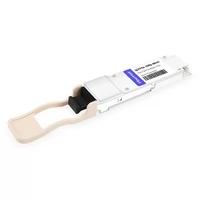
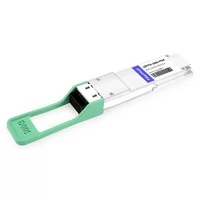
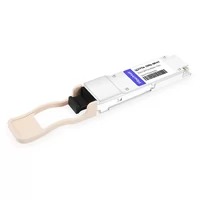
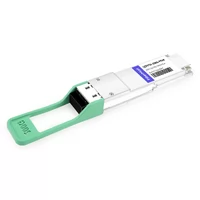
 QSFP56-200G-SR4M 200G QSFP56 SR4 PAM4 850nm 100m MTP/MPO APC OM3 FEC Optical Transceiver Module
$139.00
QSFP56-200G-SR4M 200G QSFP56 SR4 PAM4 850nm 100m MTP/MPO APC OM3 FEC Optical Transceiver Module
$139.00
-
QSFP56-200G-FR4S 200G QSFP56 FR4 PAM4 CWDM4 2km LC SMF FEC Optical Transceiver Module
$650.00
-
NVIDIA(Mellanox) MMA1T00-HS Compatible 200G Infiniband HDR QSFP56 SR4 850nm 100m MPO-12 APC OM3/OM4 FEC PAM4 Optical Transceiver Module
$139.00
-
NVIDIA(Mellanox) MMS1W50-HM Compatible 200G InfiniBand HDR QSFP56 FR4 PAM4 CWDM4 2km LC SMF FEC Optical Transceiver Module
$650.00
-
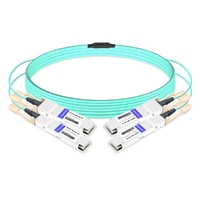
NVIDIA MFS1S90-H003E Compatible 3m (10ft) 2x200G QSFP56 to 2x200G QSFP56 PAM4 Breakout Active Optical Cable
$800.00
-
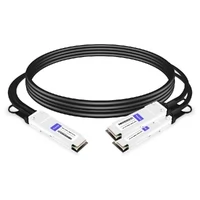
NVIDIA(Mellanox) MCP7H50-H001R30 Compatible 1m (3ft) Infiniband HDR 200G QSFP56 to 2x100G QSFP56 PAM4 Passive Breakout Direct Attach Copper Cable
$55.00
-
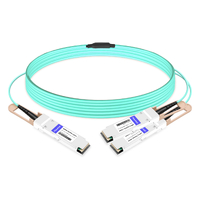
NVIDIA(Mellanox) MFS1S50-H003E Compatible 3m (10ft) 200G HDR QSFP56 to 2x100G QSFP56 PAM4 Breakout Active Optical Cable
$480.00
-
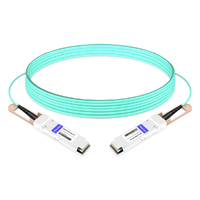
NVIDIA(Mellanox) MFS1S00-H003E Compatible 3m (10ft) 200G HDR QSFP56 to QSFP56 Active Optical Cable
$350.00