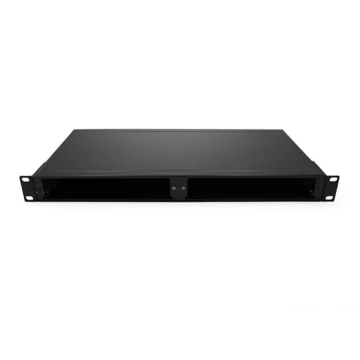
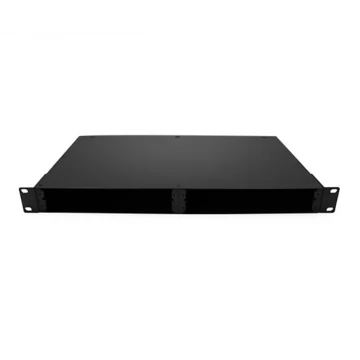
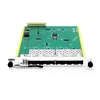
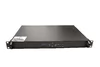
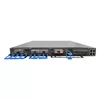
1U Rack Chassis for CWDM, DWDM, and OADM Modules
Expand Fiber Capacity with a Modular Rack Chassis
As network traffic increases, available fiber resources can quickly become a limitation. Installing new fiber is often expensive, time-consuming, or impractical, especially in metropolitan networks, leased conduits, enterprise campuses, and data center interconnect environments.
Wavelength division multiplexing helps solve this problem by transmitting multiple optical channels over existing fiber. However, deploying CWDM, DWDM, or OADM modules also requires a secure and organized mounting platform.
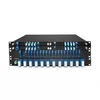
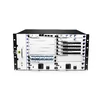
The FiberMall 1U rack chassis is a passive, unloaded enclosure designed to hold up to two compatible LGX-format optical modules. Installed in a standard 19-inch rack, it provides a compact way to organize WDM components, protect optical connections, and simplify future network expansion.
The rack chassis requires no electrical power, cooling system, or software configuration. CWDM, DWDM, and OADM modules are selected separately according to the required wavelength plan, channel count, connector type, and optical link budget.
Why Fiber Management Becomes More Difficult as Networks Grow
Many optical networks begin with simple point-to-point fiber connections. As capacity requirements increase, more transceivers, patch cords, wavelength channels, and passive optical components are added to the rack.
Without a proper mounting system, several problems can occur:
• Optical modules may be left unsupported inside the cabinet.
• Fiber patch cords can become difficult to trace.
• Connectors may be exposed to accidental contact or mechanical stress.
• Future upgrades can require extensive rack reorganization.
• Troubleshooting becomes slower as the number of links increases.
A dedicated rack chassis provides a fixed location for passive optical modules and helps keep common ports, channel ports, upgrade ports, and other optical connections clearly organized.
When populated with appropriate WDM modules, the chassis can support multiple wavelength channels over existing fiber infrastructure without requiring additional rack-mounted electronic equipment.
One Rack Chassis for Multiple WDM Applications
The FiberMall 1U 19-inch rack chassis provides two front-access slots for compatible LGX-format modules. Depending on the selected optical modules, the chassis can support several passive WDM applications.
CWDM Mux/Demux Deployment
CWDM mux/demux modules combine multiple coarse wavelength channels onto a common fiber and separate them again at the receiving end.
A CWDM configuration is commonly used for:
• Enterprise campus networks
• Access networks
• Metropolitan links
• Mobile transport
• Low- to medium-channel-count fiber expansion
The rack chassis can hold two compatible CWDM modules, such as one module for each end of separate links or two modules serving independent connections.
DWDM Mux/Demux Deployment
DWDM modules use narrower channel spacing than CWDM, allowing more wavelengths to be transmitted within the available optical spectrum.
DWDM solutions are commonly deployed in:
• Metropolitan backbone networks
• Data center interconnects
• Carrier transport networks
• High-capacity enterprise links
• Appropriately engineered long-distance systems
The actual number of channels and supported transmission distance depend on the installed DWDM modules, optical transceivers, fiber characteristics, insertion loss, receiver power range, and total link budget.
OADM Network Deployment
An Optical Add-Drop Multiplexer allows selected wavelengths to be added or removed at an intermediate location while other wavelengths continue through the network.
OADM modules are useful for:
• Optical ring networks
• Multi-site campus networks
• Metropolitan access systems
• Intermediate traffic aggregation
• Distributed data center connections
The rack chassis provides a protected and accessible location for fixed OADM modules at intermediate network sites.
Key Benefits of the FiberMall Rack Chassis
Maximize Existing Fiber Infrastructure
When equipped with suitable CWDM or DWDM mux/demux modules, the rack chassis helps network operators carry multiple independent optical channels over an existing fiber pair.
This can reduce the need to install additional fiber while allowing network capacity to grow according to actual demand.
Save Valuable Rack Space
The enclosure occupies only 1U in a standard 19-inch equipment rack and accommodates up to two compatible LGX modules.
Consolidating passive optical components in one rack chassis helps reduce scattered equipment and makes better use of available cabinet space.
Simplify Fiber Organization
Front-access module slots make optical ports easier to identify, connect, inspect, and maintain.
By keeping passive modules in a fixed rack position, technicians can trace fibers more efficiently and reduce the risk of disturbing unrelated connections during maintenance.
Support Modular Network Expansion
The rack chassis is supplied unloaded, allowing the optical modules to be selected separately.
Network operators can choose modules according to:
• CWDM or DWDM wavelength plans
• Channel count
• Single-fiber or dual-fiber architecture
• Connector type
• Add-drop requirements
• Monitor or upgrade port requirements
• Transmission distance
• Optical link budget
This modular structure makes it easier to adapt the installation as network requirements change.
Require No Power or Active Cooling
The rack chassis is completely passive. It does not contain a power supply, fan, controller, or active monitoring system.
Standard fixed CWDM, DWDM, and OADM modules are also passive, allowing the complete assembly to operate without electrical power or active cooling.
Protect Installed Optical Modules
The SPCC cold-rolled steel enclosure provides mechanical protection for the installed LGX modules and helps prevent direct contact with internal optical components.
The chassis is designed for indoor deployment in data center, telecom, enterprise, and network equipment racks.
Designed for Standard 19-Inch Rack Installation
The FiberMall rack chassis uses a standard 1U 19-inch rack-mount form factor, making it suitable for common data center and telecommunications cabinets.
The enclosure measures approximately 44 × 481.8 × 230 mm and has a listed net weight of approximately 3.2 kg. It installs on standard rack rails using the supplied mounting hardware.
Before installation, confirm:
• Available rack space
• Rack mounting-hole type
• Cabinet depth
• Front and rear fiber-routing clearance
• Bend-radius requirements
• Compatibility between the chassis and selected LGX modules
The rack chassis should be installed in a location that provides sufficient space for patch cords and allows technicians to access the module ports without applying excessive stress to the fibers.
Two Front-Access LGX Module Slots
The rack chassis holds up to two mechanically compatible LGX-format modules.
Possible configurations include:
• Two CWDM mux/demux modules
• Two DWDM mux/demux modules
• Two OADM modules
• One CWDM module and one DWDM module for separate links
• One mux/demux module and one OADM module for separate applications
Installing different module types in the same chassis does not automatically connect or cascade them. Each optical path must be designed and connected according to the required network topology.
LGX dimensions and mounting structures can vary between manufacturers. Mechanical compatibility should therefore be verified before installing third-party modules.
How to Deploy the Rack Chassis
1. Define the Optical Network Requirements
Determine the required network topology, transmission distance, number of wavelength channels, fiber type, connector interface, and available optical power budget.
The chassis itself does not determine channel count or transmission distance. These characteristics depend on the installed WDM modules and optical transceivers.
2. Select Compatible LGX Modules
Choose CWDM, DWDM, or OADM modules that match the network design.
Verify:
• Module dimensions
• Wavelength plan
• Channel spacing
• Common-port configuration
• Connector polish
• Insertion loss
• Passband
• Isolation
• Return loss
• Maximum optical power
• Single-fiber or dual-fiber operation
3. Install the Rack Chassis
Mount the 1U rack chassis in a compatible 19-inch cabinet using the supplied rack screws and mounting hardware.
Ensure the chassis is securely installed before inserting the optical modules.
4. Insert the Optical Modules
Slide each compatible LGX module into an available slot and secure it according to the chassis and module design.
The modules are removable, but they should not be removed from an active optical link because disconnecting the module will interrupt traffic.
5. Connect and Label the Fibers
Connect the common and channel ports according to the module port map.
Depending on the module, additional connections may include:
• Monitor ports
• Upgrade ports
• Express ports
• Add ports
• Drop ports
Use clear wavelength and destination labels to simplify future maintenance.
6. Verify Optical Performance
Before placing the link into service, verify that the transceiver wavelengths match the WDM channels.
Measure or confirm:
• Transmit power
• Receive power
• Module insertion loss
• Fiber attenuation
• Connector loss
• Splice loss
• Engineering margin
For amplified or long-distance DWDM networks, additional parameters such as OSNR, chromatic dispersion, amplifier gain, and nonlinear effects may also need to be evaluated.
Typical Rack Chassis Applications
The FiberMall rack chassis can be used in a wide range of passive optical network deployments.
Data Center Interconnect
CWDM or DWDM modules installed in the chassis can help increase the capacity of fiber links between data centers, buildings, or equipment rooms.
Metropolitan Networks
Service providers and enterprise network operators can use the rack chassis to organize passive WDM modules in metro aggregation and backbone locations.
Enterprise Campus Networks
The chassis provides a compact platform for connecting multiple buildings or departments over existing campus fiber.
Mobile Transport Networks
CWDM and DWDM systems can support wavelength-based connections between access, aggregation, and core locations.
Multi-Site OADM Networks
OADM modules housed in the rack chassis can add or drop selected wavelength channels at intermediate sites in ring or linear network topologies.
Custom Rack Chassis and WDM Module Options
FiberMall supports project-based configurations for customers requiring specific optical and mechanical options.
Available customization may include:
• CWDM or DWDM wavelength plans
• Channel counts
• Connector types
• UPC or APC polishing
• Single-fiber or dual-fiber designs
• Monitor ports
• Upgrade ports
• Express ports
• Front-panel labeling
• Product branding
• Packaging
• OEM and ODM configurations
Availability depends on the selected module design and order requirements.
Important Ordering Information
This product is an unloaded rack chassis. CWDM, DWDM, OADM, and other optical modules are not included unless specifically stated in the quotation or order confirmation.
Before ordering, confirm:
• Required number of chassis slots
• LGX module dimensions
• Module type
• Connector interface
• Fiber architecture
• Wavelength configuration
• Required accessories
• Rack compatibility
The product number shown for the two-slot unloaded chassis is FM-1U19-2.
Frequently Asked Questions
What is a rack chassis used for?
A rack chassis provides a standardized enclosure for mounting and organizing optical or electronic components in an equipment rack. This passive 1U rack chassis is specifically designed to house up to two compatible LGX-format optical modules.
Does the rack chassis include CWDM or DWDM modules?
No. The chassis is supplied unloaded. CWDM, DWDM, OADM, or other compatible LGX modules must be selected and purchased separately.
How many modules can the rack chassis hold?
The chassis accommodates up to two mechanically compatible LGX-format modules.
Does the rack chassis require electrical power?
No. The chassis is passive and does not contain a power supply, fan, controller, or active cooling system.
Are the LGX modules hot-swappable?
The modules are removable and replaceable, but they should not be described as hot-swappable in the same way as powered electronic modules. Removing an LGX module from an active optical link will disconnect the fiber path and interrupt service.
Can CWDM and DWDM modules be installed in the same chassis?
Yes, mechanically compatible CWDM and DWDM modules may be installed in the same rack chassis for separate optical links. Installing them in the same enclosure does not automatically interconnect or cascade the two systems.
What determines the number of supported wavelengths?
The channel capacity is determined by the installed CWDM or DWDM module, not by the rack chassis. The wavelength plan, channel spacing, transceivers, fiber type, and optical link budget must all be compatible.
Can the rack chassis be used for long-distance transmission?
The chassis can house modules used in appropriately engineered long-distance optical networks, but it does not determine transmission reach. Distance depends on the transceivers, WDM insertion loss, fiber attenuation, receiver sensitivity, OSNR, dispersion, and any required optical amplification.
What connector types are available?
Connector types depend on the selected LGX module. Common options may include LC/UPC, LC/APC, SC/UPC, and SC/APC. Other interfaces may be available for custom projects.
Can third-party LGX modules be installed?
Third-party modules may be used only when their dimensions, mounting structure, and port access are mechanically compatible with the rack chassis. Compatibility should be confirmed before ordering.