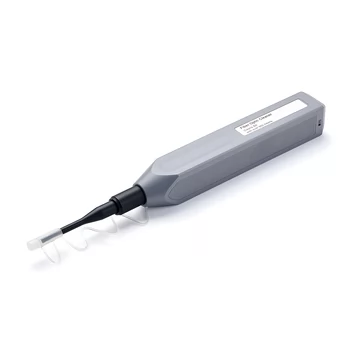
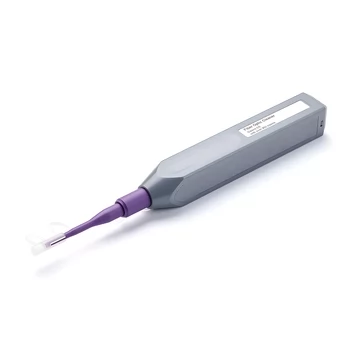
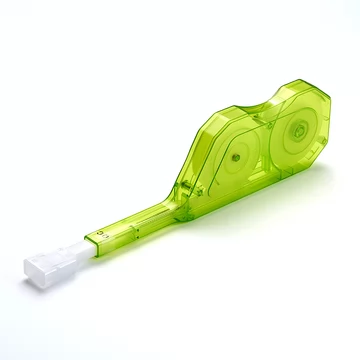
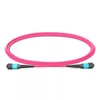
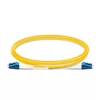
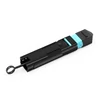
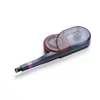
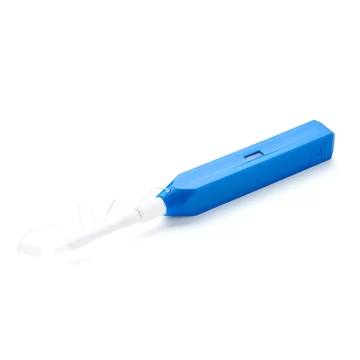
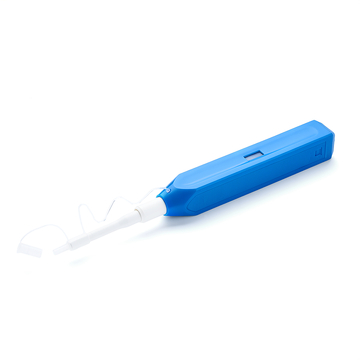
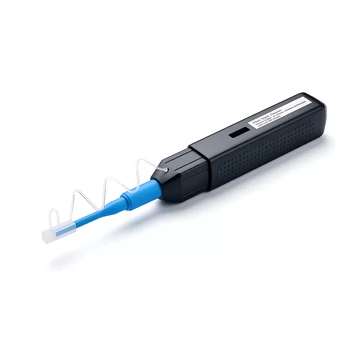
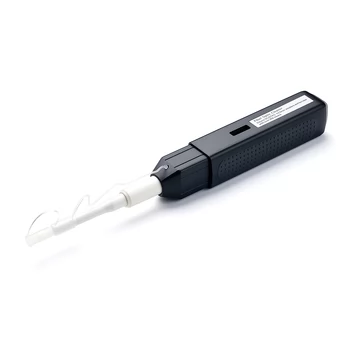
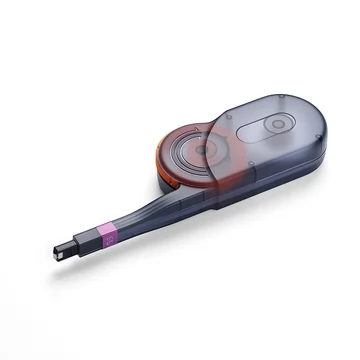
Contamination of fiber-optic interfaces is one of the leading causes of optical link degradation and connectivity problems. A professional fiber optic cleaning pen helps remove dust, oil, and other contaminants from connector end-faces, restoring reliable optical connections, minimizing insertion loss, and reducing the risk of network outages and unnecessary maintenance costs. Portable, easy to use, and highly efficient, it is an essential tool for data centers, server rooms, telecommunications networks, and fiber-optic cabling installations.
The Problem: Contamination Is the Failure Nobody Looks For
When an optical link degrades, the instinct is often to blame the transceiver, the cable, or the switch. However, one of the most common causes is far smaller and much easier to address: a contaminated fiber connector. Dust, fingerprint oils, and cleaning residue on a fiber end-face can obstruct or scatter light, increase insertion loss and back reflection, and contribute to signal degradation or bit errors. These symptoms can easily be mistaken for hardware failures.
Industry research highlights the importance of connector cleanliness. In a Dell study involving more than 500 returned optical transceivers, 83% were found to have no identifiable fault, demonstrating how frequently functioning optics may be replaced unnecessarily. A separate NTT Advanced Technology survey found that 98% of installers and 80% of network owners identified connector contamination as a major cause of network failures. Although these findings do not establish that every unnecessary replacement results from contamination, they emphasize the importance of inspecting and cleaning optical interfaces during troubleshooting.
This makes a fiber optic cleaning pen one of the most cost-effective tools in a network technician's kit. Proper connector maintenance can prevent unnecessary RMA cycles, reduce troubleshooting time, and minimize deployment delays caused by contaminated interfaces.
Most cleaning pens are sold as commodity accessories, identified primarily by part number and price, with little guidance on connector compatibility or proper cleaning procedures. FiberMall takes a more practical approach, treating the cleaning pen as an essential component of preventive maintenance and reliable optical network operation.
Which Fiber Optic Cleaning Pen Do I Need?
A cleaning pen is effective only when its cleaning tip is compatible with the connector being cleaned. The selection primarily depends on ferrule size, connector housing geometry, and whether the interface uses a single-fiber, duplex, or multi-fiber design.
- 2.5 mm ferrules: FC, SC, and ST. These traditional single-fiber connectors are widely used in telecommunications, CATV networks, and enterprise fiber infrastructure. A compatible 2.5 mm one-click cleaning pen can clean exposed connector end-faces and connectors installed inside suitable adapters.
- 1.25 mm ferrules: LC and MU. These compact connectors are widely used in modern optical networks, including SFP, SFP+, and SFP28 transceiver connections and high-density fiber patch panels. A compatible 1.25 mm cleaning pen can clean LC or MU connector end-faces, including those recessed within adapters. It can also be used on suitable transceiver receptacles when the cleaning tip is approved for that interface.
- SN and CS duplex connectors. These high-density duplex connectors use 1.25 mm ferrules but feature different housing geometries from standard LC connectors. Dedicated SN or CS cleaning pens are recommended to ensure proper alignment and effective cleaning of both ferrules. A standard LC cleaning pen should not be assumed to fit these interfaces.
- MPO/MTP-12 and MPO/MTP-16. These multi-fiber connectors are commonly used in high-density data center cabling and parallel-optics applications, including certain 40G, 100G, 200G, 400G, and higher-speed connections. They require dedicated MPO/MTP cleaning pens designed for rectangular multi-fiber ferrules. Depending on the cleaner design, a single cleaning action can clean the entire mating end-face, including the fiber array. Compatibility with MPO-12, MPO-16, pinned or unpinned connectors, and UPC or APC polishing should be verified for the specific cleaning pen model.
Fiber Optic Cleaning Pen Specifications
A fiber optic cleaning pen is a precision maintenance tool, and its design directly affects cleaning effectiveness, connector compatibility, and operational reliability. FiberMall offers cleaning solutions with the following typical specifications, depending on the model:
- Cleaning mechanism: One-click push operation using a dry mechanical cleaning tape or strand that moves across the connector end-face to remove contaminants.
- Cleaning material: Dry, alcohol-free cleaning media designed to capture dust, oils, and particles without introducing liquid cleaning residues.
- Cleaning capacity: Selected single-fiber cleaning pens provide 800 or more cleaning operations, while many MPO/MTP cleaning pens support approximately 500 or more cleaning cycles. Actual capacities vary by product model and manufacturer.
- Cleaning tip movement: Certain models feature a rotating cleaning head, which helps improve contact with the ferrule end-face and supports effective cleaning of recessed connectors. The rotation angle and cleaning mechanism depend on the specific design.
- Body material: Selected models feature anti-static materials to help reduce electrostatic buildup during use. ESD-safe performance should be confirmed against the manufacturer's specifications.
- Connector compatibility: Available cleaning pen types cover 1.25 mm connectors such as LC and MU, 2.5 mm connectors such as FC, SC, and ST, dedicated SN and CS duplex connectors, and multi-fiber MPO/MTP connectors, including 12-fiber and 16-fiber configurations.
- Standards alignment: Cleaning pens support the inspect–clean–reinspect maintenance process used with IEC 61300-3-35:2022, which defines visual inspection methods and acceptance criteria for fiber optic connector end-faces. The standard evaluates end-face cleanliness and defects rather than certifying the cleaning performance of a particular pen. Additional cleaning guidance is provided in IEC TR 62627-01.
Why dry, alcohol-free cleaning matters. Dry cleaning pens use specialized cleaning media to lift and capture contaminants without introducing liquid solvents. This eliminates solvent drying time and reduces the risk of leaving liquid residue on the connector end-face.
Dry cleaning is generally the preferred first step for routine connector maintenance. However, stubborn contamination, such as heavy oil deposits or strongly adhered residues, may require an approved wet-cleaning procedure. When appropriate, use a fiber-optic-grade cleaning solution or high-purity isopropyl alcohol according to the connector and cleaning-tool manufacturer's instructions, followed by a suitable dry cleaning step. Avoid excessive solvent application, which can spread contamination or leave residue if not properly removed.
The Inspect–Clean–Inspect Workflow
A cleaning pen is one component of a systematic fiber maintenance process. The recommended approach follows three essential steps: inspection, cleaning when necessary, and verification.
1. Inspect first. Use a compatible fiber inspection microscope to examine the connector end-face before mating. Even brand-new connectors with protective dust caps may contain particles or manufacturing residue. Never assume a connector is clean simply because it is new or capped. Ensure the optical interface is safe to inspect, and never look directly into an active fiber or optical port.
2. Clean with a one-click pen. If contamination is detected, select a cleaning pen compatible with the connector type. Position the tip correctly and operate the pen according to the manufacturer's instructions, typically using one complete push until the cleaning mechanism clicks. The internal cleaning media advances and wipes the end-face during operation. For MPO/MTP connectors, use a dedicated multi-fiber cleaner designed to clean the rectangular ferrule end-face and its fiber array.
3. Re-inspect to verify. Examine the connector end-face again using an appropriate inspection microscope and evaluate its condition against the applicable IEC 61300-3-35 criteria. If removable contamination remains, repeat the cleaning procedure using fresh cleaning media. If contamination persists or physical damage is detected, investigate further rather than repeatedly cleaning a potentially damaged connector.
Both mating interfaces should be inspected and cleaned when necessary, including the connector plug and the corresponding adapter-side connector or accessible transceiver receptacle. A clean connector mated with a contaminated interface can become contaminated again.
The inspect–clean–reinspect process helps improve connection reliability, but visual inspection alone does not guarantee optical performance. Insertion loss, return loss, and other relevant measurements may still be necessary to verify link performance.
Fiber Optic Cleaning Pen FAQ
How do I clean a fiber optic connector?
Start by inspecting the connector end-face with a compatible fiber inspection microscope. If contamination is present, use a suitable one-click dry cleaning pen according to the manufacturer's instructions. Re-inspect the end-face and verify its condition against the applicable IEC 61300-3-35 criteria before mating. Inspect and clean both mating interfaces when necessary to prevent cross-contamination.
Which fiber cleaning pen do I need: 1.25 mm, 2.5 mm, or MPO/MTP?
Choose a cleaning pen based on the connector's ferrule size and physical design. LC and MU connectors typically require a 1.25 mm cleaning pen, while FC, SC, and ST connectors use a 2.5 mm cleaner. SN and CS duplex connectors require compatible cleaning tips designed for their specific housing geometries. MPO/MTP-12 and MPO/MTP-16 connectors require dedicated multi-fiber cleaning pens compatible with their ferrule configurations.
Why do dirty connectors cause network failures?
Contamination on a fiber connector end-face can obstruct or scatter transmitted light, increase insertion loss and back reflection, and reduce optical signal quality. Depending on the severity of contamination and the available optical power margin, these effects can contribute to elevated bit error rates, intermittent connectivity, or complete link failure. Industry studies show that connector contamination is a significant reliability concern and that many returned optical transceivers have no identifiable hardware fault. This makes connector inspection and cleaning an important troubleshooting step before replacing optical components.
How many cleanings does a fiber optic cleaning pen last?
Cleaning capacity depends on the specific pen model. Some single-fiber cleaning pens provide 800 or more cleaning operations, while many MPO/MTP cleaning pens are rated for approximately 500 or more cycles. Each operation advances fresh cleaning media to help prevent previously collected contaminants from being transferred back onto the connector end-face. Always check the manufacturer's specifications for the actual cleaning capacity.
What is the difference between dry and wet fiber cleaning?
Dry cleaning uses specialized cleaning tape or strand to remove dust, oils, and other contaminants without applying liquid solvents. It is convenient for routine maintenance because it generally leaves no solvent residue and requires no drying time.
Wet cleaning uses an approved fiber-optic cleaning solution or high-purity isopropyl alcohol to help remove stubborn contamination. When required, it should be performed according to the relevant cleaning procedure and generally followed by a dry cleaning step to remove remaining solvent and contaminants. Dry cleaning is typically the preferred starting point for routine connector maintenance.
Do I need to clean brand-new connectors?
Not necessarily, but every connector should be inspected before use. New connectors, including those supplied with protective dust caps, may still contain particles or residue from manufacturing, packaging, handling, or storage. If the end-face meets the applicable inspection criteria, additional cleaning is generally unnecessary. If contamination is detected, clean the connector and reinspect it before mating. Unnecessary cleaning should be avoided because repeated physical contact can introduce additional wear or contamination.
Do you offer SN, CS, and MPO-16 fiber cleaners?
Yes. FiberMall offers dedicated cleaning solutions for SN and CS duplex connectors, as well as MPO/MTP-16 multi-fiber interfaces. These specialized cleaners are designed to accommodate the connector geometries used in high-density optical networks. Customers should confirm the specific cleaner's compatibility with their connector type, ferrule configuration, and polishing method before ordering.