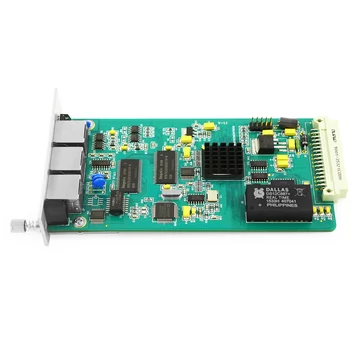
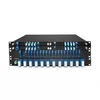
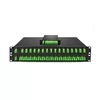
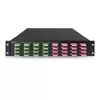
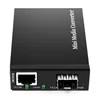
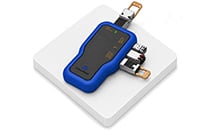
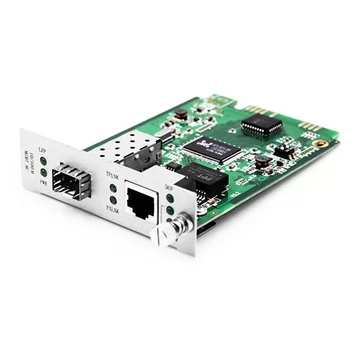
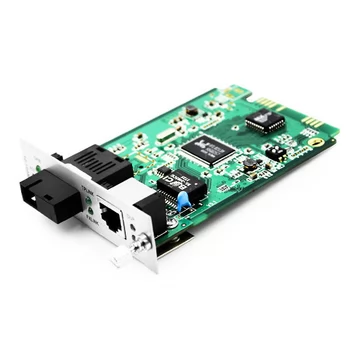
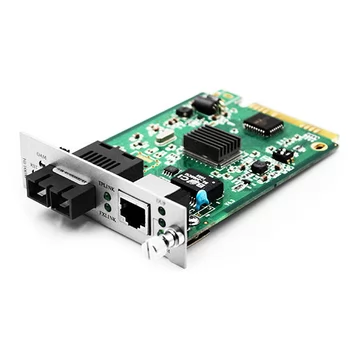
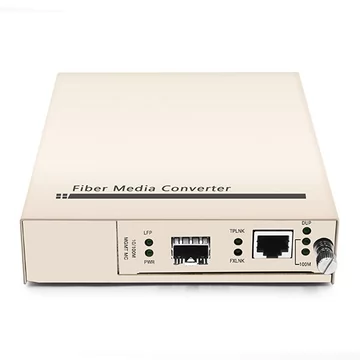
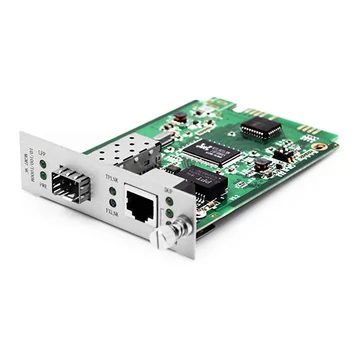
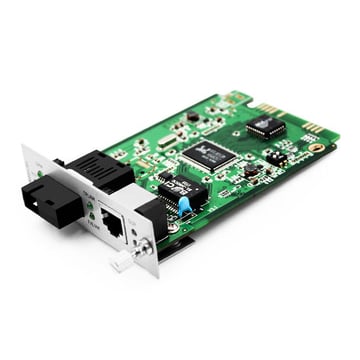
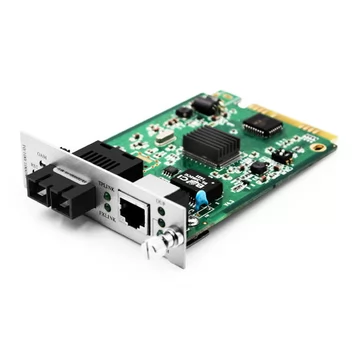
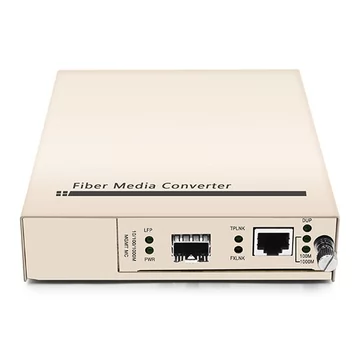
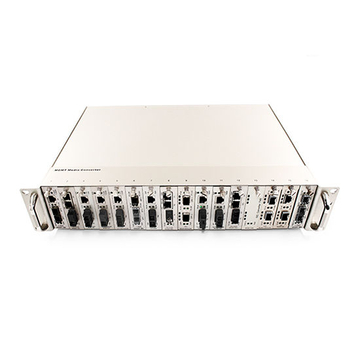
A fiber media converter is a compact device that solves one of the most common physical compatibility problems in networking: two links that do not match. One side may be copper while the other is fiber. Or both sides may use fiber, but one is multimode and the other is single-mode. In other cases, the endpoint may operate at 100 Mbps while the backbone runs at Gigabit speed. A media converter bridges these physical interface differences so the two sides can communicate without replacing the existing network equipment.
FiberMall media converters support three common conversion applications — copper-to-fiber, fiber-to-fiber, and speed conversion — with options ranging from 100 Mbps to 10G at factory-direct pricing.
What Is a Fiber Media Converter?
A fiber media converter is a compact device that receives a network signal in one physical format and retransmits it in another. Most buyers think of it primarily as a copper-to-fiber bridge, but the category is broader. There are three main conversion jobs a media converter can perform:
1. Copper-to-fiber conversion — converts an electrical RJ45 Ethernet signal to an optical signal, or the reverse, extending a network beyond the typical 100-meter copper Ethernet limit. This is the most common use case and the focus of most media converter applications.
2. Fiber-to-fiber conversion — connects different optical media or interface types, such as multimode to single-mode fiber, dual-fiber optics to single-fiber BiDi optics, or different wavelength interfaces. This allows legacy multimode segments to connect to a modern single-mode backbone without replacing the existing fiber infrastructure.
3. Speed conversion — bridges equipment operating at different Ethernet speeds, such as 10/100 Mbps to 1000 Mbps or, on specifically designed models, 1G to higher-speed interfaces. These converters use rate adaptation and buffering so a slower endpoint can communicate with a faster network.
Many same-speed media converters operate transparently at the physical layer and simply convert one transmission medium into another. Models that perform rate conversion or advanced management functions may also use Layer 2 forwarding and buffering.
For basic unmanaged conversion, no software or VLAN reconfiguration is typically required.
Copper-to-Fiber vs. Fiber-to-Fiber: Which Conversion Do You Need?
The first question is not which converter to buy, but what type of mismatch you are trying to solve. Identifying the conversion type first makes product selection much easier.
Copper-to-fiber conversion is used when you need to extend an Ethernet connection beyond the practical distance of copper cabling or avoid electromagnetic interference. A typical application is connecting two buildings, extending an IP camera link, or carrying Ethernet through an electrically noisy industrial environment. The supported distance depends on the installed optical interface and can range from several hundred meters over multimode fiber to tens of kilometers or more over single-mode fiber.
Fiber-to-fiber mode conversion is used when one side of the network uses multimode fiber and the other uses single-mode fiber. This is common when older multimode infrastructure must connect to a newer single-mode backbone. Transmission distance depends on the optical interfaces and fiber types used on each side.
Fiber-to-fiber BiDi conversion is used when a conventional dual-fiber optical interface must connect to a single-fiber BiDi link. BiDi optics transmit and receive on different wavelengths over the same fiber strand, allowing bidirectional communication when only one fiber is available. Depending on the optical modules used, reach can range from a few kilometers to 120 km or more.
Speed conversion is used when the two connected devices operate at different Ethernet rates. For example, a legacy 100 Mbps endpoint may need to connect to a Gigabit network. In this case, a converter specifically designed for rate conversion is required rather than a basic same-speed media converter.
Single-Mode vs. Multimode: Which Fiber Do You Need?
The fiber type affects transmission distance, optical module selection, and overall network design.
Multimode fiber is commonly used for shorter links within buildings, data rooms, campuses, and enterprise networks. Many common multimode Ethernet applications use 850 nm optics, although some Ethernet standards also use wavelengths around 1310 nm over multimode fiber. Supported distance depends heavily on the Ethernet standard, transceiver type, and fiber grade.
For example, Gigabit Ethernet over multimode fiber may reach several hundred meters, while some 100 Mbps multimode applications can reach up to approximately 2 km. Higher-speed links such as 10GBASE-SR typically support shorter distances, such as approximately 300 meters over OM3 and 400 meters over OM4.
Single-mode fiber is typically selected when longer reach, lower attenuation, or future network scalability is required. Common Ethernet single-mode optics use wavelengths such as 1310 nm or 1550 nm, while BiDi, CWDM, and DWDM systems may use other wavelength combinations. Depending on the transceiver, single-mode links may range from short campus connections to 10 km, 40 km, 80 km, 120 km, or more.
There is no universal rule that multimode should be used below a specific distance such as 2 km. The correct choice depends on Ethernet speed, optical standard, fiber grade, existing cabling, and required reach.
If you need to connect a multimode segment to a single-mode backbone, use a fiber-to-fiber mode-converting media converter.
SFP Slot or Fixed Port?
A fixed-port converter has the optical transceiver built into the device and permanently supports a specific fiber type, wavelength, connector, and transmission distance. It is a practical choice for a permanent link where the optical requirements are already known.
An SFP-slot converter provides greater flexibility because the installed SFP module determines the fiber type, wavelength, connector, and supported reach within the operating capabilities of the converter.
For example, the same 1G SFP-based converter may support short-reach multimode, long-reach single-mode, or BiDi links simply by installing the appropriate compatible SFP module.
However, the converter itself still determines which Ethernet speeds and transceiver types are supported. A 1G SFP media converter, for example, does not become a 10G converter simply by installing an SFP+ module.
For fiber-to-fiber applications, converters equipped with two optical slots, such as dual-SFP or dual-SFP+ models, can connect two different optical interfaces by installing compatible transceivers on each side.
SFP-based designs are therefore a flexible choice for mixed or evolving network environments because they simplify spare inventory and allow optical reach or wavelength requirements to be changed without replacing the entire converter.
Speed Options: 10/100 Mbps to 10G
Media converters are available for 10/100 Mbps, Gigabit Ethernet, 2.5G, and 10G applications.
For standard same-speed converters, the converter speed should match the Ethernet speed used by the equipment on both sides of the link.
For 10G optical links, converters typically use SFP+ interfaces. For Gigabit Ethernet, standard SFP interfaces are common.
If the two sides operate at different speeds, choose a model specifically designed for rate conversion. A rate-converting media converter can, for example, allow a legacy 100 Mbps endpoint to connect to a Gigabit network without requiring the endpoint to be replaced.
Not every media converter supports rate conversion, so the supported port speeds and conversion combinations should always be confirmed before deployment.
PoE, Industrial, and Managed Converters
PoE/PoE+ — fiber carries data but does not deliver electrical power. If a remote Ethernet device such as an IP camera, wireless access point, or VoIP phone requires power, choose a media converter with a PoE or PoE+ RJ45 port. The converter receives data over fiber and supplies both Ethernet data and electrical power to the remote device through the copper cable.
Industrial — industrial media converters are designed for factories, outdoor cabinets, transportation systems, utility networks, and other harsh environments. Many models support wide operating temperature ranges, such as -40°C to +75°C, together with DIN-rail mounting, redundant DC power inputs, and enhanced protection against electrical disturbances.
Managed vs. unmanaged — unmanaged media converters are typically plug-and-play and are well suited for simple point-to-point links. Managed converters add capabilities such as remote monitoring, link status reporting, fault detection, configuration, and management through SNMP, a web interface, or other management protocols.
Managed converters are particularly useful when many remote links must be monitored or when identifying a link failure quickly is important.
How to Get the Right Converter in Three Steps
1. Tell us your mismatch — identify whether you need copper-to-fiber, fiber-to-fiber, or speed conversion, and provide the required distance, Ethernet speed, fiber type, and connector.
2. We match the converter and optical module — a FiberMall engineer confirms the appropriate converter and SFP/SFP+ combination for your application, including multimode, single-mode, or BiDi requirements.
3. Deploy and extend — install the converter into the existing network and extend or adapt the link without replacing the connected switches, routers, cameras, or other Ethernet equipment. FiberMall can also provide technical support during integration.
Frequently Asked Questions
What is a fiber media converter used for?
A fiber media converter connects network interfaces that use different physical media or optical formats. The three main applications are copper-to-fiber conversion, fiber-to-fiber conversion, and speed conversion.
Copper-to-fiber conversion is commonly used to extend Ethernet beyond the typical 100-meter copper cabling limit. Fiber-to-fiber conversion can connect multimode fiber to single-mode fiber or convert between dual-fiber and single-fiber BiDi interfaces. Rate-converting models can also connect equipment operating at different Ethernet speeds.
What is the difference between copper-to-fiber and fiber-to-fiber conversion?
Copper-to-fiber conversion connects an electrical Ethernet interface, usually RJ45, to an optical fiber interface.
Fiber-to-fiber conversion connects two optical interfaces that use different fiber types, wavelengths, or transmission formats. Common examples include multimode-to-single-mode conversion and dual-fiber-to-single-fiber BiDi conversion.
What is the difference between single-mode and multimode fiber?
Multimode fiber has a larger core and is commonly used for shorter network links. Many modern multimode Ethernet applications use 850 nm optics, although some standards use other wavelengths.
Single-mode fiber has a much smaller core and lower attenuation, making it suitable for longer-distance transmission. Common Ethernet single-mode optics use wavelengths such as 1310 nm and 1550 nm, while BiDi and wavelength-division multiplexing systems may use other wavelengths.
The supported distance depends on the Ethernet speed, optical module, fiber grade, and link budget rather than fiber type alone.
Should I choose an SFP-slot or a fixed-port media converter?
Choose a fixed-port converter when the required fiber type, wavelength, connector, and transmission distance are already known and are unlikely to change.
Choose an SFP-slot converter when greater flexibility is required. By replacing the compatible SFP module, you can change the supported fiber type, wavelength, connector, or transmission distance without replacing the converter chassis.
For fiber-to-fiber conversion, choose a model equipped with two compatible optical interfaces, such as dual SFP or dual SFP+ slots.
How far can a fiber media converter transmit?
Transmission distance depends primarily on the Ethernet standard, optical transceiver, fiber type, and optical link budget.
Multimode Ethernet links commonly support distances from a few hundred meters to around 2 km in certain lower-speed applications. For example, 10G multimode links usually operate over considerably shorter distances than 100 Mbps multimode links.
Single-mode links commonly support 10 km, 20 km, 40 km, 80 km, 120 km, or longer depending on the optical module.
With an SFP-based converter, the optical reach can be changed by installing a compatible transceiver, provided that the converter supports the required Ethernet speed and interface type.
Do I need a media converter or a switch with an SFP port?
Use a standalone media converter when you need to convert or extend one or a small number of individual Ethernet links, particularly when the existing endpoint does not have an optical interface.
Use a switch with SFP or SFP+ ports when you need additional switching functions or need to aggregate multiple devices. Depending on the model, a switch may also provide VLANs, QoS, link aggregation, routing, PoE, and centralized management.
Does a media converter support PoE?
Yes. Some media converters include PoE or PoE+ RJ45 ports that can provide power to devices such as IP cameras, wireless access points, and VoIP phones.
Fiber itself does not carry electrical power, so PoE is supplied through the copper Ethernet interface on the remote side of the converter.
What is the difference between managed and unmanaged media converters?
Unmanaged media converters are generally plug-and-play and are suitable for straightforward point-to-point network links.
Managed media converters provide additional capabilities such as remote monitoring, link fault detection, status reporting, and configuration through SNMP, a web interface, or other management tools.
They are useful when managing multiple links, deploying converters at remote locations, or when rapid detection of network failures is important.