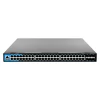
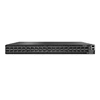
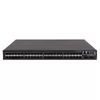
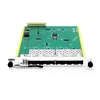
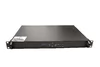
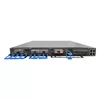
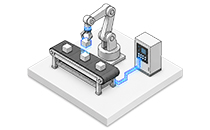
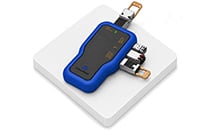
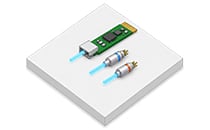
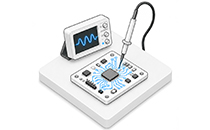
Running out of fiber strands but need to scale bandwidth? A passive DWDM mux/demux lets you transmit 8, 16, or 40 wavelength channels over each fiber, enabling multiple bidirectional services across a single fiber pair—without trenching for additional fiber, leasing more dark fiber strands, or deploying an unnecessarily complex active line system.
FiberMall supplies industrial-temperature passive DWDM mux/demux modules aligned with the ITU-T G.694.1 100 GHz frequency grid. Network engineers, telecom operators, and data center architects use them to expand capacity over existing single-mode fiber with predictable optical performance and fast global fulfillment.
The Fiber Capacity Problem Is Costing You More Than You Think
Every network team eventually reaches the same constraint: bandwidth demand continues to grow, but the available fiber count does not. Installing new fiber is expensive, slow, and often impractical in developed metro areas, leased ducts, or existing data center campuses. Leasing additional dark fiber creates recurring costs and may also limit route control and long-term network flexibility.
Dense Wavelength Division Multiplexing solves this problem by combining multiple optical signals, each operating at a different wavelength, onto a single fiber. At the transmitting end, the DWDM mux combines individual wavelength channels onto the common fiber. At the receiving end, the DWDM demux separates them back into individual optical channels.
The result is a substantial capacity increase using the fiber infrastructure you already own.
However, not all DWDM mux/demux modules are suitable for production networks. Low-quality units may have higher-than-specified insertion loss, insufficient channel isolation, inconsistent passbands, or excessive temperature-dependent wavelength drift. These issues can reduce optical power margin, increase crosstalk, and create compatibility problems with higher-baud-rate optical signals. When the link budget is tight, these shortcuts can turn a cost-saving project into a lengthy troubleshooting exercise.
FiberMall DWDM Mux/Demux: Capacity, Compatibility, and Control
FiberMall passive DWDM mux/demux modules are designed for engineers who require reliable wavelength multiplexing without the premium cost associated with many OEM-branded systems.
The modules are protocol-transparent and data-rate independent at the optical filtering level. They can support 10G, 25G, 100G, 400G, and other DWDM services, provided that the transceiver center frequency, occupied spectrum, channel spacing, filter passband, optical power budget, and host-platform requirements are compatible.
Key Benefits
• Multiply fiber capacity — Carry 8, 16, or 40 wavelength channels over each fiber instead of installing multiple parallel fiber runs.
• Passive, plug-and-play operation — No power supply, firmware, or SNMP management is required. The module performs wavelength multiplexing and demultiplexing through passive optical filtering.
• Reliable optical performance — TFF and AAWG options are available with low insertion loss, high adjacent-channel and non-adjacent-channel isolation, and wide operating-temperature options.
• Custom configurations — Select the channel count, fiber configuration, connector type, end-face polish, optional ports, packaging style, and labeling required for your link design.
Whether you are building a metro ring, regional backbone, data center interconnect, enterprise network, or 5G fronthaul system, FiberMall offers DWDM mux/demux configurations designed to match different optical power budgets, channel densities, and installation environments.
Features That Deliver Stable, High-Density Wavelength Multiplexing
8-, 16-, and 40-Channel Options
Choose the channel count that matches your current capacity requirements and future growth plan.
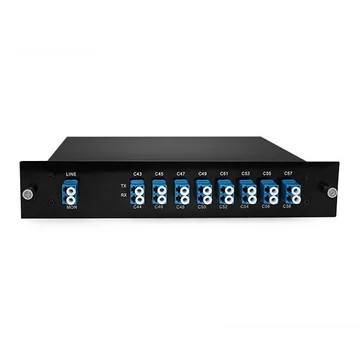
Eight-channel modules are well suited to smaller point-to-point links and commonly use contiguous channel ranges such as C21 to C28. Sixteen-channel units provide additional capacity and can be supplied with monitor, expansion, or wideband ports for greater deployment flexibility.
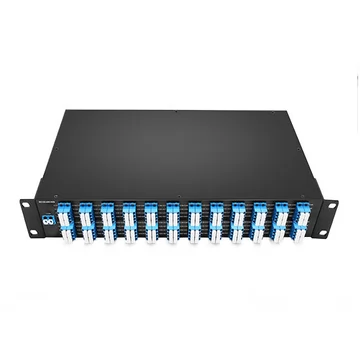
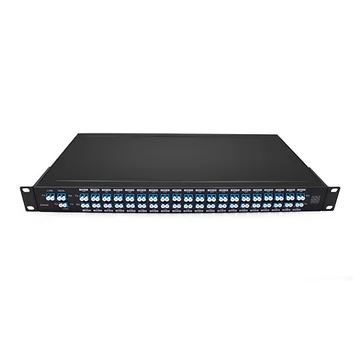
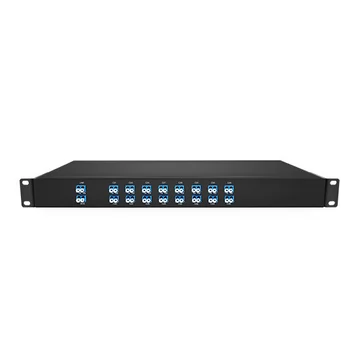
Forty-channel modules typically cover channels C21 to C60 on a 100 GHz grid and are commonly packaged in a 1U 19-inch rack-mount chassis for data center, central office, and metro-network applications.
TFF and AAWG Technologies
Thin-film filter, or TFF, modules provide low insertion loss and high channel isolation, making them especially suitable for lower-channel-count applications.
Athermal arrayed waveguide grating, or AAWG, modules provide consistent channel spacing and stable performance across high-channel-count systems without active temperature control. AAWG products may use either Gaussian or flat-top passbands.
Flat-top AAWG versions provide a wider usable passband and are generally better suited to higher-baud-rate signals, wavelength drift tolerance, or applications involving cascaded filters. Gaussian AAWG versions may provide lower insertion loss in certain configurations.
The most suitable technology depends on channel count, signal bandwidth, transmission reach, filtering margin, and system architecture.
Monitor and Expansion Ports
An optional monitor port provides a low-power optical tap from the common line port, allowing network operators to observe the multiplexed signal without interrupting live traffic.
When connected to an optical spectrum analyzer or optical channel monitor, the monitor port can be used to verify channel presence, wavelength alignment, and per-channel optical power. A standard optical power meter can measure the total composite power at the monitor port, but it cannot distinguish the power of individual wavelengths.
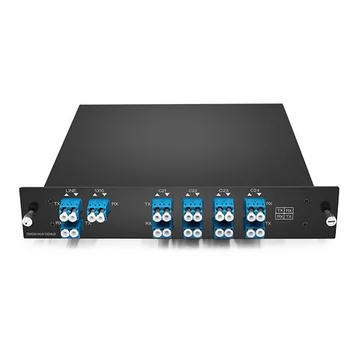
An expansion port can be used to cascade an additional DWDM mux/demux with a non-overlapping channel range. Adding CWDM channels requires a model specifically designed with a compatible CWDM expansion port, band port, or wideband overlay port.
A 1310 nm wideband port can be used to carry compatible 1310 nm services alongside the C-band DWDM channels, provided that the wavelength range, isolation, and total optical power budget are suitable for the application.
ITU-T G.694.1 Grid Alignment
FiberMall DWDM mux/demux modules are aligned with the ITU-T G.694.1 frequency grid. Standard product configurations commonly use 100 GHz channel spacing, helping ensure compatibility with DWDM transceivers tuned to the corresponding ITU center frequencies.
Channel assignment, filter center frequency, insertion loss, isolation, passband width, and passband shape are controlled to reduce crosstalk and maintain adequate signal margin.
For higher-baud-rate coherent signals, compatibility should be confirmed by comparing the transceiver’s occupied spectrum with the mux/demux passband and filter shape. Matching only the nominal ITU channel number is not always sufficient.
Wide Operating-Temperature Options
Depending on the product model and packaging, FiberMall DWDM mux/demux modules are available with operating-temperature ranges such as -20°C to +75°C or -40°C to +85°C.
These wide-temperature options support deployment in equipment rooms, telecom cabinets, industrial environments, and other locations with limited temperature control. The guaranteed temperature range should always be confirmed in the individual product datasheet.
For outside-plant or harsh-environment deployment, enclosure protection, humidity resistance, condensation control, vibration tolerance, and fiber-retention performance should also be considered.
Rack, LGX, and ABS Box Form Factors
Deploy the same optical multiplexing function in the package that best fits your installation.
Compact ABS box modules are suitable for laboratories, equipment enclosures, field installations, and customized fiber-management arrangements. LGX cassettes integrate easily into compatible modular patch panels and fiber-management systems.
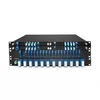
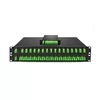
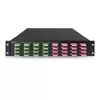
For data centers, central offices, telecom rooms, and high-density network installations, 1U 19-inch rack-mount chassis provide organized front-panel access, clear channel identification, and simplified cable management.
How to Deploy FiberMall DWDM Mux/Demux in Three Steps
1. Match the Module to Your Link Design
Choose the required channel count, single-fiber or dual-fiber configuration, connector type, connector end-face polish, optional ports, packaging style, and TFF or AAWG technology.
The selection should be based on transmission distance, fiber attenuation, transceiver power levels, mux/demux insertion loss, connector and splice losses, system penalties, and the required engineering margin.
2. Pair It with Compatible DWDM Transceivers
Select ITU-tuned DWDM transceivers that match the channel frequencies of the mux/demux.
FiberMall passive mux/demux modules are not tied to a specific transceiver brand. However, successful operation requires compatibility in center frequency, occupied spectrum, channel spacing, filter passband, optical power budget, modulation format, and host-platform support.
When using third-party transceivers, confirm that the switch or router accepts the module and that any required coding or firmware compatibility has been addressed.
3. Install and Verify
Mount the module and connect the common, or COM, port to the transmission fiber. Connect each DWDM transceiver to the corresponding channel port and confirm that the channel assignments match at both ends of the link.
Use an optical power meter to check total line power or the power at individual channel ports. Use an optical spectrum analyzer or optical channel monitor when per-channel wavelength and power verification is required through the monitor port.
Because the mux/demux is passive, no power supply, software configuration, or network management connection is required.
DWDM vs. CWDM: Which One Do You Need?
DWDM and CWDM both increase fiber capacity by carrying multiple wavelengths over the same fiber, but they are optimized for different channel densities, distances, budgets, and network architectures.
DWDM commonly uses 100 GHz or 50 GHz channel spacing, although other frequency grids are also defined. Common passive configurations include 8, 16, 40, 80, or 96 channels, depending on the channel spacing and the spectral range used.
CWDM uses 20 nm wavelength spacing. Standard CWDM systems can support up to 18 wavelengths across the 1270 nm to 1610 nm range, although many practical systems use 4, 8, or 16 channels.
DWDM is typically selected for high-capacity data center interconnect, metro, regional, and long-haul applications. It offers higher spectral density and can be combined with optical amplification, dispersion management, coherent transmission, and optical monitoring when required.
CWDM is commonly used in access networks, enterprise campuses, mobile fronthaul, and lower-channel-count metro links. It normally offers a lower initial cost when only a small number of wavelengths are required.
The transmission distance of either technology is not determined by the mux/demux alone. Reach depends on the optical transceivers, fiber attenuation, mux/demux insertion loss, connectors, splices, dispersion, OSNR, system penalties, and engineering margin.
DWDM generally provides a lower cost per channel when channel density is high, while CWDM is often more economical for smaller systems with fewer wavelength channels.
Choose a DWDM mux/demux when you need high channel density, coherent transmission, optical amplification, longer reach, or room to scale beyond the standard CWDM wavelength count.
Choose CWDM when the link requires only a few channels, the optical power budget is sufficient, and minimizing initial equipment cost is the main priority.
Frequently Asked Questions
What Is a DWDM Mux/Demux and How Does It Work?
A DWDM mux, or multiplexer, combines multiple optical signals operating at different wavelengths onto a common fiber. A DWDM demux, or demultiplexer, separates those wavelengths back into individual optical signals at the receiving end.
Passive DWDM modules use thin-film filters, arrayed waveguide gratings, or other passive optical filtering technologies and do not require electrical power.
How Many Channels Can a DWDM Mux/Demux Support?
Common 100 GHz passive DWDM configurations include 4, 8, 16, and 40 channels.
Higher-density systems, including 80- or 96-channel configurations, typically use 50 GHz spacing, a broader spectral range, or a combination of different wavelength bands.
FiberMall primarily offers 8-, 16-, and 40-channel solutions for metro networks, regional links, data center interconnects, enterprise networks, and telecom applications.
What Is the Difference Between Single-Fiber and Dual-Fiber DWDM?
Dual-fiber DWDM uses one fiber for transmission in one direction and a second fiber for transmission in the opposite direction. The same set of wavelengths can normally be reused on both fibers because the two directions are physically separated.
Single-fiber DWDM carries both directions over one fiber strand. It usually requires a matched pair of Side-A and Side-B mux/demux modules with complementary transmit and receive wavelength assignments.
The upstream and downstream channels must be planned carefully to prevent wavelength conflicts and ensure that each transceiver is connected to the correct port.
Can I Use a DWDM Mux/Demux with Transceivers from Different Brands?
Yes. The passive DWDM mux/demux itself is generally brand-agnostic because it filters optical wavelengths rather than identifying the transceiver vendor.
However, compatibility depends on more than the ITU channel number. The transceiver center frequency, occupied spectrum, channel spacing, mux/demux passband, optical power levels, modulation format, and total link budget must be compatible.
The switch or router must also support the selected third-party transceiver.
What Is Insertion Loss and Why Does It Matter?
Insertion loss is the amount of optical power lost as the signal passes through the mux/demux.
Lower insertion loss preserves more optical power margin for fiber attenuation, connectors, splices, monitoring taps, system penalties, and engineering reserve. This helps maintain the required receiver power and can increase the achievable transmission distance.
The total link budget should include the insertion loss of both the transmitting-side and receiving-side mux/demux modules.
Does FiberMall Offer Custom DWDM Mux/Demux Configurations?
Yes. FiberMall can customize channel ranges, channel spacing, single-fiber or dual-fiber operation, connector type, connector end-face polish, monitor ports, expansion ports, wideband ports, chassis style, fiber length, and labeling.
Low-MOQ options are available for evaluation and project validation, with volume pricing for production deployments.